


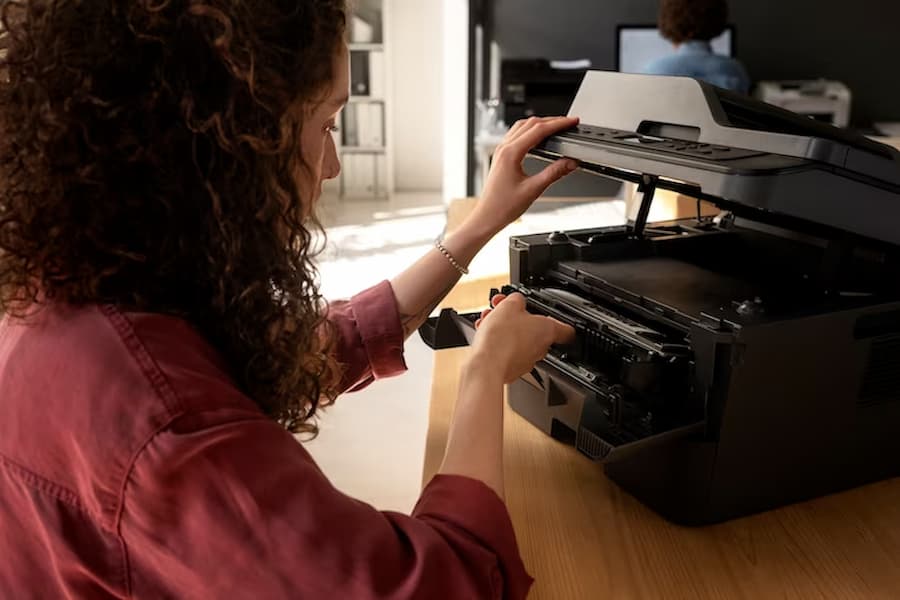
Copier Waste Cartridge Full
The importance of maintaining copiers cannot be neglected. These machines, often taken for granted, play a pivotal role in ensuring smooth operations. However, like all machines, copiers too have their set of challenges. One such challenge that often goes unnoticed is the waste cartridge issue. For those unfamiliar, this might seem like a minor hiccup, but in reality, it holds significant importance in the overall functioning of the copier.
In other words, if you’ve ever faced issues with your copier and wondered why it’s not performing at its best, the waste cartridge might be the culprit. How to Empty your Waste Toner Cartridge – 4 Easy Steps provides a detailed guide on this, but let’s delve deeper.


What is a Waste Cartridge?
A waste cartridge, often referred to simply as the waste toner container, is an integral part of a copier. Its primary function is to collect excess toner that doesn’t get used during the printing process. Therefore, it ensures that the machine remains clean and functions efficiently.
For instance, imagine baking a cake and having some leftover batter. Instead of letting it spill and create a mess, you’d ideally want a container to hold that excess. Similarly, the waste cartridge acts as that container for copiers, ensuring that excess toner doesn’t spill inside the machine. In addition, it plays a pivotal role in maintaining the quality of prints and the overall health of the copier.
Signs that Your Waste Cartridge is Full
In the bustling environment of modern offices, copiers play a pivotal role in ensuring seamless operations. As with all machines, they require regular maintenance, and one of the most overlooked aspects is the waste cartridge. Recognizing when this cartridge is full can prevent a multitude of issues. Here are some key indicators to watch out for:
- Message Alerts: With advancements in technology, today’s copiers are smarter than ever. Most modern machines come equipped with intuitive touch screens that provide real-time feedback about the copier’s status. One of the most frequent alerts that users encounter is a notification about the waste toner container nearing its capacity or being completely full. This alert is not just a mere suggestion; it’s a clear indication that immediate action is required.
- Reduced Printing Efficiency: A full waste cartridge doesn’t just pose a potential mess; it directly impacts the quality of your prints. If you’ve noticed that your copier is producing prints that are streaky, uneven, or of lower quality than usual, it’s a glaring sign that the waste cartridge might be overflowing. The excess toner, which should ideally be in the waste cartridge, can interfere with the printing process, leading to these subpar results.
- Potential Risks: Beyond the immediate signs, there are long-term risks associated with neglecting a full waste cartridge. Ignoring the warning signs and alerts can have dire consequences. For instance, the overflowing toner can spill inside the machine, causing damage to its essential components. This not only leads to costly repairs but can also shorten the lifespan of your copier. Additionally, if the waste toner begins to leak, it can create a significant mess around the copier area, posing potential hazards and making the workspace untidy.
For those who might be unsure about how to address this issue, resources like How To Clean Waste Toner Container Clean Sweep Supply provide valuable insights into the cleaning and maintenance process. However, the key lies in early recognition. Being proactive in identifying these signs and taking timely action can save both time and money in the long run, ensuring that your copier remains in optimal condition.
Impact on the Copier’s Lifespan
Above all, the health of your copier is paramount. Neglecting the waste cartridge doesn’t just lead to immediate issues but can also reduce the lifespan of your copier. Here’s how:
- Internal Damage: As mentioned earlier, an overflowing waste cartridge can lead to toner spills inside the machine. This can damage the internal components, leading to frequent malfunctions or even permanent damage.
- Reduced Efficiency: A full waste cartridge can hinder the copier’s efficiency. The machine might take longer to warm up, consume more power, or produce low-quality prints.
- Importance of Timely Maintenance: After that, it’s essential to understand the significance of timely maintenance. Regularly checking and replacing the waste cartridge ensures that your copier remains in optimal condition. It’s not just about emptying the container but also ensuring that the new one is installed correctly.


While the waste cartridge might seem like a small component, its role in ensuring the copier’s longevity is undeniable. Regular maintenance, timely replacements, and understanding the signs of a full cartridge can go a long way in extending the life of your copier. So, the next time you see a YouTube tutorial on copier maintenance, don’t skip the part about the waste cartridge! It might just be the key to keeping your machine running smoothly for years to come.
Steps to Replace the Waste Cartridge
Addressing the waste toner container issue is not as daunting as it might seem. With a step-by-step approach, you can easily tackle the problem. Here’s how:
Ensuring the Printer has Stopped
- Before you start, make sure the printer is not in the middle of a printing job. It’s essential to stop any ongoing tasks to avoid any errors or mishaps.
- Check the printer’s display screen for any active tasks. If there’s a printing job in progress, either wait for it to finish or manually stop it.
Opening the Front Cover and Accessing the Waste Toner Container
- Locate the front cover of your copier. This is usually a large, accessible panel on the front of the machine.
- Carefully open the front cover. You should find the waste toner bottle or container inside.
Properly Removing the Full Waste Toner Container
- Once you’ve located the waste toner cartridge, grasp it firmly by its handle.
- Carefully pull it out, ensuring you don’t spill any of the waste toner inside.
- Place the full container on a flat surface, away from any important documents or electronics.
Installing the New Waste Toner Container
- Before you install the new container, make sure it’s the correct model for your copier. Using an incompatible container can lead to errors.
- Slide the new container into the slot where the old one was. Ensure it fits snugly and securely.
- Once in place, close the front cover of the copier.
Disposing of the Old Waste Toner Container Responsibly
- It’s crucial to dispose of the old container responsibly. Toner is a chemical substance, and improper disposal can harm the environment.
- Most manufacturers, like Xerox, provide guidelines on how to dispose of waste toner containers. Follow these guidelines to ensure you’re not harming the environment.
- Some companies also offer recycling programs for used containers. Check with your copier’s manufacturer to see if they have such a program.
Maintenance Tips to Extend the Lifespan of Your Copier
Maintaining your copier is not just about replacing the waste toner container. Here are some additional tips to ensure your machine lasts longer:
Regularly Checking the Waste Cartridge
- Set a reminder to check the waste cartridge every month. This doesn’t mean you’ll need to replace it every time, but regular checks will help you gauge when a replacement is due.
- If your copier sees heavy use, consider checking the cartridge more frequently.
Cleaning and Maintaining Other Parts of the Copier
- Dust and debris can accumulate in various parts of the copier. Regularly clean the exterior with a soft cloth.
- For the interior, consider seeking professional help or support. Some parts can be delicate and might get damaged if not handled correctly.
Importance of Using Quality Toner and Cartridges
- Always use high-quality toner and cartridges recommended by the manufacturer. Using low-quality or incompatible products can reduce the efficiency of your copier and lead to frequent malfunctions.
What People Also Ask
Why does my copier have a waste cartridge?
Every copier produces some amount of waste toner during the printing process. The waste cartridge or waste toner box collects this excess toner, ensuring the machine remains clean and functions efficiently.
How often should I check and replace the waste cartridge?
The frequency depends on the usage of your copier. For heavy use, checking the cartridge monthly is advisable. However, for regular or light use, a quarterly check should suffice.
Can I empty and reuse the waste cartridge?
While it might seem economical, emptying and reusing the cartridge is not recommended. Over time, the cartridge can wear out and might not function as efficiently.
What happens if I ignore the “waste cartridge full” warning for too long?
Ignoring the warning can lead to spills inside the machine, damaging essential components and reducing the copier’s efficiency.
Are there any environmental concerns related to waste cartridges?
Yes, toner is a chemical substance, and improper disposal can harm the environment. It’s essential to follow the manufacturer’s guidelines for disposal or consider recycling programs.


Conclusion
In conclusion, addressing the waste cartridge full issue is not just about ensuring smooth operations today, but it’s a pivotal step towards safeguarding the longevity and peak efficiency of your copier for the future. Regular maintenance routines, coupled with timely replacements, are the cornerstones of a well-functioning machine.
Furthermore, understanding and recognizing the significance of using top-notch quality products, especially in the realm of cartridges and toners, is paramount. These seemingly small steps can collectively ensure that your copier remains a reliable asset for many years to come.
Remember, the care and attention you invest in your machine today act as a shield against potential troubles down the line. So, when your copier sends out that all-too-familiar message about the waste cartridge, armed with knowledge and awareness, you’ll be well-prepared to tackle it head-on.