



Don’t forget about the power supply unit!
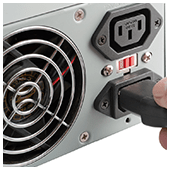

When it comes to purchasing hardware, processors and graphics cards are often the first things people consider. But equally important are power supply units (PSUs). If you completely overlook PSU specifications, it can end up costing your business in more ways than one. Here are a few useful tips to remember when choosing a power supply for your workstations.
Higher isn’t always better
Many users assume the higher the total wattage, the better the performance of the PSU. While enormous 1800W PSUs are useful for running multiple drives and graphics-intensive applications, they’re unnecessary and often cost you an arm and a leg.
Most computers don’t run at full capacity all the time. In fact, if your computer has mid-level graphics cards, processors, and RAM, 600W is more than enough.
To find out exactly how much you need, online PSU calculators will give you a rough estimate of your daily power consumption. Once you’ve calculated how much wattage you need, you’ll ideally want a PSU that has a slightly higher total wattage limit to provide some headroom in case you want to install additional components later.
Pay attention to efficiency ratings
Highly efficient PSUs tend to have more effective components, consume less energy, and produce less heat, which saves you from huge monthly energy and cooling bills.
The best way to determine whether your PSU is efficient is to look for ones with “80 Plus” certifications. This certification means that a unit is at least 80% efficient, and loses approximately 20% as heat.
Note that higher efficiency ratings equal higher prices, so be sure to weigh the potential energy and cooling savings against the upfront cost of the PSU.
Consider larger PSUs
Although they can be quite cumbersome, larger PSUs are more reliable than lightweight models. Large PSUs are equipped with more advanced internal components and better cooling management. Fans are larger too, which means they can move more air, make less noise, and keep your workstation cool.
Choose your cables wisely
When it comes to cabling, you have three options: hard-wired cabling, partially modular cabling, or fully modular cabling.
- Hard-wired cables are attached directly to the PSU box. While this setup is cheaper than the other two cabling options, the number of plugs are limited and not suited for customization.
- Fully modular cabling means all PSU cables are removable, making installation and cabling management easy. These PSU models, however, tend to be much more expensive than other types of cabling.
- Partially modular cabling takes the best of both worlds, providing necessary cables for the PSU while giving room for other components at a moderate price.
Research the manufacturer
Ideally, your PSU should be provided by a reliable manufacturer that offers reasonable warranties and comprehensive support. Most people tend to opt for Corsair, Seasonic, and Antec PSUs, but you should still take time to research the products.
Look for customer reviews about the specific make and model of your PSU. If that’s not possible, get a hardware technician’s expert opinion.
Choosing the right hardware can be extremely difficult, especially if you don’t have the technical know-how. So if you need more guidance about all things related to hardware, call us today. We’re more than happy to answer any of your questions.