


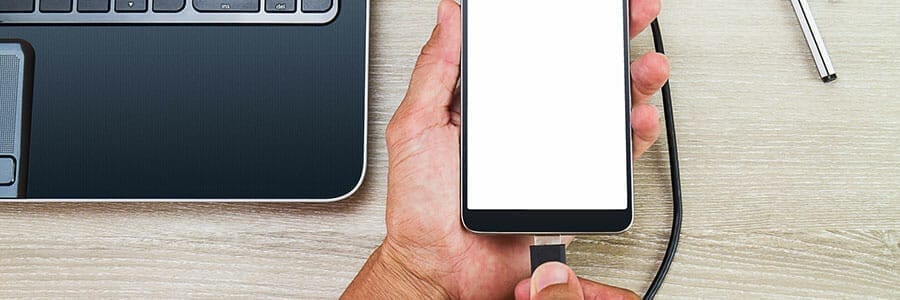

There are many different ways for file transfer between Android phones and computers; however, most of these methods require an internet connection on both the phone and the computer during the process. So, if you are about to be off the grid for quite some time or would just rather transfer files without the internet, here’s how you can do just that with your trusty USB cable:
What you need:
- Your Android phone
- A computer with a USB port
- A USB cable
What you need to do:
If you have a Windows computer…
- Start by plugging your phone into the computer via USB port.
- Turn on your phone’s screen and unlock the device. At this point, your Android device should only be connected for charging. Swipe down from the top of your screen and tap on USB for charging to view more options.
- Select Transfer files in the menu that appear.
- On your computer, search for your Android device on File Explorer. Click on the icon that represents your phone and you should be directed to your phone’s internal storage.
- Drag and drop the files or folders into your preferred location, such as the desktop or documents. If you want to save videos and pictures, you can find them in the DCIM folder.
- Once you are done, right-click your device’s name. Click Eject before unplugging the phone and USB cable.
If you have a Mac…
If you’re using a Mac desktop or laptop, the first thing you need to do is to download Android File Transfer, an official Google app that works on Macs running on OS X 10.5 or later. Afterward, the process is pretty similar to how it’s done on Android, and you can easily transfer files even without an internet connection.
- Download and install Android File Transfer on your computer.
- Plug your device into your Mac USB port with the USB cable.
- Unlock your phone and swipe down on your screen. Tap on USB for charging to view more options.
- Select Transfer Files.
- The application should run automatically on your Mac. You can also open the Mac Finder or Spotlight Search and look for the Android File Transfer on the list of programs. Double click the Android drive icon.
- Browse the files and folders on your Android device and transfer files to your computer.
- Once you are done, open the Finder sidebar and find your device under Devices. Click on Eject and unplug the phone and USB cable. You can also go to the desktop and drag your device to the Trash.
And voilà! — you’ve just learned an essential Android skill. Keeping a copy of personal or business data you care about is a task that should not be overlooked since your valuable information can be wiped out in a matter of seconds due to human error, natural calamity, or unexpected downtime.
Securing a backup of files in your mobile device may be easy peasy, but how do you make all important data in your business devices and computers disaster-proof? Our team can offer regular backup solutions to ensure that your business will be able to weather the storm when it strikes. Call us today to discuss backup options available to your business.