


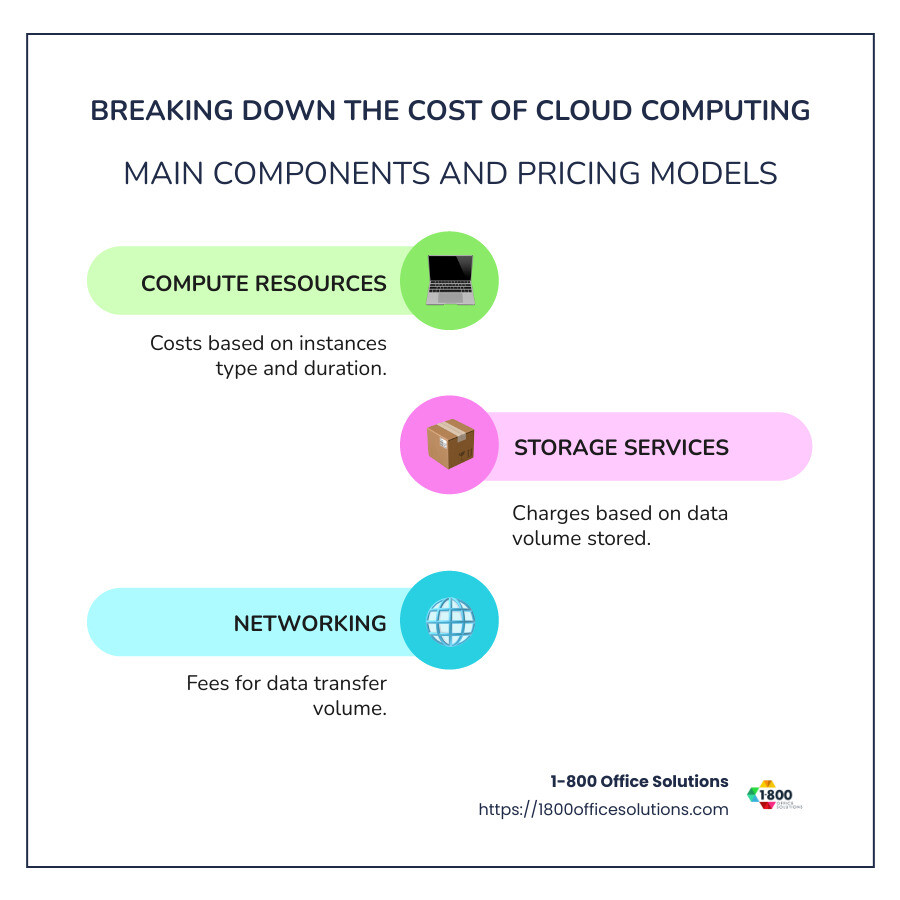
Breaking down the cost of cloud computing can be a complex task, but having a clear understanding can save your organization time and money. Cloud computing costs depend mainly on three components:
- Compute Resources: Costs depend on the type and duration of the instances used.
- Storage Services: Charges are based on the amount of data stored.
- Networking: Fees are incurred based on data transfer volume.
Quickly grasping these elements helps you make informed decisions about investing in cloud services. While the flexibility and scalability of cloud solutions are compelling, the price can vary significantly depending on your needs and the pricing models you choose.

Main Components of Cloud Costs
When it comes to cloud software development, understanding the main components of cloud costs is crucial. Let’s break it down into three key areas: compute resources, networking, and storage services.
Compute Resources
Think of compute resources as the engine of your cloud operations. These are the virtual machines or instances you use to run applications and services. Costs here are primarily determined by:
- Instance Type: Different types offer varying levels of CPU, memory, and other features. For example, a compute-optimized instance will cost more than a general-purpose one due to its higher performance capabilities.
- Usage Duration: The longer you run an instance, the more you pay. Providers often bill by the hour or even by the minute.

Networking
Networking costs can sometimes be the hidden fees that sneak up on you. These are the charges for moving data in and out of your cloud services:
- Data Transfer: Most providers charge for data leaving their servers (egress), while incoming data (ingress) is often free. This means the more data you move out, the higher your costs.
- Additional Services: Features like static IP addresses and load balancers can add to your networking expenses.
Storage Services
Storage is where you keep all your data, and costs here are typically based on:
- Type of Storage: Options like block storage, file storage, and object storage come with different pricing. Object storage is usually the most cost-effective for large amounts of data.
- Amount of Data: You pay for the data stored per gigabyte each month. Managed storage services might charge for the full capacity, regardless of actual usage.


Understanding these components can help you predict and manage your cloud expenses effectively. As you explore cloud solutions, keep these elements in mind to make informed choices that align with your business needs. Now, let’s move on to understanding the different cloud cost models that can further impact your budgeting decisions.
Cloud Cost Models
When it comes to breaking down the cost of cloud computing, choosing the right cost model can make a significant difference in your budget. Let’s explore four popular cloud cost models: pay-as-you-go, reserved instances, spot instances, and prepaid subscriptions.
Pay-As-You-Go
The pay-as-you-go model is like a utility bill—you pay for what you use. This model is incredibly flexible, making it ideal for businesses with fluctuating workloads. You can scale resources up or down based on demand, ensuring you only pay for what you need at any given moment. However, this flexibility can lead to unexpected costs if not monitored closely, especially when usage spikes.
Reserved Instances
For businesses with predictable workloads, reserved instances offer substantial savings. By committing to a specific amount of resources over a 1- or 3-year term, you can enjoy discounts ranging from 50% to 75% compared to pay-as-you-go rates. This model is perfect for steady-state operations, ensuring you have the necessary resources at a lower cost. Just be cautious not to overcommit, as unused capacity won’t be refunded.
Spot Instances
If you’re looking for the most cost-effective option, spot instances could be your answer. These instances allow you to use spare cloud capacity at discounts up to 90%. The catch? Spot instances can be terminated with little notice, so they’re best for flexible, fault-tolerant workloads. By leveraging tools like Elastigroup from Spot by NetApp, you can even use spot instances for critical tasks without the risk of sudden interruptions.
Prepaid Subscriptions
Prepaid subscriptions
offer a way to lock in services at a fixed rate. You pay upfront for a package of services over a defined period, often at a discounted rate. This model is useful for businesses with consistent resource needs, providing cost predictability and potential savings. By committing to a longer subscription, you can further reduce costs compared to shorter terms.
Each of these cloud cost models has its own advantages and potential pitfalls. The key is to align your choice with your business needs and workload patterns. By doing so, you can effectively manage your cloud expenses and maximize the return on your cloud investment.
For more insights on how to secure and optimize your cloud investments, check out our Cloud Security Solutions.