



Introduction to Printer Leasing
In the modern business environment, the need for efficient and reliable printing solutions is paramount. Printer leasing has emerged as a popular option for many organizations, providing access to the latest printing technology without the upfront costs of purchasing. Leasing a printer or a multifunction copier allows businesses to maintain a consistent workflow, adapt to changing needs, and manage expenses effectively. In this blog post you’ll learn 6 common mistake with printer lease and how to solve it with 1800 Office Solutions
Leasing a printer involves entering into a lease agreement with a vendor, where the business can use the printer for a specified lease term. This arrangement often includes managed print services, ensuring that maintenance and supplies are taken care of by the provider. The flexibility of printer leasing makes it an attractive option for businesses of all sizes.
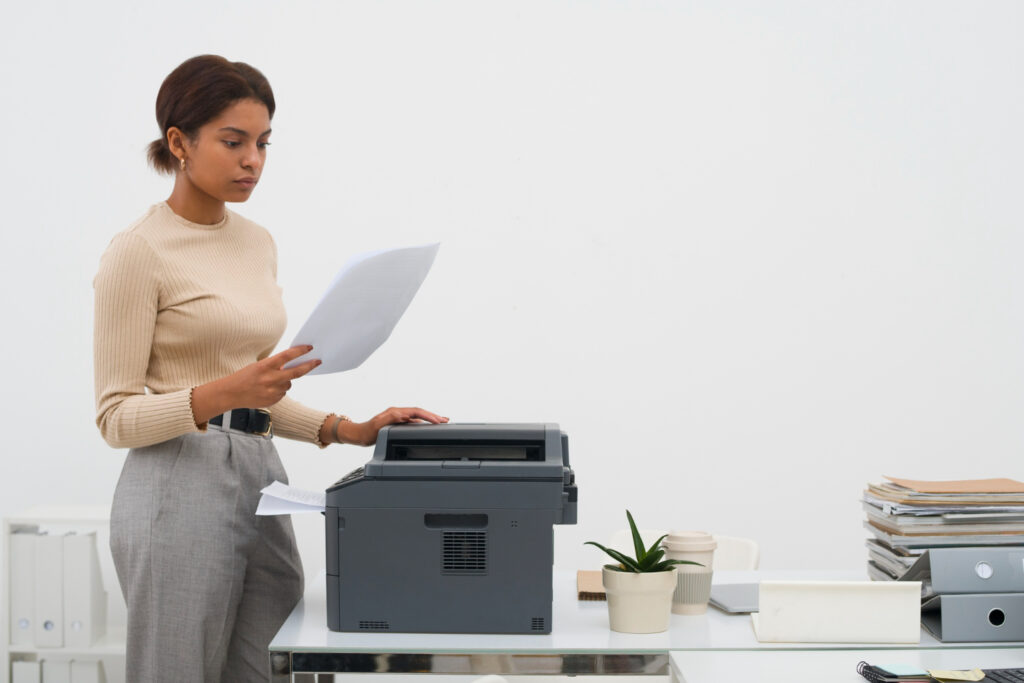

Common Mistakes in Printer Leasing
However, like any contractual agreement, printer leasing comes with its own set of challenges and potential pitfalls. Here are some common mistakes that businesses often make when entering into a printer lease:
- Not Understanding the Lease Terms: Many businesses fail to fully understand the lease term and conditions. This can lead to unexpected costs, limitations on usage, or challenges in upgrading or terminating the lease. A clear understanding of the lease agreement, including the term, maintenance responsibilities, and termination conditions, is essential to avoid unexpected surprises.
- Choosing the Wrong Printer or Copier: Selecting the right printer or copier that fits the specific needs of the business is crucial. Some businesses may opt for a printer with features that are unnecessary for their operations, leading to higher leasing costs. Conversely, choosing a printer that lacks essential functions can hinder productivity. Assessing the printing needs, volume, and functionality is key to choosing the right printer or copier.
- Ignoring Managed Print Services: Many printer leases come with managed print services, which include maintenance, supplies, and support. Ignoring or overlooking these services can lead to increased operational challenges and costs. Engaging with the provider to understand and utilize these IT services ensures smooth operation and can save time and money in the long run.
Importance of Understanding Printer Leasing Mistakes
Understanding and avoiding these common mistakes is vital for a successful printer leasing experience. The decision to lease a copier or printer should be made with careful consideration of the business’s specific needs, budget, and long-term goals. Choosing the Right Printer can be a complex process, but being aware of potential mistakes and learning from others’ experiences can guide businesses in making informed decisions.
The importance of proper office printer leasing extends beyond mere cost-saving. It impacts the efficiency, productivity, and adaptability of the business operations. Whether it’s a small business looking to lease a single printer or a large corporation requiring a fleet of multifunction copiers, understanding the intricacies of printer leasing is essential for maximizing benefits and minimizing risks.
Printer leasing offers a flexible and cost-effective solution for businesses, but it requires careful planning, understanding of the lease terms, and selection of the right equipment. By avoiding common mistakes and leveraging the available resources, businesses can make the most of printer leasing to support their growth and success.
6 Common Mistake with Printer Lease
Overusing Your Laser Printer
Printing More Than the Machine Can Handle
One of the most common mistakes in printer or copier leasing is overusing the machine beyond its capacity. Every printer, especially laser printers, has a specific monthly duty cycle, which is the maximum number of pages it can print in a month without affecting its performance. Overusing the printer can lead to:
- Wear and Tear: Exceeding the monthly duty cycle can cause premature wear and tear on the printer, leading to more frequent maintenance and repair.
- Increased Costs: Overuse can result in higher monthly costs, affecting the cash flow of the business.
- Reduced Efficiency: Constant overuse can reduce the efficiency of the printer, causing delays and affecting productivity.
Understanding the capacity of the printer and ensuring that it meets your business needs without exceeding its limits is essential for a cost-effective and hassle-free experience.
Allowing Too Many People to Use One Machine
Another mistake is allowing too many people to use one machine, especially in a large office setting. This can lead to:
- Queue and Delays: With many users trying to print simultaneously, queues and delays become common, affecting the workflow.
- Mismanagement: Managing print jobs from multiple users can become chaotic, leading to errors and confusion.
- Security Risks: Without proper access controls, sensitive documents might be exposed to unauthorized personnel.
Implementing proper access controls and understanding the office equipment needs can help in streamlining the process and ensuring that the right printer or copier is used by the right people.
Printing Special Media on an Unsuitable Machine
Not all printers are suitable for printing special media like glossy paper, labels, or card stock. Printing such media on an unsuitable machine can:
- Cause Jams and Damage: Special media might jam or damage a printer not designed to handle it.
- Affect Print Quality: The print quality might be compromised, leading to unprofessional results.
- Void Warranty or Lease Agreement: Some leasing contracts might have clauses against using special media, and violating them might void the warranty or agreement.
Choosing the right equipment that fits the specific printing needs, including special media, is crucial.
Using a Printer Until it Dies
Rise in Service and Maintenance Issues
Using a printer until it dies, without considering the end of the lease or the need for an upgrade, can lead to:
- Frequent Breakdowns: An old printer is more likely to break down, leading to frequent service and maintenance issues.
- Increased Costs: The maintenance and repair costs for an old printer can add up, making it less cost-effective in the long run.
- Reduced Efficiency: An old printer might not be as efficient as newer models, affecting the productivity of the business.
Considering the length of the lease, the condition of the printer, and the need for new equipment is essential to avoid these issues.
Missing Out on Technology Advancements
Sticking to an old printer might also mean missing out on the latest technology advancements. This can:
- Limit Capabilities: Newer printers come with advanced features and capabilities that can streamline the printing process.
- Affect Competitiveness: Staying ahead of the competition often requires leveraging the latest technology. Using an outdated printer might hinder this.
- Reduce Flexibility: New printers often come with more flexible terms and options, providing a more tailored solution for the business.
Evaluating the need for an upgrade and considering the latest technology solutions, like VersaLink or C405, can ensure that the business stays competitive and efficient.
Replacing Toner or Other Supplies Too Soon
Wasted Toner and Money
Replacing toner or other supplies too soon is a common mistake that can lead to wasted toner and money. This can happen due to:
- Misunderstanding Toner Levels: Many people replace toner cartridges when the low toner warning appears, even though there might still be a significant amount of toner left.
- Lack of Knowledge: Not understanding how to properly gauge toner levels can lead to premature replacement.
- Inefficient Use: Using high-quality settings for all print jobs, even drafts, can waste toner unnecessarily.
Understanding the actual toner levels and using the right settings can save both toner and money.
Misconceptions About Low Toner
Misconceptions about low toner can also lead to mistakes:
- Quality Concerns: Some believe that low toner immediately affects print quality, leading to unnecessary replacements.
- Fear of Running Out: The fear of running out of toner during an important print job might cause premature replacement.
Educating users about toner management and having a backup cartridge can provide peace of mind without wasting resources.
Not Using Your Machine to Its Full Potential
Underutilizing Features
Many modern printers and copiers come with a range of features that can significantly enhance productivity. However, underutilizing these features is a common mistake:
- Ignoring Multifunction Capabilities: A multifunction printer (MFP) offers printing, scanning, copying, and faxing in one device. Ignoring these capabilities can lead to inefficiencies.
- Not Leveraging Security Features: Many printers come with security features like user authentication, encryption, and secure printing. Not using these can expose sensitive information.
- Overlooking Integration Options: Printers can often be integrated with other office systems to streamline workflows. Overlooking these options can hinder productivity.
Understanding and leveraging the full potential of the printer ensures that the business gets the most value from the lease.
Printer Leasing for Marketing Efforts
Printers can also be used for marketing efforts, but this potential is often overlooked:
- High-Quality Printing for Marketing Materials: Modern printers can produce high-quality prints suitable for marketing materials like brochures, flyers, and business cards.
- Personalized Printing: Printers can be used for personalized printing, enhancing marketing campaigns.
- Cost-Effective In-House Printing: Leasing a printer capable of marketing-quality printing can save costs compared to outsourcing.
Utilizing the printer for marketing efforts can enhance the marketing strategy and provide a more comprehensive solution.
Not Considering Available Office Space
Space Planning for Copier Printer
Space planning is often overlooked when leasing a printer or copier, leading to:
- Inefficient Layout: Placing the printer in an inconvenient location can hinder accessibility and efficiency.
- Crowding: A large printer in a small space can create crowding, affecting the work environment.
- Aesthetic Concerns: The printer should fit the aesthetics of the office. An ill-fitting printer can affect the overall look.
Office Printer Courtesy – The Do’s & Don’ts
Office printer courtesy is an often-overlooked aspect of office printer leasing, but it plays a vital role in maintaining a harmonious and productive work environment. Here are some essential do’s and don’ts:
Refilling Paper Trays and Replacing Print Cartridges
- Do: Always check the paper trays and refill them if they’re running low. If you’ve used the last of the paper or ink, take the initiative to replace it.
- Don’t: Don’t leave the printer without paper or with an empty ink cartridge, especially if you know others will need to use it soon. It’s a common courtesy to ensure the next user doesn’t have to deal with these issues.
Avoiding Personal Printing
- Do: Use the office printer primarily for work-related tasks. If you must print personal documents, do so sparingly and with permission.
- Don’t: Don’t overuse the office printer for personal printing. It can lead to increased costs for the company and may be considered unprofessional.
Helping Colleagues with Printer Issues
- Do: If you notice a colleague struggling with the printer, offer assistance if you can. Sharing knowledge about common printer issues and solutions can foster a collaborative environment.
- Don’t: Don’t ignore or dismiss others’ struggles with the printer, especially if you have the knowledge to help. Ignoring a colleague in need can create a negative atmosphere.
Office printer courtesy is not just about following rules; it’s about creating a respectful and cooperative workspace. Understanding and practicing these do’s and don’ts can lead to a more efficient and pleasant office environment.
It ensures that the printer, a vital tool in many workplaces, is used responsibly and considerately, contributing to a positive work culture. Whether it’s refilling paper trays, avoiding personal printing, or helping colleagues with printer issues, these simple acts of courtesy can make a significant difference in the daily work life of everyone in the office.
What People Also Ask
What is the recommended print volume for a printer?
The recommended print volume for a printer, often referred to as the monthly duty cycle, is the maximum number of pages a printer is designed to handle in a month without compromising its performance. This number varies depending on the printer model and its intended use. For instance, a home printer might have a lower monthly duty cycle compared to an enterprise-level office printer. It’s essential to be aware of this number to ensure the longevity of the printer and maintain its efficiency. Exceeding this limit consistently can lead to faster wear and tear and potential performance issues.
How to properly replace toner?
Replacing toner is a crucial maintenance task for laser printers. First, ensure the printer is turned off and unplugged. Open the printer’s front cover and carefully remove the old toner cartridge by its handle. Unbox the new toner, gently shaking it side-to-side to distribute the toner evenly. Remove any protective covers or seals from the new cartridge. Insert the new toner cartridge into the printer, ensuring it’s securely in place. Close the printer cover, plug it back in, and turn it on. It’s recommended to check the printer’s manual or manufacturer’s website for specific instructions tailored to your printer model.
What are the common causes of paper jams?
Paper jams can be caused by various factors. Overfilling the paper tray or using paper that is torn, damp, or wrinkled can lead to jams. Incorrect paper size or type settings can also cause misfeeds. Sometimes, foreign objects or accumulated dust inside the printer can obstruct the paper path. Worn-out rollers or components inside the printer can also lead to frequent jams. It’s essential to use the right type and quality of paper, ensure the paper tray is loaded correctly, and regularly clean and maintain the printer to prevent paper jams.
How to deal with lines on paper or wrinkled pages?
Lines on paper or wrinkled pages often indicate issues with the printer’s internal components. For lines, it could be due to dirt or ink on the print head or rollers. Cleaning the print head or rollers might resolve the issue. Wrinkled pages can be a result of worn-out rollers, a malfunctioning paper feed mechanism, or the use of damp paper. Ensure the paper is stored in a dry place, and consider replacing worn-out components or rollers. If the problem persists, it might be best to consult with the printer’s manufacturer or a professional technician.


Conclusion
In the realm of printer leasing, understanding the intricacies and potential pitfalls is paramount. From overusing the machine to neglecting essential maintenance tasks like toner replacement, several common mistake with printer lease can hinder the efficiency and longevity of the leased equipment. Furthermore, not leveraging the full potential of the printer, such as its multifunction capabilities or its use in marketing efforts, can lead to missed opportunities for businesses.
The importance of proper printer management extends beyond mere operational efficiency. It encompasses cost-effectiveness, security, and the overall productivity of a business environment. By being aware of these common mistakes and proactively addressing them, businesses can ensure they make the most of their printer leasing agreements, optimizing both performance and value.