


Managing Waste Container
In today’s fast-paced business world, the importance of efficient and reliable tools cannot be overstated. One such indispensable tool in many offices is the copier. Whether it’s for duplicating documents, printing out presentations, or scanning contracts, a copier plays a pivotal role in daily business operations. Its significance is often realized when it malfunctions or breaks down, causing disruptions and delays.
However, like all machines, copiers have their wear and tear. One of the most overlooked aspects of copier maintenance is the management of its waste container. This seemingly insignificant component, sometimes referred to as the trash container or bin, plays a crucial role in ensuring the copier’s longevity and efficiency. Proper waste container management can significantly extend the life of your copier.
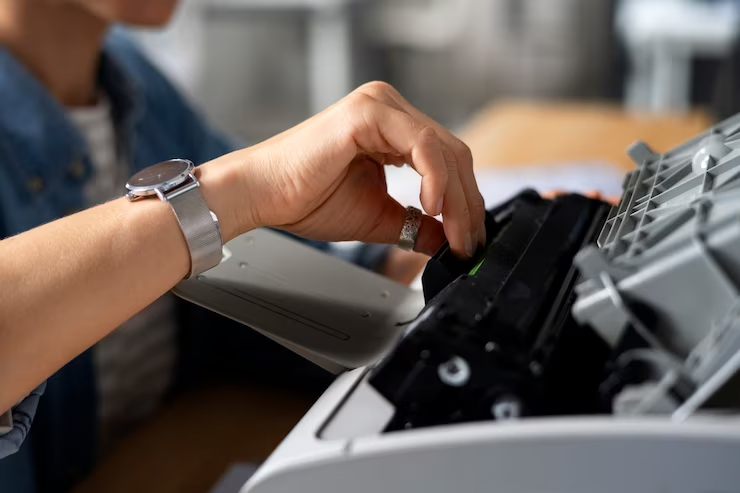

- Waste and Its Impact: Every time a copier is used, it generates waste. This waste, if not managed properly, can accumulate and cause blockages or even damage to the machine.
- Size and Mount: The size of the waste container and where it’s mounted, whether in a cabinet or on the floor, can influence how often it needs to be checked and emptied.
- Recycle and Disposal: Not all waste is the same. Some can be recycled, while others require special waste disposal methods, especially if they’re considered hazardous.
- The Role of the Trash Can: Beyond just being a container, the trash can or bin is a vital component that ensures the copier doesn’t get overwhelmed with waste.
By understanding the importance of the waste container and incorporating regular checks and maintenance into your routine, you can ensure that your copier remains in optimal condition. Proper waste container management is not just about extending the life of your copier; it’s also about promoting efficient waste disposal and recycling practices.
Understanding the Copier’s Waste Container
The copier’s waste container is an integral component that often goes unnoticed until problems arise. It’s essential to understand its role, functionality, and the potential issues that can occur if neglected.
What is a waste container in a copier?
A waste container in a copier, sometimes referred to as a dumpster or wastebasket, is a compartment designed to collect excess toner, dust, and other residues produced during the copying process. It’s not the same as the dumpsters or waste bins you might rent for larger disposal needs, but its function is similar on a smaller scale.
- Type of Container: The waste container can vary in design, from a simple drawer to a more complex pull-out system with a full-extension slide.
- Size and Capacity: Typically, these containers come in a variety of sizes, from a small 35 qt to a larger 50 qt, enough to hold the waste produced during regular usage.
How does it function?
The waste container’s primary function is to collect and store the waste produced during the copying process. As the copier operates, excess toner, dust, and other residues are directed into this container.
- Mechanism: Most waste containers have a lid that opens during the copying process, allowing waste to enter. Some advanced models might even have a lock mechanism to prevent spillage.
- Material: They are often made of sturdy materials like stainless steel to ensure longevity and easy cleaning. Some might even have a ball-bearing system for smooth operation.
Neglecting the waste container can lead to a host of problems, not just for the copier but also for the environment.
- Overflow: Just like a roll-off dumpster or commercial dumpster can get full, so can the copier’s waste container. Overflow can lead to spillage inside the copier, causing malfunctions.
- Environmental Concerns: Improper disposal of copier waste can harm the environment. It’s essential to treat it as hazardous waste and dispose of it responsibly.
- Quality Degradation: Accumulated waste can affect the quality of copies, leading to streaks, smudges, and other print imperfections.
By understanding the importance of the waste container and the potential issues related to neglecting it, businesses can ensure the longevity and efficiency of their copiers.
Steps to Manage the Waste Container
Managing the waste container is not just about emptying it when full. It involves a series of steps to ensure the copier functions optimally and the environment remains protected.
Regularly checking the waste container
- Frequency: Just as you’d schedule a pickup for a dumpster rental or check the gallon capacity of your kitchen waste bin, regularly inspect the copier’s waste container.
- Signs: Look for indicators like the container getting heavy, the copier giving warnings, or a decrease in print quality.
Properly cleaning the waste container
- Materials: Use a soft cloth and a mild cleaning agent. Avoid using flammable liquids or harsh chemicals that might pose a hazard.
- Procedure: Empty the container, wipe it down, and ensure it’s dry before placing it back.
Replacing the waste container when necessary
- Lifespan: Just like residential dumpsters or roll-off dumpsters have a lifespan, so does the copier’s waste container. Over time, it might wear out or get damaged.
- Where to Buy: Replacements can often be found at places like Home Depot or from the copier’s manufacturer. Ensure you get the right size and type for your model.
Ensuring the use of quality toner to reduce waste
- Quality Over Quantity: Investing in high-quality toner can reduce the amount of waste produced. It’s the same principle as using a reusable item over a disposable one.
- Environmental Impact: Quality toner not only reduces waste but is also more environmentally friendly.
By following these steps, businesses can ensure their copiers remain in top condition while also being environmentally responsible. It’s essential to navigate these steps with care, just as you would when handling construction debris during a renovation or demolition.
Benefits of Proper Waste Container Management
Proper waste container management in copiers is akin to ensuring that your dumpster rental is timely emptied or that your residential trash cans are regularly cleared out. The benefits of such diligence are manifold, impacting not just the machine’s performance but also the broader environment.
Extended life of the copier
- Less Wear and Tear: Just as a roll-off dumpster lasts longer when it’s not overloaded, a copier with a well-maintained waste container experiences less strain.
- Prevention: Regularly emptying and cleaning the waste container prevents residues from accumulating and damaging internal components.
Improved print quality
- Consistency: A clean waste container ensures that excess toner and other residues don’t interfere with the printing process, much like how a clean wastebasket in a kitchen prevents food waste spillage.
- Clarity: Prints are clearer, free from streaks or smudges that can arise from overflowing waste.
Reduced maintenance costs
- Fewer Repairs: Proper waste management reduces the chances of malfunctions, similar to how regular dumpster pickups prevent overflows and related issues.
- Long-Term Savings: While there might be costs associated with regular maintenance, they’re far less than potential repair or replacement costs.
Environmental benefits
- Waste Reduction: Efficient waste management in copiers reduces the amount of solid waste, much like how recycling reduces the need for new dumpsters.
- Sustainability: Proper disposal of copier waste ensures that harmful chemicals don’t leach into the environment. It’s a step towards a more sustainable workplace, akin to opting for reusable items over disposable ones.
By understanding and reaping these benefits, businesses can ensure optimal performance from their copiers while also contributing positively to the environment.
Common Mistakes in Waste Container Management
Managing a copier’s waste container might seem straightforward, but there are common pitfalls that many fall into, much like mistakes made during a home renovation or when choosing a dumpster size for a project.
Ignoring the waste container warning
- Overlooking Alerts: Modern copiers often have alerts or indicators when the waste container is nearing its capacity. Ignoring these is akin to overlooking a full dumpster outside a business.
- Consequences: Overflows can damage the copier and degrade print quality.
Using non-recommended toner
- Quality Matters: Just as you’d choose a sturdy roll-off dumpster for construction debris, it’s essential to use quality toner for your copier.
- Risks: Non-recommended toners can produce more waste, potentially harming the machine and the environment.
Infrequent cleaning or replacement
- Maintenance Schedule: Regularly schedule cleanings, much like how you’d plan dumpster pickups for a commercial space.
- Potential Damage: Infrequent maintenance can lead to accumulated residues, which can damage the copier over time.
Avoiding these common mistakes ensures the longevity and efficiency of the copier, leading to cost savings and better performance. It’s essential to navigate these challenges with care, just as one would when handling waste during a demolition or choosing the right dumpster rental for a project. Environmental Health provides more insights into the importance of proper waste management in various settings.
What People Also Ask
How often should I check the waste container?
The frequency of checking the waste container largely depends on the volume of copying and printing tasks your machine handles. For copiers used heavily in busy offices, it’s advisable to check the waste container at least once a week. For those in less busy environments, a bi-weekly or monthly check might suffice. Just like you wouldn’t let a trash can overflow in your kitchen, it’s essential to ensure the waste container in your copier doesn’t reach its full capacity, as this can lead to malfunctions.
Can I clean the waste container myself or should I get professional help?
Cleaning the waste container is a relatively straightforward process, much like emptying a regular trash bin. You can certainly do it yourself by carefully removing the container, emptying its contents, and wiping it down with a soft cloth. However, if you notice persistent issues or if the copier is a high-end model with intricate parts, it might be wise to seek professional help. Regular maintenance by professionals can also provide a more thorough cleaning and ensure the copier’s overall health.
What are the signs of a full waste container?
A full waste container can manifest in several ways. The most obvious sign is the machine alerting you with a warning or indicator light. Additionally, you might notice a decline in print quality, with streaks, smudges, or uneven toner distribution. In some cases, the copier might experience frequent jams or even refuse to operate until the waste container is emptied. It’s essential to address these signs promptly to prevent potential damage to the copier.


Conclusion
In the realm of office equipment maintenance, the importance of managing the waste container in a copier cannot be overstated. This seemingly minor component plays a pivotal role in ensuring the machine’s longevity and optimal performance. By regularly checking, cleaning, and, if necessary, replacing the waste container, businesses can prevent disruptions, reduce maintenance costs, and ensure high-quality outputs.
Moreover, proper waste container management is not just about the copier’s health. It’s a step towards responsible waste disposal, aligning with broader environmental sustainability goals. As with all machinery, regular maintenance and attention to detail can make a significant difference. So, always prioritize your copier’s health, and in turn, it will serve your business reliably for years to come.