



Printers Waste Cartridge Full
In printing few components are as overlooked yet crucial as the waste toner cartridge. This integral part of modern printers plays a pivotal role in ensuring the smooth operation of the device and maintaining the quality of prints. As technology continues to evolve, understanding the intricacies of these cartridges becomes even more essential for both casual users and professionals alike.
The term waste toner refers to the excess toner that doesn’t get transferred onto the paper during the printing process. Instead of letting this excess toner mess up the insides of the printer, it’s directed into a separate container – the waste toner cartridge. Over time, as more and more prints are made, this cartridge can become full.
Recognizing when to replace or empty this cartridge is vital. Often, your printer will send a message or a notification when the waste cartridge is nearing its capacity. Ignoring this can lead to a decrease in print quality and even potential damage to the printer.
However, it’s not just about knowing when the cartridge is full. Understanding why this system exists and how to maintain it can make a significant difference in the lifespan of your printer and the quality of your prints. Every time a page is printed, a small amount of waste toner is produced. Without a proper system to manage this waste, printers would be far less efficient and more prone to malfunctions.
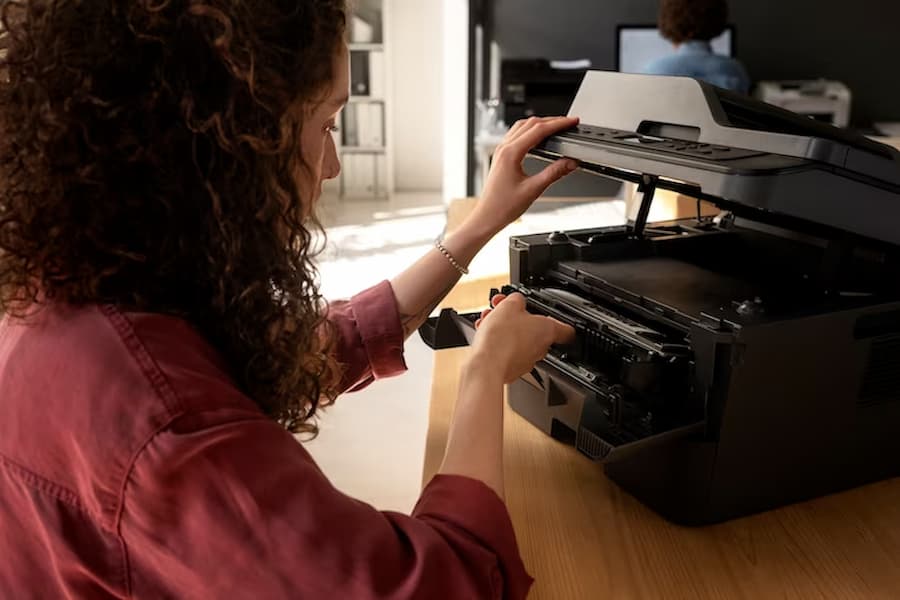

What if the waste toner cartridge is full?
When the waste toner cartridge or waste toner container becomes full, it can lead to a series of complications for your printer. The implications of a full waste toner cartridge include:
- Decreased Print Quality: With nowhere for the excess toner to go, you might start to notice streaks, smudges, or uneven coloring on your prints.
- Potential Damage to the Printer: Over time, the excess toner can spill or leak inside the machine, potentially damaging sensitive components.
- Error Messages and Halts: Printers, especially brands like Xerox and Konica Minolta, will display an error on the screen, indicating that the waste toner container is full. This might stop the printer from operating until the issue is addressed.
To ensure optimal printer performance, it’s crucial to replace the waste cartridge or empty it regularly. Xerox’s support page offers a step by step guide on replacing the waste toner cartridge, ensuring you handle this task correctly.
What is the purpose of the waste toner cartridge?
The waste toner cartridge or waste toner box plays a pivotal role in the printing process. Its primary functions include:
- Collecting Excess Toner: Not all toner gets transferred onto the paper during the printing process. The waste toner container ensures that this excess doesn’t go anywhere it shouldn’t, like other parts of the machine.
- Maintaining Print Quality: By collecting excess toner, the cartridge ensures that prints remain clear and free from unwanted streaks or marks.
- Protecting the Printer: Without a dedicated place for the excess toner, the printer’s internal components could get damaged.
How often does a waste toner box need to be replaced?
The frequency of replacement for a waste toner box or waste toner container depends on several factors:
- Volume of Printing: Offices or individuals who print large quantities regularly will need to replace or empty their waste toner containers more often.
- Printer Model: Some models, especially high-end ones like Konica Minolta, have larger containers that don’t need frequent replacement.
- Type of Prints: High-quality, color prints might produce more waste toner than simple black and white documents.
Signs indicating the need for a replacement include error messages on the printer’s display screen, decreased print quality, or visible toner spillage inside the printer. Always follow the manufacturer’s guidelines or consult the product support page for specific instructions.
What is the difference between toner and waste toner?
Toner is the powder used in laser printers and photocopiers to form the printed text and images on the paper. In contrast, waste toner is the excess toner that doesn’t get used during the printing process. Key differences include:
- Purpose: While toner’s primary function is to create images and text on paper, waste toner is essentially a by-product of this process.
- Location: Toner is stored in toner cartridges, while waste toner gets directed to a separate waste toner container or cartridge.
Understanding the distinction is crucial for proper printer maintenance and ensuring high-quality prints.
Printer Waste Tank Full
On a printer, what does a “waste tank full” warning mean and how is it addressed?
A “waste tank full” warning on a printer’s display screen is a clear indication that the waste toner container or cartridge is nearing or has reached its capacity. Addressing this warning involves:
- Immediate Action: Stop any ongoing print jobs to prevent potential damage or further issues.
- Replacement or Emptying: Depending on the printer model and user preference, you can either replace the waste toner cartridge with a new one or empty the existing cartridge.
- Consult Manufacturer Guidelines: Always refer to the printer’s manual or support page for specific instructions on handling this warning.
Is it wrong to throw away a waste toner cartridge in a landfill?
Improper disposal of a waste toner cartridge in a landfill can have several environmental implications:
- Potential Contamination: Toner contains chemicals that can leach into the soil and potentially contaminate groundwater.
- Waste Accumulation: Given the non-biodegradable nature of most cartridges, they can contribute to the growing problem of electronic waste.
For these reasons, it’s recommended to:
- Recycle: Many manufacturers and third-party companies offer recycling programs for used cartridges.
- Use Eco-friendly Disposal Methods: Some cartridges can be refilled and reused, reducing the need for new cartridges and minimizing waste.
For a comprehensive guide on proper disposal methods, consult resources like HP’s product support.
Best Practices for Maintaining Waste Toner Cartridges
Maintaining your waste toner cartridge or waste toner container is essential for the longevity and efficiency of your printer. Here are some best practices to ensure your printer operates at its best:
Routine Checks
Regularly inspect the waste toner container to ensure it’s not nearing its capacity. Most modern printers, especially brands like Xerox and Konica Minolta, will display an error message on the screen when the container is full. However, manual checks can help you anticipate and address issues before they arise.
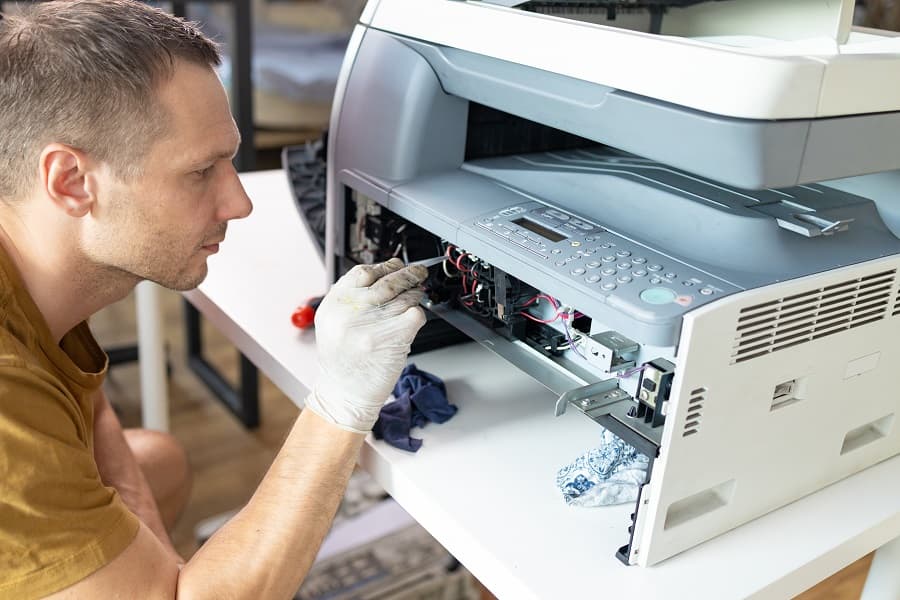
Maintenance Tips
- Clean the Container: Over time, residual toner can accumulate and cause blockages. Use a glove to carefully remove any excess toner. If there’s a spill, clean it up immediately to prevent damage.
- Seal the Container: Ensure the container’s seal is intact. A broken or weak seal can lead to leaks, which can damage the printer and affect print quality.
- Avoid Overfilling: Never let the container fill beyond its capacity. Overfilling can cause the toner to spill inside the printer, leading to potential damage.
- Handle with Care: Always handle the waste toner container with careful hands. Avoid dropping or applying too much pressure, as this can cause cracks or breaks.
Use Genuine Cartridges
While third-party cartridges might be cheaper, using genuine cartridges ensures optimal performance and reduces the risk of complications. Genuine cartridges are designed specifically for your printer model, ensuring a perfect fit and efficient operation.
For a visual guide on maintaining your waste toner cartridge, watch this video on YouTube for a step by step guide on the process. Additionally, always refer to the printer’s manual or product support page for model-specific guidelines.


Conclusión
Understanding the intricacies of the waste toner cartridge system is crucial for anyone using a printer, be it in an office setting or at home. These cartridges play a pivotal role in ensuring the smooth operation of the printer and maintaining the quality of prints. By collecting excess toner, they prevent potential damage and ensure that prints remain clear and free from unwanted streaks or marks.
However, it’s not just about knowing when the cartridge is full or how to replace it. Proper maintenance, regular checks, and using genuine cartridges can make a significant difference in the lifespan of your printer and the quality of your prints. Every time a page is printed, a small amount of waste toner is produced. Without a proper system to manage this waste, printers would be far less efficient and more prone to malfunctions.
As we move towards a more eco-conscious world, it’s also essential to prioritize the proper disposal of these cartridges. Improper disposal can have severe environmental implications, from contaminating groundwater to contributing to the growing problem of electronic waste.
In conclusion, while the waste toner system might seem like a minor component of a printer, it holds significant importance. Prioritizing its proper maintenance and understanding its function can lead to better print quality, longer printer lifespan, and a reduced environmental footprint.