
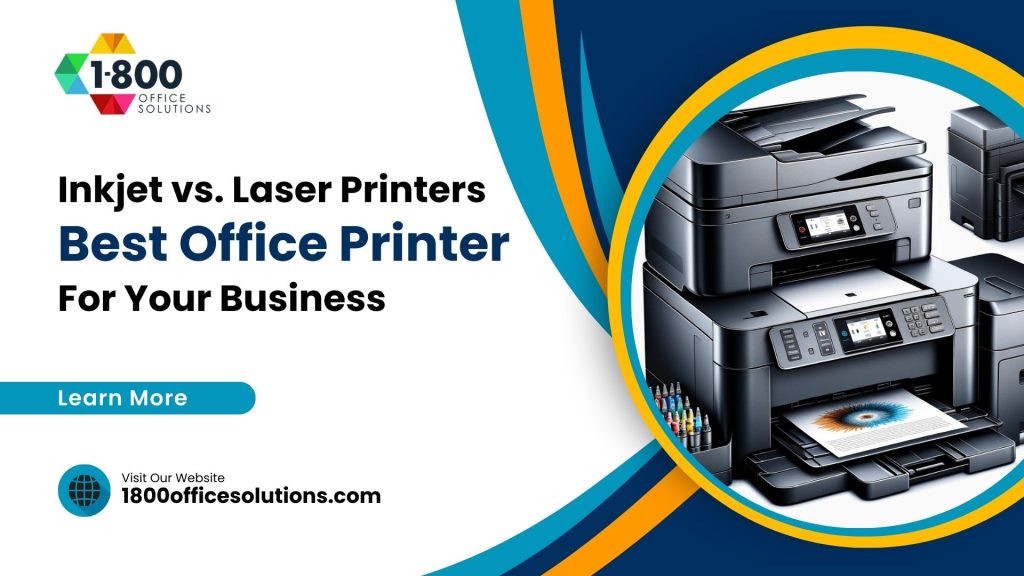
A plain-English cost-per-page comparison to help your office pick the best printer for real workloads.

Inkjet vs Laser Printers, Without the Jargon
So you need a new office printer. And the inkjet vs laser printers question keeps coming up in every review you read. The honest truth? Neither one is universally better. They are built for different jobs, and the right pick depends on your page counts, your color needs, and your budget.
Here at 1800 Office Solutions, we have helped Miami offices choose printers and copiers. We see the same pattern over and over. A team buys a cheap printer up front, then gets shocked by ink or toner bills six months later. So let us walk through the real differences, with current 2026 numbers, so you can skip that surprise.
Both machines put words and images on paper. But they do it in completely different ways. And those mechanics drive every cost and quality tradeoff we will cover below.
We will keep this practical. No marketing fluff, just the factors a real office cares about: price, speed, quality, running cost, and reliability. By the end, you will know which machine fits your team, and why. Sound fair?
What Is a Laser Printer?
A laser printer uses a laser beam to draw an image onto a rotating drum. The drum picks up toner, a fine powder, and fuses it onto the page with heat. No liquid ink. Just dry powder and a quick heat press.
This design has real upsides for an office. Toner does not dry out. Pages come out fast. And the text stays sharp, even on cheap copy paper.
- Best for high page counts and text-heavy documents
- Toner cartridges yield far more pages than ink
- Crisp black text resists smudging and fading
- Strong fit for reports, invoices, contracts, and forms
Color laser models exist too. They handle charts and branded materials well. But they rarely match an inkjet for photo-grade color depth.
Think of a laser as the office workhorse. It thrives on repetition and high volume. The more you print, the more its lower cost per page rewards you. For a busy accounting or legal team, few machines hold up better month after month.
What Is an Inkjet Printer?
An inkjet printer sprays microscopic droplets of liquid ink onto the page. Thousands of tiny dots build the image. And because ink blends so smoothly, inkjets shine at color gradients and photo detail.
Inkjets also tend to cost less up front. So they look attractive on the shelf. The catch shows up later, in the ink budget.
- Excellent color depth for photos and marketing pieces
- Lower purchase price on many home and small-office models
- Compact size fits tight desks and reception areas
- Prints on glossy photo paper and specialty media
For a design studio or a real estate office printing glossy flyers, inkjet earns its keep. But for a law firm pushing 4,000 pages a month? Costs climb quick.
Inkjets also warm up fast and start printing almost instantly. So for a quick one-page job here and there, they feel snappy. Trouble only shows up at scale, when volume turns those small ink costs into a big yearly bill.
Cost Per Page: The Real Difference
This is where most offices get surprised. Sticker price is only the down payment. Your true spend lives in the cost per page, and the gap here is wide.
Current 2026 figures put inkjet printing at roughly 5 to 10 cents per page for black and white, and 15 to 25 cents for color. Laser sits under 5 cents for black and white, and around 15 cents for color. For plain text, the gap can reach 5 to 1 in favor of laser.
Cost per page: a $45 laser toner (2,500 pages) versus a $22 inkjet cartridge (350 pages)
Why such a spread? It comes down to yield. The best inkjet cartridges top out near 1,000 pages, with about 200 being typical. Toner cartridges start near 2,000 pages, and high-yield versions can hit 10,000 pages on a single cartridge. So you replace ink far more often.
| Cost Factor | Inkjet Printer | Laser Printer |
|---|---|---|
| Cost per page (B&W) | 5 to 10 cents | Under 5 cents |
| Cost per page (color) | 15 to 25 cents | Around 15 cents |
| Cartridge yield | 200 to 1,000 pages | 2,000 to 10,000 pages |
| Typical up-front price | Lower | Higher |
| Break-even point | n/a | 6 to 12 months at 200+ pages monthly |
High-volume users who print 200 or more pages a month tend to break even on a laser within 6 to 12 months. After that, laser keeps saving money every single month.
Ink Tank Printers Changed the Math
Worth a pause here. The old inkjet cost story has shifted a bit. Refillable ink tank models, sometimes called supertank printers, ship with large reservoirs you top up from cheap bottles. So the per-page cost drops well below a cartridge inkjet.
Are they a laser killer? Not quite. Ink tank printers still print slower than laser, and the up-front price climbs higher than a basic cartridge model. But for a color-heavy small office, they close the running-cost gap in a real way.
- Far lower ink cost per page than cartridge inkjets
- Great for offices needing frequent color at low volume
- Higher purchase price than a budget inkjet
- Still slower than a comparable laser for plain text
So the choice is no longer just two boxes. We help South Florida clients weigh all three paths against their real page counts. And sometimes the tank model is the sweet spot.
Connectivity, Multifunction, and Mobile Printing
Modern offices expect more than a print button. Both inkjet and laser lines now bundle scanning, copying, and faxing into one multifunction unit. So footprint and feature parity rarely decide the inkjet vs laser printers question on their own.
Wireless and mobile printing come standard on most current models. Staff print from phones, tablets, and laptops without a cable in sight. And cloud printing lets a remote worker send a job to the Miami office before they even arrive.
One caveat stands out, though. Every wireless feature widens the attack surface. A printer on the network can store sensitive scans and cached jobs, so it deserves the same guard rails as a laptop. We build that protection into our managed print and IT plans, because a forgotten printer is an easy target.
Duplexing, large paper trays, and stapling finishers round out the heavy-duty laser options. For a busy print room, those extras save hours of manual sorting each week.
Software counts too. Print management tools track who prints what, set color limits, and flag waste. So a quick dashboard can reveal where paper and toner quietly disappear. We set up those controls as part of a managed print rollout, and the reporting alone often pays for itself.
Print Speed, Volume, and Lifespan
Deadlines do not wait. So speed matters more than people expect. Laser printers commonly run 20 to 40 pages per minute. Inkjets usually crawl along at 5 to 15 pages per minute.
Now picture a Monday morning. The whole team needs handouts before a 9 a.m. meeting. A laser printer clears the queue while the coffee brews. An inkjet might still be working when the meeting starts.
Typical laser print speed, versus 5 to 15 pages per minute for most inkjets
Durability follows the same theme. Laser printers are built for heavier duty cycles. Toner will not dry out if the machine sits idle over a long weekend. Inkjet nozzles, by contrast, can clog when ink dries, which wastes cleaning cycles and ink. And those clogs always seem to happen on a busy day.
None of this makes inkjet a bad machine. It just means laser handles relentless office workloads with less fuss.
Print Quality: Color Versus Text
Quality is not one single thing. It depends on what you print. Ask yourself: is this office mostly documents, or mostly visuals?
For crisp black text, laser is hard to beat. Letters come out sharp with clean edges, and they resist smudging or fading over time. Legal documents, signed contracts, and archived records all benefit from such permanence.
For photographs and color-rich graphics, inkjet pulls ahead. The liquid ink blends smoothly, so skin tones and gradients look natural. A marketing team printing in-house proofs will notice the difference right away.
- Choose laser for reports, spreadsheets, and text documents
- Choose inkjet for photos, brochures, and vivid color proofs
- Color laser is a solid middle ground for charts and branded sheets
- Blurry output usually points to a different fix entirely
If your prints look fuzzy on either machine, the printer type may not be the problem. Our guide on why a printer prints blurry covers the quick fixes worth trying first.
Total Cost of Ownership Over Three Years
The smart way to compare? Look past year one. Add up the printer price, the ink or toner, the paper, the energy, and the downtime. The full picture is your total cost of ownership, and it tells a clearer story than any sticker.
Energy use is one quiet factor people skip. Laser printers draw more power during the heat-fusing step, while inkjets sip less electricity. So an ENERGY STAR rated model helps either way; you can compare certified printers through the ENERGY STAR program. Supplies, though, usually dwarf the energy line for any busy office.
| Three-Year Factor | Inkjet (light use) | Inkjet (heavy use) | Laser (heavy use) |
|---|---|---|---|
| Printer price | Low | Low to mid | Mid to high |
| Supplies over 3 years | Modest | Very high | Moderate |
| Downtime risk | Low | Higher (clogs) | Low |
| Best fit | Home or solo desk | Poor fit | Busy office |
See the trap? A heavy-use inkjet is the worst of both worlds. Cheap to buy, costly to feed. So matching the machine to the workload saves real dollars. And empty cartridges should not just hit the trash; the EPA recycling resources point to easy drop-off and mail-back options.
Which Is Better for Your Office?
Here is the simple rule we share with clients. Count your pages, then weigh your color needs. The answer usually falls out on its own.
Pick a laser printer when:
- You print more than 1,000 pages a month
- Most jobs are text: invoices, contracts, reports
- Speed and low running cost matter most
- You want a machine built for heavy daily use
Pick an inkjet printer when:
- You print occasionally or in low volume
- Color photos and graphics are your priority
- Up-front budget is tight and page counts stay low
- Desk space is limited and the machine sits in a corner
Still on the fence? Many offices run both. A workhorse laser for daily documents, plus one inkjet for the occasional glossy flyer. The split often beats forcing one machine to do everything. If you also weigh a copier into the mix, our breakdown of a photocopier or printer helps clarify the choice.
One more honest note. Brand and model matter as much as the technology itself. A premium inkjet can outlast a bargain laser, and a well-chosen tank printer can undercut both on color cost. So treat these rules as a starting point, not a hard law. The right fit always traces back to your own numbers.
Run the Numbers: A 12-Person Office
Numbers beat opinions. So picture a 12-person insurance office in Coral Gables. The team prints around 3,000 pages a month, mostly black-and-white policy documents with a little color.
On a cartridge inkjet at roughly 7 cents per page, that monthly run costs about $210 in ink alone. Over a year, ink climbs past $2,500. Ouch. And the printer keeps pausing for cleaning cycles in the humid summer.
Swap to a business laser at under 5 cents per page. The same 3,000 pages now cost closer to $135 a month, or roughly $1,620 a year. So the office saves nearly $900 annually on supplies, even before counting the time saved on faster prints and fewer jams.
Add managed print on top, and the savings grow. Automated toner shipments mean no emergency supply runs. Predictable monthly billing means no budget surprises. For a small team, those gains add up fast across a year.
Every office is different, of course. Your mix of color, paper size, and volume shifts the totals. A quick audit pins down your real number, no guessing required.
What South Florida Offices Should Weigh
Miami brings a few wrinkles to the decision. The heat and humidity here are no joke. And liquid ink can behave oddly in a hot storage room, while toner shrugs it off.
Power matters too. Summer storm season means flickers and outages across South Florida. A laser printer recovers quickly after a blip, since toner never dries between jobs. An inkjet sitting through a long humid weekend may need a cleaning cycle on Monday.
Print spending often hides in plain sight. Research suggests roughly 90 percent of companies do not know their true print costs, and print can rank as the third-highest office expense after payroll and rent. A managed print review brings those numbers into the light.
Typical print-cost savings reported by businesses adopting managed print services
This is where a local partner pays off. We map your real usage, right-size your fleet, and handle supplies before you run dry. Curious how the savings stack up? Our managed print services analysis and our look at how managed print can boost ROI dig into the details.
How 1800 Office Solutions Helps
Choosing the hardware is step one. Keeping it cheap and reliable is the long game. So here is how our team supports offices across South Florida.
Usage Audit
We track your real page counts and color mix, then recommend the right machine. No guesswork.
Printer & Copier Sales
Top laser and inkjet models from trusted brands, sized to your actual workload and budget.
Managed Print
Flat, predictable pricing with automatic toner delivery, so supplies never run out mid-deadline.
On-Site Service
Local Miami technicians for fast repairs and routine maintenance across South Florida.
Security & IT
Network printers are endpoints too. We help lock them down with sound cybersecurity practices.
Cost Reviews
Regular check-ins to trim waste and keep your cost per page as low as it can go.
Inkjet vs Laser Printers: Frequently Asked Questions
Is a laser printer cheaper than an inkjet over time?
For most offices, yes. Laser costs more up front, but the cost per page runs much lower. At 200 or more pages a month, a laser usually breaks even within 6 to 12 months, then keeps saving after.
Which printer is better for printing photos?
Inkjet wins for photos. The liquid ink blends smoothly and produces richer color depth and gradients. A color laser handles charts and graphics fine, but it rarely matches inkjet for true photo quality.
Do laser printers print in color?
Yes, color laser models are common. They produce sharp, fade-resistant color for charts, logos, and branded documents. For photographic prints, though, an inkjet still has the edge.
Why is inkjet ink so expensive?
Cartridge yield is the reason. A typical inkjet cartridge prints only a few hundred pages, so you replace it often. Toner cartridges yield thousands of pages, which spreads the cost across far more output.
How many pages per minute does each type print?
Laser printers commonly run 20 to 40 pages per minute. Inkjets usually print 5 to 15 pages per minute. So for busy print runs, laser clears the queue much faster.
Are laser printers worth it for a small office?
Often yes, if the office prints regularly. A small team printing a few hundred pages a month will likely save money with a laser. A solo desk printing rarely may be fine with an inkjet.
Does humidity in Miami affect printer choice?
It can. Liquid ink may behave unpredictably in hot, humid storage, and idle inkjets can clog. Toner stays stable through South Florida heat and recovers fast after power blips, so many local offices lean laser.
What is the cost per page difference?
Laser typically prints black and white for under 5 cents per page. Inkjet runs 5 to 10 cents. For color, inkjet can reach 15 to 25 cents, while laser sits near 15 cents. The text gap can be 5 to 1.
Can managed print services lower my printing costs?
Usually, yes. Businesses commonly report 20 to 30 percent savings after adopting managed print. The program right-sizes your fleet, automates supplies, and surfaces hidden spend most offices never tracked.
Should my office buy both an inkjet and a laser?
It is a smart setup for many teams. Run a laser for daily text documents, and keep one inkjet for occasional photos or glossy flyers. The split often costs less than forcing one machine to handle everything.
Are network printers a security risk?
They can be. A networked printer is an endpoint, so it needs the same care as any device. Strong passwords, firmware updates, and segmentation help; the CISA guidance on device security is a good starting point.
How do I know which printer my office really needs?
Start with a usage audit. Count monthly pages, note your color mix, and weigh speed needs. 1800 Office Solutions runs the review for South Florida offices and matches you to the right machine.
Ready to Stop Overpaying for Printing?
Let our team audit your usage and find the right printer fit for your office. Free, fast, and no pressure.
GET A FREE CONSULTATION
(888) 574-5120
1800 Office Solutions | Your One Source For Everything Office