



Introduction to Waste Toner Container Reset
Waste toner containers are an essential component in laser printers and copiers. These containers collect the excess toner that doesn’t get fused to the paper during the printing process. This excess toner, known as waste toner, must be properly managed to ensure the smooth functioning of the printer or copier machine.
- Understanding Waste Toner: Waste toner is the residue left after the printing process. It’s not used on the paper and needs to be collected in a special container. This container, known as the waste toner container, is designed to hold this excess material safely.
- Function of Waste Toner Containers: The waste toner container serves as a receptacle for the excess toner, preventing it from contaminating other parts of the machine. Without proper containment, the waste toner can lead to errors, clogs, and even damage to the printer’s internal parts.
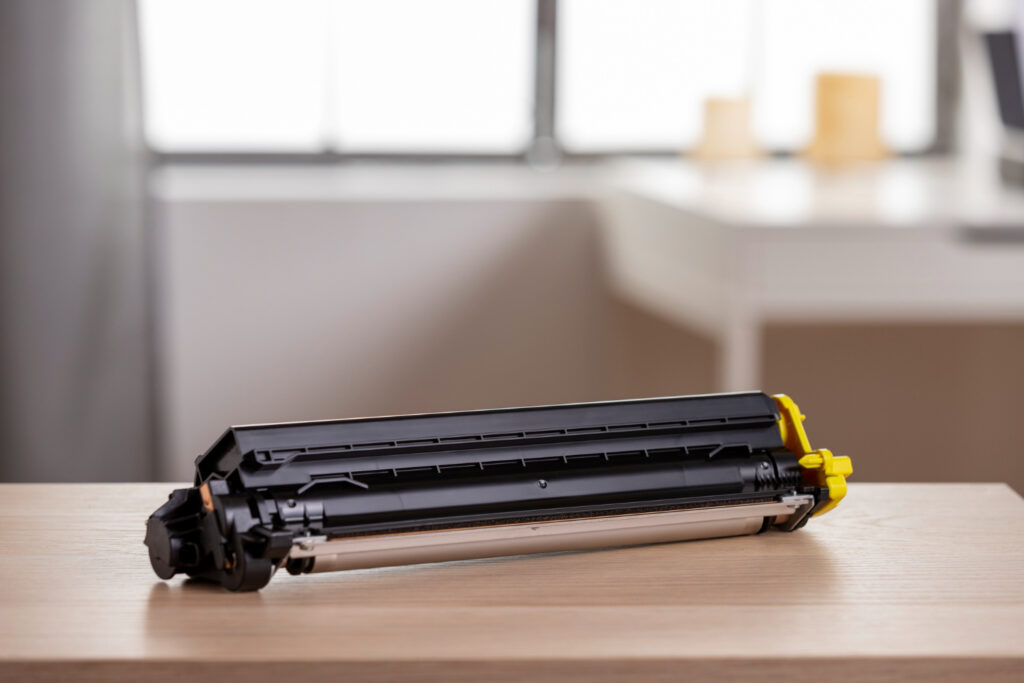

Importance of Proper Handling and Resetting
Proper handling and resetting of waste toner containers are vital for the maintenance and longevity of your printer or copier. Xerox, a leading manufacturer, emphasizes the importance of following the correct procedures when dealing with waste toner containers.
- Proper Handling: Handling the waste toner container with care is essential to avoid spillage and potential damage. This includes knowing when to empty the container, how to remove it from the machine, and how to clean the area if any spillage occurs.
- Resetting the Container: After emptying or replacing the waste toner container, it must be reset. The reset process involves informing the printer’s sensor that a new or emptied container is in place. Failure to reset can lead to false messages being displayed on the machine’s display, indicating that the container is still full.
Common Mistakes Overview
Common mistakes in handling waste toner containers can lead to various problems, including error messages, poor print quality, and even damage to the printer or copier. Understanding these mistakes and how to avoid them is crucial for anyone dealing with waste toner cartridges.
- Mistakes in Replacing the Waste Container: Incorrectly replacing the waste container can lead to sensor issues, false error messages, and even physical damage to the container or printer.
- Failure to Clean and Reset: Neglecting to clean the area around the waste toner container or failing to reset the container after replacement can cause the printer to malfunction, display incorrect messages, or even stop working altogether.
- Ignoring Manufacturer Guidelines: Different printers and copiers have specific guidelines for handling waste toner containers.
Waste toner containers play a vital role in the functioning of laser printers and copiers. Proper understanding, handling, and resetting of these containers are essential to maintain the efficiency and longevity of the machine. Awareness of common mistakes and adherence to manufacturer guidelines can prevent unnecessary complications and ensure smooth printing operations.
Common Mistakes and How to Avoid Them
Mistake 1: False Warnings
Description of the Problem
False warnings related to waste toner containers are a common issue that many users face. These warnings often manifest as error messages on the printer’s display, indicating that the waste toner container is full when it’s not, or that it’s empty when it’s actually full. These false warnings can lead to confusion and unnecessary replacement of the waste toner box.
- Understanding False Warnings: False warnings occur when the printer’s sensor misreads the status of the waste toner container. This can lead to incorrect messages being displayed, such as “replace waste toner container message” or “container is full” when it’s not.
Causes: Confusion between Waste Toner and Regular Toner
The root cause of false warnings often lies in the confusion between waste toner and regular toner.
- Sensor Confusion: The sensors in the printer may confuse waste toner with regular toner, leading to incorrect readings. This can happen if the waste toner bottle is not installed properly or if there’s loose toner blocking the sensor.
- Software Glitches: Sometimes, the printer’s software may misinterpret the data from the sensors, leading to false warnings. This can happen with any brand, including Canon, Ricoh, Samsung, and Kyocera.
Solutions: Adjusting the Printer Settings, Consulting with the Manufacturer
Addressing false warnings requires a careful approach to ensure that the problem is resolved without causing further issues.
- Adjusting Printer Settings: Users can often clear the message by going into the printer’s settings and resetting the waste toner container’s status. This may involve opening and closing the access door or following specific instructions provided in the printer’s manual.
- Consulting with the Manufacturer: If the problem continues to display, it may be best to consult with the manufacturer’s support team.
- Disclaimer: It’s essential to follow the manufacturer’s guidelines and not attempt to fix the problem without proper understanding, as it may void the warranty or cause further issues.
Mistake 2: Incorrect Resetting Procedures
Description of the Problem
Incorrectly resetting the waste toner container after replacement is another common mistake. This error can lead to the printer not recognizing the new waste toner container, displaying error messages, or even malfunctioning.
- Understanding the Resetting Mistake: When the waste toner container is replaced, the printer must be informed that a brand new container is in place. Failure to do so can lead to the printer continuing to think that the old, full container is still installed.
Causes: Lack of Understanding of the Printer Model
The primary cause of incorrect resetting procedures is a lack of understanding of the specific printer model.
- Different Procedures for Different Brands: Different brands and models may have unique procedures for resetting the waste toner container. Whether it’s Canon, Ricoh, Kyocera, or Samsung, each may require a specific sequence of actions.
- Ignoring the Instruction Manual: Often, users may overlook the instruction manual that comes with the printer, leading to mistakes in the resetting process. This can result in error messages such as “replace wt box” or “waste toner container must be replaced.”
Solutions: Following the Correct Procedures for Specific Printer Models
Correctly resetting the waste toner container requires careful attention to the specific procedures for your printer model.
- Refer to the Instruction Manual: The instruction manual will provide step-by-step guidance on how to reset the waste toner container. This may include instructions to power off the printer, unplug it, open the front door, and follow specific steps to reset.
- Consult Manufacturer Support: If the instructions are unclear or if problems persist, it may be wise to consult the manufacturer’s support. They can provide tailored guidance and ensure that the resetting process is done correctly.
- Use OEM Parts: Using original equipment manufacturer (OEM) parts, such as the correct waste toner bottle for your printer model, can also help avoid resetting issues. OEM parts are designed to fit and function perfectly with your printer, reducing the risk of errors.
Mistake 3: Misinterpretation of Toner Levels
Description of the Problem
Misinterpretation of toner levels, both in the waste toner container and the regular toner cartridge, can lead to confusion, unnecessary replacements, and even printer malfunctions.
- Understanding Toner Levels: Toner levels refer to the amount of toner present in the cartridges and the waste toner container. Misreading these levels can lead to premature replacement or failure to replace when needed.
Causes: Misreading Toner Levels
Misreading toner levels can occur for various reasons, leading to mistakes in handling the toner cartridges and waste toner containers.
- Sensor Errors: Sensors in the printer may fail to read the toner levels correctly, leading to false readings. This can happen with both regular toner cartridges and waste toner containers.
- User Errors: Users may misinterpret the messages displayed on the printer, leading to incorrect actions. For example, a message indicating that the waste toner container is full may be misunderstood as a need to replace a regular toner cartridge.
Solutions: Understanding How Toner Levels Are Presented and Setting Up Alerts Correctly
Properly understanding and managing toner levels requires careful attention to the printer’s displays and settings.
- Understanding Display Messages: Familiarizing oneself with the messages displayed on the printer can help avoid confusion. This includes understanding the difference between messages related to waste toner and regular toner cartridges.
- Setting Up Alerts: Many printers allow users to set up alerts for toner levels. Properly configuring these alerts can help ensure that you are notified at the right time to replace waste toner or regular toner cartridges.
- Consulting the Manual: The printer’s manual will often provide detailed explanations of the messages and alerts related to toner levels. Referring to this manual can help avoid misunderstandings and ensure proper handling of toner.
Mistake 4: Handling Waste Toner Containers
Description of the Problem
Handling waste toner containers improperly can lead to spillage, damage to the printer, and even health risks if you accidentally spill or scatter toner.
- Understanding the Handling Mistake: Waste toner containers must be handled with care. Improper handling can lead to spillage of loose toner, damage to the container’s seal, and even harm to the printer’s drum unit.
Causes: Incorrect Installation or Removal
The main causes of handling mistakes are incorrect installation or removal of the waste toner container.
- Incorrect Installation: Installing the waste toner container incorrectly can lead to it not sealing properly, leading to spillage and error messages.
- Improper Removal: Removing the waste toner container carelessly can lead to spillage of loose toner, which can contaminate other parts of the printer and even lead to health risks.
Solutions: Proper Handling and Following Manufacturer Guidelines
Proper handling of waste toner containers requires attention to detail and adherence to manufacturer guidelines.
- Careful Installation and Removal: Installing and removing the waste toner container with care, ensuring that it’s properly sealed, and avoiding spillage is essential. This includes using a cloth to handle the container, ensuring that the clear plastic seal is intact, and following the instructions for installation and removal.
- Proper Disposal: Once the waste toner container is full, it must be disposed of properly. This may include placing it back into the machine’s disposable shipment box or following specific disposal guidelines provided by the manufacturer.
- Consulting Manufacturer Support: If in doubt, consulting the manufacturer’s support or referring to the instruction manual can provide specific guidance on handling the waste toner container for your printer model.
- Safety Precautions: Taking safety precautions, such as not using a vacuum cleaner to clean spilled toner and ensuring that the printer is powered off and unplugged during handling, can prevent accidents and damage.
Handling waste toner containers and managing toner levels in printers require careful attention to detail and adherence to specific procedures and guidelines. Understanding common mistakes and how to avoid them can help ensure smooth printing operations, prevent unnecessary expenses, and prolong the life of your printer.
What People Also Ask
How to differentiate waste toner from regular toner?
Waste toner is the excess toner that doesn’t get used in the printing process, while regular toner is the ink used to print documents. Waste toner is collected in a special container known as the waste toner container, separate from the regular toner cartridges. Regular toner is stored in cartridges specifically designed for printing, and they are usually clearly labeled. Waste toner, on the other hand, is considered a byproduct of the printing process and must be handled separately to avoid contamination and ensure proper functioning of the printer.
How to reset waste toner containers on specific printer models?
Resetting waste toner containers varies by printer model, so it’s essential to consult the specific instruction manual for your printer. Generally, the process involves removing the full waste toner container, installing a new one, and then following a sequence of steps on the printer’s control panel to reset the waste toner counter. This may include navigating to a maintenance or diagnostics menu and selecting the appropriate reset option. If the process is unclear, contacting the manufacturer’s support or referring to online resources for your specific brand and model is recommended.
What to do if waste toner container messages persist after replacing?
If waste toner container messages persist after replacing the container, it may indicate an issue with the sensor, the reset process, or the installation of the new container. First, ensure that the container is installed correctly and that the reset process was followed as per the instructions. If the problem continues, power off the printer, unplug it, and then restart it to see if the message clears.


Conclusion
In the world of printing, understanding the nuances of waste toner management is crucial. The common mistakes outlined in this guide, ranging from false warnings to incorrect resetting procedures, handling errors, and misinterpretation of toner levels, highlight the complexity of managing waste toner containers.
The importance of following correct procedures cannot be overstated. Adhering to manufacturer guidelines, consulting the instruction manual, and taking the time to understand the specific requirements of your printer model can prevent unnecessary complications and expenses.
Should challenges arise, don’t hesitate to contact support for assistance. Whether it’s Canon, Ricoh, Samsung, or any other brand, professional support can provide the guidance needed to resolve issues efficiently. By being mindful of these aspects, you can ensure smooth printing operations and prolong the life of your printer, contributing to savings and sustainability in the long run.