


Introduction
In the digital age, printers have become an essential tool for businesses of all sizes. Whether it’s for printing invoices, marketing materials, or everyday documents, the right printer can significantly enhance your business operations. However, from a number of printer types available in the market, choosing the right one can be a daunting task. This ultimate printer guide aims to simplify the process and help you make an informed decision.
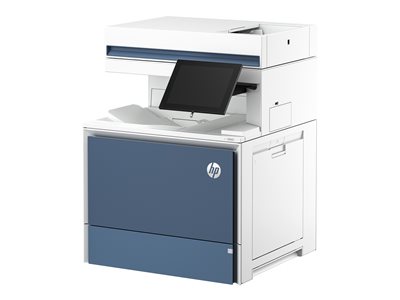

Different Types of Printers
There are several types of printers, each with its own set of features and functionalities. Understanding these types is crucial in determining the best fit for your business.
- Inkjet Printers: These are the most common type of printers used in homes and small businesses. They work by spraying tiny droplets of ink onto the paper. Multicolor printer ink can use to print. Inkjet printers are versatile and can print anything from text documents to high-quality photos. However, they are not the most cost-effective option if you need to print a lot, as ink costs can add up quickly.
- Laser Printers: Laser printers are known for their speed and efficiency. They use a laser beam to produce an image on a drum, which then transfers toner onto the paper. Laser printers are ideal for businesses that need to print large volumes of documents quickly. They offer a lower cost per page compared to inkjet printers, making them a more economical choice for heavy-duty printing.
- Dot Matrix Printers: These are one of the oldest types of printers. They work by striking an ink-soaked cloth ribbon against the paper, much like a typewriter. While dot matrix printers are not commonly used today due to their lower print quality and speed, they are still favored in certain industries for their ability to print multi-part forms.
- Thermal Printers: Thermal printers are commonly used for printing receipts and barcode labels. They work by applying heat to a special type of paper that changes color when heated. Thermal printers are fast, quiet, and require less maintenance as they do not use ink or toner.


Printer Guide: How to Choose the Right Printer for Your Business
Choosing the right printer for your business involves more than just picking the one with the most features or the lowest price. Here are some factors to consider:
- Understanding Your Printing Needs: The first step in choosing a printer is to understand your printing needs. Do you need to print in color or black and white? Do you need to print photos or just text documents? How much printing do you do on a daily basis? Answering these questions will help you narrow down your options.
- Assessing the Cost of Ownership: The purchase price of a printer is just the beginning. You also need to consider the ongoing costs of ink or toner, paper, and maintenance. Some printers may be cheap to buy but expensive to maintain, while others may have a higher purchase price but lower running costs.
- Evaluating Printer Features: Printers today come with a variety of features such as wireless printing, double-sided printing, scanning, faxing, and more. Consider which features are important for your business and choose a printer that meets those needs.
The Impact of Using the Wrong Printer in Your Business
Using the wrong printer can have a significant impact on your business. It can lead to increased costs, decreased productivity, and frustration among employees. For instance, if you choose an inkjet printer for a business that does a lot of high-volume printing, you’ll likely end up spending more on ink cartridges in the long run. Similarly, if you choose a printer without advance capabilities in a modern office environment, it can limit your employees’ ability to print from their devices, slowing down workflows.
Choosing the right printer is a crucial decision that can affect your business’s efficiency and bottom line. By understanding the different types of printers and considering your specific printing needs, you can find the best printer for your business.
Troubleshooting and Maintenance
Common Printer Problems and How to Fix Them
Printers, like any other technology, can encounter problems. Here are some common issues and how to fix them:
- Paper Jams: This is one of the most common printer problems. It occurs when paper gets stuck in the printer’s feed. To fix this, gently pull the paper out of the printer, making sure not to tear it. If the problem persists, check the printer for any debris and ensure that you’re using the right type of paper for your printer.
- Poor Print Quality: If your documents are coming out faded, streaky, or with lines, it could be due to low ink or toner levels, or the print head may need cleaning. Check your ink or toner levels and replace if necessary. If the problem persists, consult your printer’s manual on how to clean the print head.
- Printer Connectivity Issues: If your printer isn’t connecting to your computer or network, it could be due to a variety of issues. First, check that all cables are properly connected and that your printer is on the same network as your computer. If you’re using a wireless printer, ensure that it’s within range of your router. If the problem persists, you may need to update your printer’s drivers or reset your printer’s network settings.
What Happens If You Use the Wrong Printer Cartridge
Using the wrong printer cartridge can lead to a variety of issues. First and foremost, the cartridge may not fit properly in the printer, preventing it from working altogether. Even if it does fit, it may not be compatible with your printer’s technology, leading to poor print quality or even damage to the printer.
Moreover, using the wrong cartridge can void your printer’s warranty. Most printer manufacturers specify the type of cartridges to be used with their printers, and using different ones can be seen as misuse.
It’s crucial to use the correct cartridges for your printer. Not only will this ensure the best print quality, but it will also prolong the life of your printer and keep your warranty intact.
Maintenance Tips for Your Business Printer
Maintaining your printer properly can prolong its life and ensure it operates at its best. Here are some tips:
- Clean Your Printer Regularly: Dust and debris can accumulate in your printer over time, leading to paper jams and poor print quality. Regularly clean your printer with a soft cloth or compressed air.
- Replace Ink and Toner Cartridges Promptly: Don’t wait until your ink or toner cartridges are completely empty before replacing them. Running a printer with empty cartridges can damage the print head.
- Use the Right Paper: Different printers are designed to handle different types of paper. Using the wrong paper can lead to paper jams and poor print quality. Always use the type of paper recommended by the printer manufacturer.
- Update Printer Drivers: Printer manufacturers regularly release updates for their drivers, which can improve performance and fix bugs. Make sure to regularly check for and install these updates.
By following these tips, you can keep your printer in top shape and ensure it serves your business effectively for years to come.
Advanced Printer Guide
Understanding Different Types of Printing Paper
The type of paper you use in your printer can significantly impact the quality of your prints. Here are some common types of printing paper:
- Multipurpose Paper: This is the most common type of paper used in printers. It’s suitable for everyday printing tasks such as printing emails, invoices, and drafts.
- Inkjet Paper: This type of paper is designed specifically for inkjet printers. It’s coated with a material that prevents ink from spreading, resulting in sharper, clearer prints.
- Laser Paper: Laser paper is designed to withstand the high heat of laser printers. It’s heavier and smoother than multipurpose paper, resulting in high-quality prints.
- Photo Paper: If you’re printing photos, photo paper is the best choice. It’s coated with a glossy or matte finish that enhances the color and sharpness of photos.
- Card Stock: This is a heavy-duty paper that’s ideal for printing business cards, postcards, and other sturdy documents.
When choosing paper for your printer, consider the type of document you’re printing and the printer you’re using. Using the right paper can greatly enhance the quality of your prints.
How to Fix the “Printer in Error State” in Windows 10
If your printer is in an error state, it means it can’t perform its tasks properly. This can be due to a variety of issues, including connectivity problems, outdated drivers, or hardware issues. Here are some steps you can take to fix this issue:
- Check Your Printer: Ensure it’s turned on and connected to your computer or network. Also, check for any paper jams or other physical issues.
- Update Your Printer Drivers: Outdated drivers can cause your printer to go into an error state. Visit the printer manufacturer’s website and download the latest drivers for your printer model.
- Restart Your Printer and Computer: Sometimes, a simple restart can fix the issue. Turn off your printer and computer, wait a few minutes, then turn them back on.
- Check Your Printer Spooler: The printer spooler is a service that manages print jobs. If it’s not working properly, it can cause your printer to go into an error state. To check it, go to the Services app in Windows, find the Print Spooler service, and ensure it’s running.
If you’re still having issues, you may need to consult with a professional or contact your printer’s manufacturer for support.
Print Job Going to the Wrong Printer: Causes and Solutions
If your print job is going to the wrong printer, it can be due to a variety of reasons. Here are some common causes and their solutions:
- Default Printer Settings: In Windows, the most recently used printer becomes the default printer. If you’ve recently printed to a different printer, your print job may be sent there. To fix this, go to your printer settings and set your preferred printer as the default.
- Printer Network Issues: If your printers are on a network, network issues can cause print jobs to go to the wrong printer. Check your network settings and ensure each printer is correctly configured.
- Incorrect Printer Selection: When printing, ensure you’ve selected the correct printer. It’s easy to accidentally select the wrong printer, especially if you have multiple printers with similar names.
By understanding the causes of this issue, you can take steps to prevent it and ensure your print jobs go to the right printer.
What People Also Ask
How can I print wirelessly from my laptop or phone?
Most modern printers support WiFi printing. You'll need to connect your printer to the same network as your laptop or phone. Then, select the printer from the print options on your device. Some printers may require an app for wireless printing.
My printer doesn't turn on, what's going on?
Check to ensure the printer is properly plugged in and the power switch is turned on. If it still doesn't turn on, there may be a problem with the power supply or the printer itself. Contact the printer's manufacturer for support.
How can I fix printer connection and printing problems in Windows?
Start by running the automated printer troubleshooter in the Get Help app on Windows. If the problem persists, check your printer's connection, update your printer drivers, or reset your printer's network settings.
How can I find the best printer for my needs?
Consider your printing needs (volume, type of documents, color or black-and-white), your budget, and any specific features you need (like scanning or wireless printing). Research different models, read reviews, and don't hesitate to ask for advice.


Conclusion
In conclusion, navigating the world of printers can be a daunting task, but with the right information, you can make an informed decision. Whether you’re looking for an inkjet printer for high-quality photo printing, a laser printer for high-speed, cost-effective document printing, or an all-in-one printer for your home office that can scan, copy, and fax, there’s a printer out there that will meet your specific needs.
Consider factors such as the cost per page, the type of ink or toner cartridge required, the print speed, and the page yield. If you print a lot, a laser printer might be more cost-effective due to lower ink costs. If you need to print high-quality photos, an inkjet printer might be the best choice. If you need a printer for a home office, an all-in-one printer with scanning, copying, and faxing capabilities might be the most convenient option.
Also, consider whether you need a color printer or if black-and-white is sufficient. The type of printer you choose can also affect the number of pages you can print per minute, so consider your printing needs carefully.
Remember, the best printer for you is the one that meets your specific needs and fits within your budget. With this printer buying guide, you’re now equipped with the knowledge to find the perfect printer for your needs. Happy printing!