
Print quality, security, running costs, and local support for growing Treasure Coast offices.
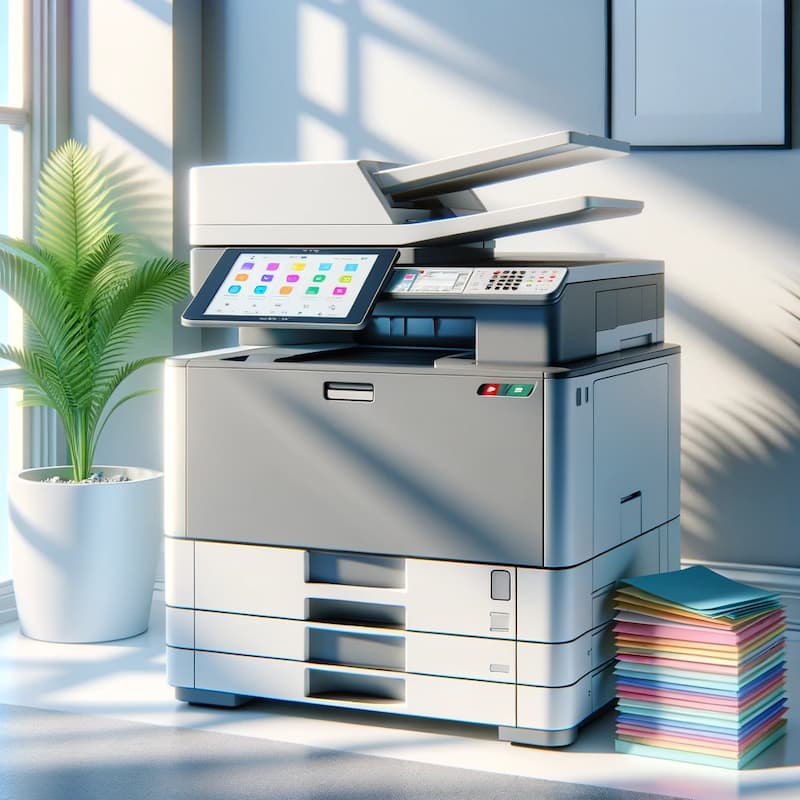
The Color Copier Machine in Port St. Lucie Is Now a Business Hub
A color copier machine in Port St. Lucie is no longer just a box in the corner. It scans, prints, and copies. Need to send a file? The same device faxes, emails, and routes documents straight to the cloud. For a busy office off St. Lucie West Boulevard or near the Treasure Coast Square area, one solid machine can replace three older ones.
So why does the choice feel harder now? Because the features multiplied. Brands pack in touchscreens, mobile printing, and network security tools. And each of those affects the price you pay and the risk you carry.
Port St. Lucie keeps growing. Law firms, medical practices, schools, and property managers all need reliable output. But needs differ. A dental office prints patient forms in color. A logistics firm cranks out shipping labels all day. The right pick depends on your work, not on a spec sheet alone.
This is where a local partner earns its keep. 1800 Office Solutions has helped South Florida businesses size, place, and service copiers. And the goal is simple. Match the machine to the office, then keep it running.
Types of Copiers You Can Choose From
Not every office needs the same tool. Here are the main categories worth knowing before you shop.
Color copiers vs. monochrome copiers
Color machines print marketing pieces, charts, and photos with punch. Monochrome units stick to black and white, and they cost less per page. Do you print client-facing color often? Then color wins. Do you mostly push internal memos? A mono unit may save you money.
Multi-function printers (MFPs)
An MFP copies, prints, scans, and faxes in one footprint. It saves desk space. And it cuts the number of service contracts you juggle. Most Port St. Lucie offices choose an MFP for this reason.
Wide-format printers
Architects, engineers, and sign shops need big output. Wide-format machines handle blueprints, posters, and banners. They are a niche pick, but a vital one for design-heavy teams.
Production copiers
Print shops and large marketing teams run high volumes daily. Production units deliver speed and finishing tricks like stapling and booklet binding. They cost more, so they fit heavy users best.
Essential Features to Look For in a Color Copier Machine
Features drive the price. And they drive your daily experience. Here is what actually matters on the floor.
- Print and copy speed. Measured in pages per minute (ppm). A 15-person office is happy around 30 to 40 ppm. High-volume teams want 50 ppm or more.
- Connectivity. Look for Wi-Fi, mobile print (AirPrint, Mopria), and cloud links to Google Drive, Dropbox, and Microsoft 365. Your staff should print from a phone without a fuss.
- Security tools. Secure print release, user PIN codes, hard-drive encryption, and automatic firmware updates. More on why this matters below.
- Automatic document feeder. A dual-scan feeder captures both sides in one pass. It is a small feature with a big time payoff.
- Finishing options. Stapling, hole-punch, and booklet folding turn raw pages into ready packets.
- Energy efficiency. An ENERGY STAR rated machine trims your power bill and your carbon footprint.
- Touchscreen interface. A clear, tablet-style panel cuts training time for new hires.
- Scalability. Extra paper trays and memory let the unit grow with your office.
Pick the three features you truly need. Then treat the rest as nice extras. That keeps you from overpaying for bells you never ring.
Color Quality: What the Numbers Actually Mean
Color is the reason many offices upgrade in the first place. So it helps to know what the spec sheet is really telling you. A few terms carry most of the weight.
Resolution. Measured in dots per inch (dpi). A rating of 1200 x 1200 dpi produces crisp text and smooth photo gradients. Lower ratings look fine for internal drafts but soften on client-facing pieces.
Color calibration. Good machines self-calibrate to keep tones consistent from the first page to the thousandth. And consistency is what makes your brand blue look the same every time.
Paper handling. Heavier stock, gloss, and envelopes need a machine rated for them. A copier who chokes on cardstock will frustrate a marketing team fast.
Color management tools. Some units let you lock color printing behind a PIN. So casual color jobs do not quietly run up your click charges. It is a simple control with a real payoff.
Here is the honest part. Most modern color copiers print beautifully for everyday business needs. The gap between brands is smaller than the marketing suggests. So unless you run a design studio, chase the features and support you need rather than the highest dpi number on the page.
What a Color Copier Machine Costs in 2026
Price is the question everyone asks first. So let us be direct. For most small and mid-sized businesses, the all-in monthly cost of leasing a copier in 2026 runs about $100 to $400, according to current market pricing. Your final number depends on speed, color volume, and finishing add-ons.
| Machine Type | Best For | Typical Lease (per month) |
|---|---|---|
| Entry monochrome desktop | Very small offices, under 1,000 pages/mo | $50 to $90 |
| Mid-range color MFP | 15 to 50 person offices, mixed color | $150 to $300 |
| Color MFP with finishing | Offices needing stapling & booklets | $300 to $450 |
| High-volume production | Print shops, heavy marketing teams | $475 to $1,100+ |
Then there are click charges. Almost every commercial lease bundles a service contract billed per page. Industry-standard 2026 rates run roughly $0.01 to $0.015 per black-and-white page and $0.06 to $0.12 per color page. Color costs more, so watch your color-to-mono ratio closely.
Typical cost per color page under a 2026 copier service contract
Want a plain-English breakdown for your volume? Our team keeps a current copier lease pricing guide updated for 2026. And we will run the math against your actual page counts, not a guess.
Leasing vs. Buying: An Honest Comparison
Both paths have merit. Neither is always right. Here is the balanced view.
| Factor | Leasing | Buying |
|---|---|---|
| Upfront cost | Low, spread monthly | High, paid once |
| Maintenance | Usually bundled in | Separate contract or per-visit |
| Technology refresh | Easy to upgrade at term end | You keep aging hardware |
| Long-term cost | Higher over many years | Lower if the unit lasts |
| Cash flow | Predictable | Big hit, then quiet |
Leasing suits offices who want steady payments and fresh tech every few years. Buying suits stable teams with cash on hand and low volume. Here is the honest caveat. Leases run 36 to 60 months, and breaking one early can sting. So read the term, the buyout clause, and the auto-renew language before you sign. Our copier lease quote page lays out these terms clearly.
Top Brands and Where They Shine
Brand matters less than fit. Still, each maker has a personality. Here is a quick, honest read.
- Canon. Strong color accuracy and an easy interface. A favorite for marketing-heavy offices.
- Xerox. Deep security tools and cloud apps. Great for teams who care about data control.
- Kyocera. Long-life components and low running costs. A budget-minded workhorse.
- Ricoh. Reliable mid-volume machines with solid mobile printing.
- Lexmark. Compact units and sharp text output for document-heavy shops.
No single brand wins every category. So the smart move is to compare the specific model against your page volume and color needs. A good local dealer will show you two or three options side by side, not just push one line.
One more tip. Ask about parts and toner availability before you commit. A rare model can look great on paper, then leave you waiting days for a part. Popular lines from Canon, Xerox, Kyocera, Ricoh, and Lexmark keep supplies close and technicians trained. And in a fast-moving Port St. Lucie office, a fast local fix beats a slightly better spec sheet every time.
Copier Security Is a Real Risk, Not a Buzzword
Your copier holds a hard drive. It stores scans, print jobs, and sometimes passwords. So an unsecured machine is an open door onto your network. And attackers know it.
The numbers are sobering. Research shows 67% of organizations had a print-related data loss in the past year. And the average cost of a print-related breach has climbed to roughly $1.3 million, up 38% year over year. Printers get skipped in patch cycles, so outdated firmware and default passwords stay open for months.
of organizations reported a print-related data loss in the past year
What protects you? Secure print release, so jobs only print when you tap your badge. Encrypted drives. Automatic firmware updates. And user authentication on every device. The federal Cybersecurity and Infrastructure Security Agency (CISA) and the NIST Cybersecurity Framework both flag networked devices like copiers as assets you must patch and monitor.
For Port St. Lucie firms in healthcare, law, or finance, this ties straight into HIPAA and client confidentiality. If your copier is not locked down, your compliance is not either. Our team can layer copier security into a broader plan through 1800 Office Solutions cybersecurity services.
Maintenance and Managed Print in Port St. Lucie
A copier is only as good as its support. A jam on a Friday afternoon can stall a whole office. So local response time is not a luxury. It is the whole point.
Managed print services (MPS) go a step further. An MPS provider tracks your devices, ships toner before you run out, and flags waste. The payoff is real. MPS cut print costs by 30% to 50% for a large share of clients, and many organizations save around 40% on toner and supplies each year.
Typical print cost reduction reported by managed print services clients
Here is a quiet truth. Roughly 90% of companies do not track what they spend on printing, and unmanaged print can eat 1% to 3% of annual revenue. So a simple audit often finds savings hiding in plain sight. Curious what your office spends? Ask for a free print assessment and find out.
How 1800 Office Solutions Helps Port St. Lucie Offices
We do more than drop off a machine. We size it, secure it, and stand behind it. Here is what working with us looks like.
Free Needs Assessment
We review your volume, color mix, and workflow before we quote a thing.
Transparent Pricing
Clear lease terms and click rates. No surprise fees buried in the fine print.
Secured Devices
Encryption, secure release, and firmware updates set up from day one.
Managed Print
Toner auto-ship, usage tracking, and waste alerts to trim your bill.
Room to Grow
Scalable fleets and upgrades as your Port St. Lucie office expands.
Want the short version? We handle the copier so you can handle the business. And we have done it for South Florida offices.
Matching the Copier to Your Port St. Lucie Industry
Different offices stress a copier in different ways. So the smart pick starts with your daily work, not a brochure. Here is how the needs shift across common Treasure Coast industries.
Medical and dental practices. These offices print patient forms, insurance paperwork, and referral packets all day. Color helps on charts and educational handouts. And security is not optional, since HIPAA covers every scanned record. A machine with secure release and drive encryption fits best.
Law firms. Legal teams push huge document volumes, often in black and white. Speed and a reliable dual-scan feeder matter most. Confidentiality does too, so audit trails and user PIN codes earn their place.
Real estate and property management. Agents print listings, contracts, and color flyers. Mobile printing helps a team who works out of the office half the week. A mid-range color MFP usually covers it.
Schools and nonprofits. Budgets stay tight, so low click charges and durable parts win. Kyocera-style workhorses and a managed print plan keep costs predictable.
Retail and hospitality. Fast color output for signage and menus is the priority. And uptime is king during a busy season, so local service response is the deciding factor.
Port St. Lucie has grown fast, and that growth brings a mix of these needs into one market. Whatever your field, the honest approach is the same. Size the machine to your real volume, lock down security, and pick a partner who answers the phone. Our team at 1800 Office Solutions maps machines to industries every week, so we can shortcut the guesswork.
Total Cost of Ownership Beyond the Sticker Price
The monthly lease number is only part of the story. So before you sign, add up the pieces that shape your true spend over five years.
- Base lease payment. The fixed monthly figure for the hardware itself.
- Click charges. Per-page fees for every black-and-white and color print you run.
- Toner and supplies. Often bundled into click charges, but confirm it in writing.
- Service and response time. Faster local service can cost a bit more and save far more in downtime.
- Energy use. High-volume machines draw real power, so ENERGY STAR ratings pay off.
- End-of-lease terms. Buyout price, return shipping, and auto-renew clauses all hit your wallet.
Here is a caveat worth repeating. A low headline lease rate can hide steep click charges. So always ask for the blended cost per page, not just the monthly minimum. And run that math against your actual print volume from the last three months.
Why does this matter so much? Because unmanaged print quietly eats 1% to 3% of annual revenue for many firms. A clear total-cost view turns a fuzzy expense into a line you can control. And that is exactly the kind of clarity a good copier partner should hand you up front, before any contract gets signed.
Frequently Asked Questions
How much does a color copier machine cost in Port St. Lucie?
Most Port St. Lucie offices lease a mid-range color multifunction printer for about $150 to $300 a month. Entry units start near $50, and high-volume production machines can top $1,000. Your click charges for color pages run about $0.06 to $0.12 each, so your monthly total depends on how much you print.
Should I lease or buy a color copier?
Leasing spreads the cost, bundles maintenance, and lets you upgrade every few years. Buying costs more upfront but can be cheaper long term for low-volume, stable offices. Read the lease term and buyout clause first, since most agreements run 36 to 60 months.
What features matter most in a color copier machine?
Print speed, secure print release, cloud and mobile connectivity, a dual-scan document feeder, and energy efficiency top the list. Pick the three features you truly need, then treat the rest as extras so you do not overpay.
Are office copiers really a security risk?
Yes. Copiers store scans and print jobs on internal drives and sit on your network. Research shows 67% of organizations had a print-related data loss last year. Secure release, drive encryption, and automatic firmware updates close most of those gaps.
What is the difference between a color copier and a multifunction printer?
A color copier focuses on copying and printing in color. A multifunction printer, or MFP, adds scanning, faxing, and cloud routing in one device. Most modern color copiers are actually MFPs, so the terms overlap a lot today.
How fast should my copier be?
Speed is rated in pages per minute. A 15-person office runs well at 30 to 40 ppm. Heavier teams want 50 ppm or more. Buying far more speed than you need just adds cost.
What are click charges on a copier lease?
Click charges are per-page fees in your service contract. They cover toner, parts, and support. Black-and-white pages cost about a penny each, while color pages run several cents more. Watch your color-to-mono ratio to control the bill.
Do you serve areas near Port St. Lucie?
Yes. 1800 Office Solutions supports Port St. Lucie and the wider Treasure Coast and South Florida region, including Stuart, Fort Pierce, Palm Beach, and beyond.
What is managed print service and do I need it?
Managed print service tracks your devices, auto-ships toner, and flags waste. Clients often cut print costs by 30% to 50%. If you have several printers and no clear view of spending, an audit usually pays for itself.
Which copier brand is best?
There is no single winner. Canon leads on color, Xerox on security, and Kyocera on low running costs. The best brand is the model matched to your volume and color needs, so compare two or three side by side.
How do I get a quote for a color copier in Port St. Lucie?
Reach out for a free needs assessment. We review your volume and workflow, then send transparent lease options with clear click rates. Call (888) 574-5120 or request a quote online to start.
Ready to Find the Right Color Copier in Port St. Lucie?
Get a free assessment and transparent pricing from a team who has served South Florida.
GET A FREE CONSULTATION
Call (888) 574-5120
1800 Office Solutions | Your One Source For Everything Office