
Top Managed IT Services for Accountants in Miami (2026 Guide)

Quick Answer: The most important managed IT services for Miami accounting firms are cybersecurity with FTC Safeguards compliance, cloud-hosted accounting platforms, automated backup with disaster recovery, help desk support, VoIP phone systems, and IT consulting. Most Miami CPA practices spend $150 to $300 per user per month on a managed package covering all compliance needs.
Why Miami Accounting Firms Can’t Wing IT Anymore
Five years ago, a two-partner accounting practice in Brickell could get by with a basic firewall and a part-time IT guy. Maybe a server in the closet. Some antivirus on the laptops. Things worked well enough.
That setup won’t survive 2026.
The FTC Safeguards Rule now requires every tax preparer to maintain a written information security plan. The IRS backs this up with Publication 4557 requirements. And cyberattacks on small businesses jumped to a 46% attack rate in 2025, with incidents hitting every 11 seconds on average. Accounting firms hold Social Security numbers, bank details, and tax records. Hackers know exactly what’s in your filing cabinets (digital or otherwise).
We’ve set up and managed IT systems for accounting firms across Miami, from solo practitioners near Downtown to 50-person operations in Coral Gables. The recurring pattern? Firms come to us after a scare: a phishing email someone clicked, a ransomware popup mid-tax-season, or an FTC audit notice they weren’t ready for. So we wrote this guide from what we’ve seen on the ground.
46%Of small businesses experienced a cyberattack in 2025, with incidents occurring on average every 11 seconds.
Cybersecurity and Compliance Monitoring
Every conversation with a Miami CPA firm starts here. Not because it’s the most exciting topic, but because getting it wrong is devastating.
Here’s a stat worth sitting with: cyberattacks on accounting firms surged 300% since 2020. And 43% of all cyberattacks target small and medium businesses, yet only 14% of those businesses are prepared to defend against them. Your 15-person firm in Kendall holds the same type of data a big bank does. Hackers don’t care about your headcount.
What real cybersecurity actually looks like for a CPA practice goes well beyond antivirus software:
- Multi-factor authentication across every system The FTC Safeguards Rule mandates MFA on all tools handling client data. Email, tax software, cloud portals, file sharing. Every single one.
- Endpoint detection and response (EDR) Old-school antivirus misses roughly 40% of modern threats. EDR watches behavior patterns on each device and shuts down suspicious activity before it spreads.
- 24/7 security monitoring Attacks don’t clock out at 5 PM. A security operations center watches your network around the clock, including weekends and holidays.
- Vulnerability scanning and patching, because unpatched software is one of the easiest ways hackers get in
- Encrypted client portals Emailing tax returns as PDF attachments? Still happening at some firms. Still a terrible idea.
Can your current IT setup pass an FTC audit right now? If you’re unsure, the answer is almost certainly no.
Compliance Update: As of September 2026, the FTC Safeguards Rule adds new requirements for CPA firms: encrypted backups at rest and in transit, MFA on all backup access, and documented retention and destruction policies. Your managed IT provider can handle all of this.
Cloud-Hosted Accounting Platforms
Remember when “moving to the cloud” felt like a gamble? In 2026, keeping everything on local servers is the real risk.
Cloud adoption in accounting is now the baseline expectation, not a competitive edge. A good managed IT provider migrates your practice management tools, tax prep software, and document storage to secure cloud infrastructure. We’ve done this for firms running QuickBooks Enterprise, Thomson Reuters UltraTax, Drake, and everything in between. Typical migration time: two to four weeks with barely any disruption.
But here’s why this matters specifically in Miami. Two words: hurricane season.
When a storm knocks out your Brickell office for a week, your team keeps working from home, a co-working space, or a hotel in Tampa. Client files, tax returns in progress, payroll data, everything lives in a data center hundreds of miles from the storm path.
$1.53MAverage ransomware recovery cost in 2025, excluding ransom payments (IBM). Cloud infrastructure significantly reduces this exposure.
And cloud hosting improves your security posture. Enterprise data centers run firewalls, redundant power, and physical security your office closet can’t match. Plus, Florida’s humidity is brutal on server hardware. We’ve personally replaced drives in Miami offices where the “server room” was a closet with no dedicated cooling.
Automated Backup and Disaster Recovery
Backups are boring. Right up until you need them and they’re not there.
We’ve gotten calls from accounting firms in the middle of tax season who lost everything to ransomware. No backups. Or worse, backups sitting on the same network the ransomware just encrypted. Those firms lost weeks of work. Some lost clients who never came back.
Here’s what a proper backup setup looks like for an accounting practice:
- Automated daily backups to an off-site, encrypted location (not the same building as your office, and not even the same state)
- 15-minute incremental backups during tax season because losing a full day of work in April costs real money when you bill $200+ an hour
- Geo-redundant storage outside Florida so a hurricane can’t take out both copies of your data
- Quarterly recovery drills where your provider actually restores from backup and proves it works
- Documented RTO and RPO (recovery time objective and recovery point objective), so everyone knows how fast you’ll be back online and how much data you can afford to lose
How long can your firm be completely offline? For most firms we work with, the answer is four hours. During tax season? Not even one.
Help Desk and Day-to-Day IT Support
The printer won’t connect. Outlook is acting up. Someone can’t open a client’s QuickBooks file. These small problems eat hours out of your team’s week, and they add up fast.
With a managed help desk, your staff picks up the phone or submits a ticket, and someone who actually knows your systems starts working on it. No waiting for a freelance IT person to show up tomorrow afternoon.
But what really saves money is the proactive monitoring. Disk running low? Fixed overnight. Software update causing conflicts? Rolled back before morning. Your team never even knows there was a problem.
Think about it this way. If you bill $200 an hour and a tech issue costs your team two hours of downtime, you just lost $400 per person. Multiply by a few incidents a month across a 20-person firm. The managed IT cost pays for itself in the first quarter.
24 DaysAverage downtime following a ransomware attack. Proactive IT support prevents most incidents from reaching this point.
VoIP Phone Systems and Client Communication
Still using a traditional phone system? You’re probably overpaying, and your remote staff absolutely hates it.
VoIP (Voice over IP) replaces old copper phone lines with internet-based calling. For accounting firms, this means your team takes client calls from a cell phone, home office, or anywhere with WiFi, and it all routes through the firm’s main number. Clients never know the difference.
But the value goes beyond basic calls. Modern VoIP platforms include call recording (handy for documenting client instructions), video conferencing, team messaging, and voicemail-to-email transcription. One system replaces three or four tools you’re probably paying for separately right now.
And when hurricane season hits and your office loses power? Every call routes to mobile devices automatically. No missed calls. No clients wondering why nobody’s picking up.
One firm we work with in Aventura was paying $400 a month for a landline system. They switched to VoIP at $25 per user. For a 12-person team, the monthly cost went from $400 to $300 while getting video calls, team chat, and automatic failover they didn’t have before.
Secure Data Storage and Access Controls
Accounting firms generate massive volumes of sensitive documents every year. Tax returns, financial statements, payroll records, audit workpapers. All of it has to be stored securely, organized logically, and accessible quickly when a client calls.
A managed IT provider handles the storage infrastructure so you don’t maintain servers in your office. Everything sits in encrypted cloud storage with role-based access controls. Junior staff sees what they need. Partner-level files stay locked down.
Scalability is another practical benefit. During tax season, your storage demands spike. Cloud-based systems expand on demand without buying new hardware. When the busy season wraps, you scale back and stop paying for extra capacity.
IT Consulting and Strategic Planning
Not every accounting firm needs the same IT stack. A two-partner operation in Coconut Grove has completely different needs than a regional practice with 60 employees across three Florida offices.
Good IT consulting starts with an honest look at where things stand. What’s working? What’s held together with duct tape? Where are the FTC or IRS compliance gaps an auditor would flag?
From there, your consultant builds a technology roadmap. Maybe you replace aging workstations this year and tackle a full cloud migration next year. Maybe your cybersecurity is solid but the backup strategy has holes. Having a plan beats reacting to whatever breaks next.
We run these assessments for Miami accounting firms regularly. The most common finding? Firms pay for software they don’t use while skipping tools they actually need. One Coral Gables practice was spending $380 a month on a phone system when a $25-per-user VoIP solution did everything they needed plus more.
Managed IT Pricing for Miami Accounting Firms (2026)
Cost is always the first question. Here’s what the Miami market looks like right now:
| Firm Size | Monthly Per-User Cost | Total Monthly Estimate | What’s Included |
|---|---|---|---|
| 1-10 users | $150 – $250 | $1,500 – $2,500 | Core security, backup, help desk, basic compliance |
| 11-25 users | $175 – $300 | $3,500 – $7,500 | Full compliance stack, cloud hosting, 24/7 monitoring |
| 26-50 users | $200 – $400 | $5,200 – $20,000 | Enterprise security, dedicated account manager, vCIO |
Those numbers might look steep until you compare them to the alternative. A single ransomware incident averages $1.53 million in recovery costs for businesses. An FTC compliance violation brings fines starting at $50,000 per incident. And hiring a full-time IT person in Miami runs $75,000 to $95,000 in salary before benefits and training.
So $200 per user per month for a complete IT operation, with security, compliance coverage, backup, help desk, and strategic planning? The math works out pretty fast when you look at what you’d spend without it.
How to Pick the Right IT Provider for Your CPA Firm
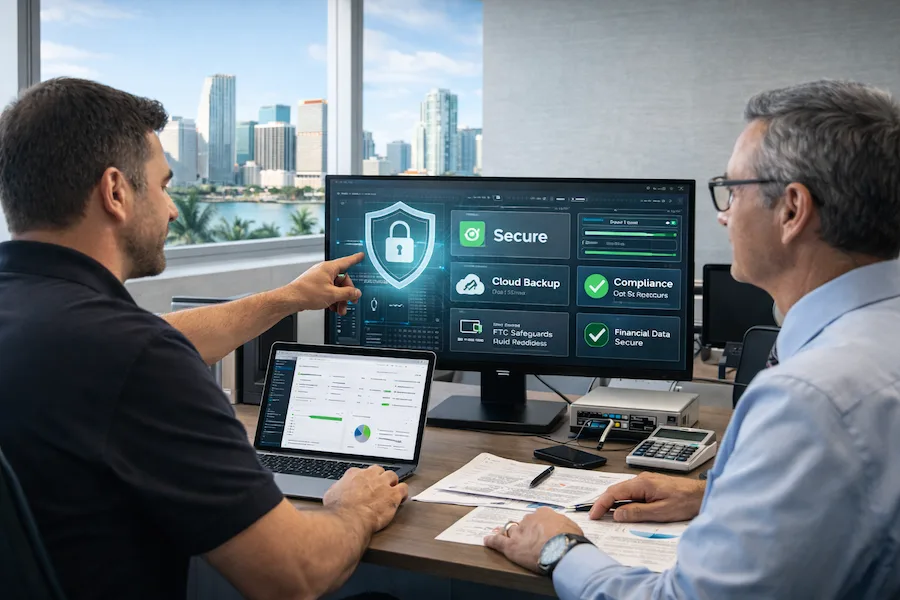
Not all managed IT providers are equal. And the cheapest quote usually means corners are being cut somewhere. Here’s what to look for:
- Experience with accounting firms specifically Ask if they understand GLBA, FTC Safeguards Rule, and IRS Publication 4557. If they can’t explain these in plain language, keep looking.
- Local presence in South Florida Remote support handles about 90% of issues, but sometimes you need someone on-site within hours. Same-day visits matter during a crisis.
- Transparent pricing with no surprises Some providers advertise $100/user then tack on extra charges for security, backup, and after-hours support. Ask what’s NOT included before signing.
- References from other accounting or financial services clients in the Miami area
- Disaster recovery capabilities tested in Florida conditions In Miami, this isn’t optional. Ask where backup data is stored geographically and what their hurricane response plan looks like.
One question most firms forget: what happens if we want to leave? A good provider won’t lock you into a contract with no exit clause. If they do, treat it as a warning sign.
FAQ: Managed IT Services for Miami Accountants
Most small accounting firms in Miami (1-25 users) pay between $150 and $300 per user per month for fully managed IT. This typically covers cybersecurity, cloud backup, help desk support, and FTC/IRS compliance monitoring. A 20-person firm can expect to spend $4,000 to $8,000 per month total.
Florida CPA firms fall under the FTC Safeguards Rule, IRS Publication 4557, and the Gramm-Leach-Bliley Act (GLBA). These require written information security plans, multi-factor authentication, encrypted file sharing, access logging, and regular security assessments. As of September 2026, the FTC adds encrypted backup requirements and documented data destruction policies.
Absolutely. Miami sits in one of the most hurricane-prone areas in the country. Your firm needs geo-redundant backups stored outside Florida, cloud systems accessible from any location, and a tested recovery plan. During tax season, even a few hours of data loss can cost thousands in billable hours.
Yes. A good provider ramps up backup frequency from January through April, pre-checks all systems before the rush starts in December or January, and provides priority help desk support for tax software issues. Our team runs a pre-tax-season IT checkup for every accounting client starting in November.
Break-fix means you call someone after something breaks and pay by the hour. Managed IT means a team monitors, maintains, and protects your systems 24/7 for a flat monthly fee. For accounting firms handling sensitive financial data, break-fix leaves too many security and compliance gaps.
Ready to Upgrade Your Accounting Firm’s IT?
We’ll assess your current setup, identify compliance gaps, and build a plan for your budget. No pressure, no obligation.