
A plain-English breakdown of A3 and A4 paper dimensions, the printers behind them, and how to pick the right size for your office and budget.

What Are A3 and A4 Paper Sizes?
Both sizes belong to the same family. They come from ISO 216, the international paper standard used across most of the world. The A3 vs A4 size paper question starts with one clever idea baked into that standard. Every A sheet shares the same shape.
Why care about the standard at all? Because it makes your office predictable. A binder, a folder, a scanner tray, a mailing envelope: they all assume these sizes. So when everyone works from the same A series, filing and shipping and scanning just line up. Break from it, and small friction creeps into every workflow.
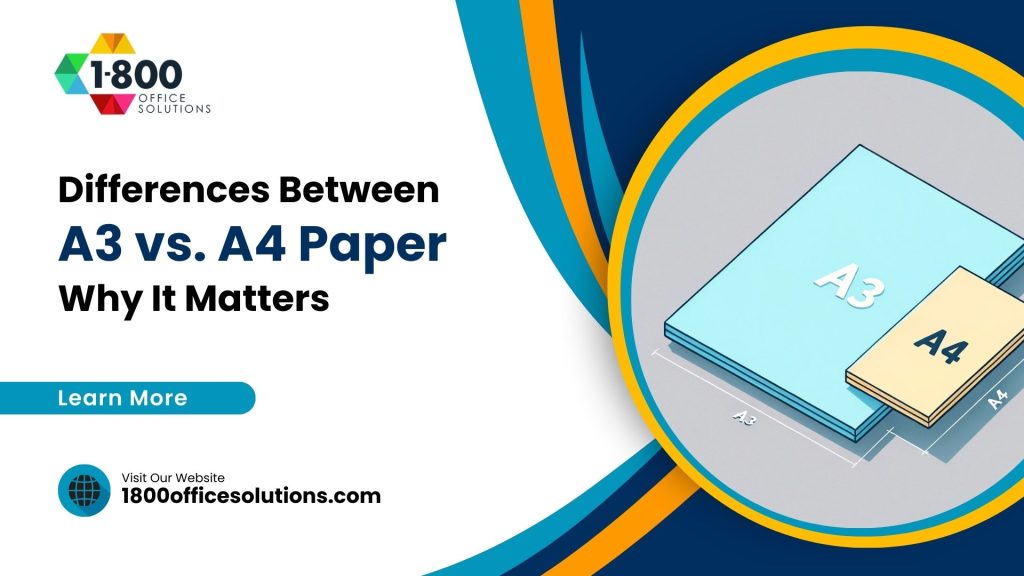
Here is the trick. The A series uses an aspect ratio of the square root of 2, roughly 1.414 to 1. Cut any A sheet in half across its long side, and you get two sheets of the next size down. And those halves keep the exact same proportions. So an A4 page is half an A3 page. An A3 page is half an A2 page. It scales cleanly all the way up and down.
A0 sits at the top with an area of one square meter. Each step down halves that area. This is why scaling a document from A4 up to A3 never distorts your margins or layout. Neat, right? You can read the formal definition on the ISO 216 standard page or the well-sourced ISO 216 overview if you want the full math.
A3 vs A4 at a Glance
Numbers help. Here are the A series dimensions in both metric and imperial, so you can see where A3 and A4 land next to their neighbors.
| Size | Millimeters | Inches | Common Use |
|---|---|---|---|
| A2 | 420 x 594 | 16.5 x 23.4 | Posters, large diagrams |
| A3 | 297 x 420 | 11.69 x 16.54 | Spreadsheets, plans, signage |
| A4 | 210 x 297 | 8.27 x 11.69 | Letters, reports, forms |
| A5 | 148 x 210 | 5.83 x 8.27 | Flyers, notepads |
Notice the pattern? A3 is twice A4. A4 is twice A5. One American note matters here too. A4 runs a touch narrower and taller than the US letter sheet (8.5 x 11 in), and A3 sits close to tabloid (11 x 17 in) without being identical. So a document built for A4 may shift slightly if you print it on letter stock. Small thing, but it trips people up.
Why the Size Difference Changes Your Day
Paper size sounds trivial. It is not. The sheet you standardize on shapes your device choice, your storage, your supply costs, and even how your documents look to a client. Pick wrong and you either pay for capability you never touch, or you keep running to a print shop for jobs you should handle in house.
Think about a Miami architecture firm. Blueprints and site plans need room to breathe, so A3 (or larger) is the daily driver. Now picture a Brickell law office. It lives on letters, contracts, and filings, so a compact A4 device covers nearly everything. Same city, very different printers. The is A3 bigger than A4 guide from 1800 Office Solutions walks through more of these real-world matchups.
An A3 sheet holds exactly twice the printable area of A4, which means two A4 pages fit on one A3 sheet
And that doubling is genuinely useful. You can print booklets two pages up, then fold. You can spread a wide financial model across one readable sheet instead of taping four pages together. Ever tried reading a construction drawing squeezed onto letter paper? Painful.
A3 vs A4 Printers and Copiers
The paper decides the machine. An A4 printer or copier tops out at letter and legal sheets. An A3 device handles everything an A4 unit does, plus the big tabloid sheets. So A3 machines are the flexible option, and A4 machines are the lean, focused option.
What A4 Devices Do Well
A4 multifunction printers are compact and light on power. They slide into a small suite or a home office without a fuss. They print, scan, copy, and often fax. For teams living on standard documents, an A4 unit is quick to deploy and cheap to feed.
- Small footprint, easy to place near a workgroup
- Lower purchase price and lower energy draw
- Plenty fast for letters, reports, and invoices
- Modern A4 units now match A3 on cloud printing, mobile jobs, and security features
What A3 Devices Add
A3 multifunction copiers bring range. They print the wide formats, hold more paper, run faster under sustained load, and offer finishing tricks like stapling, hole punching, folding, and booklet making. But they cost more and eat more floor space. Browse options on the 1800 Office Solutions copiers page to compare current models.
- Prints up to 11 x 17 in tabloid, plus banner-style sheets on some models
- Larger trays and higher monthly duty cycles for busy offices
- Professional finishing built in, so booklets and reports come out ready
- One device covers both A3 and A4 work
Cost Comparison: Hardware, Supplies, and Energy
Budget usually settles the debate. A3 hardware costs more up front, and it costs more to run. Industry pricing puts A3 units at roughly 2.5 to 3 times the price of a comparable A4 model. Here is a rough side-by-side to frame the gap.
| Factor | A4 Device | A3 Device |
|---|---|---|
| Typical purchase price | Around $1,200 | Around $3,000 |
| Max sheet size | 8.5 x 14 in (legal) | 11 x 17 in (tabloid) |
| Floor space needed | Compact | About 40% more room |
| Energy use | Lower | Roughly 40% higher |
| Finishing options | Basic | Staple, fold, booklet, punch |
| Best fit | Standard documents | Mixed & large-format work |
I should flag the honest caveat here. Those figures are ballpark averages, not quotes. Real pricing swings with speed, brand, color versus mono, and whether you buy or lease. So treat the table as a starting frame, then get a real number for your volume. A managed print plan often changes the math too, since it folds toner, service, and parts into one predictable monthly cost. See how managed print services can flatten those bumps.
The typical price premium of an A3 device over a comparable A4 model, before supplies and service
Footprint, Throughput, and Efficiency
Beyond the sticker price, three practical factors shape daily life with either machine. Space. Speed. Energy. And each one tilts a little differently.
Footprint
A3 devices are simply bigger. Plan for roughly 40% more floor area, plus clearance to open trays and swap toner. In a tight Miami suite where every square foot is leased, that matters. A4 units tuck away far more easily.
Speed and Duty Cycle
Top A3 multifunction printers can hit around 70 pages per minute for A4 output, while fast A4 models land near 65 ppm. Close on paper. But A3 machines pull ahead on sustained volume thanks to bigger trays and higher rated monthly cycles. So a busy print floor leans A3, and a quiet workgroup rarely notices the difference.
Energy
Bigger engines draw more watts. A3 units use roughly 40% more energy in typical office use, which nudges your utility bill and your sustainability numbers. If efficiency ranks high, check the ENERGY STAR office equipment ratings before buying either size.
When to Choose A3 vs A4
Ready to decide? Run your workload through these two short checklists. If you nod along to the A3 list, size up. If the A4 list sounds like your week, stay lean.
Choose A3 When
- You print posters, blueprints, signage, or wide spreadsheets
- Your documents carry big tables, maps, or detailed visuals
- You build booklets, folded brochures, or bound reports in house
- You work in design, drafting, engineering, or marketing
- You want one device to cover both A3 and A4, and you have the space
Choose A4 When
- You mostly print letters, forms, contracts, and reports
- Your volume is steady but not heavy
- You want a compact, budget-friendly, low-energy device
- Floor space is tight or the printer shares a small room
- You almost never need anything wider than A4 or letter
Still torn? A quick rule helps. Businesses printing more than roughly 500 large-format pages a month often save money by bringing an A3 device in house instead of outsourcing those jobs. Below that line, A4 plus the occasional print-shop run usually wins. When you are unsure, our team is glad to talk through your numbers.
Common A3 and A4 Printing Mistakes
Plenty of offices get the paper call wrong, and it costs them quietly for years. Here are the slip-ups we see most often across South Florida.
Buying Big Just In Case
An A3 machine feels future-proof. But if you print two tabloid jobs a month, you are paying for capability collecting dust. And you are burning extra energy and floor space the whole time. Match the device to real volume, not to a hypothetical.
Buying Too Small and Outsourcing Constantly
The opposite trap hurts just as much. Some teams cling to a cheap A4 unit, then ship every large job to a print shop. Those trips add up fast. Rush fees, driving time, and inconsistent quality pile on. Past roughly 500 large-format pages a month, in-house A3 usually wins.
Ignoring Paper Weight and Humidity
South Florida air is thick. Light, cheap stock curls and jams, and big A3 sheets suffer worst because they travel farther through the rollers. So the right media weight is not a detail. It keeps your machine running clean through August.
Forgetting About Security
A shared copier is a data risk. Sensitive contracts and patient forms can sit in an output tray for anyone to grab. Modern devices offer secure print release and encryption, and skipping those features leaves a gap. Our cybersecurity team can lock the fleet down.
Total Cost of Ownership, Not Just Sticker Price
The purchase price is only the opening line. What you really pay shows up over three to five years of toner, service, paper, energy, and downtime. So a cheap A4 unit with pricey cartridges can quietly cost more than a well-chosen A3 device on a service plan. Sticker price lies. Total cost of ownership tells the truth.
Break it into pieces. Toner and drums drive most ongoing spend, and coverage-heavy A3 jobs eat more of both. Service and parts matter next, especially on high-duty machines. Then energy, which runs about 40% higher on A3. And finally the hidden cost nobody budgets for: downtime. A dead copier on a filing deadline can cost more than a month of supplies.
The window where supplies, service, and energy usually outweigh the original hardware price of any office printer
This is why a managed print plan appeals to so many Miami businesses. It rolls hardware, toner, parts, and service into one flat monthly bill. No surprise invoices. No scrambling for cartridges. And your fleet gets monitored, so a failing part often gets swapped before it stalls your day. The team at 1800 Office Solutions builds these plans around your real page counts, not a generic template.
A3 and A4 in South Florida Offices
Miami runs on a wild mix of industries, and the paper story shifts by block. Cruise and logistics firms near PortMiami push manifests and legal-size paperwork, so A4 covers most of it. Design studios in Wynwood and architecture practices in Coral Gables want A3 for boards and plans. Medical groups across Doral juggle both, from letter-size intake forms to large anatomical charts.
Climate plays a quiet role too. South Florida humidity can make cheap paper curl and jam, which hits big A3 sheets harder because they feed through more of the machine. So a dependable supplier and the right media weight earn their keep down here. 1800 Office Solutions has matched local offices to the right size, the right device, and a supply plan that survives a Miami August.
Regional service response matters when a copier goes down mid-deadline. A vendor with feet on the ground beats a mailbox in another state. And that is exactly the gap 1800 Office Solutions fills for businesses from Fort Lauderdale to Kendall.
Volume patterns shift with the season here too. Tax firms spike in spring. Hospitality and event companies surge before high season. So a fleet sized for a quiet July can choke in January. A smart plan builds in headroom, then flexes supply orders to match the calendar. Little adjustments like these keep your print costs steady while the workload swings.
How 1800 Office Solutions Helps
Choosing a paper size is step one. Running a print fleet that just works, month after month, is the harder part. Here is where our team steps in.
Right-Size Assessment
We study your real print mix, then recommend A3, A4, or a blend that fits.
Copiers & Printers
Lease or buy from top brands, tuned to your volume and workflow.
Managed Print
One predictable monthly cost covering toner, parts, and service.
Secure Printing
Modern device security and print release to protect sensitive files.
Supplies On Time
Automatic toner and paper delivery, sized for humid Florida offices.
Want a device that handles both sizes without breaking the budget? Explore the current lineup on our printers page, then call us to fine-tune the fit.
A3 vs A4 Paper: Frequently Asked Questions
Is A3 bigger than A4?
Yes. A3 is exactly twice the area of A4. A4 measures 210 x 297 mm, and A3 measures 297 x 420 mm. Place two A4 sheets side by side along their long edge, and together they equal one A3 sheet.
What are the exact dimensions of A3 and A4 paper?
A4 is 210 x 297 mm, or 8.27 x 11.69 inches. A3 is 297 x 420 mm, or 11.69 x 16.54 inches. Both come from the ISO 216 international standard.
Can an A4 printer print A3 paper?
No. An A4 printer tops out at legal-size sheets (8.5 x 14 in). To print A3 or tabloid (11 x 17 in), you need an A3-capable device. An A3 printer, though, handles A4 jobs just fine.
Is A4 the same as US letter size?
Close, but not identical. A4 (210 x 297 mm) runs a little narrower and taller than US letter (216 x 279 mm, or 8.5 x 11 in). Documents can shift slightly when swapping between the two, so check your margins.
How much more does an A3 printer cost than an A4 printer?
Roughly 2.5 to 3 times more. A common ballpark puts A4 units near $1,200 and A3 units near $3,000, though speed, color, and brand move those figures. A lease or managed print plan can spread the cost into a flat monthly fee.
Does A3 paper cost more than A4?
Yes, and it makes sense. An A3 sheet uses twice the material, so it costs more per page. A3 toner coverage and consumables tend to run higher as well. For high-volume large-format work, those costs add up, which is why print-mix planning pays off.
What is A3 paper mostly used for?
Large jobs. Think posters, signage, architectural plans, engineering drawings, wide spreadsheets, menus, and two-up booklets. Any document that feels cramped on A4 usually breathes better on A3.
Why does the A series keep the same shape at every size?
Because of its aspect ratio, the square root of 2 (about 1.414 to 1). Fold or cut any A sheet in half, and the halves keep the same proportions. So scaling from A4 to A3 never distorts your layout.
Do I need an A3 device if I only print A3 occasionally?
Not always. If large jobs are rare, outsourcing them to a print shop can be cheaper than owning a bigger machine. Once you pass roughly 500 large-format pages a month, an in-house A3 device usually saves money.
Are A3 machines slower than A4 machines?
No, often the opposite. Top A3 multifunction printers reach around 70 ppm for A4 output, while fast A4 models sit near 65 ppm. A3 devices also handle higher monthly volumes thanks to bigger trays.
How much extra space does an A3 printer need?
Plan for about 40% more floor area than an A4 unit, plus room to open trays and swap toner. In a tight office, measure first. A cramped install slows service and paper reloads.
Can 1800 Office Solutions help me pick between A3 and A4?
Absolutely. We assess your real print mix, recommend the right size and device, and set up supplies and service across South Florida. Call (888) 574-5120 for a free consultation and a quote built around your volume.
Not Sure Which Size Fits Your Office?
Let our print specialists match you to the right A3 or A4 device, sized for your volume and your budget. Serving Miami and all of South Florida.
GET A FREE CONSULTATION
(888) 574-5120
1800 Office Solutions | Your One Source For Everything Office