
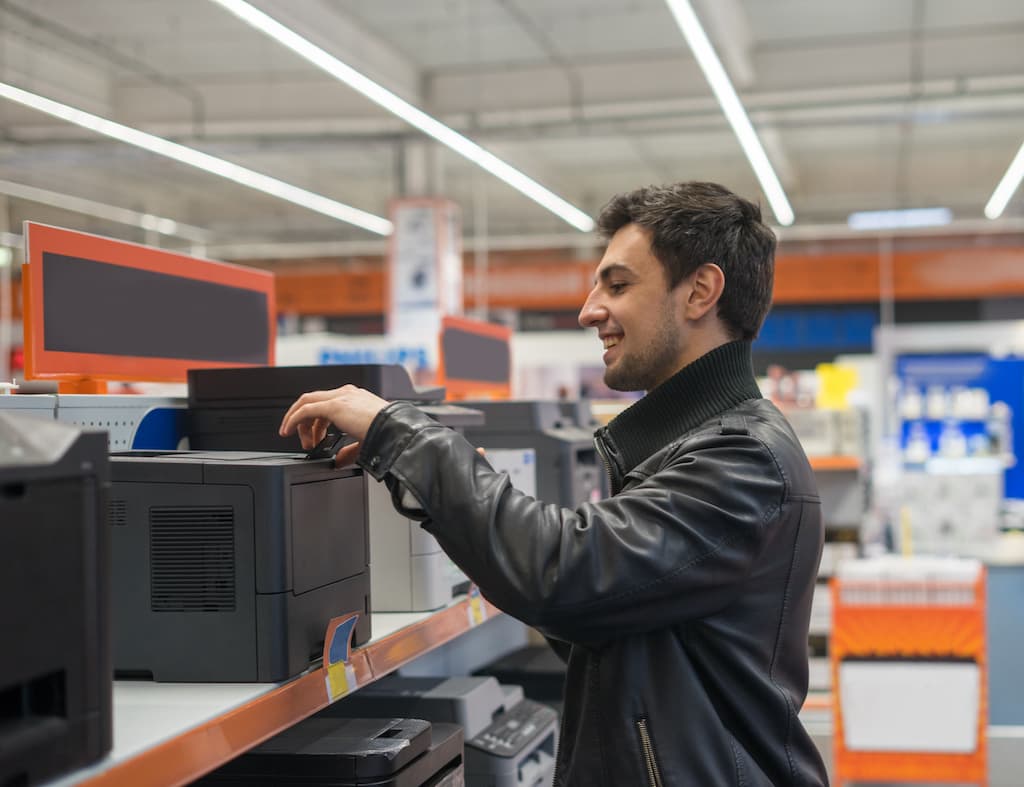
A commercial printer is a professional-grade device or service that produces large volumes of high-quality printed materials for businesses. Modern commercial printers range from in-office multifunction machines to full-service print facilities. For most South Florida businesses, the right solution combines the right equipment with a local service partner who handles maintenance, toner, and upgrades.
What is a Commercial Printer?
A commercial printer is a professional printing system designed for business use. It goes well beyond the inkjet sitting in your home office. These machines are engineered to handle demanding print volumes without sacrificing speed, color accuracy, or reliability.
The term covers two related ideas. First, it refers to the physical device itself: a high-capacity laser printer, multifunction printer (MFP), or wide-format system installed in your office or a print shop. Second, it refers to the professional printing business that handles large jobs for you, like printing thousands of brochures or a full product catalog.
For most Miami-area businesses, the practical question is: which type of commercial printer makes sense for daily operations? The answer depends on your print volume, document types, and budget. 1800 Office Solutions has been helping businesses answer that question.
Commercial printers have also evolved dramatically over the past decade. A machine from 2015 and a machine from 2025 are not the same product. Connectivity, security, speed, and cloud integration have all changed what businesses can do from the print room. That evolution is worth understanding before you sign a lease or purchase agreement, because the right equipment today protects you from costly upgrades down the road.
What Does a Commercial Printer Do?
Modern commercial printers do a lot more than print. A full commercial MFP can handle four core tasks from a single device.
- Print: High-speed, high-resolution output for documents, reports, forms, and marketing materials at speeds from 30 to 90+ pages per minute.
- Copy: Reproduce documents at volume without sending them to an external service or waiting in a print queue.
- Scan: Digitize physical documents directly to cloud storage, email, or your document management system.
- Fax: Many industries, including healthcare, legal, and government, still rely on fax. Commercial MFPs support digital fax without a separate machine.
Beyond the four core functions, commercial printers in the office setting support business workflows in deeper ways. According to NIST cybersecurity guidance, connected print devices should be inventoried, patched, and monitored as part of any organization’s standard security framework. They integrate with cloud platforms, enforce print policies, authenticate users with secure access, and log activity for compliance tracking. So when someone asks “what does a commercial printer do?”, the honest answer is: quite a bit more than you might expect.
For businesses that outsource larger print runs, a commercial print shop produces everything from business cards and brochures to magazines, direct mail campaigns, and event signage. These external services use industrial equipment, including offset presses and large-format printers, to deliver volume and quality that no desktop device can match.
Types of Commercial Printing Methods
Not all commercial printing is the same. The method matters, because each one delivers different results at different costs. Here is a breakdown of the five most common approaches.
Offset Lithography
Offset printing transfers ink from a metal plate to a rubber blanket, then onto the paper. It is the gold standard for large-volume, color-accurate work like magazines, newspapers, and branded brochures. It takes longer to set up but costs less per page at high volumes.
Digital Printing
Digital printing applies toner or ink directly from a digital file, skipping plates entirely. It is faster to start, ideal for short runs, and allows for variable data printing where each copy can include personalized content. Most modern office MFPs use digital printing technology.
Large Format Printing
Wide-format printers handle oversized output: banners, trade show displays, posters, vehicle wraps, and wall graphics. They use inkjet technology scaled up to handle rolls or sheets wider than 24 inches. South Florida businesses use large-format printing heavily for retail signage and event marketing.
LED UV Printing
LED UV printing cures ink instantly with ultraviolet light, producing sharp edges, vivid colors, and excellent durability on many substrates and specialty materials. It has grown significantly in commercial print shops over the past few years because it reduces waste and speeds up production.
Screen Printing
Screen printing pushes ink through a mesh stencil onto surfaces like fabric, glass, or plastic. It is most common for apparel, promotional products, and specialty items where durability under washing or outdoor conditions matters.
The Modern Office MFP: Your Commercial Printer in-House
For most businesses in Miami and across South Florida, the most practical commercial printer is an office multifunction printer. These machines bring commercial print quality inside your building. And the numbers make a strong case for having one.
A well-chosen MFP handles the day-to-day print needs your team has: reports, proposals, contracts, client presentations, invoices. You get commercial-grade speed and resolution without sending jobs out or waiting on turnaround times from a third-party vendor.
Modern office MFPs also offer features that older machines simply did not have. Pull printing, for example, holds jobs in a queue until an authenticated user releases them at the device. This cuts wasted prints and protects sensitive documents. Cloud connectivity lets remote or hybrid teams print from anywhere. And many current models integrate directly with platforms like Microsoft 365 or Google Workspace.
1800 Office Solutions supplies, installs, and services MFPs for businesses across Miami-Dade, Broward, and Palm Beach counties. Our team handles setup, training, and ongoing maintenance so you can focus on your work, not your equipment.
Leasing vs. Buying a Commercial Printer: Which Makes More Sense?
This is one of the most common questions we hear from South Florida business owners. Both options have merit. The right answer depends on your cash flow, print volume, and how often you want to upgrade your equipment.
| Factor | Leasing | Buying Outright |
|---|---|---|
| Upfront Cost | Low ($0 to first month’s payment) | High ($1,500 to $40,000+) |
| Monthly Cost | $79-$950 depending on volume | $0 (after purchase; maintenance extra) |
| Maintenance | Often included in lease agreement | Your responsibility (or separate contract) |
| Technology Upgrades | Easy to upgrade at end of lease term | Must purchase new equipment to upgrade |
| Tax Treatment | Lease payments typically fully deductible | Depreciation deduction over time |
| Best For | Growing businesses, cash flow management | Stable businesses with predictable long-term needs |
For mid-volume users (5,000 to 10,000 pages monthly), expect lease rates of $150 to $350 per month. High-volume operations exceeding 10,000 pages monthly typically run $400 to $950 per month. These rates often include service and supplies, which makes the math more favorable than it first appears.
One honest caveat: leasing over five years does cost more in total than buying outright in many scenarios. But leasing preserves capital, includes service, and keeps your equipment current. For most growing businesses, the flexibility is worth the difference.
How the Commercial Printing Process Works: Prepress, Press, and Postpress
Most business owners think of commercial printing as a single step. You send the file; you get the prints. But there are three distinct production stages, and knowing them helps you communicate better with any print service provider and avoid costly mistakes.
Stage 1: Prepress
Prepress is everything that happens before a single page prints. Files are reviewed for resolution, color accuracy, bleed margins, and font embedding. Print-ready PDFs are checked against the output specifications of the press or digital printer being used. Any issues here: low-resolution images, wrong color profiles, or missing fonts, will show up in the final output. Catching them in prepress saves time and money.
For in-office printing with an MFP, prepress is mostly automatic. The driver handles color management and sizing. For professional commercial print runs, prepress is more involved and often includes proofing: a physical or digital sample that gets approved before the full run.
Stage 2: Press
The press stage is the actual production. For offset printing, this means setting up plates, loading paper stock, calibrating color, and running the job. For digital printing (the type your office MFP uses), the file goes directly to the printer and output begins almost immediately. Large-format and screen printing have their own press workflows, but the concept is the same: controlled, repeatable production at volume.
Commercial print equipment is built to hold consistent quality across thousands of copies. An offset press running 50,000 brochures produces the same color on copy number 50,000 as on copy number 1. That consistency is one of the core reasons businesses still invest in professional print equipment.
Stage 3: Postpress
Postpress covers everything after printing: cutting, folding, binding, laminating, perforating, or packaging. A simple business card order might only need cutting. A 200-page corporate report needs binding and cover lamination. Saddle-stitched brochures need folding and stapling. Postpress quality affects how the final piece looks and feels in the reader’s hands, and it is where corners are often cut by lower-cost print providers.
1800 Office Solutions helps South Florida businesses decide which print jobs belong in-house (routine documents, presentations, forms) and which ones benefit from professional postpress finishing through a trusted external print partner.
Commercial Printer Security: What Miami Businesses Need to Know
Printers are endpoints. That is how cybersecurity professionals think about them, and South Florida businesses should too. A networked MFP that lacks proper security controls can expose your documents, your network, and your clients’ data.
The risk is real. Print devices store document data on internal hard drives. Unsecured printers can be accessed remotely by unauthorized users. Printed documents left in output trays create physical security gaps. For healthcare, legal, financial, and government clients, these risks carry regulatory consequences under HIPAA, FINRA, and Florida data protection law. The Cybersecurity and Infrastructure Security Agency (CISA) has repeatedly flagged networked printers and MFPs as vulnerable endpoints that require the same security attention as servers and workstations.
So what does a secure commercial printer look like in practice? Here are the features to prioritize.
- Pull Printing (Secure Release): Jobs stay in a queue until the authorized user authenticates at the device with a card tap or PIN. Nothing prints until you are standing there to retrieve it.
- Encrypted Storage: Documents stored on the device’s internal drive should be encrypted. Many business MFPs offer automatic overwrite of stored data after each job.
- User Authentication: PIN codes, proximity cards, or biometric login limit who can use the printer and for what. Audit logs track every job by user.
- Network Security: Business MFPs support TLS encryption for data in transit, VLAN segmentation, and IP filtering. Your printer should follow the same network security standards as your computers.
- Automatic Drive Wiping: At end-of-life or when a device leaves your facility, the hard drive should be wiped or physically destroyed. Many businesses overlook this step entirely.
1800 Office Solutions includes a print security assessment with every new MFP installation. Our team reviews your network configuration and print policies to close the gaps before they become problems. This matters especially for businesses in regulated industries across Miami-Dade, Broward, and Palm Beach counties. If your current printer does not appear on your IT asset inventory or network diagram, that is the first sign your print security posture needs attention. Contact us at (888) 574-5120 to schedule a review.
How 1800 Office Solutions Helps Your Business Print Smarter
1800 Office Solutions has served businesses across South Florida with commercial print equipment, service, and support. Here is what working with us looks like in practice.
Equipment Selection
We assess your print volume and workflows, then recommend the right MFP or printer, not the most expensive one.
Managed Print
We monitor your printers proactively, auto-replenish toner, and track usage, so you focus on business, not ink levels.
Print Security
Secure pull printing, user authentication, and encrypted document workflows protect sensitive business data at the device.
Cloud Integration
Connect your MFP to Microsoft 365, Google Workspace, or your document management system right out of the box.
Flexible Leasing
Lease or purchase with terms that fit your budget. We offer 24, 36, 48, and 60 month options with service bundled in.
Who Uses Commercial Printers? Real-World Applications
Commercial printers serve virtually every industry. But the way each sector uses them varies quite a bit. Here is a look at how different businesses across South Florida put commercial print equipment to work.
Healthcare & Medical Practices
Patient intake forms, lab reports, insurance documentation, and referral letters all require reliable, high-volume printing. HIPAA compliance also makes secure print features, like pull printing and encrypted scanning, non-negotiable for medical offices. 1800 Office Solutions works with clinics and medical groups throughout the Miami metro area.
Legal & Professional Services
Law firms print contracts, briefs, filings, and discovery materials at high volume. Speed and reliability matter. So does confidentiality. MFPs with user authentication and automatic document shredding workflows are popular in this sector.
Real Estate
South Florida’s real estate market is among the most active in the country. Agents and brokerages print listing presentations, contracts, floor plans, and brochures constantly. Color accuracy for property photos makes print quality a competitive factor here.
Education
Schools, tutoring centers, and training organizations use commercial printers for course materials, newsletters, administrative forms, and student work. High monthly page volumes call for durable, fast equipment with cost-per-page contracts.
Retail & Hospitality
Miami’s retail and hospitality sectors rely on commercial printers for menus, receipts, promotional signage, and back-office documents. Large-format printing handles window graphics, banners, and seasonal displays. A single restaurant group may operate five or six different print workflows.
Commercial Printer FAQs
What is the difference between a commercial printer and a regular office printer?
A regular office printer is designed for low-volume personal or small-team use, typically 500 to 2,000 pages per month. A commercial printer or office MFP is engineered for higher volumes, faster speeds, and more demanding workloads. Commercial machines also support more paper sizes, finishing options, and security features than consumer-grade equipment.
What is an MFP and how is it different from a regular printer?
MFP stands for Multifunction Printer. It combines printing, copying, scanning, and faxing in one device. A standard printer only prints. An MFP consolidates multiple devices into one machine, saving space and simplifying maintenance. Most commercial office printers today are MFPs.
How do I know if I need a commercial printer or an external print service?
If your business prints more than 2,000 pages per month regularly, an in-office commercial MFP typically offers better cost per page and faster turnaround than outsourcing routine jobs. External print services make sense for large specialty runs, like 10,000 full-color brochures, where offset printing quality and economy of scale apply.
What does a managed print service include?
Managed print covers proactive monitoring of your printers, automatic toner replenishment, preventive maintenance, break-fix service, and usage reporting. It eliminates the guesswork from print management and helps businesses reduce their total print spend by 20 to 30 percent on average.
How much does it cost to lease a commercial printer in Miami?
Lease rates depend on the machine’s speed and capability. Low-volume printers (up to 5,000 pages per month) typically lease for $79 to $150 per month. Mid-volume machines run $150 to $350 monthly. High-volume systems exceed $400 per month. Most lease agreements include service and supplies. Contact 1800 Office Solutions at (888) 574-5120 for a customized quote.
Is leasing better than buying a commercial printer?
For most growing businesses, leasing offers real advantages: lower upfront cost, bundled service, and the ability to upgrade at lease end. Buying outright costs less over the long term if you plan to keep the same machine for five or more years and handle maintenance separately. A financial analysis comparing total cost of ownership over your intended use period is the clearest way to decide.
What printing methods do commercial printers use?
The five main methods are offset lithography (best for large runs with precise color), digital printing (fast setup, ideal for short runs), large-format printing (oversized output for signage), LED UV printing (vibrant color on specialty materials), and screen printing (apparel and promotional items). Most in-office MFPs use digital printing technology.
Can a commercial printer connect to cloud services?
Yes. Most modern commercial MFPs support cloud printing and scanning natively. You can send jobs from a mobile device, scan directly to cloud storage platforms like OneDrive or Google Drive, and integrate with document workflows in Microsoft 365 or similar platforms. Cloud connectivity is now a standard expectation for business-grade equipment.
Are commercial printers secure?
Security varies by model. Business-grade MFPs offer features like user authentication, encrypted hard drive storage, pull printing (jobs release only when you tap your card or enter a PIN), audit trails, and automatic data wiping. These features matter for industries like healthcare, legal, and finance where document confidentiality is regulated.
Does 1800 Office Solutions service printers outside Miami?
Yes. 1800 Office Solutions provides commercial printer sales, leasing, and service throughout South Florida, including Miami-Dade, Broward, and Palm Beach counties. We also serve businesses in the greater Florida market. Call (888) 574-5120 to confirm service availability in your area.
What brands of commercial printers does 1800 Office Solutions carry?
1800 Office Solutions works with the leading commercial printer and MFP brands including HP, Canon, Konica Minolta, Kyocera, Ricoh, and Sharp. Our team recommends the right brand and model based on your specific volume, budget, and workflow requirements, not on manufacturer incentives.
Ready to Find the Right Commercial Printer for Your Business?
1800 Office Solutions has served South Florida businesses. Your One Source For Everything Office. Let our team assess your print environment and recommend equipment that fits your volume, workflow, and budget.