
If your iPhone, iPad, or Mac has been acting strange after receiving a strange message with a black dot emoji (⚫️), you may have been targeted by a bug known as the “Black Dot” crash. First discovered in 2018, this glitch exploits a Unicode rendering vulnerability in iOS 11.3 and 11.4 beta systems, affecting Apple devices and crashing the iMessage app entirely.
In this guide, we’ll break down exactly what the “Black Dot” bug is, how it works, who it affects, and—most importantly—how you can fix it. We’ve included step-by-step instructions for all types of Apple users, so whether you’re using Siri, 3D Touch, or synced Apple devices, we’ve got you covered.
🛑 What Is the Black Dot iMessage Bug?
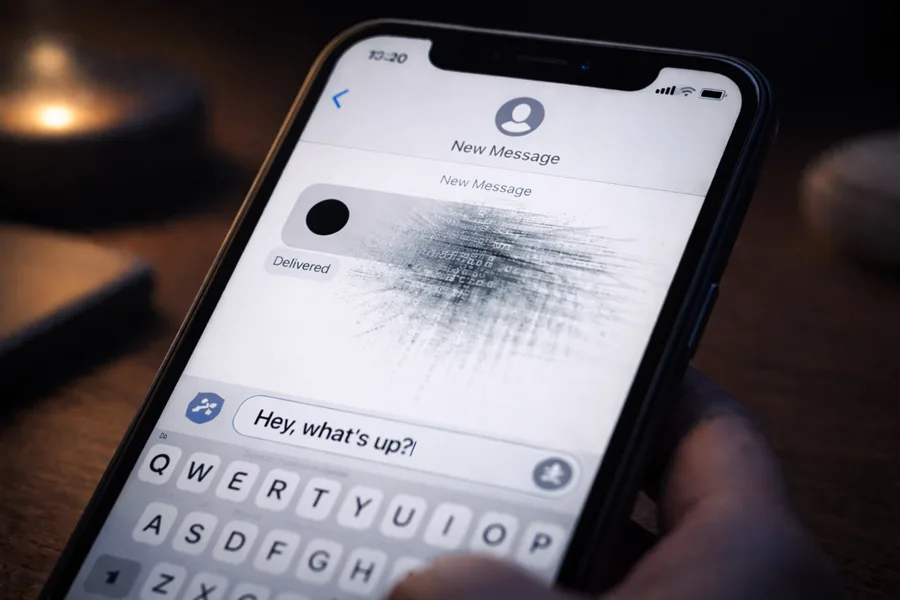
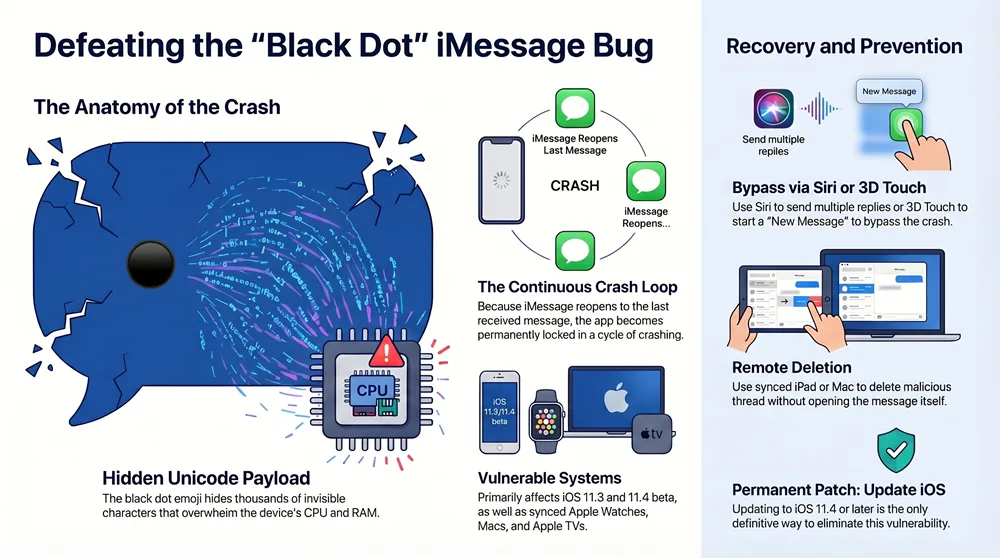
The “Black Dot” bug is a text-based exploit that causes Apple’s messaging app to crash or freeze. It originates from a message that contains a single black dot emoji (⚫️) followed by a vast amount of hidden Unicode characters. These invisible symbols overload the iMessage engine when it tries to render them, consuming CPU and memory resources.
Although the message may appear harmless, the payload of invisible code behind it can lock you out of your Messages app entirely. In some cases, it can also impact the entire device’s performance.
🧠 How It Works: The Technical Breakdown
- ➡️ A user sends an iMessage containing a black dot emoji and a series of hidden Unicode characters.
- ➡️ The iOS rendering engine attempts to process all characters at once.
- ➡️ The CPU and RAM are overwhelmed, resulting in the app freezing or crashing.
- ➡️ The crash may persist, as the app reopens to the same bugged message, causing a continuous crash loop.
This issue is particularly harmful to users of iOS 11.3 and iOS 11.4 beta, but Apple Watches, Apple TVs, and even Macs running iMessage may also be affected under certain conditions.
📱 Which Devices Are Affected?
The following Apple devices are potentially vulnerable:
- ✅ iPhones and iPads running iOS 11.3 or 11.4 beta
- ✅ Macs with iMessage enabled
- ✅ Apple Watches paired with an affected iPhone
- ✅ Apple TVs linked to the same iCloud account
Note: Devices with more recent versions of iOS are not affected. Apple has since released patches, but if you are still using outdated software, your device remains at risk.
🧰 How to Fix the “Black Dot” Bug on iPhone or iPad
If you’ve already received a black dot message and your app is crashing, don’t panic. Here are three tested solutions based on your device’s features.
🔊 Fix Option 1: Using Siri
- Force close the iMessage app.
- Activate Siri and say, “Reply to [sender’s name].”
- Send multiple short replies (like “Hi” or “Test”) until the black dot message is pushed off the visible screen.
- Now reopen iMessage. Quickly tap the Back button to exit the specific conversation.
- Delete the thread that contains the black dot message.
Why This Works: By using Siri to engage with the message thread indirectly, you avoid triggering the rendering of the malicious Unicode characters.
👆 Fix Option 2: Using 3D Touch
- Force close the Messages app.
- Firmly press (3D Touch) the Messages icon from your home screen.
- Select “New Message.”
- Tap “Cancel” when the new message window opens.
- You’ll now be in the conversations list. Locate and delete the conversation with the black dot.
🔄 Fix Option 3: Using Another Synced Apple Device
- Use a different device (Mac, iPad, etc.) signed in to the same iCloud account.
- Open iMessage on that device. Be careful not to open the black dot message directly.
- From the conversations list, swipe left to delete the thread.
- Once removed, the crashing should stop on all synced devices.
Important: Do not attempt to open the affected message on the secondary device. Only access the conversation list and delete it directly.
🔐 How to Prevent Future Messaging Bugs
While the Black Dot bug is a rare issue, similar Unicode-based vulnerabilities have emerged in the past—such as the Telugu character crash and Arabic string bug. Protect yourself by taking the following steps:
- ✔️ Keep your devices updated to the latest iOS/macOS version.
- ✔️ Avoid opening suspicious or unfamiliar messages from unknown contacts.
- ✔️ Disable message previews on lock screen for extra precaution.
- ✔️ Regularly back up your device using iCloud or iTunes.
📢 Apple’s Official Response
Apple acknowledged the issue shortly after it went viral on Reddit and Twitter. The company confirmed it was actively working on a patch at the time. The final release of iOS 11.4 included fixes that eliminated the Black Dot vulnerability.
“We take security very seriously and are aware of the messaging issue affecting a small number of users. A fix has been included in the upcoming iOS 11.4 release.” – Apple Inc.
📞 Need Help? Contact Us
If you’re still experiencing issues or need help maintaining your iPhone, iPad, or Mac, our tech support team is ready to assist. We offer hands-on troubleshooting and software upgrade guidance to keep your Apple devices safe and running smoothly.