
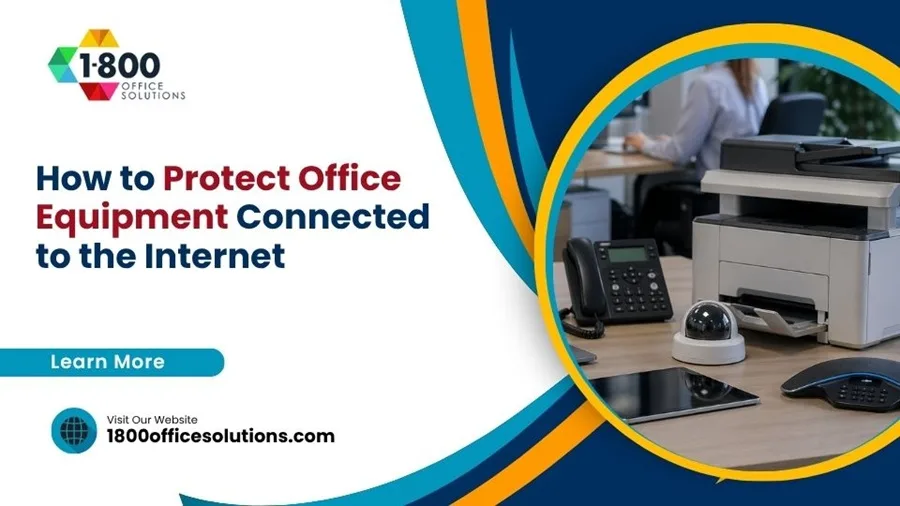
The current offices are dependent on internet connected gadgets to sustain productivity and communication. Computers, printers, smart conferencing devices, and security, among others, make daily activities easy but also pose risks. The world of cyber threats is in a constant flux and unsecured equipment may be an easy gateway to attackers. Securing such gadgets is not only an IT issue but an essential component of general business security and resiliency.
Understanding Risks in Connected Office Equipment
Any office equipment that has been linked to the internet is susceptible to a large number of threats such as malware, unauthorized access, and data breaches. Devices that are not updated frequently and configured in ways that do not fit the company can lead to sensitive information being exposed. As basic as a network printer can turn into an access point to attackers in case it is not secure. It is important to know how all the devices can be linked and communicate in determining vulnerabilities.
Most organizations do not take the risk of everyday equipment with seriousness since they do not seem as a critical issue as servers or databases. These neglected devices are however an easy target by attackers who find them easy to compromise. After gaining access, it can be used to further enter the network. The understanding that all interconnected devices contribute to the overall security can contribute to a more robust defense strategy.
Securing Network Access and Configuration
One of the best methods of securing office equipment is to have a well-built network foundation. The first step in this is to ensure the WiFi networks are encrypted with a password that is very strong. The default passwords of routers and equipment should never be kept as they are easy to be identified and are often used. Critical systems and less secure devices can be separated by network segmentation as well and restrict the propagation of any possible breach.
Another way to enhance the level of security is cooperation with trusted internet providers, as most of them provide such tools as firewalls and monitoring services. These characteristics provide an additional level of security on the network level. Periodic access control and network configuration help keep unauthorized personnel and devices out of the network so that only authorized users and devices are allowed access, which minimizes the possibility of unauthorized access.
Maintaining Software Updates and Firmware
It is crucial to update software and firmware in order to secure office equipment. Manufacturers often update their products to address vulnerabilities, and to enhance security capabilities. Failing to update them may leave them vulnerable to established exploits that attackers actively scan after. A regular update schedule can be used to ensure that all equipment is safeguarded against the most recent threats.
Where possible, automating updates will help to ease the staff burden and reduce the chance of oversight. In the case of devices that cannot update automatically, it may be useful to delegate the task to a particular team member and ensure consistency. Periodic maintenance checks should also cover to ensure that updates have been installed successfully and devices are operating properly after modifications.
Implementing Strong Access Controls
One of the essential elements of securing internet connected equipment is access control. Restricting access to devices and their configuration minimizes the threat of either unintended or deliberate misuse. All devices should use strong passwords and where possible there should be the use of multi factor authentication. This is another obstacle that increases the challenge of intrusion a lot.
The roles and permissions of users must be well maintained so that employees can only access what they require in the line of duty. Only trained personnel should be allowed administrative privileges as they are aware of the risks involved. Periodic user access audits can be used to determine and eliminate expired or unneeded access, which boosts overall security.
Using Monitoring and Threat Detection Tools
Monitoring devices are significant in detecting uncharacteristic activity as well as responding to threats promptly. These tools are able to track traffic on the network, identify suspicious activity and notify administrators of possible problems. The sooner it is identified, the quicker the response time, and this can help to stop small-scale incidents from escalating into larger scale security breaches.
Having credible threat detection tools will give insight into the usage of devices and the presence of abnormalities. These systems can create logs and reports that can be discussed on a regular basis to detect vulnerabilities or patterns. The constant monitoring will keep security measures effective and any risks that arise are dealt with in time.
Training Employees on Security Practices
In most instances, employees serve as the front line defence in terms of protecting office equipment. Training them on security practices on a regular basis makes them aware of possible threats like phishing or downloads that may be harmful. The knowledge minimizes the possibility of human error, which is one of the most typical security incident causes.
Proper use of office equipment such as how to safely connect equipment and deal with sensitive information should also be trained. The promotion of an active security culture is the promotion of employees to report on unusual activity or concerns. By making staff members realize that they play a part in ensuring the safety of the organization, the organization will be better prepared in case of any form of threats.
Establishing Backup and Recovery Plans
Although a robust security system is in place, it is necessary to plan in case of breach or system failure. The backup and recovery plans mean that important data and operations will be restored within a short time. The backups should be done regularly and stored in a safe place ideally in more than one place to minimize the chances of the backups getting lost.
It is as important to test recovery procedures as to create them. It will make sure that the backups are effective and the organization can be able to respond effectively in case of an incident. A recovery plan that is well prepared reduces the downtime and assists in keeping businesses afloat even when the unexpected can happen.
Conclusion
Securing internet connected office equipment involves both technical and employee level security, as well as continuous maintenance. Organizations can greatly mitigate the exposure to threats by learning about risks, securing networks, maintaining systems and introducing robust access controls. Monitoring tools and employee education also enhance defenses, and backup plans provide the preparedness of unexpected events. An active and regular attitude towards security assists in the protection of equipment as well as the precious data it maintains.