


Microsoft Edge for Android users

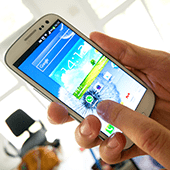
Can you guess how many people out of 100 use Microsoft Edge? According to StatCounter, the answer is less than three. By contrast, Chrome and Safari control 55.68% and 14.22% of the market share, respectively. So, in a desperate attempt to keep Edge on users’ radars, Microsoft is releasing the browser on mobile platforms. Read on for more information.
Why Microsoft is expanding Edge to mobile
Microsoft’s Windows Phone is dead. So as a new mobile strategy, Microsoft has decided to bring the Edge browser to iOS and Android phones in hopes of expanding the browser’s reach. Doing so helps with Microsoft brand recognition, and gives mobile users a reason to stick to Windows-based desktops.
What’s new in Edge for Android
The highlight of Microsoft Edge for Android is the “Continue on PC” feature, which enables you to move between mobile and desktop browsers without starting a browsing session from scratch. Beyond convenience, this feature is also helpful for viewing sites that aren’t optimized for mobile devices.
Edge for Android also syncs Favorites, New Tab Pages, and Reading Lists between your phone and PC. And even if you’re not using Edge for the cross-comparability with your desktop, the clean Reading View feature is an excellent way to declutter articles on your mobile device.
If you assumed Microsoft would restrict Edge’s search engine to Bing, you’d be wrong — the default search engine can be set to Google, Yahoo, or others.
How to get the beta version
You can try the beta Microsoft Edge for Android by signing up for the preview in the Google Play Store. For now, Edge for Android is in US English only, but the company said it plans to include other languages as the preview expands.
The official launch of Microsoft Edge for Android will be later this year. It will likely come with other announcements, such as tablet support.
Whatever device or platform you use — whether it’s Microsoft, iOS, or Android — make sure you get the most benefits from its features. Our IT experts keep themselves up to date with the latest IT news and know-how to help you reap the benefits of the technology you have. Contact us today.