
A practical office copier maintenance plan to reduce paper jams, prevent service calls, and keep your team productive.
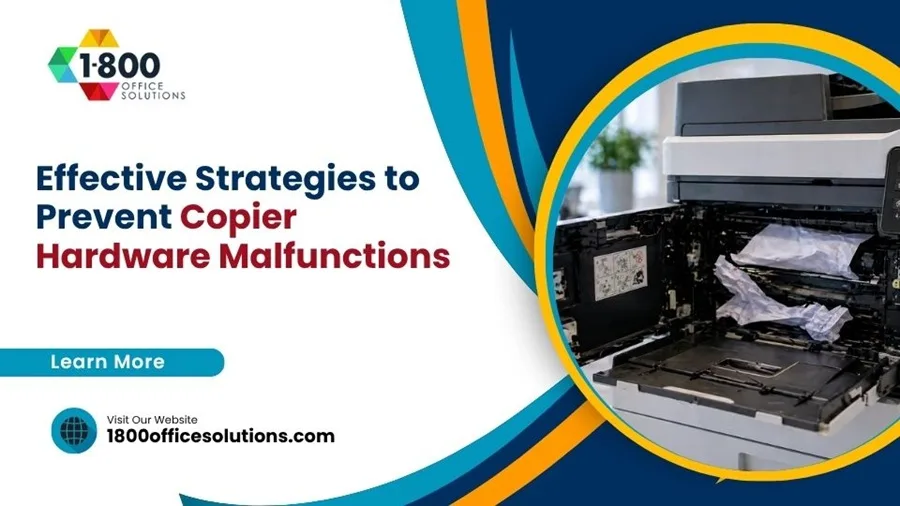
A jammed copier never picks a convenient moment. It waits for the proposal due at 3 p.m. or the closing packet a client is waiting on. And those interruptions add up. Recent industry data pegs copier downtime at roughly $427 per minute for smaller offices, and a 10 to 50 person team can lose more than $5,000 a year in productivity from a single unreliable machine. So a real prevention plan is not a nice-to-have. It pays for itself.
You will see what good preventive maintenance looks like, why paper and toner choices matter more than people think, how environment and firmware play a quiet but huge role, and when repair stops making sense. Use it as a checklist, not a lecture. Pick the steps your office is missing and add them this quarter.
Schedule Professional Preventive Maintenance Based on Volume
Most service contracts default to a twice-a-year visit. So that calendar works for low-volume copiers. But high-volume devices grind through rollers, fusers, and feed assemblies on a much faster clock, and a six-month gap can mean a fuser failure right in the middle of a busy week. Match the visits to your real usage instead of a generic schedule.
| Monthly Volume | Recommended PM Visits | Typical Risk if Skipped |
|---|---|---|
| Under 3,000 pages | Once a year | Toner caking, dust on optics |
| 3,000 to 10,000 pages | Every 6 months | Roller wear, repeat jams |
| 10,000 to 30,000 pages | Every 3 months | Fuser failure, drum streaks |
| 30,000+ pages | Monthly meter checks | Unscheduled hard downtime |
Why bother? Because reactive repairs cost two to three times what scheduled service does, and they always happen at the worst time. A clean preventive visit covers roller cleaning or replacement, optics dusting, fuser inspection, firmware updates, and a calibration pass.
Use Manufacturer-Approved Toner, Drums, and Paper
Generic supplies look like a quick win on the invoice, then they cost the office in three other ways. Off-brand toner often has different particle size and melt temperature; over weeks, the residue builds up on the fuser and drum. Compatible drums can throw off charge timing and produce streaks or ghosting. And cheap paper sheds dust into every roller it touches.
So when you compare costs, do not just look at cartridge price. Look at total cost per page, expected yield, and the warranty status of your machine. Many lease and managed-print agreements (including ours) actually void coverage if non-OEM consumables are used. That clause exists for a reason.
- Stick with OEM or MSP-approved toner. Track yield per cartridge and flag anything 20% below spec.
- Replace drums on the recommended cycle, even if prints still look acceptable. Edges fade first.
- Use paper rated for laser or LED printing in the correct weight. Inkjet-grade paper sheds and curls.
- Buy paper in sealed reams and rotate stock first-in-first-out so nothing sits open for months.
Control Humidity, Temperature, and Dust
Paper is hygroscopic, so it pulls moisture out of the air and gives it back. In a humid Miami summer, sheets curl and stick together and the fuser cannot bond toner cleanly to wet fibers. In a dry, over-conditioned winter office, static builds up and you get double-feeds. Both show up as paper jams, but the root cause is climate.
Aim for the manufacturer comfort zone: 68 to 76 degrees Fahrenheit and 35% to 55% relative humidity. Keep the copier away from exterior doors, AC vents blasting cold air, and direct sunlight. And give it room to breathe; a unit jammed against a wall traps heat and dust around the rear ventilation.
Quick environment checklist
- Keep room humidity between 35% and 55%, monitored with a cheap hygrometer.
- Store unopened paper flat in its wrapper, not standing up in an open bay.
- Vacuum around the copier monthly; dust on intake fans is a hidden killer.
- Avoid placing devices near printers used for stickers or label stock; adhesive residue migrates.
Train Employees on Proper Copier Use
Most malfunctions start with a small habit. Someone fans paper into the tray sideways. A new hire clears a jam by yanking instead of opening the door. Two weeks later, an exec overrides a low-toner warning to push out a board deck. None of those moments are catastrophic on day one. But over a quarter, they wear parts which should have lasted years.
So build a 15 minute new-hire walkthrough and a one-page reference card taped near each device. Keep it short. Show people the right way once, and most issues never start.
- Always fan paper before loading it. And keep stacks below the tray fill line.
- Clear jams by following the on-screen guide; never pull paper backwards through rollers.
- Replace toner before the cartridge runs dry; printing on empty damages the developer unit.
- Power down with the soft button, not the wall switch; abrupt cuts corrupt firmware over time.
- Report unusual noises or smells the same day. Burning or grinding is never normal.
Want a printable version? Reach out and we will send the one we hand to clients on day one.
Keep Firmware Current and the Network Locked Down
Modern copiers are servers with paper trays. They have hard drives, embedded operating systems, and open ports. So an out-of-date firmware build can mean both a paper-handling bug and an exploitable vulnerability sitting on your LAN. Treat the device like any other endpoint.
Reputable vendors push firmware that fixes feeding glitches, improves duplex timing, and patches network flaws. Check quarterly, schedule updates after hours, and document what you applied. Pair that with the basics: change default admin passwords, disable unused protocols (SMB1, FTP, Telnet), and place the copier on a segmented VLAN. The CISA guidance on multi-function devices is a good baseline. The NIST Cybersecurity Framework covers controls for hard-drive encryption and secure decommissioning, which matter if you ever lease-return a unit.
- Verify firmware version quarterly and patch within 30 days of release.
- Enable HDD encryption and image overwrite for any device that scans confidential documents.
- Force authentication for scan-to-email and scan-to-folder; open relays are a real risk.
- Add the copier to your patch and asset inventory; do not let it live as a forgotten device.
Use Remote Monitoring and Meter Reads
Modern managed-print platforms watch your fleet for you. They pull meter counts, toner levels, and error codes automatically. So when a fuser starts reporting elevated temperatures or a roller throws repeat jam codes, the platform sees it before your team does. Suddenly a mid-week service call turns into a scheduled visit on a slow Tuesday.
Remote monitoring also makes consumables painless. Toner ships when the cartridge passes a usage threshold, not when the box in the supply closet is empty. And consumption reports give finance a clean number for budgeting. We run this for every Miami client on our managed program; it is the single biggest reason their downtime drops.
Predictive alerts
Error codes from the device tell us a fuser is drifting before it fails outright.
Auto-replenish toner
Cartridges arrive ahead of empty, so no one is stuck mid-job.
Usage analytics
See which departments print most and where to consolidate volume.
Right-sizing the fleet
Underused devices get retired; overworked ones get backup capacity.
Compliance reporting
Audit logs for regulated industries like legal, medical, and financial.
Know When to Stop Repairing and Replace
Every copier reaches a point where prevention cannot fix the math. Service calls climb, parts get scarce, and your operators stop trusting the device. So at that point, repair budget is just buying time. Industry benchmarks suggest replacement makes sense when annual service costs approach $3,000, when the unit hits 6 to 7 years of age, or when monthly emergency calls become routine.
| Indicator | Threshold | What it usually means |
|---|---|---|
| Annual repair spend | Approaching $3,000 | Replacement crosses break-even |
| Service calls per month | More than one | Persistent reliability issue |
| Equipment age | 6 to 7+ years | Parts availability drops fast |
| Print quality | Streaks, ghosting, color drift | Drum or developer near end of life |
| Paper jams | More than 2 per 1,000 pages | Roller and feed assembly worn |
If you are weighing options, our team can pull your service history, compare it against the cost of a replacement lease, and tell you honestly which path comes out ahead. We will not push a new device when a $200 fuser kit gets you another 18 months. Sometimes patching is the right answer; sometimes the spreadsheet says otherwise.
Pick the Right Service Contract for Your Office
Break-fix is the cheapest line item until you actually break something. So most South Florida offices are better off with a flat-rate or cost-per-page contract. The trick is reading what is actually covered, because the difference between two providers can be hundreds a month.
- Cost-per-page contracts bundle toner, parts, labor, and PM visits into a single click charge. Predictable and ideal for medium and high volume offices.
- Flat-rate maintenance contracts cover labor and parts for a fixed monthly fee; toner is separate. Good for offices with stable volume.
- Time and materials means you pay per call. Cheapest in theory; rarely the lowest annual total once you tally trips.
- Managed print services wrap the entire fleet, plus monitoring, supplies, and helpdesk. Best ROI for multi-device environments.
And read the SLA carefully. Look for guaranteed response time, loaner equipment policy, and whether after-hours service is included or extra. Our managed print program ships consumables proactively.
South Florida Conditions Deserve Their Own Plan
Miami offices fight humidity for half the year and brutal AC cycling the rest of it. So a cookie-cutter maintenance plan from a national chain often misses what local equipment actually needs. We see the same patterns again and again: paper trays storing damp reams in a rear closet, copiers placed under an aggressive vent, and toner cartridges left on a window-facing shelf.
Hurricane season adds a different layer. Power flickers and brownouts hammer copier power supplies. So every Florida client gets a recommendation to put the device on a real surge protector, ideally a small UPS, before storm season. After hurricanes Ian and Helene, our service queue saw a measurable spike in fuser and logic board failures from machines that were not protected.
How 1800 Office Solutions Helps Miami Offices Stay Productive
1800 Office Solutions has served South Florida. Here is how we plug into your office.
Preventive maintenance
Volume-based PM schedules with documented checklists.
OEM supplies
Manufacturer toner and drums shipped before you run out, with no surprise pricing.
Remote monitoring
Real-time meter reads, error alerts, and proactive service before failure.
Firmware & security
Quarterly firmware audits, hardening, and integration with your IT policy.
Repair vs replace advisory
Honest math from your real service history; no upsell when a kit is cheaper.
If a copier issue is costing you more than once a month, treat the pattern as a clear signal. Get an outside read on the fleet. We will audit your service history at no charge and tell you which devices to keep, which to replace, and what a sane maintenance budget looks like for the next 12 months.
Build a Simple Maintenance Budget Your Office Can Actually Use
Maintenance budgets fail when they are aspirational. Finance hands a number to facilities, facilities hands the number to whoever happens to be standing near the copier on bad day, and the number gets blown by the second emergency call. Build a number you can defend, and review it twice a year.
Start with three line items: scheduled PM, consumables, and an unplanned reserve. Scheduled PM is easy because the cadence is set by volume. Consumables come from your meter reads multiplied by cost-per-page. The reserve is where most offices undershoot; allocate roughly 15% of the combined first two lines to absorb the surprises.
| Line item | How to size it | Why it matters |
|---|---|---|
| Scheduled PM | PM visits per year × flat rate | Predictable; non-negotiable |
| Consumables | Annual pages × cost per page | Largest single category |
| Unplanned reserve | 15% of PM + consumables | Absorbs roller failures and storm damage |
| Replacement sinking fund | 1/60 of new device cost monthly | Spreads the eventual replacement |
And track actual versus budget. Once a quarter, look at where the money actually went. So if the unplanned reserve is consistently spent in the first three months, the underlying device is telling you something. Either preventive cadence is too loose, or the unit is past its useful life. Either way, you have evidence instead of opinions.
If you want a worked example, our consultants can walk you through the spreadsheet using your real meter data.
Frequently Asked Questions
How often should an office copier be serviced?
Cadence depends on volume. Offices under 3,000 pages a month do fine with annual service. Mid-volume offices (3,000 to 10,000 pages) need a visit every six months. High-volume copiers running 10,000 to 30,000+ pages a month should be serviced quarterly to catch roller and fuser wear before it causes downtime.
What is the most common cause of copier paper jams?
Paper that has absorbed moisture is the leading cause, especially in humid climates like Miami. Worn pickup rollers, overfilled trays, and incorrect paper weight follow close behind. Keeping humidity between 35% and 55% and using sealed reams of OEM-rated paper eliminates most jams.
Are third-party toner cartridges safe to use?
Some are; many are not. Off-brand toner with the wrong particle size or melt point can damage fusers and drums over time, and most lease or managed-print contracts void coverage when non-OEM consumables are used. So the savings are usually wiped out by faster part wear and lost warranty protection.
What humidity is best for office copiers?
Aim for 35% to 55% relative humidity and a room temperature of 68 to 76 degrees Fahrenheit. Outside that band, paper either curls from moisture or builds static and double-feeds. Cheap hygrometers cost under twenty dollars and pay for themselves quickly.
Why is my copier streaking even after a toner change?
Streaks usually point at the drum, not the toner. Drum coatings wear unevenly, especially near the edges, and a fresh cartridge cannot fix mechanical wear. So replace the drum unit on its scheduled cycle and get a quick PM visit; both together handle 90% of streaking complaints.
How much does copier downtime really cost a small office?
For a 10 to 50 person office, productivity losses can hit $5,000 a year from a single unreliable machine. Per-minute estimates run as high as $427 for small businesses during a critical outage. So even a modest preventive plan pays back quickly compared to the lost hours from emergency calls.
When should I replace a copier instead of repairing it?
Three signals matter. Annual service spend approaching $3,000, equipment age past 6 or 7 years, and more than one service call per month. Hit any two and replacement usually wins on total cost. We are happy to run those numbers on your fleet before you commit either way.
Do copiers really need cybersecurity attention?
Yes. Modern multifunction devices have hard drives, embedded operating systems, and network services. So they sit on your LAN like any other endpoint. Default admin passwords, unencrypted hard drives, and unsecured scan-to-email features are common attack paths. Patch firmware quarterly and treat the copier as part of your security perimeter.
What is the difference between managed print and a service contract?
A service contract covers labor and parts, sometimes toner. Managed print wraps the entire fleet under one program, including monitoring, supplies, helpdesk, security, and repair vs replace advisory. Multi-device offices almost always come out ahead with managed print on total cost and uptime.
How do I prevent copier malfunctions during hurricane season in Florida?
Put every copier on a quality surge protector or, better, a small UPS. Power flickers and brownouts during storm season cause an outsized share of fuser and logic board failures. Also unplug if you evacuate; we have repaired plenty of devices that survived the storm but lost components to a post-storm power surge.
How long does a properly maintained office copier typically last?
Five to seven years is the sweet spot for most commercial copiers. With aggressive preventive maintenance and OEM supplies, some clients stretch to eight or nine years on lower-volume devices. Beyond the seven year mark, parts availability drops and replacement usually wins on math even if the machine still runs.
Ready to stop firefighting copier issues?
Let our team audit your fleet, your service history, and your supply spend. We will lay out exactly what to fix, what to replace, and what a sane plan looks like for the next year. Your One Source For Everything Office.
Or call (888) 574-5120