

Home|Blog|Prolong laptop battery life with these tricks
Prolong laptop battery life with these tricks
1800 Team
April 11, 2020
Are you interested in knowing how you can prolong laptop battery life? It’s difficult to get any work done with your laptop notifying you that it’s running out of juice. And if you are not close to a power outlet, your laptop will soon be nothing more than a cold slab of metal and plastic. Here are some helpful tips to prolong laptop battery life.
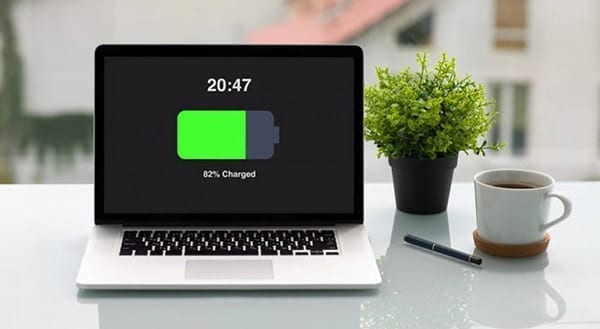
Some truths about your laptop battery
Batteries in many modern devices are lithium-based — either lithium-ion or lithium-polymer — and users must take note of the following guidelines for proper battery maintenance:
Leaving your battery completely drained will damage it.
Batteries have limited lifespans. So no matter what you do, yours will age from the very first time you charge it. This is because as time passes, the ions will no longer be able to flow efficiently from the anode to the cathode, thereby reducing thebattery’s capacity.
What else can degrade your battery
Besides being naturally prone to deterioration, your battery can degrade due to higher-than-normal voltages, which happens when you keep your battery fully charged at all times. Even though a modern laptop battery cannot be overcharged, doing so will stress and harm your battery.
Both extremely high temperatures (above 70°F) and low temperatures (32–41°F) can also reduce battery capacity and damage its components. The same goes for storing a battery for long periods of time, which can lead to the state of extreme discharge. Another factor is physical damage. Remember that batteries are made up of sensitive materials, and sustaining a shock from a fall or similar can damage them.
How to prolong laptop battery life
Now that you know some facts about your laptop battery, it’s time to learn how to delay its demise:
Never leave your battery completely drained.
Don’t expose your battery to extremely high or low temperatures.
If possible, charge your battery at a lower voltage.
If you need to use your laptop for a long period of time while plugged into a power source, it’s better to remove the battery. This is because a plugged-in laptop generates more heat that will damage your battery.
When you need to store your battery for a few weeks, you should recharge your battery to 40% and remove it from your laptop for storage.
These are just a few tips on extending the life of your hardware. There are many more ways you can maximize your hardware efficiency and extend its longevity. Call our experts today to find out more!

Not sure what kind of printer you should buy for your business? Read on to learn about how to choose the best printers for small business.When it comes to printing out important documents for your…
One of the easiest ways to prolong your laptop battery life is to avoid letting it completely drain. This can put unnecessary strain on the battery and reduce its overall lifespan. Additionally, charging your battery at a lower voltage can help prevent degradation over time. Consider removing the battery if you plan on using your laptop for an extended period while plugged in.
When storing your laptop battery for a few weeks, it's a good idea to recharge it to around 40% before removing it from the laptop. This can help ensure that the battery retains its capacity and health during the storage period. By following these simple tips, you can effectively prolong the life of your laptop battery.
Key Factors that Degrade Your Laptop Battery
Aside from natural degradation, there are several factors that can accelerate the decline of your laptop battery. Keeping your battery fully charged at all times can lead to higher-than-normal voltages, which can stress and harm the battery over time. Additionally, storing a battery for long periods without use can lead to extreme discharge, damaging the sensitive materials inside.
Be mindful of exposing your laptop battery to physical shocks, such as dropping or mishandling the device. These impacts can damage the battery and reduce its efficiency. By understanding the key factors that degrade laptop batteries, you can take proactive steps to prolong their lifespan and prevent unnecessary wear and tear.
One of the easiest ways to prolong your laptop battery life is to avoid letting it completely drain. This can put unnecessary strain on the battery and reduce its overall lifespan. Additionally, charging your battery at a lower voltage can help prevent degradation over time. Consider removing the battery if you plan on using your laptop for an extended period while plugged in.
When storing your laptop battery for a few weeks, it's a good idea to recharge it to around 40% before removing it from the laptop. This can help ensure that the battery retains its capacity and health during the storage period. By following these simple tips, you can effectively prolong the life of your laptop battery.
Key Factors that Degrade Your Laptop Battery
Aside from natural degradation, there are several factors that can accelerate the decline of your laptop battery. Keeping your battery fully charged at all times can lead to higher-than-normal voltages, which can stress and harm the battery over time. Additionally, storing a battery for long periods without use can lead to extreme discharge, damaging the sensitive materials inside.
Be mindful of exposing your laptop battery to physical shocks, such as dropping or mishandling the device. These impacts can damage the battery and reduce its efficiency. By understanding the key factors that degrade laptop batteries, you can take proactive steps to prolong their lifespan and prevent unnecessary wear and tear.