
PRINT SECURITY
Why the quietest device on your network is often the easiest one to break into
Printer security vulnerabilities are flaws in the firmware, embedded web servers and network services running inside office printers and multifunction devices. Attackers exploit them to generate admin passwords, pull copies of scanned documents off internal storage, crash devices, or pivot sideways into the rest of your network. Firmware patching, credential changes and network segmentation close most of the gap.
THE SHIFT
Your Printer Stopped Being a Printer a Long Time Ago
Ask a room of IT managers to list their endpoints. You will hear laptops, servers, phones, maybe a handful of tablets. Almost nobody says the copier down the hall.
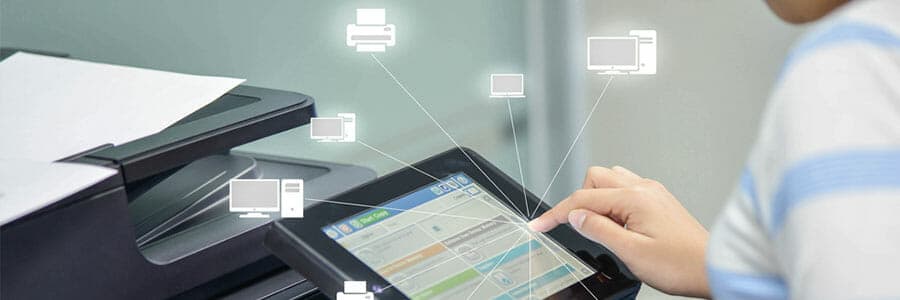
And yet the copier down the hall runs an operating system. There is a web server listening on port 80. SNMP, IPP, LPD and raw PJL on port 9100 all answer. Inside sits a hard drive or an SSD holding cached copies of everything scanned, faxed and printed through the device for months. And the address book is full of employee emails, frequently alongside stored credentials for the LDAP or FTP server the machine scans documents into.
So it is a computer. A computer with an admin panel, sitting on the same VLAN as your accounting workstations, running firmware nobody has touched since installation day.
Printer security vulnerabilities get ignored for one reason: the device does something boring. Boring devices do not get patch windows. They do not get inventoried. They rarely show up in a vulnerability scan report because the scanner was scoped to servers. At 1800 Office Solutions, we walk into offices every week where the multifunction printer is the single oldest piece of unpatched software in the building.
ATTACK SURFACE
What an Attacker Actually Does With a Printer
Compromising a printer is rarely the goal. It is the doorway.
Researchers at Ruhr University Bochum published the foundational work here with their PRET toolkit, showing how print job languages could be abused to read files off a device, capture other people’s print jobs, and physically damage NVRAM through repeated writes. The brands tested read like an office supply catalog: HP, Brother, Dell, Samsung, Lexmark, Konica Minolta.
The attack chain usually looks like this:
- Discovery. An SNMP sweep or a Shodan query finds the device. Serial numbers, firmware versions and model names leak without any authentication at all.
- Access. Default credentials still work, or a firmware flaw hands over an admin session outright.
- Harvest. Stored scan jobs, the LDAP bind password, the SMTP relay credentials and the internal address book all come out of the config.
- Pivot. Those credentials get replayed against file shares and mail servers. The printer becomes a quiet beachhead with no endpoint agent watching it.
- Persistence. Nobody reimages a copier. An attacker can sit there for a year.
Denial of service belongs on the list too. A crashed device is a stalled invoice run, a stalled chart, a stalled closing packet. For a law firm or a clinic, an idle multifunction printer is an operational outage, not an inconvenience.
CASE IN POINT
The Brother Disclosure Showed How Deep the Problem Runs
In June 2025, Rapid7 published findings from a thirteen month coordinated disclosure with Brother Industries and JPCERT/CC. Stephen Fewer, a principal researcher there, had found eight new vulnerabilities in Brother multifunction devices.
The headline flaw, CVE-2024-51978, scored 9.8 on the CVSS scale. A remote attacker with no credentials could leak a device serial number over HTTP, HTTPS, IPP, PJL or SNMP, then run the serial through the manufacturer’s own password derivation routine and produce the default administrator password. Chain it with the stack overflow in CVE-2024-51979 and you reach unauthenticated remote code execution on the printer.
Here is the uncomfortable part. Brother stated the authentication bypass could not be fully fixed in firmware. Remediation required a change to the manufacturing process itself. Every affected unit built the old way is still shipping with a derivable default password, and the only defense is a workaround: change the admin credential, and change it now.
Seven of the eight flaws did get firmware fixes. Which raises the real question. How many of the devices in your office have had firmware applied since mid 2025?
ROOT CAUSES
Printer Security Vulnerabilities: Where the Holes Usually Are
Across the fleet audits 1800 Office Solutions runs in South Florida, the same five gaps repeat. None of them are exotic.
1. Firmware nobody patches
HP Wolf Security research found only 36% of IT teams apply printer firmware updates promptly. The rest wait months, or never apply them. Meanwhile end of life devices stop receiving updates entirely and stay on the network anyway, because they still print fine.
The admin password printed in the setup guide is still the admin password. Sometimes the whole office knows it. Worse, a device with weak authentication also means no secure print release, so confidential documents pile up in the output tray where anyone walking past can read them.
3. Data sitting on the drive
Modern devices cache print, scan and fax jobs on internal storage. If the drive is unencrypted, or if the machine leaves the building at lease end without a certified wipe, those images are recoverable. Copier disposal has produced real breaches: a well documented CBS News investigation recovered police records, medical files and social security numbers from secondhand copiers bought off a warehouse floor.
4. Flat network placement
Printers frequently sit on the same segment as finance and clinical systems. No segmentation means no speed bump between a compromised device and everything else.
5. Shadow print hardware
Branch offices and department managers buy their own units. IT never learns about them. Those devices get no standard config, no monitoring and no lifecycle plan, and they do not appear on any inventory.
BUSINESS IMPACT
What a Print Related Breach Actually Costs
Security spending arguments get won with numbers, so here are the ones worth quoting internally.
IBM’s 2025 Cost of a Data Breach Report put the average United States breach at $10.22 million, an all time high and a 9% jump year over year. Healthcare stayed the most expensive sector for the fourteenth consecutive year at $7.42 million. Those figures are averages across all breach origins, not printer specific, so treat them as the ceiling of the conversation rather than a forecast for your own copier. Still, the direction is clear, and regulatory penalties are what push the American number so far above the global average of $4.44 million.
| Exposure type | What gets out | Typical regulatory trigger |
|---|---|---|
| Cached scan jobs on device storage | Patient charts, tax documents, signed contracts | HIPAA, GLBA, FTC Safeguards Rule |
| Harvested LDAP or SMTP credentials | Directory access, mail relay abuse | Broad network compromise, breach notification laws |
| Unclaimed output in the tray | Payroll, HR files, legal discovery | HIPAA, FERPA, state privacy statutes |
| Device used for lateral movement | Everything downstream of the pivot | Full incident response and forensics |
| Improper disposal at lease end | Years of archived document images | HIPAA disposal rule, PCI DSS |
Add the soft costs. Internal teams pulled into reactive incident work. Client trust, which nobody prices correctly until it is gone. And device downtime during forensics, because a printer under investigation is a printer nobody is allowed to use.
HARDENING
A Practical Checklist for Securing Office Printers
Treat the fleet like any other class of endpoint. Here is the sequence we use on client engagements, ordered by effort against payoff.
| Control | Effort | Why it matters |
|---|---|---|
| Change every default admin password | Low | Neutralizes the single most exploited flaw class, including the Brother derivation bug |
| Disable unused protocols (Telnet, FTP, raw 9100, legacy SNMP v1 and v2c) | Low | Shrinks the reachable service list dramatically |
| Build and maintain a device inventory with firmware versions | Medium | You cannot patch or retire what you have not counted |
| Put printers in a dedicated VLAN with ACLs | Medium | Stops lateral movement from a compromised device |
| Turn on drive encryption and automatic job deletion | Medium | Makes cached documents unrecoverable if hardware walks |
| Enable secure print release via PIN or badge | Medium | Nothing prints until the right person is standing there |
| Add printers to the regular patch cycle | Medium | Closes known CVEs before they get commodity exploits |
| Require certified data wipe and a destruction certificate at disposal | Low | Protects you at the moment of highest exposure, lease return |
| Log and alert on device activity | High | Turns a silent device into a monitored one |
Two external references are worth bookmarking for your policy documentation. NIST’s SP 800-171 covers protecting controlled unclassified information on nonfederal systems, printers included. And CISA publishes plain language hardening guidance any small business can follow without a security team.
Does every organization need all nine controls? No. A five person insurance office and a 40 provider medical group have different risk profiles and different budgets. Start with the low effort rows. They are free.
SELF AUDIT
Thirty Minutes and a Browser Will Tell You Most of It
Before anyone quotes you anything, run this yourself. No tooling required beyond a laptop already on the office network.
Step one: count the devices
Walk the floor. Physically walk it. Write down every printer, copier, scanner and label printer, including the little desktop unit in the corner office and the one the marketing team bought with a credit card. Compare your list against whatever IT thinks exists. The delta is your shadow print problem, and in our experience the delta is never zero.
Step two: open each admin panel
Find the device IP from the control panel display, type it into a browser, and see what loads. Did it let you in without a password? Did the manual’s default credential work? Either answer is a finding. Note the firmware version shown on the status page while you are there.
Step three: check the firmware date
Look up each model and firmware version against the manufacturer’s security advisory page. Brother, HP, Ricoh, Konica Minolta and Xerox all publish them. If the installed build predates the vendor’s most recent security release, the device is carrying known, publicly documented flaws.
Step four: test the output tray
Go look at the trays at 5pm. Count the abandoned pages. Read what is on them. If payroll summaries, patient names or signed agreements are sitting there in the open, secure print release just justified itself without any technical argument at all.
Step five: pull one lease contract
Search the document for the words wipe, sanitize, destruction and data. Nothing? Then your lease end plan for years of cached document images is currently the vendor’s discretion, which is not a plan.
Five steps, one afternoon, zero budget. Whatever you find becomes the agenda for the conversation with whoever manages your fleet.
MANAGED PRINT
Where Managed Print Services Fit, and What They Cost
Most businesses do not fail at printer security because they disagree with the checklist. They fail because nobody owns it. Print sits between facilities and IT, and work in the gap between two teams tends not to happen.
A managed print program moves ownership to a provider with a contractual obligation. Firmware gets applied on schedule. Configurations get standardized across the fleet. End of life devices get flagged and replaced instead of quietly aging on the network. Disposal comes with paperwork.
Pricing varies by volume, color mix, device count and service level. Ranges published across the industry look roughly like this:
| Line item | Common range | Notes |
|---|---|---|
| Per device monthly fee | $50 to $200 | Driven by device class and included features |
| Monochrome cost per page | $0.009 to $0.025 | Volume commitments move this materially |
| Color cost per page | $0.055 to $0.140 | Color governance policies cut this fast |
| Typical SMB monthly total | $100 to $1,000+ | Depends on fleet size and print volume |
| Security assessment | Often included | Ask whether firmware management is in scope or extra |
Be skeptical of any quote presented purely as cost per page. Ask the direct question: is firmware patching included, or billed separately? Plenty of contracts cover toner and service calls while leaving security entirely to you. That distinction is the whole ballgame.
If you are already evaluating copier leasing options, fold the security terms into the same negotiation. Lease end data destruction is far cheaper to agree on before you sign than after.
SOUTH FLORIDA
The Regional Angle for Miami Businesses
South Florida’s business mix makes print security unusually consequential. Miami-Dade and Broward run heavy on healthcare, legal services, logistics, real estate closings and international trade. Every one of those sectors moves regulated paper in volume.
Think of a title company scanning closing packets. Or the clinic in Kendall faxing referrals all morning. Customs brokers print bills of lading by the ream. These are document heavy operations where the multifunction printer is not peripheral equipment; it is the production line.
Hurricane season adds a wrinkle nobody plans for. Power events and rushed equipment relocations lead to devices coming back online with factory configurations, security settings wiped out by the reset. We see it every fall. Post storm recovery checklists should include a printer configuration audit alongside the server restore.
Florida’s breach notification statute also gives you 30 days from discovery to notify affected individuals, with penalties for missing the window. Tight timelines reward organizations who already know which devices hold what data. Our managed IT team and print team run those inventories together for exactly this reason, and we have been doing it for South Florida businesses.
HOW WE HELP
How 1800 Office Solutions Helps
Fleet Discovery
We inventory every networked device, including the ones IT never knew about, and record model, firmware level and location.
Hardening Pass
Default credentials replaced, unused protocols disabled, encryption and automatic job purge enabled across the fleet.
Firmware Management
Scheduled patching so known CVEs get closed instead of accumulating quietly for years.
Secure Release
PIN and badge release so documents print only when the right person is standing at the device.
Usage Visibility
Reporting on volume, color spend and unusual activity, which surfaces both cost waste and security anomalies.
Certified Disposal
Documented drive wipe or destruction at lease end, with a certificate for your compliance file.
1800 Office Solutions is an independent dealer, so the hardware recommendation follows your security and cost requirements rather than a single manufacturer’s quota. Sometimes the right answer is keeping what you have and locking it down. Miami businesses get the same assessment process as our national accounts.
FAQ
Printer Security Questions We Get Asked Most
Can a printer really be hacked?
Yes. Office printers run full operating systems with network services, web interfaces and storage. Researchers have demonstrated credential theft, print job capture, remote code execution and denial of service across major brands. The Rapid7 Brother disclosure alone covered 748 models from five manufacturers.
What is the single most important thing to fix first?
Change the default administrator password on every device. It takes minutes, costs nothing, and neutralizes the most commonly exploited weakness. Disabling unused protocols like Telnet and legacy SNMP is a close second.
Do printers store copies of what I print?
Many do. Multifunction devices with internal hard drives or SSDs cache print, scan, copy and fax jobs. Retention varies by model and configuration. Enabling encryption plus automatic job deletion after completion is the fix.
What happens to my data when a leased copier goes back?
It depends entirely on your contract. Without a written data destruction clause, the device may be refurbished and resold with the drive intact. Ask for a certified wipe and a destruction certificate before signing any lease.
How often should printer firmware be updated?
Fold printers into your normal patch cadence, so quarterly at minimum, and immediately when a vendor publishes a critical advisory. Only 36% of IT teams currently patch printers promptly, which is precisely why the attack surface stays open.
Should printers be on a separate VLAN?
For most organizations, yes. Segmentation limits what a compromised device can reach. Pair the VLAN with access control lists so printers talk to print servers and little else.
Is a small business really a target?
Attackers scan by opportunity, not by company size. Internet exposed printers get found by automated sweeps within hours. Smaller organizations often have weaker segmentation, which makes a single compromised device more valuable to an intruder.
Does secure print release slow people down?
Barely. Users send jobs normally and release them at the device with a PIN or badge tap. Most clients report a bonus: abandoned print jobs drop sharply, which cuts paper and toner spend.
What about HIPAA and printer compliance?
HIPAA treats a multifunction printer holding protected health information as electronic media, which brings access control, audit and disposal requirements into scope. Unencrypted cached scans of patient records are a documented finding in OCR enforcement actions.
Are cloud connected printers safer or riskier?
Both, honestly. Cloud management makes firmware updates and configuration standards far easier to enforce at scale. But it adds an external service, stored tokens and a vendor dependency. Review the provider’s security posture before enabling it.
Can I tell if a printer has already been compromised?
Not easily without logging. Warning signs include unexplained configuration changes, unfamiliar jobs in the queue, repeated crashes and outbound connections to unexpected addresses. Absence of evidence is not evidence of absence here, which is the argument for monitoring.
Does managed print actually improve security, or just shift blame?
A good program improves it, because someone is contractually accountable for patching, configuration standards and disposal. A weak contract shifts paperwork and nothing else. Read the scope carefully and confirm firmware management is written in.
Find Out What Your Print Fleet Is Exposing
We will inventory your devices, check firmware levels against known advisories, and show you exactly where the gaps sit. No obligation, no pressure, just a clear picture of your print security posture.
GET A FREE CONSULTATION
(888) 574-5120
Your One Source For Everything Office