
A practical look at how Managed Print Services lower print spend, free up IT staff, and lift productivity for offices in Miami, Fort Lauderdale, and across South Florida.
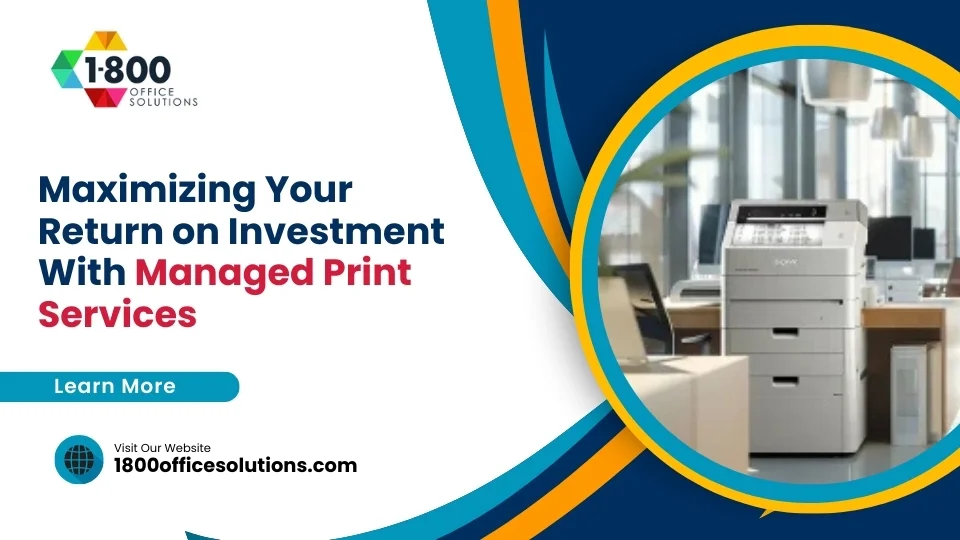
Managed Print Services (MPS) typically cut total print costs by 20 to 30 percent inside the first year by consolidating devices, automating supply orders, and routing service tickets through one provider. For most South Florida offices, the real ROI shows up in fewer help desk calls, predictable monthly billing, and staff hours saved on toner runs and paper jams.
Why It Matters
Print Is Probably Costing More Than You Think
Most businesses underestimate what they spend on print. Gartner reported 90 percent of North American companies cannot say exactly how many printers they own or what those devices cost to run each month. Research from various industry sources puts unmanaged print spend at roughly 1 to 3 percent of annual revenue, a figure many CFOs find shocking once it lands on a spreadsheet.
So where does the money go? Toner ordered in a panic at a 30 percent markup. Pages printed and never picked up. Old desktop printers nobody has serviced since 2019. Staff time burned chasing paper jams. And a steady drip of help desk tickets pulling IT away from real work. None of it shows up as a single line item, which is exactly why it stays hidden.
Estimated annual print cost per employee in unmanaged offices, based on 10,000 pages a year
Now imagine a 50 person team. Roughly $36,000 a year in print spend, and most of it is invisible. A managed approach trims this number in three ways. It right sizes the fleet, automates supplies so you stop paying retail, and pulls service under one roof so issues get fixed before they snowball.
The Core Idea
What Managed Print Services Actually Cover
An MPS contract bundles every part of the print environment into one program. Bundles usually include a print audit, ongoing fleet management, automatic toner replenishment, on-site service, secure document workflows, and a single monthly bill. Your provider takes ownership of uptime. You get back the hours your team used to spend ordering ink and rebooting jammed copiers.
And here is the part most people miss. A good MPS engagement is not just a maintenance plan. It is a continuous improvement loop. Your provider tracks usage data, flags heavy print devices, and recommends cost saving changes over time. So the savings compound.
What a Strong MPS Engagement Includes
- Print assessment. A walkthrough of every device, with usage data and a baseline cost per page so you know what you are starting from.
- Fleet optimization. Right sizing the number, type, and placement of printers. Some old units retire. New multifunction devices replace clusters of single function machines.
- Automated supply replenishment. Toner ships before you run out, and you stop overordering or storing closets full of cartridges.
- Proactive service. Remote monitoring catches errors early. Technicians arrive before staff start sending angry emails.
- Print rules and security. Default to duplex, restrict color for general users, and require badge release for sensitive documents.
- Monthly reporting. Page volumes, cost per department, exception alerts, and recommendations.
By The Numbers
What ROI Actually Looks Like
Industry data is consistent on this point. A well run MPS program returns 20 to 30 percent in print cost savings in year one, with continued gains year over year as the program tightens. Some offices report savings closer to 40 percent, often because they were running an especially fragmented fleet before the audit.
And the financial gains are not just about ink and paper. They are about avoided cost. A help desk call costs around $22 to resolve, and Gartner has estimated as much as 50 percent of help desk tickets are print related. Cut this volume in half, and a typical IT department reclaims roughly 7 percent of its time. Real capacity for projects moving the business forward.
of IT help desk calls are print related, according to Gartner research
Where The Savings Come From
- Lower supply costs. Bulk purchasing through your provider avoids retail toner pricing and emergency shipping fees.
- Fewer devices. Consolidating to right sized multifunction units eliminates redundant hardware and its lease payments.
- Reduced waste. Default duplex, color restrictions, and pull printing cut volume by 10 to 20 percent.
- Less downtime. Predictive monitoring keeps devices running. Staff stop walking down the hall to the one working printer.
- IT time recovered. Print related tickets drop sharply, freeing technical staff for higher value work.
- Predictable billing. Cost per page or fixed monthly pricing replaces unpredictable expense lines.
Real Numbers
What South Florida Offices Pay For Managed Print
Pricing varies by fleet size, color mix, and service level, but the ranges below are typical for 2026 contracts in Miami, Broward, and Palm Beach offices. Color usage is the single biggest swing factor, so look closely at how much color you actually need.
| Plan Type | Typical Use Case | Cost Per Page (B&W) | Cost Per Page (Color) | Monthly Fee |
|---|---|---|---|---|
| Cost Per Page Only | Existing fleet, light service | $0.009 to $0.015 | $0.055 to $0.085 | None |
| Bundled MPS | 10 to 30 user offices | $0.010 to $0.020 | $0.060 to $0.110 | $200 to $650 |
| Full MPS With Hardware | 30 plus users, mixed devices | $0.012 to $0.022 | $0.075 to $0.130 | $650 to $2,500 |
| Enterprise MPS | Multi site, advanced security | $0.014 to $0.025 | $0.090 to $0.140 | $2,500 plus |
So how do you know if these numbers will work for your office? Pull the last six months of toner invoices, add lease payments, and divide by total pages printed. Most unmanaged offices land somewhere between $0.04 and $0.12 per page once everything is counted. A reasonable MPS bid should be 25 to 40 percent below this figure.
Productivity Gains
Time Savings Are The Hidden Win
Cost reduction gets the headlines. But the productivity gains often deliver more value, especially in mid sized offices. Consider what happens when a printer goes down. Someone walks over, opens the front cover, pulls out paper, and tries again. It jams again. Now they call IT. IT calls the leasing company. The leasing company schedules a tech for next Tuesday. Meanwhile, three people have lost an hour each.
An MPS provider with proactive monitoring catches the jam pattern before it becomes a daily annoyance. Toner ships automatically. Paper feed sensors flag wear before it causes errors. And if a tech does need to come out, they show up with the right part already in hand.
of pages printed in offices are discarded the same day, according to industry research
Cutting this waste has a productivity payoff too. Default duplex and pull printing reduce the time staff spend at the printer, and they make secure documents harder to leave on the output tray.
Productivity Levers Worth Pulling
- Pull printing. Documents wait in a secure queue and only release when the user authenticates at the device.
- Mobile and cloud printing. Staff send jobs from any device, so no one is tied to a specific desk or laptop.
- Default duplex. Cuts paper use roughly in half with one settings change.
- Color rules. Reserve color for client facing documents while routine print jobs go monochrome.
- Scan to workflow. Multifunction devices route paper into your document management system without manual filing.
Security Matters
Printers Are A Real Cybersecurity Risk
It is easy to forget office printers are full computers. They have hard drives. Network services run on them too, and recently scanned documents often sit on internal storage. Many of these devices have not received a firmware update since the day they were uncrated. So a fleet of unmanaged printers gives an attacker plenty of soft targets.
HIPAA, PCI DSS, and Florida data breach laws all apply to documents passing through these devices. A breach involving printed patient records carries real penalties, and so does a misconfigured device exposing scan archives to anyone on the network. Authorities like CISA and the NIST Cybersecurity Framework both name printers explicitly as endpoints needing attention.
Print Security Controls Worth Putting In Place
- User authentication. Badge or PIN release at the device prevents documents from sitting on the tray.
- Encrypted hard drives. Modern multifunction devices encrypt stored jobs and wipe drives on retirement.
- Network segmentation. Printers belong on their own VLAN, not on the same network as workstations.
- Firmware updates. Your MPS provider should patch devices on a defined schedule, not when something breaks.
- Audit logs. Track who printed what, especially for regulated industries like healthcare and legal.
If your office handles protected health information, financial data, or legal records, print security is not optional. Pairing managed print with managed cybersecurity closes a gap auditors will eventually find.
Sustainability
The Environmental Side Of MPS
Print waste is not just a cost problem. American offices throw away an estimated $32.5 billion in paper every year, and roughly half of all printed pages are discarded inside 24 hours. Reducing this volume cuts your carbon footprint, your storage needs, and your trash hauling bill.
An MPS program tightens the loop. Default duplex saves trees. Pull printing eliminates abandoned print jobs. Toner recycling programs keep cartridges out of landfills. And right sized fleets mean fewer machines drawing power around the clock. So sustainability and savings line up neatly.
Green Wins From An MPS Program
- Paper reduction. Default duplex and rules based printing cut paper use by 20 to 50 percent.
- Toner recycling. Used cartridges return through carrier collection programs.
- Energy use. Newer multifunction devices consume far less power than the racks of old printers they replace.
- Reporting. Sustainability dashboards quantify trees saved, CO2 avoided, and waste diverted for ESG reports.
Side By Side
Unmanaged Print vs Managed Print
| Element | Unmanaged Print | Managed Print Services |
|---|---|---|
| Cost Visibility | Hidden across departments and supply orders | Single monthly invoice with usage reporting |
| Toner Supply | Reactive, often retail priced and shipped overnight | Auto replenishment based on real usage data |
| Service Calls | Multiple vendors, long wait times | One provider, on site response inside SLA windows |
| IT Workload | Frequent help desk tickets and downtime | Print issues handled by the MPS provider directly |
| Security | Inconsistent firmware, no audit trail | Patched devices, user authentication, audit logging |
| Fleet Size | Sprawled, often duplicative | Right sized to actual usage |
| Sustainability | High paper waste, poor recycling | Default duplex, recycling programs, lower power use |
| Annual Cost Per User | $700 to $1,200 | $450 to $850 |
So which side does your office sit on? Most companies without a recent print audit will recognize themselves in the left column. And the gap is widening as cybersecurity, compliance, and hybrid work all push more pressure onto print environments.
Choosing A Provider
How To Pick The Right MPS Partner
Not all MPS providers operate the same way. Some are essentially toner subscription services with a fancy contract wrapper. Others run real assessments, recommend hardware changes, and treat your print environment like a strategic asset. The difference shows up in your second and third year of the contract, after the easy savings have been booked.
Ask hard questions during the evaluation. Where do their service techs live? What is their guaranteed response time for South Florida offices? Do they handle their own service or subcontract it? Can they support your specific brands of HP, Canon, Xerox, Konica Minolta, Ricoh, or Sharp? And what does the contract look like if you want out?
Questions To Ask Every MPS Provider
- Do you provide a free print assessment, and what does it cover?
- What is the average cost per page for offices my size, and what is the contract term?
- Where are your technicians based, and what is the SLA for on site response?
- How do you handle device security, firmware patching, and end of life data wiping?
- What reporting do I get, and how often do we review it together?
- Can I add or remove devices without rewriting the whole agreement?
- How do you handle exit terms if the partnership is not working?
For South Florida offices, local presence matters. A provider with technicians and parts inventory in Miami Dade, Broward, or Palm Beach can fix a downed device the same day. National providers subcontracting regional service often leave you waiting. Talk with a local team before signing anything.
Why It Works Here
How 1800 Office Solutions Helps South Florida Businesses
1800 Office Solutions has supported Miami offices since 1999, and our managed print program is built around the realities of South Florida business. Hurricanes. Humidity. Hybrid teams. Healthcare and legal compliance. We have seen it all, and we have built our service around it.
Our clients range from boutique law firms in Brickell to multi clinic medical groups in Doral and family run construction companies in Pompano Beach. Every program starts with a free print assessment, and most engagements show measurable savings inside the first quarter. Browse our copier and printer catalog or read more about our MPS approach.
Implementation
What The First 90 Days Look Like
A reasonable MPS rollout follows a clear arc. Audit, design, deploy, monitor. Most South Florida offices can move through the full cycle inside a quarter, with savings starting to show in the second month. So the runway is shorter than most CFOs expect.
Phase One: Discovery (Week 1 to 2)
Your provider walks the office, inventories every device, pulls usage data, and interviews stakeholders. The output is a baseline report showing total pages printed, cost per page, and biggest waste sources. This becomes the benchmark for every later step.
Phase Two: Design (Week 3 to 4)
Recommendations land on paper. Fleet changes, print rules, security controls, and a service plan. Pricing comes with it, usually in two or three options trading off capital cost against monthly fees. You pick the right fit.
Phase Three: Deploy (Week 5 to 8)
Hardware swaps happen. Print management software gets installed. Staff training runs in short sessions, often during regular team meetings rather than in formal classes. Toner replenishment switches over to automatic.
Phase Four: Optimize (Week 9 onward)
Monthly reviews start. Usage data flows in. The provider flags devices printing far more than expected, suggests rule changes, and recommends hardware refreshes when leases expire. So the program tightens over time rather than coasting.
Common Pitfalls
Mistakes Sinking MPS Programs
Not every MPS engagement delivers what it promises. The failures usually trace back to a few familiar patterns. Knowing them up front lets you avoid the worst ones.
- Skipping the audit. A vendor quoting pricing without seeing your fleet is guessing. Real savings start with real data.
- Locking in too long. Five year contracts with no out clause leave you stuck if service drops off. Three years with reasonable exit terms is a better baseline.
- Ignoring color costs. A low monochrome rate paired with sky high color rates can wipe out savings if your team prints color casually.
- No security review. Printers without authentication and audit logs are the soft underbelly of many networks.
- No quarterly reviews. Programs without ongoing reporting drift, and savings flatten or reverse.
- Choosing on price alone. The cheapest cost per page often comes from a provider with no local techs and slow response times.
1800 Office Solutions sees these patterns regularly when offices switch from a national provider after a bad experience. Our local team and audit first approach are designed to avoid them.
Ready To See What Managed Print Could Save Your Office?
Get a free print assessment from a local South Florida team. No obligation, no pressure, just a clear picture of where your print spend is going and what a managed program could trim.
GET A FREE CONSULTATION
1-800-346-4679
Your One Source For Everything Office
FAQ
Frequently Asked Questions About Managed Print Services
How much can Managed Print Services actually save my business?
Most offices see 20 to 30 percent in print cost savings during the first year of a well run MPS program. Some see closer to 40 percent if they were running a fragmented fleet of aging desktop printers. The biggest gains come from fleet consolidation, automated supplies, and reduced help desk tickets.
What is included in a typical MPS contract?
A standard contract covers automatic toner replenishment, parts, labor, on site service, remote monitoring, print management software, and monthly reporting. Hardware is sometimes included and sometimes leased separately. Always check whether color overage charges apply.
How long does an MPS contract usually run?
Three years is the most common term. Some providers push five year deals, and a few offer month to month. Three years balances pricing power with flexibility, and reasonable exit terms should be in writing before you sign.
Can MPS work with my existing printers, or do I need new equipment?
It can usually work with your current fleet, especially if devices are under five years old and from major brands. The audit will flag machines costing more to keep running than to replace. Most offices end up with a mix of retained and replaced units.
Is MPS only for large companies?
No. Offices as small as 10 users see clear ROI, especially if they have multiple desktop printers spread across departments. The program scales up smoothly to enterprises with hundreds of devices across multiple sites.
How does MPS handle printer security?
Modern programs include user authentication at the device, encrypted hard drives, scheduled firmware patching, network segmentation, and audit logging. For regulated industries, the program also documents compliance for HIPAA, PCI, and similar frameworks.
What happens if a printer breaks down?
Your provider monitors devices remotely and often catches errors before staff notice. If a tech needs to come out, the SLA spells out response time, usually four to eight hours for South Florida offices. Loaner devices may be available for extended outages.
Does MPS cover both color and black and white printing?
Yes, and the contract should price each separately. Color pages cost five to ten times more than monochrome, so volume rules and default settings matter. A good provider will recommend color governance as part of the program.
How do I measure ROI from a Managed Print Services program?
Compare your baseline cost per page against the post deployment number, then add savings from reduced help desk tickets, less downtime, and avoided supply waste. Most providers deliver a quarterly ROI report. Year one savings of 20 to 30 percent are the standard benchmark.
Can MPS support hybrid and remote workers?
Yes. Cloud and mobile printing features let staff send jobs from home offices and pick them up at any office printer. Pull printing keeps documents secure, and usage reporting still rolls up to one dashboard regardless of where the user is based.
What does the print assessment process involve?
A technician walks every floor, scans device serial numbers, pulls page counters, and interviews staff about pain points. Software may run on the network briefly to capture usage patterns. The deliverable is a baseline report showing your true cost per page and the biggest savings opportunities.
Why choose 1800 Office Solutions for Managed Print in South Florida?
1800 Office Solutions has served Miami offices since 1999 with local technicians, locally stocked parts and toner, and vendor neutral audits across all major brands. Pair MPS with our managed cybersecurity program for full coverage of every endpoint, including the ones with paper trays.