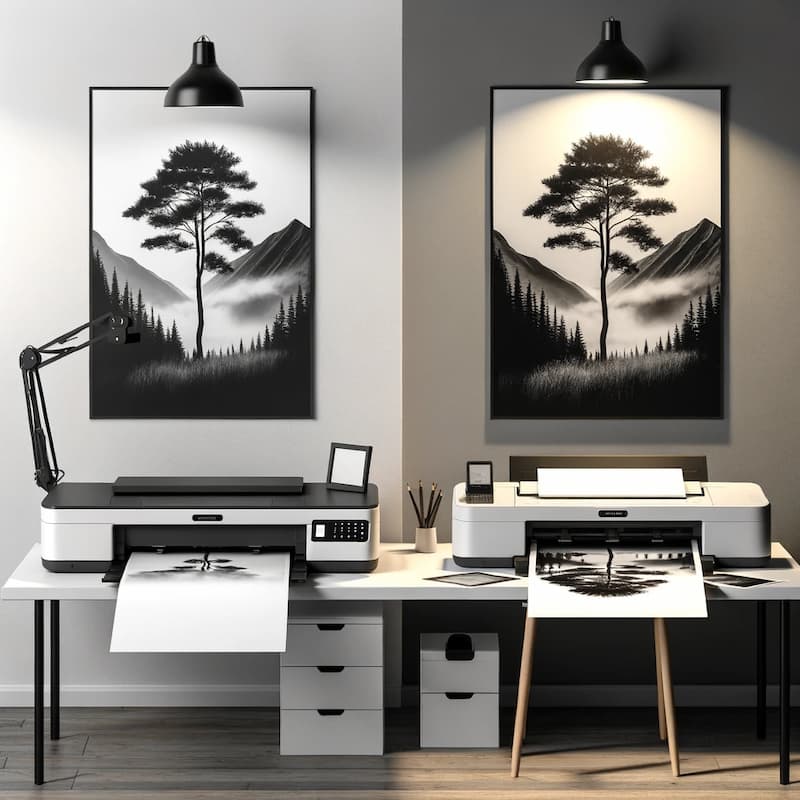
The concept of printing oversized images across multiple pages has opened a new dimension of creativity. Whether it’s for a personalized photo poster or a custom banner for an event, the ability to print big images using a regular printer is a game-changer.
Common software like Microsoft Paint, Adobe Photoshop, and online tools such as Rasterbator make this process accessible to everyone. Therefore, anyone with a digital image and a basic printer can transform their visual ideas into large-scale realities without losing the essence of the original artwork.
Preparing Your Image for Printing
Understanding Image Resolution
High-resolution images are the backbone of large prints. An image with a 300 dpi (dots per inch) resolution ensures that your large format print remains crisp and devoid of any pixelation. In other words, the higher the resolution, the better the print quality of your enlarged photos.
Therefore, before you embark on printing large images, ensure your digital image meets this resolution criterion to maintain the visual integrity of your original image.
Selecting the Right Image
Choosing the right image for oversized printing involves more than just picking a high-resolution photo. It’s important to consider the aspect ratio, image size, and the intended use of the print. For instance, an image intended for a custom poster might require a different approach than one for a gallery-worthy giclée print.
Above all, ensure your chosen image can be resized without compromising on quality. This may involve using image editing tools to customize or resize your photo to the right size and resolution.
Methods for Printing Oversized Images
Using Microsoft Paint
Microsoft Paint might seem simple, but it’s a powerful tool for printing large images on multiple pages. Start by opening your image in Paint and accessing the Print Preview option to adjust the margin and layout for your poster.
After that, you can preview the number of pages needed to print the large image and make necessary adjustments to the width and height to ensure it fits across multiple sheets of paper. Follow these steps carefully to print your poster with ease.
Open the image in Microsoft Paint.
Go to: File > Page Set Up > Scaling > Fit to.
Enter the desired number of pages for both height and width you want your image to print across.
Click the “Print” button to proceed with printing your image over multiple pages.
Using Adobe Photoshop
For those wanting to print a large image with precision, Adobe Photoshop offers advanced tools like the Slice tool to segment your image for printing across multiple pages. Initially, you’ll need to customize the layout to divide your image horizontally and vertically.
After slicing, Adobe makes it easy to print each segment, ensuring the final size of your image is exactly as you intended. This method is ideal for creating high-quality print projects with complex layouts.
Using Adobe Acrobat Reader
Adobe Acrobat Reader’s Poster function is another excellent way to enlarge and print a large image onto multiple pages. By adjusting the tile scale, overlap, and adding labels, users can customize their printing options for seamless assembly. This PDF-based method is particularly useful for those looking to print detailed images with specific layout requirements.
Convert your image to a PDF first, if necessary, by navigating: File > Create > PDF from File > open your image.
Open the “File” tab, then select “Print” and choose the “Poster” option.
Adjust the “Tile Scale” to resize your image to the desired print size.
Hit the “Print” button to start printing your image.
By Converting to a PDF File
Converting your image to a PDF is a straightforward way to print large images. Tools like Adobe Reader offer simple conversion and printing options, allowing you to adjust the size of your image to span multiple pages. This method is a boon for those who need to print something big without direct access to image editing software.
How to Print an Oversized Image with Microsoft® Excel
To print a large image using Microsoft® Excel, start by launching a new Excel spreadsheet and selecting cell “A1” at the upper left corner.
Proceed to insert your desired image by navigating through Insert > Pictures > Picture from File, then choose the image file you wish to use and click on Insert.
Once your image is in the spreadsheet, click on its bottom right corner and drag it outward to scale the image up to your required dimensions. For precision, you can check the image’s size by looking at the height and width displayed in the Excel ribbon at the top right corner of the window, and adjust as necessary.
Excel will display dashed lines across the spreadsheet, delineating the boundaries of each page that will be used during the printing process. These dashed lines serve as a guide for how your image will be segmented (tiled) across multiple pages.
Finalize the process by hitting the “Print” button. This action will initiate the printing process of your oversized image, dividing it across several pages based on the tiling preview indicated by the dashed lines.
Using Web Tools like Rasterbator
For users without access to Microsoft or Adobe software, Rasterbator presents an online solution to create large posters from any image. This web tool enlarges your digital images to be printed across multiple pages, which you can then assemble into a photo poster. It’s an easy-to-use option for those looking to print big without sophisticated software.
Each of these methods offers a unique set of tools and options to print oversized images effectively. Whether you’re using a high-end program like Adobe Photoshop, a basic one like Microsoft Paint, or an online tool such as Rasterbator, the process allows for creativity and personalization in printing large images on multiple pages. By following these simple steps, you can achieve good results in creating your large prints, surpassing the usual limitations of standard photo prints.
Finalizing Your Print
Assembling the Pages
After printing, the task of assembling pages for a seamless look begins. Initially, lay out the pages on a large, flat surface to align them perfectly.
Use clear tape or an adhesive that won’t damage your print. For a cleaner look, apply tape on the back of the pages. It’s crucial to ensure that the margin and overlap are consistent across all pages. This meticulous attention to detail will result in a large format print that appears as one cohesive image.
Choosing the Right Paper
The choice of paper is paramount in poster printing. Glossy paper can enrich colors and provide a vibrant finish, making it ideal for photo posters. Matte paper, on the other hand, avoids glare and is preferable for art prints or where a more subtle finish is desired.
For durability and a high-quality feel, consider using thicker paper or cardstock, especially for large prints that will be displayed. Each paper type offers a different aesthetic, so choose based on the final result you want to print.
Advanced Tips and Tricks
Adjusting Printer Settings
To achieve the best print quality, fine-tuning your printer settings is essential. Ensure the printer is set to the highest quality output, particularly for ink usage and resolution (usually measured in dpi). If your printer allows, adjust the color management settings to match your image for accurate reproduction.
Sometimes, a trial print on a smaller scale can help gauge the final size and color accuracy before committing to the final print.
Custom Framing and Protection
For those large prints destined for display, custom framing and protection are worth considering. Frames not only enhance the appearance but also protect the print from environmental factors. Opt for UV-protective glass or acrylic to prevent fading. Non-glare options can reduce reflection and ensure your print is easily viewable from all angles. This additional investment can significantly prolong the life and beauty of your oversized print.
What People Also Ask
How do I print a large image on multiple pages?
Use software like Microsoft Paint, Adobe Photoshop, or online tools like Rasterbator to split your image into sections that fit on individual pages, then print and assemble.
Can I print large images with any printer?
Yes, most regular printers can handle oversized printing when the image is properly divided into multiple pages.
What resolution should my image be for large prints?
For large prints, the resolution of your image plays a crucial role in the quality of the final printout. It’s recommended to have a resolution of at least 300 dots per inch (dpi). This high resolution ensures that your images remain sharp and detailed, even when significantly enlarged.
How can I avoid pixelation in my large print?
To prevent pixelation in large prints, starting with a high-resolution image is crucial. Ensure your digital file has a resolution of 300 dpi or higher to maintain image clarity upon enlargement.
Key Takeaways and Final ThoughtsConclusion
Printing an oversized image involves more than just enlarging a photo; it’s about transforming a digital masterpiece into a tangible work of art. From selecting the right paper to adjusting your printer’s settings and choosing the perfect frame, each step is crucial in creating a large print that captures the essence of your original vision.
By following these simple steps, you can ensure your artwork not only meets but surpasses expectations, leaving you with a final result that’s both stunning and enduring. Whether it’s for home decor, an exhibition, or a personal project, the ability to print big opens up endless possibilities for creativity and personal expression.
Not sure what kind of printer you should buy for your business? Read on to learn about how to choose the best printers for small business.When it comes to printing out important documents for your…
how to print a big image in multiple pages, print large image on multiple pages, printing image on multiple pages, how to print large picture on multiple pages, printing large image on multiple pages, how to print a big picture on multiple pages, print across multiple pages, print big image on multiple pages, how to print large photo on multiple pages, how to print large posters on multiple pages, print big pictures on multiple pages, print big picture on multiple pages, how to print a big poster on multiple pages, how to print a large image on multiple pages photoshop, print image multiple pages, how to print one picture on multiple pages, how to print oversized pdf on multiple pages, printing a large image on multiple pages, how to print a large picture on multiple pages, print large poster on multiple pages, how to print out a poster on multiple pages, how to enlarge an image to print on multiple pages, how to print a large image on multiple pages, how to enlarge and print on multiple pages, print image on multiple pages online, how to print oversized image on multiple pages, print big pdf on multiple pages, how to print big size picture in multiple pages, how to print poster size on multiple pages, print image across multiple pages, how to print large image on multiple pages, print picture across multiple pages, large image printing on multiple pages, how to split an image to print on multiple pages, how to print a large photo on multiple pages, print large photos on multiple pages, how to print large scale images on a regular printer, photoshop print large image on multiple pages, how to make a large image print on multiple pages, print image on multiple pages, how to print large poster on multiple pages, how to print a large image on multiple pages in word, how to print large image on multiple pages excel, how to print a picture across multiple pages, large image print multiple pages, print a large poster on multiple pages, print photo multiple pages, how to print picture in multiple pages, print image in multiple pages online, print image over multiple pages, app to print large image on multiple pages, how do you print a large picture on multiple pages, large image on multiple pages, print picture multiple pages, how to print big image on multiple pages, print a picture on multiple pages, how to print big images, how to enlarge pdf and print on multiple pages, print image to multiple pages, how to print over multiple pages, print a large image on multiple pages, print poster with multiple pages, how do i print a large picture on multiple pages, print large image to multiple pages, print picture on multiple pages, how to blow up an image to print on multiple pages, how can i print a large image on multiple pages, how to print a large poster on multiple pages, how do i print a large image on multiple pages, how to print one image on multiple pages, how to print a larger image on multiple pages, enlarge image to multiple pages, how to print a picture on multiple pages, print large image on multiple pages online, print large image across multiple pages, how to print enlarged image, how to print large pictures on multiple pages, how do i print a big picture on multiple pages, how to print a large poster in multiple pages, how to print something large on multiple pages, how to print one big picture on multiple pages, multi page printing, how to print big picture on multiple pages, enlarge images to multiple pages, print large picture on multiple pages, print poster in multiple pages, how to print a large image onto multiple pages, print large image in multiple pages, how can i print an image on multiple pages, how to print poster on multiple pages, how to enlarge a photo to print on multiple pages, enlarges images to multiple pages, rasterbator poster, how to make big prints by using multiple sheets, print large scale images on a regular printer, how to make a large picture print on multiple pages, how to print out large pictures on multiple pages, how to print an oversized image on multiple pages, how to print big picture in multiple pages, how to print big pictures on multiple pages, how to print a big image on multiple pages, print images on multiple pages, print picture in multiple pages, print a big picture on multiple pages, print image in multiple pages, print large photo on multiple pages, how to print large images, how to print a picture larger than one page, print large pdf on multiple pages, how to print large images on multiple pages, rasterbator meaning, how to print across multiple pages, how to print one image in multiple pages, print out large images multiple sheets, print 1 picture on multiple pages, how to print a large image over multiple pages, split image into multiple pages, print out big pictures multiple pages, photoshop print across multiple pages, how to print a image on multiple pages, how to print posters on multiple pages, enlarge picture to print on multiple pages, how to print a large picture, how to print a picture in multiple pages, how to print image on multiple pages, print poster on multiple pages, how to print photo in multiple pages, printing big pictures on multiple sheets, print large image, rasterbator posters, print big picture on multiple pages website, how to print large images on multiple pages microsoft word, website to print pictures on multiple pages, how to print a poster on multiple pages, how to print multiple pages to make one image, how do i print a poster on multiple pages, how to print an image on multiple pages, print a picture in multiple pages, printing poster on multiple pages, how to print large picture, printing a big picture on multiple pages, print pdf across multiple pages, rasterbator en ligne, print a poster on multiple pages, how to print large image, print large image on multiple pages mac, print an image on multiple pages, how to print an image over multiple pages, how to print large size photos, how to make large prints of photos, how to print big pictures, how to enlarge a picture to poster size online, print large image on multiple pages word, how to print big picture in multiple pages in word
how to print a big image in multiple pages, print large image on multiple pages, printing image on multiple pages, how to print large picture on multiple pages, printing large image on multiple pages, how to print a big picture on multiple pages, print across multiple pages, print big image on multiple pages, how to print large photo on multiple pages, how to print large posters on multiple pages, print big pictures on multiple pages, print big picture on multiple pages, how to print a big poster on multiple pages, how to print a large image on multiple pages photoshop, print image multiple pages, how to print one picture on multiple pages, how to print oversized pdf on multiple pages, printing a large image on multiple pages, how to print a large picture on multiple pages, print large poster on multiple pages, how to print out a poster on multiple pages, how to enlarge an image to print on multiple pages, how to print a large image on multiple pages, how to enlarge and print on multiple pages, print image on multiple pages online, how to print oversized image on multiple pages, print big pdf on multiple pages, how to print big size picture in multiple pages, how to print poster size on multiple pages, print image across multiple pages, how to print large image on multiple pages, print picture across multiple pages, large image printing on multiple pages, how to split an image to print on multiple pages, how to print a large photo on multiple pages, print large photos on multiple pages, how to print large scale images on a regular printer, photoshop print large image on multiple pages, how to make a large image print on multiple pages, print image on multiple pages, how to print large poster on multiple pages, how to print a large image on multiple pages in word, how to print large image on multiple pages excel, how to print a picture across multiple pages, large image print multiple pages, print a large poster on multiple pages, print photo multiple pages, how to print picture in multiple pages, print image in multiple pages online, print image over multiple pages, app to print large image on multiple pages, how do you print a large picture on multiple pages, large image on multiple pages, print picture multiple pages, how to print big image on multiple pages, print a picture on multiple pages, how to print big images, how to enlarge pdf and print on multiple pages, print image to multiple pages, how to print over multiple pages, print a large image on multiple pages, print poster with multiple pages, how do i print a large picture on multiple pages, print large image to multiple pages, print picture on multiple pages, how to blow up an image to print on multiple pages, how can i print a large image on multiple pages, how to print a large poster on multiple pages, how do i print a large image on multiple pages, how to print one image on multiple pages, how to print a larger image on multiple pages, enlarge image to multiple pages, how to print a picture on multiple pages, print large image on multiple pages online, print large image across multiple pages, how to print enlarged image, how to print large pictures on multiple pages, how do i print a big picture on multiple pages, how to print a large poster in multiple pages, how to print something large on multiple pages, how to print one big picture on multiple pages, multi page printing, how to print big picture on multiple pages, enlarge images to multiple pages, print large picture on multiple pages, print poster in multiple pages, how to print a large image onto multiple pages, print large image in multiple pages, how can i print an image on multiple pages, how to print poster on multiple pages, how to enlarge a photo to print on multiple pages, enlarges images to multiple pages, rasterbator poster, how to make big prints by using multiple sheets, print large scale images on a regular printer, how to make a large picture print on multiple pages, how to print out large pictures on multiple pages, how to print an oversized image on multiple pages, how to print big picture in multiple pages, how to print big pictures on multiple pages, how to print a big image on multiple pages, print images on multiple pages, print picture in multiple pages, print a big picture on multiple pages, print image in multiple pages, print large photo on multiple pages, how to print large images, how to print a picture larger than one page, print large pdf on multiple pages, how to print large images on multiple pages, rasterbator meaning, how to print across multiple pages, how to print one image in multiple pages, print out large images multiple sheets, print 1 picture on multiple pages, how to print a large image over multiple pages, split image into multiple pages, print out big pictures multiple pages, photoshop print across multiple pages, how to print a image on multiple pages, how to print posters on multiple pages, enlarge picture to print on multiple pages, how to print a large picture, how to print a picture in multiple pages, how to print image on multiple pages, print poster on multiple pages, how to print photo in multiple pages, printing big pictures on multiple sheets, print large image, rasterbator posters, print big picture on multiple pages website, how to print large images on multiple pages microsoft word, website to print pictures on multiple pages, how to print a poster on multiple pages, how to print multiple pages to make one image, how do i print a poster on multiple pages, how to print an image on multiple pages, print a picture in multiple pages, printing poster on multiple pages, how to print large picture, printing a big picture on multiple pages, print pdf across multiple pages, rasterbator en ligne, print a poster on multiple pages, how to print large image, print large image on multiple pages mac, print an image on multiple pages, how to print an image over multiple pages, how to print large size photos, how to make large prints of photos, how to print big pictures, how to enlarge a picture to poster size online, print large image on multiple pages word, how to print big picture in multiple pages in word