


Effortless Solutions for Managed Print Service Issues

Many businesses struggle with common managed print service issues, resulting in wasted time and resources. This article will explore effective solutions, including quick fixes to resolve printing problems and preventative maintenance strategies to keep your machines running smoothly. Readers will learn how to leverage advanced print management tools and train staff to handle minor problems, reducing downtime. By addressing these challenges, businesses can streamline their print operations and improve overall efficiency, ensuring they make the most of their ink and equipment while navigating factors like humidity that can affect print quality.
Understanding Common Managed Print Service Issues

Managed Print Services (MPS) can encounter various issues that affect efficiency and data security. Common problems include identifying frequent printer malfunctions, recognizing network connectivity issues, and resolving driver and software conflicts. Businesses must also address poor print quality and manage printer compatibility challenges, particularly with large format devices. Understanding these challenges will help organizations maintain optimal performance and sustainability in their printing processes.
Identifying Frequent Printer Malfunctions
Frequent printer malfunctions can significantly impact the efficiency of managed print services and compromise print quality. Common issues often arise from conflicts with the operating system or outdated drivers, which may lead to printing errors or device errors. Regular maintenance, including cleaning dust from the printer and ensuring drivers are up-to-date, can help organizations quickly fix these problems and maintain smooth printing operations.
Recognizing Network Connectivity Problems
Network connectivity problems can severely hinder Managed Print Service (MPS) operations, affecting productivity and print quality. Issues such as outdated firmware, improper network configurations, or firewall settings can disrupt communication between printers and devices, leading to delays and errors in print jobs. To mitigate these challenges, businesses should invest in automated monitoring solutions and have robust customer support readily available to resolve any connectivity issues swiftly, ensuring seamless access to toner supplies and consistent printing capabilities.
Resolving Driver and Software Conflicts
Resolving driver and software conflicts is crucial for maintaining the efficiency of managed print services. When issues arise between the document management system and printers, such as laser or photocopier devices, troubleshooting becomes essential. Regularly updating drivers and software, alongside monitoring total cost of ownership, can help organizations prevent and quickly address these conflicts, ensuring uninterrupted printing and document handling.
Addressing Poor Print Quality
Poor print quality can hinder productivity in any print service environment, stemming from issues like improper queue management or computer hardware malfunctions. To address these challenges, organizations must implement a proactive approach, incorporating electronic content management systems to streamline document handling and ensure superior output. Scalability in print solutions is also essential, as businesses need the agility to adapt to changing print demands while maintaining high standards of print quality.
Managing Printer Compatibility Challenges
Managing printer compatibility challenges is essential for maintaining a seamless workflow in Managed Print Services. When printers, especially wireless models, do not align with existing systems, it can introduce risks that affect print job execution and overall efficiency. Organizations must evaluate the density of their print needs and confirm compatibility with all hardware and software components to prevent disruptions. By adopting proactive management strategies, businesses can ensure that all devices work together, reducing the likelihood of errors and enhancing productivity.
Quick Fixes to Resolve Printing Problems

To address common printing problems in managed print services, several quick fixes can restore functionality and enhance efficiency. Restarting devices can reset components, while clearing print queues helps eliminate backlogs of jobs. Updating drivers ensures optimal performance, adjusting settings can improve print quality, and effectively reconnecting to the network keeps the infrastructure intact. These practical solutions promote seamless fleet management and enhance overall printing options.
Restarting Devices to Restore Functionality
Restarting devices often provides a simple yet effective solution to restore functionality in managed print services. This process can resolve issues related to spooling errors on printers, which might arise from congested print queues or communication failures between the computer monitor and printers. By turning off and then restarting an inkjet printer or other devices, organizations can refresh the connection and enhance overall information security, reducing vulnerabilities that may arise from unresolved software conflicts.
Clearing Print Queues to Eliminate Backlogs
Clearing print queues is a straightforward yet impactful method to eliminate delays in managed print services. When print jobs pile up due to issues like malfunctioning ink cartridge recognition or network problems on a server, backlog can occur. By promptly accessing the print queues from a connected mobile device or workstation, users can cancel unnecessary tasks, enhancing efficiency and ensuring that critical documents are printed without interruption. Regular maintenance from your service provider can also mitigate risks associated with malware that may disrupt print jobs, thereby maintaining consistent workflow.
Updating Drivers for Optimal Performance
Updating drivers is a crucial step in ensuring optimal performance for copiers and other printing devices. When a user installs the latest patches, it helps resolve compatibility issues that may arise with USB connections and improves overall functionality. Regular updates not only enhance security but also streamline operations under a managed print service contract, allowing for seamless printing experiences and reducing potential downtime.
Adjusting Settings for Better Quality
Adjusting settings on printers is essential for enhancing print quality in managed print services. Customers can benefit greatly by configuring options such as print resolution, color management, and tray selection to match their specific document requirements. For instance, ensuring that the correct paper tray is used for different media types can significantly improve output quality, while utilizing proper content management settings can help maintain consistency and reduce errors in large print jobs.
Reconnecting to the Network Effectively
Reconnecting printers to the network is a critical step in resolving printing issues within a managed print service environment. When a printer loses connectivity, it can halt productivity, especially if clients are relying on timely document delivery. Ensuring that the printer driver is correctly installed and that network settings are properly configured can significantly reduce downtime. Additionally, checking the cartridge status can help identify any related issues that might impede the connection, allowing clients to maintain efficient workflows and seamless access to their printing capabilities.
Preventative Maintenance Strategies
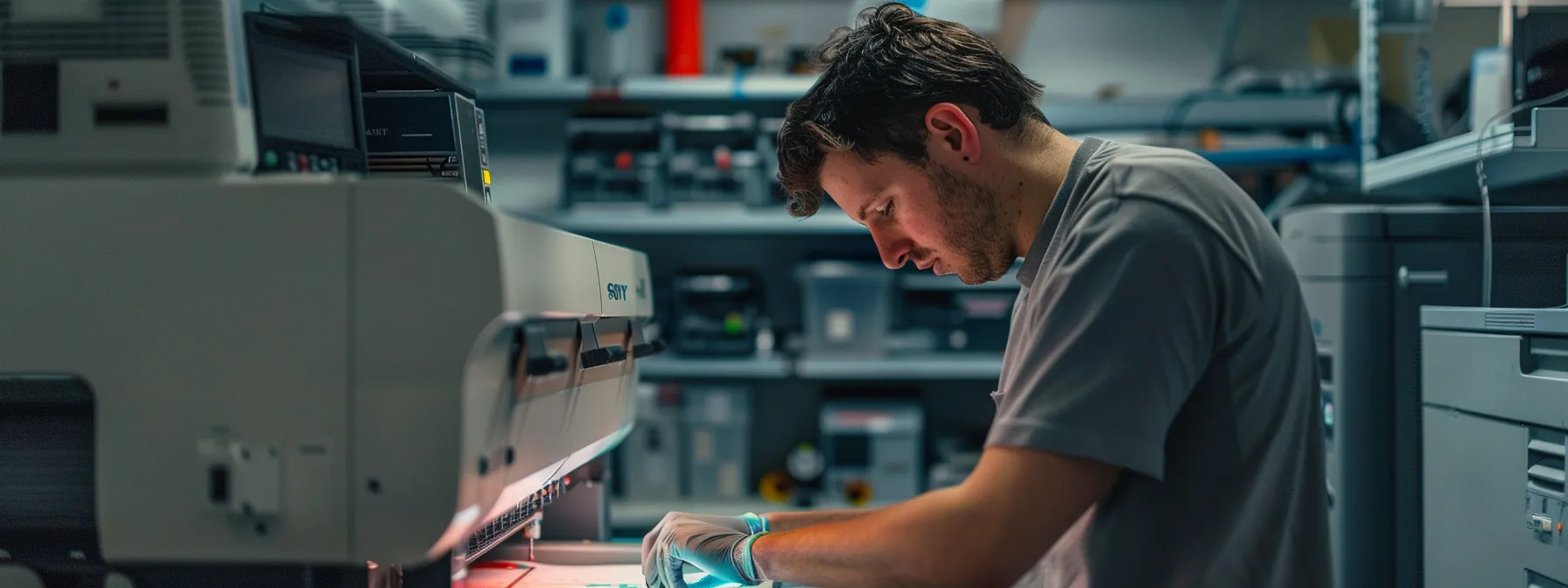
Implementing effective preventative maintenance strategies is vital for optimizing managed print services and minimizing operational complexity. Organizations should schedule regular equipment check-ups to assess print heads and other essential components. Proper cleaning of hardware, timely replacement of consumables, monitoring usage for predictive issues, and prompt software updates ensure consistent performance and reduce costly downtime.
Scheduling Regular Equipment Check-Ups
Scheduling regular equipment check-ups is essential for effective print management, as it helps identify potential issues before they lead to significant downtime. By utilizing mobile apps that monitor printer status and usage, organizations can stay informed and proactive. Implementing these tips not only enhances printer performance but also ensures that network components, such as routers, are functioning correctly, further optimizing the overall efficiency of managed print services.
Cleaning Hardware Components Properly
Cleaning hardware components properly is essential for organizations utilizing Managed Print Services, especially as remote work becomes more prevalent. Regular maintenance of printers and copiers, which includes dusting, wiping surfaces, and ensuring that moving parts are free of debris, helps to prolong equipment life and maintain optimal performance. By addressing these upkeep tasks, the end user experiences enhanced print quality and reduced risk of malfunctions, enabling smoother document handling and increased productivity in any workplace environment.
Replacing Consumables Before They Run Out
Replacing consumables before they run out is a critical aspect of effective managed print service strategies. Regularly checking and replacing toner cartridges, ink, and paper ensures uninterrupted printing operations, minimizing the risk of delays during crucial tasks. Businesses can benefit from implementing automated alerts for low supplies or utilizing a managed print provider to track inventory levels, ensuring they can focus on their core activities. For more tailored solutions, organizations can Contact Us to learn about proactive supply management options that fit their needs.
Monitoring Usage to Predict Issues
Monitoring usage closely within managed print services can help organizations predict and prevent potential issues before they escalate. By analyzing printing patterns and volume, businesses can identify emerging problems, such as low toner levels or frequent paper jams, ensuring timely interventions. This proactive approach not only minimizes downtime but also supports efficient resource allocation, allowing for smoother operations and increased productivity in the workplace.
Implementing Software Updates Promptly
Implementing software updates promptly is crucial for maintaining the efficiency of Managed Print Services. By keeping software current, businesses can address security vulnerabilities and resolve compatibility issues that may hinder printing operations. Regular updates not only enhance functionality but also facilitate smoother interactions between printers and connected devices, ensuring a reliable and productive printing environment.
Leveraging Advanced Print Management Tools

Leveraging advanced print management tools enhances the overall efficiency of managed print services. Utilizing cloud-based printing solutions simplifies access to documents, while implementing remote monitoring systems allows for real-time performance insights. Automating supply replenishment processes reduces logistical burdens, and customizing print policies ensures cost-effectiveness. Additionally, securing data with encryption technologies protects sensitive information from breaches, providing a comprehensive approach to streamline printing operations.
Utilizing Cloud-Based Printing Solutions
Utilizing cloud-based printing solutions can significantly enhance the efficiency of managed print services by allowing users to print documents from anywhere, at any time. These solutions simplify the workflow by providing centralized access to printers, reducing the need for local drivers and minimizing compatibility issues. Organizations benefit from improved resource management and faster printing capabilities, which directly address common printing challenges and optimize overall productivity.
Implementing Remote Monitoring Systems
Implementing remote monitoring systems within managed print services allows organizations to track the performance of their print assets in real-time. These systems offer valuable insights into usage patterns, enabling businesses to identify potential problems such as low toner levels or frequent paper jams before they disrupt operations. By utilizing remote monitoring, companies can streamline maintenance schedules and optimize their printing environment, ultimately enhancing productivity and reducing downtime.
Automating Supply Replenishment Processes
Automating supply replenishment processes is a vital strategy for enhancing the efficiency of managed print services. By implementing systems that provide real-time tracking of toner and paper levels, organizations can significantly reduce the risk of unexpected outages, ensuring uninterrupted printing operations. For example, automated alerts can notify managers when supplies are low, allowing them to reorder proactively, thus streamlining inventory management and maintaining a consistent workflow.
Customizing Print Policies for Efficiency
Customizing print policies plays a pivotal role in enhancing the efficiency of managed print services. By tailoring these policies to fit specific organizational needs, businesses can effectively manage print costs, reduce waste, and implement measures that align with environmental sustainability goals. For instance, organizations can set default printing settings to duplex mode or restrict color printing to essential documents, which not only saves resources but also encourages responsible printing habits among employees.
Securing Data With Encryption Technologies
Securing data with encryption technologies is essential for protecting sensitive information within managed print services. By implementing encryption protocols, organizations can ensure that documents remain confidential during transmission and storage, reducing the risk of unauthorized access. For instance, encrypted print jobs prevent sensitive data from being intercepted, providing businesses with peace of mind and compliance with data protection regulations.
Training Staff to Handle Print Issues

Training staff to handle print issues is essential for optimizing managed print services. Educating employees on basic troubleshooting steps empowers them to resolve minor issues independently. Developing user-friendly guides, establishing a support hotline, and encouraging the reporting of recurring problems streamline operations. Additionally, providing workshops on new technologies ensures staff stay updated, enhancing overall efficiency and productivity.
Educating on Basic Troubleshooting Steps
Educating staff on basic troubleshooting steps is crucial for minimizing downtime in managed print services. Training employees to handle simple concerns, like paper jams or connectivity issues, empowers them to address common problems swiftly, allowing them to keep workflows uninterrupted. By providing clear guidance and easy-to-follow procedures, organizations can enhance overall efficiency and reduce reliance on external support, thus ensuring that issues are resolved promptly and effectively.
Developing User-Friendly Guides
Developing user-friendly guides is essential for empowering staff to effectively manage print issues within organizations. These guides should provide clear, step-by-step instructions on addressing common printing challenges, such as resolving paper jams or reconnecting devices to the network. By incorporating practical examples and easy-to-understand language, businesses can enhance employee confidence and streamline the troubleshooting process, ultimately minimizing downtime and improving overall productivity in their managed print services.
Establishing a Support Hotline
Establishing a support hotline is a practical step in training staff to handle print issues effectively within managed print services. This resource enables employees to access immediate assistance when facing printing challenges, such as connectivity or quality problems, without significant downtime. By providing clear instructions and dedicated personnel to resolve escalated issues, businesses can enhance productivity and ensure a smoother printing experience for all users.
Encouraging Reporting of Recurring Problems
Encouraging the reporting of recurring problems within managed print services is crucial for maintaining efficiency and improving overall workflow. By fostering an environment where staff feels comfortable discussing issues, organizations can identify patterns that may indicate underlying technical faults or operational shortcomings. This proactive approach not only enhances communication and collaboration among team members but also enables the IT and support teams to implement effective solutions that minimize disruptions and optimize printing processes.
Providing Workshops on New Technologies
Providing workshops on new technologies is an effective way to enhance staff capabilities in managing print issues within a Managed Print Service environment. These sessions can focus on the latest advancements in printing technology, including cloud-based solutions and security measures, helping employees stay informed and confident. By equipping staff with practical knowledge and skills, organizations can streamline their printing operations and reduce dependency on technical support, ultimately leading to improved productivity and efficiency.
Selecting the Right Managed Print Service Provider

Selecting the Right Managed Print Service Provider
Determining the right managed print service provider involves several crucial evaluations. Organizations should assess the provider’s expertise and experience, understand contract terms, and evaluate support response times. Additionally, reviewing security and compliance standards, along with considering cost and value propositions, are key components in securing effective and efficient managed print solutions.
Assessing Provider Expertise and Experience
When selecting a managed print service provider, assessing their expertise and experience is crucial to ensure reliable and efficient solutions. Organizations should look for providers with a proven track record in the printing industry, specifically those who have successfully managed similar environments. Evaluating case studies or client testimonials can provide valuable insights into the provider’s capability to address common managed print service issues and create tailored strategies that align with specific business needs.
Understanding Contract Terms and Conditions
Understanding contract terms and conditions is essential for organizations seeking a reliable managed print service provider. Businesses should carefully review all clauses related to pricing, service scope, and support response times to avoid unexpected costs or service delays. By clarifying details such as equipment maintenance responsibilities and the process for addressing print issues, companies can ensure that their printing needs are met efficiently and transparently, ultimately leading to better management of resources and improved productivity.
Evaluating Support and Response Times
Evaluating support and response times is essential when selecting the right managed print service provider. Organizations should consider how quickly a provider responds to technical issues and requests for assistance. A reliable provider typically offers rapid response times and accessible support channels, ensuring minimal disruptions to printing operations and maintaining overall productivity.
Reviewing Security and Compliance Standards
Reviewing security and compliance standards is a critical factor when selecting a managed print service provider. Businesses need to ensure that the provider has robust measures to protect sensitive information, such as secure print release options and data encryption technologies. By choosing a partner that prioritizes cybersecurity and adheres to industry regulations, organizations can mitigate risks associated with data breaches and maintain compliance with legal requirements, ultimately enhancing their overall printing operations.
Considering Cost and Value Propositions
When considering cost and value propositions in managed print service providers, organizations must closely evaluate pricing structures and the overall benefits received. It’s essential to look beyond base costs to understand how value is delivered through services such as proactive maintenance, support response times, and advanced technology integration. A comprehensive assessment will help businesses determine that a higher initial investment can lead to significant long-term savings and increased efficiency, ensuring that their print needs are met effectively and sustainably.
Conclusion
Effortless solutions for managed print service issues are essential for maintaining productivity and operational efficiency in the workplace. By proactively addressing common problems such as printer malfunctions, network connectivity, and software conflicts, organizations can significantly reduce downtime and enhance print quality. Investing in advanced tools and training staff empowers businesses to navigate these challenges effectively. Ultimately, implementing these strategies not only streamlines printing processes but also ensures that organizations can focus on their core activities with confidence.