
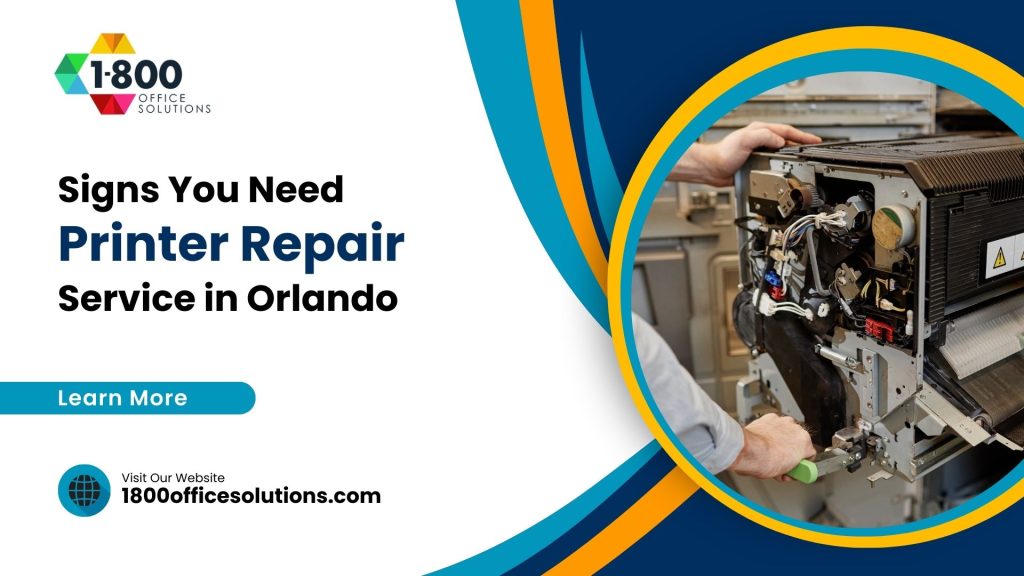
How to spot office printer problems early, compare copier repair costs, and decide between fixing and replacing your machine

Why a Failing Printer Costs More Than the Repair Bill
A broken office printer never picks a quiet week. Payroll is due. A contract needs signatures. And the front desk queue keeps growing while the machine blinks an error code nobody understands.
Here is the uncomfortable math. Industry research from ITIC and other analysts puts unplanned downtime for small and mid-sized businesses between $5,600 and $22,000 per hour, depending on industry and headcount. Your printer alone will not hit those numbers. But print downtime stalls invoicing, shipping labels, legal filings, and patient records, so the ripple effect is real.
Orlando businesses feel this acutely. Hospitality firms print thousands of folios and banquet orders daily. Law offices near the Orange County Courthouse run deadline-driven document jobs. Medical practices along Sand Lake Road cannot pause patient intake because a fuser died. Recognizing failure symptoms early, before the machine quits completely, is the cheapest insurance you can get.
This guide walks through the warning signs, current 2026 repair pricing, a repair-or-replace framework, and what to look for in a local service partner. We have serviced office equipment across Florida, so the advice below comes from service calls, not theory.
7 Signs You Need a Printer Repair Service in Orlando
Printers rarely die without warning. They complain first. Here are the seven symptoms, roughly in order of how urgently each one deserves attention.
1. Paper Jams Keep Coming Back
An occasional jam is normal. A jam every morning is not. Recurring jams usually point to worn pickup rollers, a failing separation pad, or debris lodged deep in the paper path. Humidity makes things worse, and Central Florida has plenty of it; moist paper swells and feeds unevenly. If reloading fresh, dry paper does not stop the jams, the rollers themselves need professional attention. Our guide to fixing HP printer paper jams covers the quick checks worth trying first.
2. Streaks, Lines, or Faded Output
Poor print quality has a short list of culprits: clogged printheads, a scratched drum, depleted toner, or a worn transfer belt. Swapping the cartridge is the obvious first move. When fresh toner produces the same streaks, the drum or fuser is the likely suspect, and both require trained hands to replace safely.
3. Grinding, Squealing, or Clicking Noises
Strange sounds are mechanical distress signals. Grinding often means a gear train is chewing itself apart. Squealing points to a dry or failing roller bearing. Ignore the noise and a $90 part becomes a $400 assembly. Shut the machine down and book a service visit.
4. Error Codes Refuse to Clear
Modern machines self-diagnose, and persistent codes mean a persistent fault. A code reappearing after every restart signals a hardware issue, not a glitch. Keep a photo of the code; it speeds up the technician’s diagnosis. Our reference on common printer error codes decodes the ones we see most.
5. The Printer Ignores Print Jobs
Documents vanish into the queue and nothing comes out. Sometimes the fix is simple: a stalled spooler, an outdated driver, a dropped Wi-Fi connection. But if IT has ruled out the network and the machine still will not respond, the formatter board or network card may be failing.
6. Output Has Slowed to a Crawl
A device rated for 40 pages per minute now limps along at 10. Slowdowns come from memory faults, aging controllers, or firmware bugs. They also come from the machine quietly throttling itself to protect an overheating fuser. Either way, the trend line only goes one direction without service.
7. Supplies Disappear Faster Than They Should
Toner spilling inside the cabinet, drums wearing out early, waste containers filling weekly. Excessive consumable burn usually means a calibration or hardware fault is wasting supplies on every job. The repair often pays for itself in recovered toner costs alone.
Estimated minimum cost per hour of unplanned downtime for small businesses, according to industry analyst estimates. Print failures stall invoicing, shipping, and client paperwork.
Share of organizations reporting at least one print-related security incident in a single year, per Quocirca’s global print security research. Aging, unpatched printers are a favorite target.
What Printer Repair Costs in Orlando Right Now
Pricing transparency is rare in this industry, so here are honest 2026 ranges. National data from Thumbtack puts typical repairs between $50 and $200 including parts and labor, with technicians charging $40 to $100 per hour. Business-class machines trend higher because parts cost more and jobs run longer.
| Service | Typical 2026 Price Range | Notes |
|---|---|---|
| Diagnostic visit | $75 to $150 | Often credited toward the repair |
| Roller / separation pad replacement | $100 to $250 | Fixes most recurring jam problems |
| Fuser replacement (laser) | $200 to $450 | Part price varies widely by model |
| Formatter or network board | $250 to $600 | Worth comparing against unit value |
| Preventive maintenance visit | $150 to $250 | Recommended every 6 to 12 months |
| Managed print service plan | $0.015 to $0.025 per B&W page | Includes toner, parts, and labor |
Two caveats. First, these are market ranges, not quotes; a 10-year-old machine with scarce parts can blow past them. Second, emergency same-day service typically carries a premium of 25 to 50 percent. Scheduled maintenance is always cheaper than a crisis call.
High-volume offices printing over 5,000 pages monthly often save money by moving from per-incident repairs to a service contract, since worn parts get replaced on schedule instead of after a failure. Businesses weighing a new machine against fixing an old one can also explore leasing options for office equipment, which bundle maintenance into a predictable monthly cost.
Repair or Replace? A Simple Test
Not every ailing printer deserves saving.
| Factor | Lean Toward Repair | Lean Toward Replace |
|---|---|---|
| Repair quote vs. new unit price | Under 50% of replacement cost | Over 50% of replacement cost |
| Machine age | Under 5 years | 7+ years (legacy parts get scarce) |
| Failure frequency | First major issue | Third repair in 12 months |
| Firmware & security support | Still receiving updates | Manufacturer ended support |
| Monthly volume fit | Within rated duty cycle | Chronically over capacity |
The 50 percent rule does the heavy lifting. A $350 fuser on a $2,500 multifunction device? Repair it. The same $350 fuser on a $500 desktop laser? Replace the machine. Age matters too, because manufacturers stop producing parts for models past roughly seven years, and scarce parts mean long waits and inflated prices.
And do not overlook the security column. A printer no longer receiving firmware updates is a permanent soft spot on your network, no matter how nicely it prints.
The Printer Risk Most Orlando Offices Ignore
Here is a stat worth repeating in your next staff meeting: 67 percent of organizations reported at least one print-related security incident in a single year, and among small and mid-sized firms the figure climbed to 74 percent, according to Quocirca’s print security research. Meanwhile only about a third of IT teams patch printer firmware promptly.
Why does this belong in a repair article? Because aging hardware and security risk travel together. The same neglected machine throwing error codes is usually running firmware from three years ago, holding scanned documents on an unencrypted hard drive, and sitting on the network with a default admin password.
A quality repair visit addresses more than the broken part. It is the natural moment to update firmware, enable encryption, and review device settings against guidance like the NIST Cybersecurity Framework and the printer hardening recommendations published by CISA. Offices handling medical or financial records have compliance reasons on top of the practical ones; HIPAA and FTC Safeguards obligations extend to any device storing document images.
So ask your repair provider what they check beyond the mechanical fault. The good ones have an answer ready.
Preventive Maintenance Beats Emergency Repair Every Time
Most of the failures described above are predictable. Rollers wear on a known schedule. Fusers have rated lifespans. Firmware updates arrive monthly. A maintenance routine catches all of it before the Monday morning meltdown.
What does a sensible routine look like for a busy office?
- Monthly, in-house: wipe paper dust from trays and feed areas, check for worn roller surfaces, run the built-in cleaning cycle, and confirm firmware is current.
- Quarterly, in-house: review usage reports for early signs of trouble, such as climbing jam counts or rising toner burn per page.
- Every 6 to 12 months, professional: a full preventive maintenance visit covering internal cleaning, lubrication, roller and pad replacement, calibration, and a firmware and security review.
Climate deserves a mention for Central Florida offices. Humidity is the silent killer of paper handling. Store paper in a dry cabinet, not next to an exterior door, and keep machines out of direct sun and away from AC vents dripping condensation. Cheap habits, real results.
Offices juggling copiers alongside printers face overlapping symptoms, and our breakdown of common copier issues explains which problems are shared and which are copier-specific.
What Actually Happens During a Professional Repair Visit
If you have never booked onsite printer service before, here is the typical flow, start to finish.
It begins with a phone or email triage. A good dispatcher asks for the make, model, error code, and a short description of the symptom. Photos help enormously. This step lets the technician arrive with the right parts on the truck instead of burning a visit on diagnosis alone.
Onsite, the technician runs the machine through its paces: test pages, internal diagnostics, a physical inspection of rollers, the fuser, the drum, and the paper path. Expect a verbal or written finding within 30 to 45 minutes. You get a quote before any work starts, and you decide whether the repair proceeds.
The repair itself usually wraps within one to two hours. Afterward, a thorough tech will print calibration pages, verify network connectivity, check firmware versions, and clean the paper path while the covers are open. Ask for a summary of what was replaced and why; it becomes useful history when weighing future repair-or-replace decisions.
One more tip. Keep a simple log of every service event per device: date, symptom, fix, cost. Three entries in a year is your signal to start shopping for a replacement, and the log gives you negotiating evidence for trade-in value.
Laser, Inkjet, and Wide Format: Repair Differences Worth Knowing
Repair economics differ sharply by machine type, and the differences change the math on every decision above.
Laser printers and copiers are built for repair. Fusers, rollers, drums, and transfer belts are field-replaceable, parts stay available for years, and a well-maintained business laser routinely passes 500,000 pages. These machines reward maintenance contracts.
Inkjet printers sit at the other extreme. Consumer and light-office inkjets often cost less than the labor to repair them, so a $150 desktop unit with a dead printhead is almost always a replacement case. Business-class inkjets with replaceable printheads, such as HP PageWide and Epson WorkForce Pro lines, are the exception and can justify service calls.
Wide-format plotters used by Orlando engineering, architecture, and construction firms are firmly in the repair column. Replacement units run $3,000 to $25,000, so even a $700 carriage repair clears the 50 percent rule easily. Specialized technicians matter here; ask specifically about DesignJet or SureColor experience.
Multifunction devices add a wrinkle: the scanner, finisher, and document feeder each fail independently of the print engine. A machine printing perfectly can still need service for a jammed stapler unit or a streaky scan glass, and feeder rollers wear just like paper-tray rollers do.
How to Pick a Printer Repair Company in Orlando
Orlando has no shortage of repair providers, from one-person depot shops in Winter Park to national onsite networks. Quality varies wildly. Use this checklist before you hand over your hardware or your network credentials.
- Manufacturer certifications. Technicians certified by HP, Canon, Xerox, Kyocera, or Lexmark have passed brand-specific training. Ask which brands the company is authorized to service.
- Onsite response time. For business machines, onsite service beats depot drop-off. Ask for a guaranteed response window in writing; same-day or next-business-day is the standard worth demanding in the Orlando metro.
- Parts sourcing. OEM parts cost more but last longer. A shop quoting suspiciously cheap repairs is often installing salvaged components.
- Transparent pricing. Flat-rate diagnostics credited toward the repair, written quotes before work begins, and no surprise trip fees.
- Security awareness. The provider updates firmware and reviews device settings as part of the visit, not as a paid add-on.
- Contract flexibility. Month-to-month maintenance agreements show confidence. Three-year lock-ins with auto-renewal clauses deserve a careful read.
References matter more than ads. Ask a prospective provider for two local customers with similar fleet sizes, then actually call them. Five minutes on the phone reveals more than any brochure.
How 1800 Office Solutions Helps
1800 Office Solutions has supported Florida businesses, with service coverage across Orlando, Miami, and the wider Southeast. Here is what working with our team looks like.
Need a starting point?
Frequently Asked Questions
How much does printer repair cost in Orlando?
Most business printer repairs in the Orlando area run $75 to $300 including parts and labor. Simple fixes like roller replacements sit at the low end, while fuser or board replacements range from $200 to $600. Diagnostic fees of $75 to $150 are common and usually credited toward the repair.
Is it worth repairing a printer instead of replacing it?
Apply the 50 percent rule. If the repair quote is under half the cost of a comparable new machine and the unit is less than seven years old, repair usually makes financial sense. Frequent breakdowns, discontinued parts, or ended firmware support tip the decision toward replacement.
How long does a typical printer repair take?
Most onsite repairs finish in one to two hours once the technician has the right part. Common parts like rollers and fusers are often stocked on the service vehicle. Rare boards for older models may need ordering, which adds two to five business days.
Why does my printer keep jamming even with new paper?
Persistent jams with fresh paper usually mean worn pickup rollers or a failing separation pad. Florida humidity also swells paper stored in damp areas, causing misfeeds. If dry, freshly opened paper still jams, the paper-handling hardware needs professional service.
What causes streaks or lines on printed pages?
Streaks typically come from a depleted or defective toner cartridge, a scratched imaging drum, a dirty corona wire, or a worn fuser. Swap the cartridge first. If streaks persist, the drum or fuser is the likely culprit and both are technician-level replacements.
Do you service printers onsite in Orlando or is it drop-off only?
1800 Office Solutions provides onsite service throughout the Orlando metro, including downtown, Winter Park, Maitland, Lake Mary, and Kissimmee. Onsite repair avoids the disconnection, transport, and reinstallation hassle of depot service, and most visits are completed same day or next business day.
Are old printers really a security risk?
Yes. Quocirca research found 67 percent of organizations suffered at least one print-related security incident in a single year. Older machines often run unpatched firmware, store scans on unencrypted drives, and keep factory default passwords, making them easy network entry points.
How often should office printers get professional maintenance?
Every six to twelve months for most offices, and quarterly for high-volume environments printing over 10,000 pages monthly. Preventive visits cost $150 to $250 and replace wear parts on schedule, which prevents the majority of emergency breakdowns.
What is a managed print service plan and who needs one?
A managed print plan charges per page, typically $0.015 to $0.025 for black and white, and bundles toner, parts, and labor into one predictable cost. Offices printing more than 5,000 pages monthly usually save money versus paying for supplies and repairs separately.
Can I fix common printer problems myself before calling for repair?
Absolutely. Restart the device, reseat or replace cartridges, load fresh dry paper, update the driver, and run the built-in cleaning cycle. If the problem survives those steps, or involves noises, burning smells, or persistent error codes, stop and call a professional to avoid compounding the damage.
Does 1800 Office Solutions handle copiers and multifunction devices too?
Yes. One service relationship covers the whole document fleet, which simplifies budgeting and accountability.
Printer Down? Get It Fixed Today
Get straight answers on repair versus replacement, and keep your office moving. 1800 Office Solutions: Your One Source For Everything Office.
Call (888) 574-5120