
AI Overview:
This article compares laser and inkjet printers to help businesses choose the right option. Laser printers are best for high-volume, text-heavy printing with faster speeds and lower cost per page, while inkjet printers excel at producing high-quality color images and marketing materials. The guide emphasizes evaluating print volume, document type, and total cost of ownership to select the most efficient and cost-effective printer for your business needs.
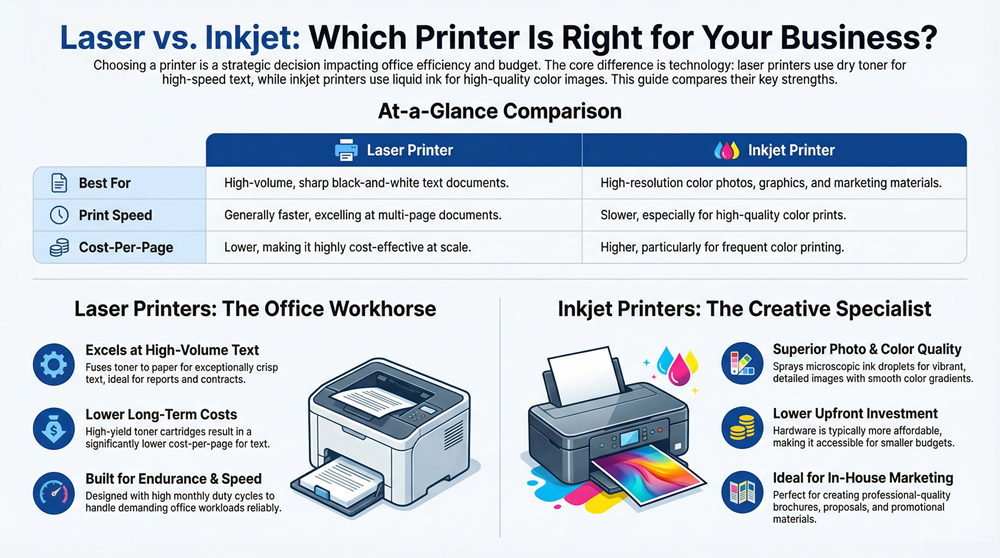
Choosing the right printer for your business is a strategic decision that directly impacts operational efficiency, budget, and the quality of client-facing documents. The core difference between laser and ink printers lies in their underlying technology—one uses dry toner, the other liquid ink—a distinction that dictates their speed, cost, and ideal use cases. This guide provides a clear, practical comparison to help you select the printer that delivers the best performance and value for your specific business needs.
Laser printers are office workhorses, using heat and powdered toner to fuse sharp, crisp text onto paper at high speeds. This makes them the definitive choice for businesses that produce a large volume of text-based documents.
Inkjet printers, by contrast, function as precision artists. They spray microscopic droplets of liquid ink to create vibrant, detailed images with rich color, making them ideal for high-impact marketing materials and photo-quality prints.
Choosing the Right Printer Technology for Your Business
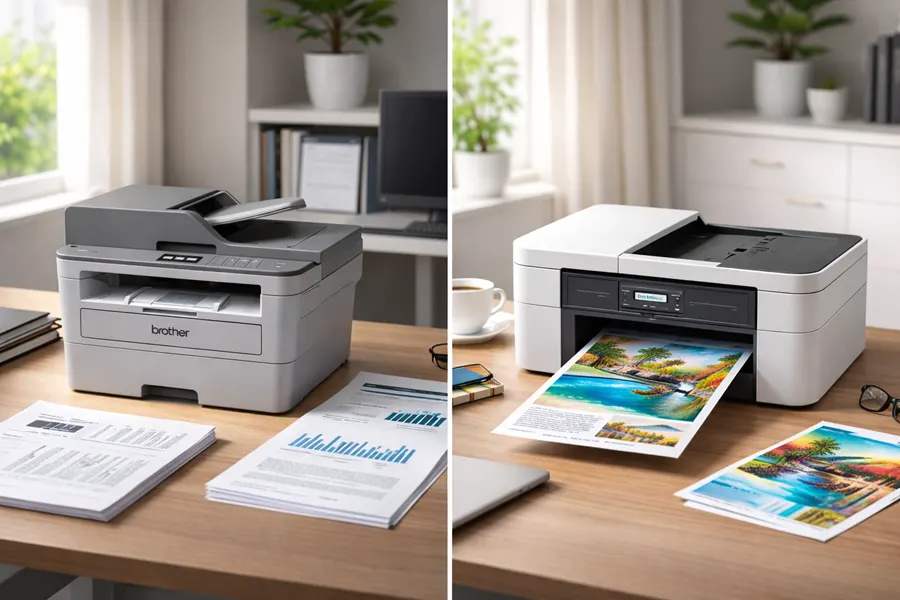
Selecting a printer is not just a hardware purchase; it’s an investment in your team’s productivity. The goal is not to determine which technology is universally “better,” but to identify which is the right fit for your day-to-day operational reality—whether you’re a small business or outfitting an entire corporate department.
Making an informed choice begins with understanding the fundamental technological differences. This guide will walk you through a practical, side-by-side comparison of performance, long-term costs, and real-world business applications to help you make a smart, cost-effective decision.
Quick Look Laser vs Inkjet Technology
Before diving into the details, this table offers a high-level snapshot of how these two technologies compare. Consider it a quick reference for the key distinctions that matter most in a professional environment.
| Attribute | Laser Printer | Inkjet Printer |
|---|---|---|
| Printing Method | Fuses dry toner powder onto paper using heat. | Sprays microscopic liquid ink droplets onto paper. |
| Best For | High-volume text, sharp black-and-white documents. | High-resolution color photos, graphics, and marketing materials. |
| Print Speed | Generally faster, especially for multi-page documents. | Slower, particularly for high-quality color prints. |
| Upfront Cost | Typically higher initial hardware investment. | Lower initial hardware cost, more accessible price points. |
| Consumables | Toner cartridges with high page yields. | Ink cartridges with lower page yields (tank models vary). |
| Cost Per Page | Lower for black-and-white, cost-effective at scale. | Can be higher, especially for frequent color printing. |
This table provides a foundational overview, but the true value is in understanding the practical implications. The following sections will break down what these differences mean for your workflow, budget, and business objectives, providing the clarity needed to choose the right tool for the job.
How Laser and Inkjet Technologies Function
To fully grasp the practical differences between laser and inkjet printers, it’s helpful to understand their mechanics. While both produce a final image on paper, their methods are fundamentally different, and these internal processes directly impact their speed, quality, and lifetime cost.
The core distinction is simple: laser printers use a dry powder (toner), while inkjets use liquid ink. This single difference dictates everything from the internal components to the final print’s appearance and durability.
The Precision of Laser Printing
A laser printer operates through a sophisticated process involving light, static electricity, and heat. The entire system is engineered for two primary goals: speed and razor-sharp precision, which is why it excels in text-heavy office environments.
Here’s a simplified breakdown of the process:
- Charging the Drum: A photosensitive drum inside the printer receives a positive electrical charge.
- Drawing the Image: A precision laser beam scans across the drum, neutralizing the charge in specific spots to create an electrostatic blueprint of the document.
- Applying the Toner: The drum rolls past the toner cartridge. The toner—a fine, negatively charged powder—adheres only to the positively charged areas of the drum.
- Fusing to Paper: As paper (which is also given a positive charge) passes under the drum, it pulls the toner pattern onto its surface. Finally, the paper moves through a heated fuser unit, which melts the toner and bonds it permanently to the paper fibers.
This heat-fusing process is why pages emerge from a laser printer warm and completely smudge-proof.
Key Insight: Laser printing transfers an entire page image in a single pass. This efficient, single-pass approach is the primary reason laser printers achieve such high pages-per-minute (PPM) speeds, making them indispensable workhorses for busy offices.
The Artistry of Inkjet Printing
Inkjet printers take a more meticulous approach. They function less like a high-speed press and more like a microscopic painter, building an image by spraying thousands of tiny ink droplets onto the page.
An inkjet’s print head contains thousands of microscopic nozzles. It moves back and forth across the paper, depositing precise combinations of ink to create the final image. The technology’s strength lies in its accuracy—blending these tiny dots seamlessly to produce the smooth gradients and rich colors found in high-quality photos and detailed graphics.
This dot-by-dot method provides incredible color depth but is inherently slower than the all-at-once process of a laser printer. Additionally, the liquid ink requires a brief moment to dry to prevent smudging, which also affects its overall speed and handling.
Performance and Print Quality: Speed vs. Detail
Performance is where the technical differences between printers translate into real-world results. Speed, quality, and durability are not just specifications on a product sheet; they directly affect your office’s daily efficiency and professional image.
The most noticeable performance metric is print speed, measured in pages per minute (PPM). For any business that regularly prints multi-page reports, invoices, or contracts, speed is a critical factor for maintaining productivity.
Print Speed: The Race for Pages Per Minute
Laser printers have long been the champions of speed, particularly for black-and-white documents. Their single-pass technology allows them to achieve impressive output rates, with many office-grade models operating at 40 to 60 PPM. This makes them the go-to solution for high-volume environments like law firms or accounting departments.
For example, printing a 200-page report on a laser printer might take under five minutes. An inkjet, which builds the image line-by-line, would require significantly more time, potentially creating a workflow bottleneck.
However, modern business inkjet printers have made significant strides. Newer models featuring page-wide printheads can now compete with entry-level laser printers, making them a viable option for small to medium-sized businesses with diverse printing needs.
Print Quality: Resolution and The Right Tool for The Job
Print quality is determined by dots per inch (DPI), which measures how many dots of toner or ink a printer can place in a square inch. While a higher DPI generally means a sharper image, the optimal choice of technology depends on the type of document being printed.
Laser printers excel at producing sharp, clean text. The toner fusion process creates exceptionally crisp character edges, ideal for professional documents where clarity is paramount.
Key Takeaway: For any document where text legibility is the top priority—such as legal contracts, financial statements, or official correspondence—a laser printer delivers a level of sharpness that conveys professionalism.
Conversely, inkjet printers are the superior choice for color and imagery. By spraying microscopic ink droplets, they blend colors with a subtlety and precision that laser technology cannot match. This results in outstanding color depth, smooth gradients, and photo-realistic images, making them the preferred option for marketing teams and design firms.
- Real-World Example 1: A marketing agency needs to print a full-color proposal with high-resolution images. An inkjet printer is the best choice to accurately reproduce vibrant brand colors and create a visually impressive document.
- Real-World Example 2: An HR department needs to print 50 copies of a 100-page employee manual. A monochrome laser printer is the clear winner, delivering sharp, readable text at high speed and a much lower cost per page.
Durability and Monthly Duty Cycle
A printer’s durability is a critical factor for business use. The monthly duty cycle is the manufacturer’s rating for the maximum number of pages a printer can produce in a month without risking damage. It serves as an indicator of the machine’s build quality and its ability to withstand a demanding office environment.
Laser printers are built for endurance and typically have much higher duty cycles, often ranging from 15,000 to over 100,000 pages per month. This robust construction allows them to handle the constant workload of a large team reliably.
Most business inkjets have lower duty cycles, designed for less intensive use. While suitable for smaller teams, consistently exceeding their recommended volume can lead to maintenance issues and a shorter lifespan. A best practice is to select a printer with a duty cycle comfortably above your average monthly print volume to ensure long-term reliability.
Analyzing the True Cost of Printer Ownership
The initial purchase price of a printer is only the beginning. To understand the full financial impact, businesses must consider the Total Cost of Ownership (TCO), which includes hardware, ongoing supplies, and energy consumption. This is where the economic difference between laser and ink printers becomes most apparent.
A low upfront cost can be misleading, as it often leads to higher long-term expenses. The most important metric is the cost-per-page (CPP)—the cost of consumables divided by their page yield. Optimizing this figure can significantly impact your bottom line.
Unpacking Consumable Costs: Toner vs. Ink
The long-term cost battle is fought over consumables. Laser printers use toner cartridges, which, despite a higher initial price, offer a massive page yield. A single high-capacity toner cartridge can often print thousands of pages.
Inkjet printers, on the other hand, use liquid ink cartridges. These are cheaper to purchase individually but have a much lower page yield, requiring frequent replacement. For any office with regular printing needs, the recurring cost of ink cartridges can quickly surpass the initial savings on the hardware.
Key Financial Insight: While a business-grade laser printer may have a higher initial cost, its low cost-per-page for black-and-white documents makes it the more economical choice for high-volume text printing. The efficiency of toner is a key factor in reducing long-term operational expenses.
Calculating the Real Cost Per Page
Consider a practical office scenario. A laser toner cartridge might cost $150 and yield 7,000 pages, resulting in a CPP of just over 2 cents. In contrast, an inkjet cartridge could cost $40 but yield only 400 pages, leading to a CPP of 10 cents—five times higher.
These small differences accumulate quickly. Over a printer’s lifespan, this gap can translate into thousands of dollars in additional spending. Services like Managed Print Services for efficiency and cost savings can help businesses optimize their printer fleet and control consumable costs.
Cost Breakdown: Laser vs. Inkjet
| Cost Factor | Laser Printer Analysis | Inkjet Printer Analysis |
|---|---|---|
| Initial Purchase Price | Generally higher, especially for business-grade models built for durability and speed. | Lower upfront cost, making them seem more affordable at first glance. |
| Consumable Cost (Toner/Ink) | Toner cartridges are more expensive but offer a much higher page yield, resulting in a lower cost-per-page. | Ink cartridges are cheaper to buy individually but run out quickly, leading to frequent replacement costs. |
| Page Yield | High. A single toner cartridge can print thousands of pages, ideal for heavy workloads. | Low. Standard ink cartridges often yield only a few hundred pages, requiring constant changes. |
| Cost-Per-Page (CPP) | Very low for black-and-white (~2-5 cents). Color CPP is higher but competitive in office models. | High for both black-and-white and color (~10-20 cents), especially with standard cartridges. |
| Maintenance & Durability | Built to last with fewer moving parts prone to failure. Requires less frequent intervention. | Can be prone to clogged print heads if not used regularly. Generally less durable than laser counterparts. |
| Energy Consumption | Uses more energy during printing due to the fuser heating process. | More energy-efficient, using significantly less power during operation. |
This comparison clarifies that the initial price is just one component of the overall financial commitment.
The Rise of Inktank Printers and Other Factors
The financial landscape has evolved with the introduction of inktank inkjet printers. These models replace small, disposable cartridges with large, refillable reservoirs. Although the printer itself costs more upfront, the bottled ink is significantly cheaper, dramatically reducing the color cost-per-page.
For businesses that print a moderate volume of color documents, an inktank model can be a highly compelling option from a TCO perspective. However, other factors also influence the decision:
- Energy Consumption: Laser printers require a heated fuser unit, which consumes more power. Inkjets are more energy-efficient, a factor that may be relevant in some environments.
- Maintenance: Laser printers are built for high volumes with minimal hands-on maintenance. Understanding the cost of managed print services can help budget for professional oversight and support.
A comprehensive TCO analysis is the most effective way to achieve financial clarity and make a strategic decision that delivers the best long-term value.
Matching the Right Printer to the Right Job
The true difference between laser and ink printers becomes clear when their strengths are matched to specific business functions. Selecting the right tool for the job is essential for maximizing productivity and controlling costs.
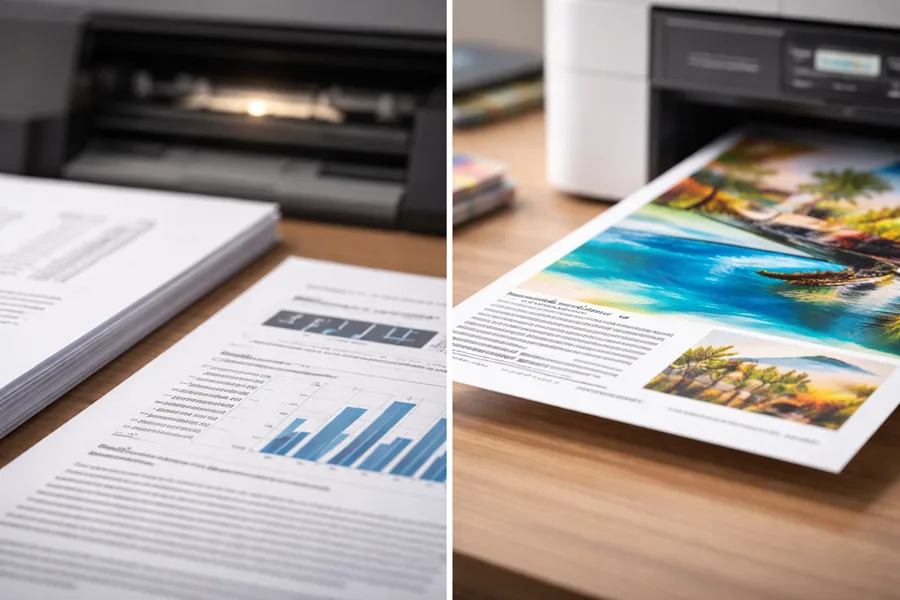
For example, a monochrome laser printer is the ideal solution for departments where speed and sharp text are paramount. In an accounting or legal office producing hundreds of pages of contracts and reports daily, a laser printer’s rapid output and crisp text are fundamental to efficient operations.
The Workhorses for High-Volume Text
Departments that rely on black-and-white documents benefit most from laser technology’s resilience. The high page yield of toner cartridges and the robust build of these machines minimize interruptions and lower the cost-per-page for text-heavy print runs.
- Accounting and Finance: For printing financial statements and invoices, a monochrome laser offers unmatched speed and reliability.
- Legal Firms: Handling lengthy contracts and case files requires a printer that can manage high volumes without failure. Our monochrome printing guide for 2025 offers deeper insights for these environments.
- Healthcare Settings: Printing patient records and prescriptions requires smudge-proof, durable documents. The heat-fused toner from a laser printer ensures every record is permanent and legible.
The core appeal of a laser printer in these environments is its rock-solid predictability. You get consistent quality at a predictable cost, with minimal downtime—exactly what a high-stakes professional setting needs.
The Creative Choice for In-House Marketing
Conversely, a business inkjet is the strategic choice for roles where color and visual impact are critical. A marketing team, for instance, can produce vibrant, high-quality promotional materials on-demand without outsourcing every small job.
Modern business inkjets, especially inktank models, deliver the deep color saturation and high-resolution detail needed for compelling visuals. This empowers teams to create everything from client brochures to internal event flyers with a professional finish.
Specialized Use Cases Across Industries
Beyond general office roles, certain industries have unique printing demands that highlight the specific strengths of each technology.
- Real Estate Agencies: A photo-centric inkjet can produce the vivid property photos essential for attracting buyers.
- Architecture and Engineering: While wide-format plotters handle blueprints, a business inkjet is perfect for color renderings in project proposals that require fine detail.
- Small and Home Offices (SOHO): An all-in-one inkjet often provides the perfect blend of printing, scanning, and copying functions in a compact, affordable machine. For unique needs like creating durable signs, exploring options for printing on specialized materials like Coroplast can be beneficial.
Industry data reflects these applications. While inkjets have gained significant market share in home and small office settings, laser printers maintain their dominance in the enterprise world, with monochrome laser revenue accounting for over 51% of the laser market in 2023.
Making the Right Call on Your Next Printer
Choosing the right printer is a strategic decision based on your company’s operational needs. The goal is to find the technology that aligns with your workflow, print volume, and budget. The core difference between laser and ink printers becomes clear once you match their strengths to your specific requirements.
Begin by assessing your current printing habits. A clear understanding of your needs is the first step toward a smart investment that boosts productivity.
A Practical Checklist for Your Business
Before making a purchase, review these questions with your team. The answers will guide you to the right technology.
- What are we actually printing? Is it primarily text-heavy documents or vibrant marketing materials?
- How much do we print each month? A realistic estimate will help you choose a machine with an appropriate duty cycle.
- What’s the real budget? Consider the Total Cost of Ownership, including the ongoing cost of consumables.
- Where is this thing going to live? Determine if you need a compact desktop model or a larger multifunction device.
This decision tree provides a visual path to help determine which printer type best suits your primary business activities.
The flowchart reinforces a key principle: for high volumes of text, a laser printer offers superior speed and efficiency. For high-quality color, an inkjet is the better choice.
Taking Your Print Environment to the Next Level
For many businesses, managing an entire fleet of printers presents a significant challenge. Managed Print Services (MPS) offer a comprehensive solution. An MPS provider can optimize your print infrastructure, from device placement to automatic supply ordering and maintenance.
Partnering with an MPS provider can slash your overall printing costs by as much as 30%. It transforms print management from a capital expense to a predictable operating cost, freeing up your IT team to focus on core business initiatives.
An MPS strategy not only simplifies fleet management but also enhances document security and ensures your technology remains current.
Frequently Asked Questions
When deciding between technologies, several common questions arise. Here are clear answers to help you navigate the real-world difference between laser and ink printers.
Are Laser Printers Always Cheaper to Operate in the Long Run?
For offices that print high volumes of text-based documents, a laser printer's low cost-per-page almost always results in a lower Total Cost of Ownership (TCO). The efficiency of high-yield toner cartridges makes them the undisputed champion for high-volume scenarios.
However, the introduction of business-class inktank printers has changed the equation. For offices that print a moderate amount of color documents, an inktank model can be as cost-effective, or even cheaper, to run than a comparable color laser printer due to the low cost of its bottled ink refills.
Which Technology Is Better for Printing High-Quality Photos?
For true photo quality, inkjet is the definitive winner. Inkjet printers spray microscopic ink droplets to achieve smooth color blending, deep blacks, and seamless gradients, which is essential for professional photography and premium marketing materials.
While a color laser printer can handle business graphics like charts and logos effectively, it cannot reproduce the subtle tonal range and photorealistic detail that is an inkjet's primary strength.
Expert Takeaway: If your primary need is printing professional-grade photographs or art reproductions, an inkjet printer is the only choice. For everyday business graphics on plain paper, a color laser printer is often sufficient and more cost-effective.
Can a Business Inkjet Handle High-Volume Text Printing?
Yes, to a certain extent. Modern business inkjets can match the speeds of entry-level laser printers and are more than capable of handling text printing in small offices with mixed needs and moderate volume.
However, in truly high-volume environments that produce thousands of pages per month, a laser printer remains the superior choice. Lasers are engineered for endurance, with higher monthly duty cycles and less frequent consumable replacement. Pushing an inkjet beyond its recommended limits can lead to maintenance issues and a shorter lifespan.
What Does Monthly Duty Cycle Actually Mean for My Office?
The monthly duty cycle is the absolute maximum number of pages a printer can produce in a month without risk of damage. It is a manufacturer's stress-test figure that indicates the machine's durability. Crucially, this is not the recommended monthly print volume. For reliable performance and longevity, your actual monthly output should be significantly lower—typically around 10-25% of the maximum duty cycle. Selecting a printer with a duty cycle that comfortably exceeds your needs is a smart investment in a robust machine that can handle your daily workload with capacity to spare.
Making the right choice ensures your office operates efficiently and within budget. Contact us today for a personalized quote and expert guidance.