Go Big or Go Home: Large Format Printer Repair Guide

AI Overview:
This blog explains why finding fast, reliable large format printer repair near me is essential for avoiding costly downtime. It walks readers through the signs of printer distress, the most common technical issues, and how to choose a trustworthy repair provider with certified technicians, same-day service, OEM parts, and solid warranties.
Readers learn the major causes of print failures—such as clogged printheads, worn rollers, ink system issues, fuser problems, and mainboard faults—and why early detection prevents expensive repairs. The guide also breaks down repair costs, diagnostic fees, on-site vs. in-shop service, and how to decide between repairing or replacing aging equipment.
Large format printer repair near me: Fast, Trusted 2025
Why Finding Quality Large Format Printer Repair Near Me Matters More Than Ever
When searching for large format printer repair near me, you need fast, reliable service to get your business printing again. Your large format printer is the backbone of your visual communications, and when it breaks down, your workflow stops.
Here’s what to look for in a local repair provider:
- On-site service availability
- Certified technicians (HP, Canon, Epson)
- Same-day or next-day response
- OEM parts in stock for faster repairs
- A 30-90 day warranty on parts and labor
- Multi-brand expertise
This guide covers everything from identifying problems and choosing a service provider to understanding costs and performing preventative maintenance.
Relevant articles related to large format printer repair near me:
Is Your Wide-Format Printer Crying for Help? Common Issues and Warning Signs
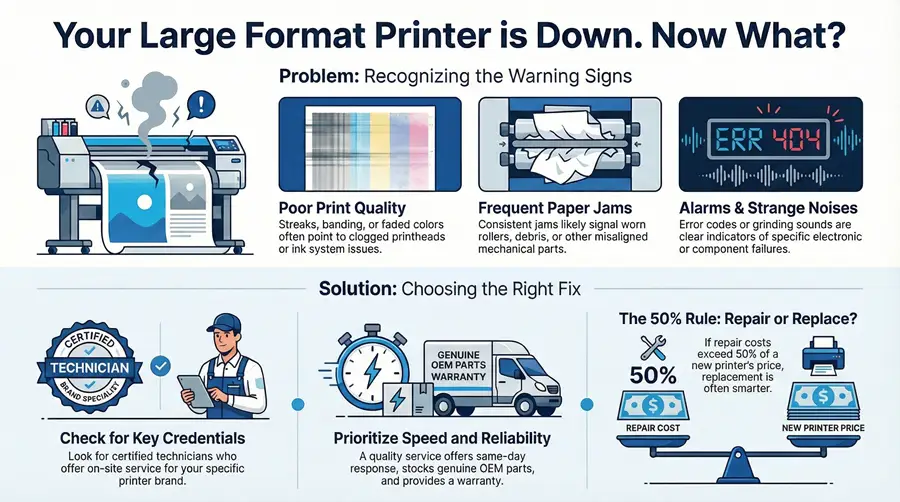
Your large format printer will show clear signs when it needs attention. The key is to catch problems early, before a minor issue leads to costly downtime. A search for large format printer repair near me often happens during a crisis, but recognizing these warnings can prevent one.
Decoding the Distress Signals: When to Call a Pro
Think of these signs as your printer’s cry for help. Ignoring them can lead to bigger problems.
- Streaks and Banding: Horizontal lines or inconsistent color patterns usually point to a clogged or misaligned printhead.
- Faded Colors: When vibrant prints look washed out, you may have ink supply issues or aging printheads.
- Frequent Paper Jams: If clearing jams becomes a daily task, you likely have worn rollers, debris in the paper path, or misaligned components.
- Error Codes: The codes on your control panel are the printer diagnosing itself. They point to specific ink system faults or mechanical problems.
- Strange Noises: Grinding, squealing, or clunking sounds indicate worn gears, misaligned parts, or imminent component failure.
For basic steps, see our guides on Common Printer Problems and Printer Troubleshooting. However, large format printers often require professional service for these symptoms.
Common Culprits: What Goes Wrong with Large Format Printers?
Behind every print issue is a failing component. Here are the usual suspects:
- Clogged Printheads: Dried ink blocks the tiny nozzles, causing streaks, missing colors, or blank areas.
- Worn Belts and Rollers: These parts move media through the printer. When they wear out, paper can feed crookedly or jam.
- Carriage Assembly: This system moves the printhead. A failing motor or dirty encoder strip causes grinding noises and jittery print quality.
- Ink Supply System Failures: Air bubbles, failing pumps, or clogged dampers disrupt ink flow, leading to patchy or missing colors.
- Mainboard Issues: A failing logic board can cause random errors, communication problems, or a complete system shutdown.
- Fuser Unit Problems (Laser/LED): This part melts toner onto paper. When it fails, you’ll see loose toner, smudges, or temperature-related errors.

Fortunately, most of these problems are fixable with the right expertise and genuine parts. Addressing them quickly prevents a simple repair from becoming a major overhaul.
How to Find a Reliable Large Format Printer Repair Near Me
When your large format printer fails, every hour of downtime costs money. Finding the right large format printer repair near me service is about finding a partner who understands the urgency. These complex machines require specialized knowledge and tools that average repair shops lack.
What to Look for in a Local Repair Service
Choosing a repair service is like hiring a specialist. Here’s what matters:
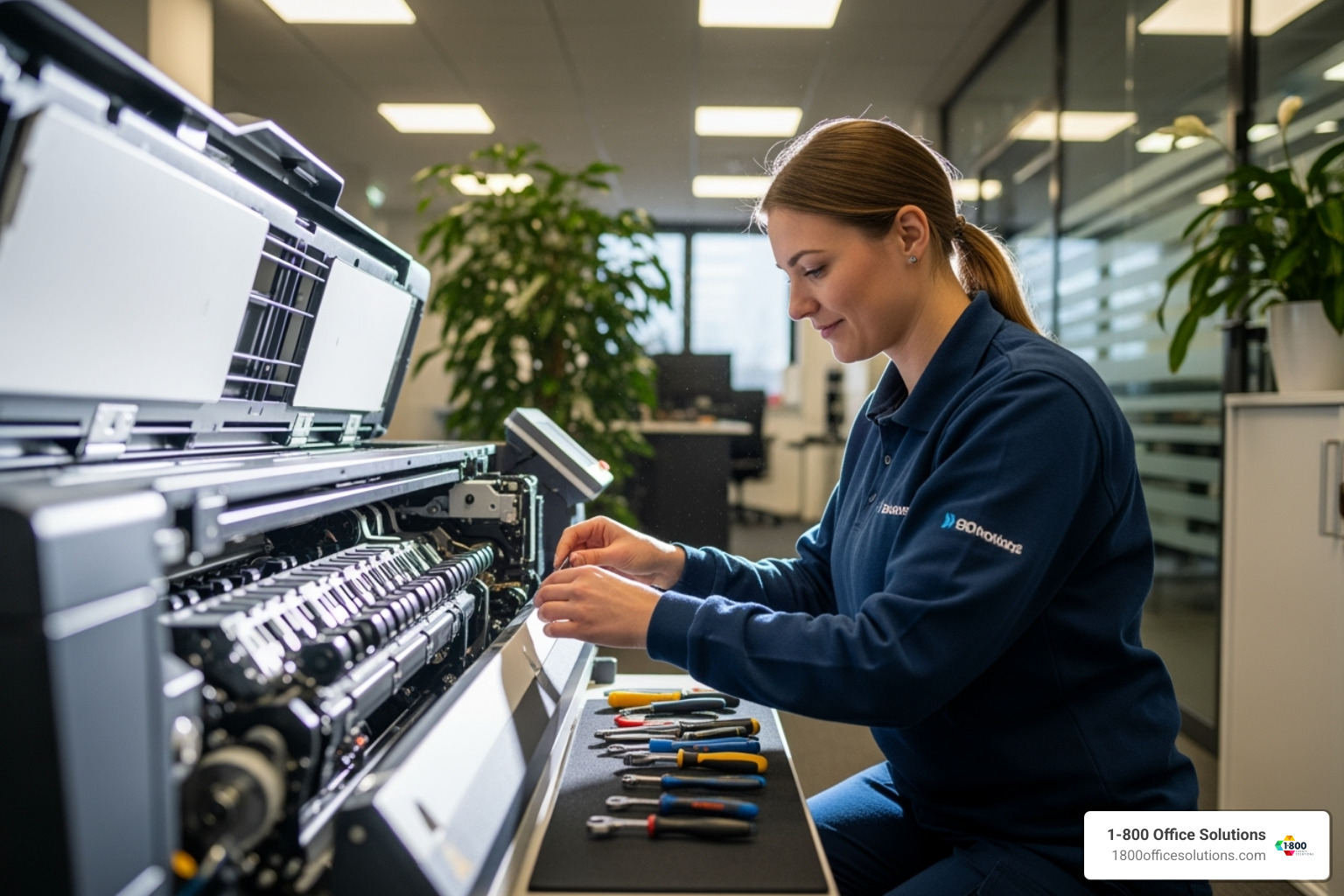
- Manufacturer Certifications: Technicians with factory training from HP, Canon, Epson, or Roland know your machine’s specific repair procedures.
- Experience: A provider with decades in the field and over 100,000 repairs has seen it all and knows what solutions work.
- Real Customer Feedback: Look for reviews mentioning quick response times, effective repairs, and professionalism.
- Service Level Agreements (SLAs): A clear SLA outlines response times and repair processes, providing transparency and a safety net.
- OEM Parts Availability: The best services stock genuine parts in their vehicles, turning a week-long wait into a same-day fix.
- On-Site Repair: Quality services bring their expertise to your location, as large format printers are not easily transportable.
For more on finding reliable local options, see our Repair Services: Repair Printer Near Me guide, which covers key factors for businesses in Florida, Michigan, Georgia, North Carolina, Pennsylvania, and New York.
Key Questions to Ask a Potential “Large Format Printer Repair Near Me” Provider
Before committing, ask these strategic questions:
- “What’s your typical response and repair time?” Look for providers offering same-day or next-day service to minimize downtime.
- “Do you repair on-site, or does my printer need to travel?” On-site service is crucial for these large, heavy machines.
- “What kind of warranty backs up your work?” A 30 to 90-day warranty on parts and labor shows confidence in their work.
- “Are your technicians manufacturer-certified for my specific printer brand?” This confirms they have the specialized training required.
- “How do you handle diagnostic fees?” Reputable services often apply the diagnostic fee toward the final repair cost.
- “Do you stock parts for my printer model?” This reveals their preparedness and impacts the repair timeline.
- “Can you provide references from other large format printer owners?” Testimonials from similar businesses offer the best insight.
The Financials of Fixing: Costs, Turnaround, and Warranties
When your large format printer breaks, the top questions are always “How much will this cost?” and “How long will it take?” Understanding the financial landscape of large format printer repair near me helps you make informed decisions without surprises.
How Much Does Large Format Printer Repair Cost?
Several factors influence the final price:
- Labor Rates: These reflect the specialized skills needed for complex large format machines.
- Parts Costs: This is the biggest variable. A simple roller is inexpensive, but a new printhead or mainboard can be a significant cost. OEM parts ensure performance but cost more than aftermarket options.
- On-site vs. In-shop: On-site service has higher initial fees but saves you the hassle of transporting a heavy printer.
Our Guide: Photocopier Repair Costs Key Factors offers more insight into repair cost factors.
Repair or Replace? Making the Smart Financial Decision
Deciding whether to repair or replace can be tough. Consider these factors:
- Printer Age: An older machine may be living on borrowed time, even after a repair.
- Cost Ratio: If repair costs exceed 50% of a new printer’s price, replacement is often the better financial choice.
- Technology Advancements: Newer models offer better speed, quality, and efficiency that could boost productivity.
- Future Needs: Will the repaired printer meet your business needs for the next 3-5 years?
For more guidance, check out Is It Worth to Repair a Printer? and Replace Your Old Printer.
My Printer is Out of Warranty, Now What?
An expired warranty isn’t a dead end. You have options:
- Third-Party Repair Services: Specialists like us offer competitive rates for out-of-warranty equipment, including models manufacturers no longer support.
- Service Contracts: Annual agreements provide predictable budgeting with preventative maintenance and discounted repairs.
- Cost-Effectiveness: Repairing is often far more economical than buying new. We focus on extending the life of your assets.
Explore our Guide: Photocopier Repair Service Package for structured service options that fit your business.
Proactive Care: Maintenance and Printer-Specific Knowledge
Preventative maintenance is essential for avoiding emergency calls for large format printer repair near me. A little proactive care keeps your machine running smoothly and prevents costly downtime when you’re facing a critical deadline.
A Stitch in Time: Preventative Maintenance to Avoid Downtime
A simple maintenance routine can prevent a major breakdown. Here’s what we recommend:
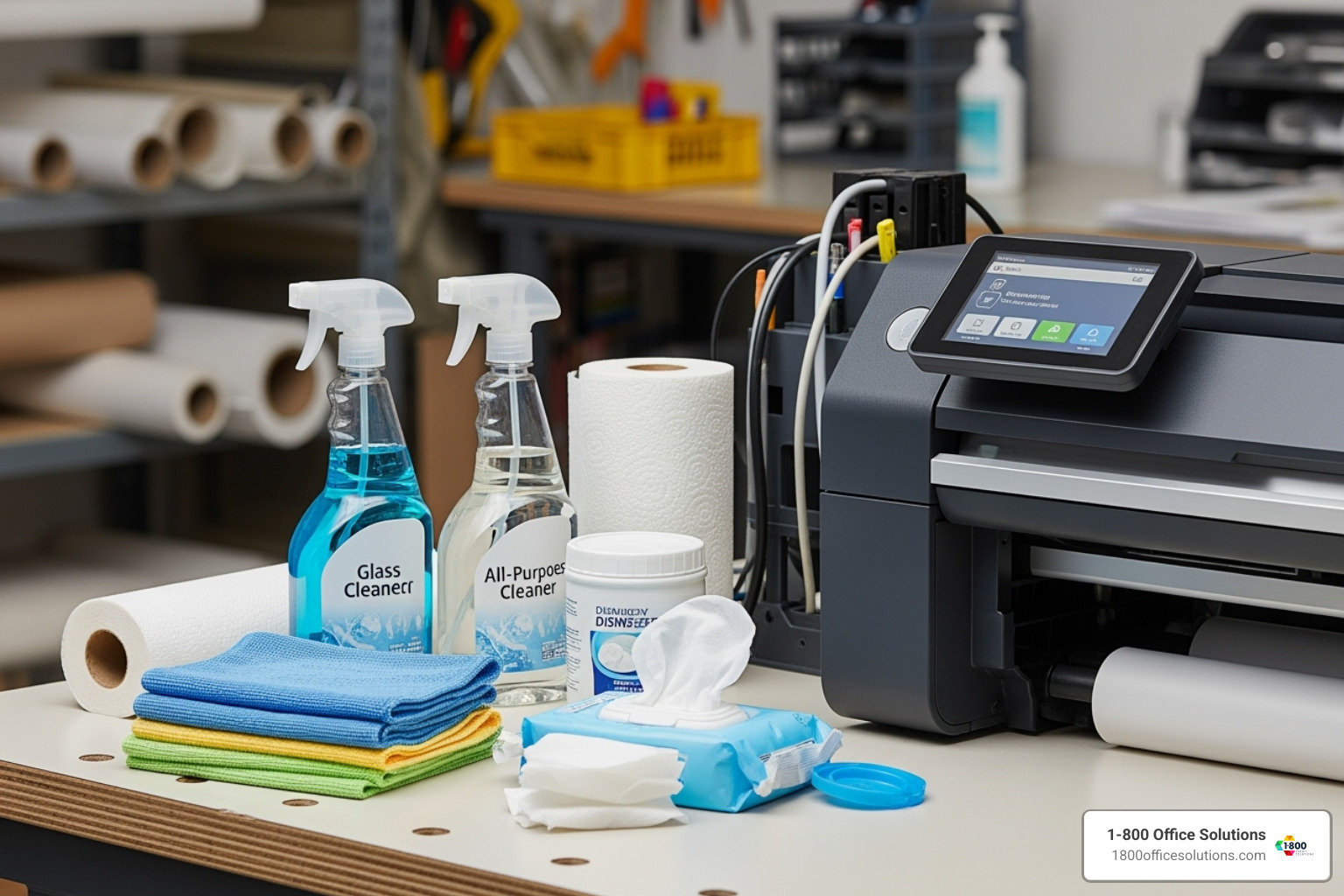
- Regular Cleaning: Clean the exterior, paper path, and printhead area to prevent issues caused by dust and ink residue.
- Printhead Maintenance: Run regular cleaning cycles and keep the capping station clean to prevent clogs in inkjet printers.
- Control Environmental Conditions: Maintain a stable temperature and humidity to prevent ink and paper problems.
- Install Firmware Updates: Manufacturers release updates to fix bugs and improve performance.
- Use Quality Consumables: Stick with manufacturer-recommended ink, toner, and media to avoid damage and ensure consistent quality.
- Schedule Annual Professional Servicing: A technician can spot potential problems before they become emergencies.
Our Office Equipment Maintenance guide offers more comprehensive strategies.
Know Your Machine: Servicing Different Printer Types and Brands
Different large format printers have unique repair needs. Our certified technicians are trained on all major types:
- Aqueous Inkjet (HP DesignJet, Canon imagePROGRAF, Epson SureColor): Used for graphics and CAD, requiring attention to printhead health and ink lines.
- Solvent/Eco-Solvent (Roland, Mimaki): Built for durable outdoor signage, these need robust components to handle aggressive inks.
- UV Printers: Use UV-curable inks for printing on rigid materials, with repairs often involving UV lamps and curing systems.
- HP Latex Printers: Use water-based inks for durability without harsh solvents, with repairs focusing on heating and curing systems.
- Laser/LED Plotters: Used for technical drawings, common repairs involve fuser assemblies and imaging drums.
We service a wide range of brands, including HP, Canon, Epson, Roland, Mimaki, Mutoh, Xerox, Ricoh, Vutek EFI, Oce, Brother, and Lexmark. As a Certified MuraTec Dealer, we are committed to specialized expertise. For help choosing the right technology, see our Guide: Large Format Printers for Businesses.
How to Prepare for Your Service Call
A little preparation can make your service call more efficient. Have this information ready:
- Printer Make and Model: (e.g., “HP DesignJet Z6200”)
- Serial Number: Found on a sticker on the back or side.
- Detailed Problem Description: Be specific (e.g., “streaks on the left side of prints”).
- Error Codes and Messages: Write them down exactly as they appear.
- Recent Changes: Note any new ink, paper, or software installations.
- Print Samples: Have examples of any print quality issues.
- Clear Access: Ensure the technician has room to work around the printer.
Frequently Asked Questions about Large Format Printer Repair
When your large format printer starts acting up, questions start flooding in. We’ve been in this business long enough to know exactly what’s running through your mind when you’re staring at a machine that’s supposed to be printing your important project but instead is flashing error codes or producing streaky, unusable output.
Let’s tackle the most common concerns we hear from business owners searching for large format printer repair near me.
What is the average turnaround time for a large format printer repair?
Most issues don't require days of downtime. For same-day service customers, we often have technicians on-site within 4-6 hours. Simple problems like clogged printheads or worn rollers can often be resolved in the initial visit, as our technicians carry genuine OEM parts for major brands. More complex issues like mainboard failures might take a few days if a special part needs to be ordered, but we keep you informed every step of the way.
Can I perform any repairs myself?
Yes, for basic tasks. You can handle replacing ink cartridges, clearing simple paper jams, and routine cleaning by following your printer's manual. We also offer free phone troubleshooting, which can sometimes resolve the issue without a service call. However, for complex tasks like printhead replacement, mechanical adjustments, or any electrical work, please call a professional. DIY attempts on these sophisticated machines can cause more damage and void your warranty.
Do you service all brands of large format printers?
We service all major brands, including HP DesignJet and Latex series, Canon imagePROGRAF, Epson SureColor, Roland, Mimaki, Mutoh, and Xerox. Our certified technicians undergo continuous manufacturer training to handle the specific needs of different technologies, whether it's an aqueous inkjet, a solvent printer for signage, a UV flatbed, or a laser plotter for technical drawings. We have the expertise to diagnose and repair your specific model.
Conclusion: Keep Your Business Printing Big with Reliable Support
When your large format printer goes down, it directly impacts your bottom line. As this guide has shown, finding a reliable large format printer repair near me service doesn’t have to be stressful. The key is partnering with experts who can diagnose problems quickly and understand the urgency.
These sophisticated machines deserve professional care. At 1-800 Office Solutions, our certified technicians serve businesses across Florida, Michigan, Georgia, North Carolina, Pennsylvania, and New York, bringing decades of experience to your location. We are the partner that keeps your operations running smoothly.
Preventative maintenance can catch problems before they become expensive emergencies. But when issues do arise, having a trusted repair service on call lets you focus on your business, not broken equipment.
Protect your investment with professional support. We’re here to help.
Repair Services: Copier Repair and Printer Repair
Get a Quote for Printer Repair Near Me