
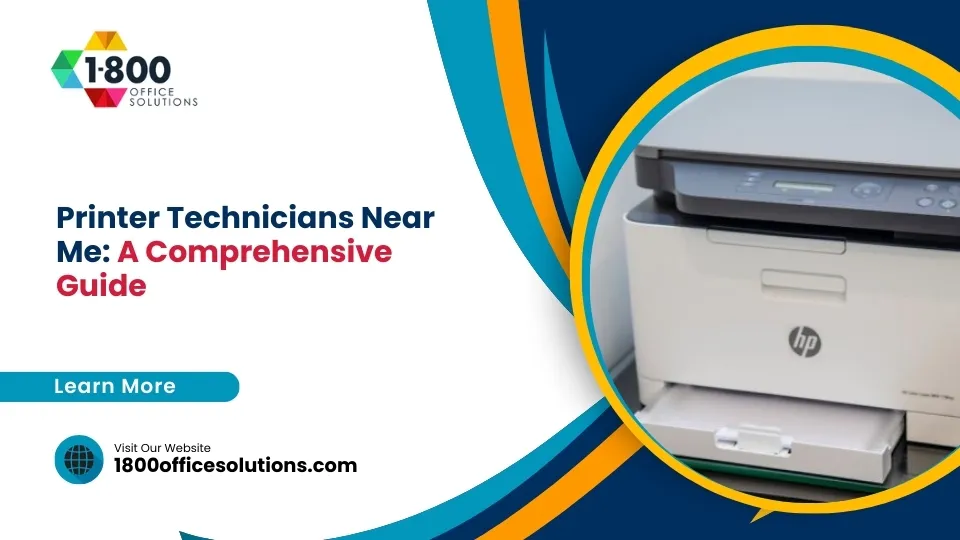
A printer technician near you can diagnose and repair paper jams, connectivity failures, poor print quality, and hardware breakdowns on-site. For Miami and South Florida businesses, 1800 Office Solutions provides certified same-day printer repair across all major brands, with managed print plans cutting printing costs by 20 to 30 percent.
The Real Cost of Printer Problems
Why Finding the Right Printer Technician Matters in 2026
Printer problems feel minor, until they aren’t. A single day of copier or printer downtime costs a 40-person office more than $1,000 in lost productivity and emergency workarounds. And that’s a conservative figure. It doesn’t count delayed contracts, late invoices, and clients who notice.
According to IDC research, employees waste up to 22 minutes every day navigating printer issues. Across a year, that’s nearly two full weeks of lost output per person. So when someone searches “printer technician near me” at 9 a.m. on a Monday, they’re not just looking for a repair. They’re looking for a way to get their office back on track fast.
The managed print services market reflects how seriously businesses now take this. Globally, MPS spending reached $48.95 billion in 2025 and is on pace to hit $53.51 billion in 2026. Businesses are shifting away from reactive break-fix cycles toward predictive maintenance and service contracts. But when something breaks today, you still need a certified technician near you, right now.
Average daily time employees waste on printer issues (IDC Research)
That’s the landscape. So let’s walk through what to look for, what things cost, and why local expertise matters more than ever.
Diagnosing the Issue
Common Printer Problems That Need a Technician
Not every printer issue needs a technician. But some symptoms signal a deeper hardware or mechanical problem DIY fixes won’t solve. Here’s how to tell the difference.
Paper Jams That Keep Coming Back
A one-time jam cleared by pulling out a misaligned sheet is normal. But if jams are recurring, especially in the same spot, it usually points to worn feed rollers, a damaged separator pad, or debris inside the paper path. These parts require disassembly to replace. A technician can diagnose whether it’s a $40 roller swap or a sign of a failing feed mechanism.
Connectivity Failures
Printers dropping off the network, failing to print from certain devices, or showing as “offline” despite being powered on are frustrating and time-consuming to troubleshoot. Causes range from outdated firmware and IP conflicts to a failed network card. A certified technician can isolate the fault in minutes instead of the hours an IT generalist might spend.
Streaks, Smears, and Faded Output
Laser printers producing lines, streaks, or uneven density typically have a failing drum unit, a contaminated fuser assembly, or a defective toner cartridge. Inkjet users seeing banding or color shifts often have a clogged or misaligned print head. Both can be resolved on-site with the right parts.
Error Codes and Locked Panels
Generic error messages like “Service Required” or specific numeric codes lock the printer and prevent use until cleared. Many of these require a service mode reset only certified technicians can perform. Attempting to override them without training can void warranties or cause permanent damage.
Unusual Noises
Grinding, clicking, or squealing during a print cycle is almost always mechanical. Common culprits include worn gears, a misaligned carriage belt, or a failing motor. Ignoring these sounds typically leads to a more expensive repair down the road.
- Recurring paper jams at the same point in the paper path
- Printer drops off the network or shows offline randomly
- Visible streaks, smears, or toner scatter on printed pages
- Error codes impossible to clear from the control panel
- Grinding or clicking sounds during printing cycles
- Print jobs queuing but never printing
- Fuser errors causing paper not to heat-fuse properly
Brand Expertise
Printer Brands Your Technician Should Know Cold
Not all technicians are created equal for brand knowledge. Manufacturer certifications matter because each brand has proprietary service modes, diagnostic tools, and part specifications. A technician who is genuinely certified on HP is not automatically qualified to service a Konica Minolta or a Ricoh without additional training.
At 1800 Office Solutions, our Miami-based service team holds certifications across the major brands South Florida businesses rely on. Here’s a quick breakdown of what matters by brand.
| Brand | Common Issues | Certification Level |
|---|---|---|
| HP (LaserJet, OfficeJet Pro) | Fuser failures, firmware bugs, network drops | HP Certified Service Provider |
| Xerox (VersaLink, AltaLink) | Drum wear, imaging unit errors, connectivity | Xerox Authorized Service |
| Canon (imageCLASS, imageRUNNER) | Paper curl, fuser thermistor errors, drum streaks | Canon Authorized Dealer |
| Konica Minolta (bizhub) | Transfer belt, developer unit, scan-to-email | Konica Minolta Certified |
| Ricoh (IM series) | SC codes, toner density, finisher jams | Ricoh Authorized |
| Kyocera (ECOSYS, TASKalfa) | Drum life errors, polygon motor, developer unit | Kyocera Certified |
| Brother (MFC, HL series) | Belt unit, corona wire, waste toner box | Brother Authorized |
Always ask for brand-specific certification before scheduling service. A generalist may fix the symptom without addressing the root cause, leading to another call within weeks.
Smart Decisions
Repair vs. Replace: How to Make the Call
This is the question every office manager eventually faces. Should you spend money fixing the old machine, or put that budget toward a new one? There’s no universal answer, but there is a useful rule of thumb: if the estimated repair cost exceeds 60 percent of what an equivalent new device would cost, replacement is usually the smarter move.
But the math is only part of the picture. Here are the real factors to weigh.
Age and Parts Availability
Printers more than seven years old often have backordered or discontinued parts. A repair taking two hours can drag into days waiting on components. If parts are scarce, recurring failures become more likely even after a successful fix.
Volume and Business Growth
Did you buy a 20 pages-per-minute desktop printer three years ago and now you’re running 5,000 pages a month through it? That machine is being used beyond its duty cycle. Repairs will keep coming. A higher-duty device, potentially on a lease with a service contract, will cost less per month than repeated emergency calls.
The Break-Fix Trap
If the same machine has been repaired twice in six months, that’s a signal. Not a certainty, but a signal. At that point, a managed print service agreement often makes more financial sense than continuing to absorb unpredictable repair bills. We cover the full comparison in the next section.
If repair cost exceeds 60% of new device cost, replacement is typically the better investment
Lease Options as a Third Path
Many businesses don’t realize leasing a new multifunction printer, with service included, often costs less per month than reactive repairs on an aging device. Printer leasing through 1800 Office Solutions starts at competitive monthly rates with full service coverage, so you never face a surprise repair bill.
2026 Pricing
What Does Printer Repair Cost in Miami in 2026?
Pricing varies widely depending on the type of service, the complexity of the repair, and whether you’re on a service contract. Here’s a transparent breakdown so you can benchmark what you’re quoted.
| Service Type | Typical Cost Range | Best For |
|---|---|---|
| On-site diagnostic visit | $75 to $125 | Identifying the problem before committing to a repair |
| Simple repairs (paper jams, rollers, cleaning) | $75 to $150 plus parts | Single-device, one-time issues |
| Complex repairs (fuser, drum, motor replacement) | $150 to $400 plus parts | Higher-end laser or MFP devices |
| Technician hourly rate | $40 to $100 per hour | Ongoing support without a contract |
| Annual maintenance plan (low volume) | $100 to $500 per year | Small offices printing under 2,000 pages/month |
| Annual maintenance plan (high volume) | $500 to $1,500 per year | Offices printing over 5,000 pages/month |
| Managed print services (per-page) | $0.02 to $0.15 per page | Businesses wanting predictable, all-in monthly costs |
One thing worth noting: emergency or after-hours service calls typically carry a premium of 25 to 50 percent above standard rates. If you’re on a service agreement with 1800 Office Solutions, priority response is included, so you’re never paying emergency rates for routine fixes.
Service Strategy
Managed Print Services vs. Break-Fix: Which Fits Your Business?
This is the strategic question. Break-fix is simple: something breaks, you call someone, you pay for the repair. Managed print is different. You pay a predictable monthly or per-page fee, and in return you get proactive monitoring, scheduled maintenance, supplies management, and fast on-site service when something does break.
Both have a place. Here’s how to think about which one fits your situation.
| Factor | Break-Fix | Managed Print Services |
|---|---|---|
| Monthly cost | Unpredictable | Fixed, predictable |
| Response time | Variable (hours to days) | Priority SLA (often same-day) |
| Proactive monitoring | None | Yes, remote alerts before failure |
| Supply management | Your responsibility | Automated replenishment |
| Best for | Small offices with 1-2 printers | Offices with 3 or more devices |
| Potential savings | Low if failures are frequent | 20 to 30% cost reduction (industry average) |
Businesses following a consistent preventive maintenance schedule report 50 percent fewer emergency repair calls. That statistic alone makes a compelling case for proactive service. And printer-related issues account for 15 to 50 percent of all IT help desk tickets, meaning every breakdown you prevent also frees up your IT team for higher-priority work.
For South Florida businesses, 1800 Office Solutions has been delivering managed print solutions since 1999. Our service team knows the local climate matters: humidity and dust affect printer mechanics in ways that technicians in other regions don’t encounter daily. That local expertise translates to fewer callbacks and longer device life.
Your Search
How to Find a Certified Printer Technician Near You in Miami
Not every company appearing in a “printer technician near me” search is equally qualified. Here’s what to vet before you book.
Ask About Brand Certifications
Manufacturer certification means the technician has passed factory training on your specific brand. Ask: “Are your technicians certified by the manufacturer for my printer model?” A legitimate service company will answer yes and tell you which certifications they hold. Be cautious of anyone who says they service “all brands” without any manufacturer backing.
Check Response Time Commitments
Same-day service is not universal. Some local shops quote a 3-to-5 business day window. For office environments where printing is mission-critical, confirm before you book. Ask: “What’s your average on-site response time?” Reputable providers in Miami can typically respond within 4 to 8 business hours on standard service calls.
Verify Parts Availability
A technician who has to order parts before starting a repair will leave your device down for days. Ask whether they carry common parts for your printer brand in their service vehicle or local warehouse. 1800 Office Solutions maintains parts inventory locally in Miami for all supported brands.
Look for Transparent Pricing
Reputable providers quote a diagnostic fee upfront and confirm repair costs before proceeding. Avoid any provider giving vague estimates or only quote after they’ve already disassembled the machine. You should know what you’re committing to before any work begins.
Read Recent Reviews
Yelp, Google, and the Better Business Bureau all carry current reviews for Miami-area printer service companies. Look specifically for reviews mentioning response time, whether the repair held up over time, and how billing disputes were handled. Patterns matter more than one-off comments.
For related printer service topics, see our guides on computer printer repair near me, printer fix near me, and our full printer repair services overview.
Why 1800 Office Solutions
How 1800 Office Solutions Helps Miami Businesses
1800 Office Solutions has served South Florida offices since 1999. Here’s what that experience means for you when your printer needs attention.
Same-Day On-Site Repair
Certified technicians dispatched to your Miami location, typically within 4 to 8 business hours.
Manufacturer Certifications
Factory-trained on HP, Canon, Xerox, Konica Minolta, Ricoh, Kyocera, and Brother.
Managed Print Programs
Predictable per-page pricing with proactive monitoring and automated supply replenishment.
Local Parts Inventory
Common replacement parts stocked locally in Miami for fast, same-visit repairs.
Printer Leasing Options
New multifunction devices with full service coverage, often for less than ongoing repair costs.
Print Security Consulting
Print-related breaches affect nearly 60% of enterprises. We help lock down your fleet.
Our tagline has always been “Your One Source For Everything Office,” and that holds for printers. Whether it’s a single desktop inkjet or a 40-device managed fleet across multiple Miami locations, 1800 Office Solutions can handle it. Call us at 1-800-346-4679 or get a free consultation online.
Maintenance Guide
Maintenance Tips by Printer Type
Different printer technologies have different maintenance schedules and failure points. Knowing what your device needs, and what warning signs to watch for, helps you stay ahead of breakdowns.
Laser Printers and Multifunction Devices
Laser printers are the workhorses of office environments. The fuser assembly, which bonds toner to paper using heat, typically needs replacement after 100,000 to 200,000 pages. The drum unit usually lasts 15,000 to 30,000 pages depending on the model. Internal cleaning every 6 months, plus a drum and fuser inspection annually, keeps most laser printers running without incident. According to the National Institute of Standards and Technology, proper device maintenance is also a component of hardware security hygiene.
Inkjet Printers
Inkjet printers are more sensitive to infrequent use than laser printers. Print heads clog when ink dries inside the nozzles. Running a print job at least once every two weeks prevents most clogging. Monthly nozzle checks and print head cleanings via the printer’s utility software take less than five minutes and prevent most quality issues.
Thermal Printers
Common in retail, logistics, and healthcare, thermal printers need regular print head cleaning with isopropyl alcohol to prevent residue buildup. High-quality thermal media reduces abrasive wear. Keep these devices in climate-controlled spaces: South Florida humidity accelerates wear on thermal heads more than in drier climates.
Wide-Format Printers and Plotters
Used by architects, engineers, and marketing teams, wide-format devices require quarterly calibration checks and regular media path cleaning. Ink lines can clog with extended downtime. If your plotter sits unused for more than two weeks, run a purge cycle before resuming normal production. The Cybersecurity and Infrastructure Security Agency also recommends regular firmware updates for networked wide-format devices to close security vulnerabilities.
Frequently Asked Questions
Printer Technician FAQ: Your Questions Answered
How do I find a certified printer technician near me in Miami?
Search for service providers who explicitly list manufacturer certifications for your brand (HP, Xerox, Canon, etc.). Ask about their response time guarantee and local parts inventory. 1800 Office Solutions has served Miami and South Florida businesses since 1999 with certified, on-site technicians. Call 1-800-346-4679 to schedule service.
Is it worth repairing a printer, or should I replace it?
A useful rule: if the repair quote exceeds 60 percent of the cost of a comparable new device, replacement is usually the better financial decision. Also factor in the age of the device, parts availability, and how frequently it has broken down in the past 12 months. If the machine is under 5 years old and has only broken once, repair is almost always worthwhile.
How much does it cost to hire a printer technician?
On-site diagnostic visits in Miami typically run $75 to $125. Simple repairs like roller replacements or cleaning range from $75 to $150 plus parts. Complex repairs involving fusers, drum units, or motors can run $150 to $400 plus parts. Technicians generally charge $40 to $100 per hour for labor. Service contracts lower your effective per-incident cost significantly.
What brands do 1800 Office Solutions technicians service?
Our certified team services HP, Canon, Xerox, Konica Minolta, Ricoh, Kyocera, Brother, Lexmark, and Epson. We hold manufacturer certifications across all major office printer and multifunction brands used in South Florida businesses.
What is a managed print service and how is it different from break-fix repair?
Break-fix means you call for service when something breaks and pay per incident. Managed print services (MPS) is a proactive contract where you pay a fixed monthly or per-page fee covering monitoring, maintenance, supplies, and repairs. MPS typically reduces total print costs by 20 to 30 percent and eliminates the unpredictability of emergency repair bills.
How long does an on-site printer repair usually take?
Most on-site repairs for common issues like paper jams, roller replacement, print head cleaning, or drum swaps are completed within 1 to 2 hours. Complex repairs involving fusers, motors, or control boards may take 2 to 4 hours. If specialty parts need to be ordered, the technician will advise you on expected lead time before leaving.
Why does my printer keep jamming in the same spot?
Recurring jams in the same location almost always indicate a mechanical issue rather than a user error. The most common causes are worn feed rollers, a damaged separator pad, or debris lodged in the paper path not fully cleared. These require disassembly to repair properly. A certified technician can resolve most recurring jam problems in a single on-site visit.
Can humidity in South Florida affect my printer?
Yes. High humidity causes paper to absorb moisture, leading to feed issues, curl, and jams. It also accelerates corrosion inside thermal printers and can cause inkjet print heads to behave inconsistently. Keeping printers in air-conditioned spaces and storing paper in sealed reams mitigates most humidity-related issues. Miami-area technicians from 1800 Office Solutions are familiar with these regional challenges.
What should I do before calling a printer technician?
Run through a basic checklist first: confirm the printer is powered on and fully connected, check for paper in the tray, clear any visible jams, and restart both the printer and the computer. Confirm the correct printer driver is installed and ensure the device isn’t set to offline mode in your print queue. If none of those steps resolve the issue, call a technician. Noting any error codes displayed on the printer screen will help the technician prepare before arriving.
Are my printer’s data security risks something to worry about?
Yes, and more businesses are realizing this. Print-related data breaches affect nearly 60 percent of enterprises. Modern multifunction printers store document images in onboard memory and connect to corporate networks, making them a potential entry point for attackers. Regular firmware updates, network segmentation, and print security audits address this risk. 1800 Office Solutions can advise on printer fleet security as part of our broader IT and cybersecurity services for Miami businesses.
Does 1800 Office Solutions offer same-day printer repair in Miami?
Yes. For service calls placed before noon, we typically dispatch a certified technician to your Miami or South Florida location within 4 to 8 business hours. For clients on managed print agreements, response times are prioritized further under our service level commitments. Call 1-800-346-4679 or request service online to get started.
Need a Printer Technician in Miami? We’re Ready.
1800 Office Solutions has been South Florida’s trusted printer repair and managed print partner since 1999. Certified technicians, local parts inventory, same-day response. Your One Source For Everything Office.
GET A FREE CONSULTATION
Or call us: 1-800-346-4679