
Do you want to scan multiple pages into one PDF document, but you’re not sure how to do it? Whether you are on Mac or using Windows 10, we’ve got you with a step by step guide on how easier to scan multiple pages into one PDF file. You will be able to scan, save and share all your important documents with ease with the right tools and a little know-how.
Basically, with the inbuilt scanning app on your Windows 10 and Mac computer, you will be able to scan several pages and save them as a single PDF document. Simply follow the steps which include using the automatic document feeder (ADF) or placing the next page on the scanner glass and filling the rest of the information, and you’re on your way to create a multi-page PDF document.
Whether you are using the Windows Scan app, Windows Image Acquisition (WIA), or any other scanning software, our guide will walk you through from start to finish. Say goodbye to scanning each page individually, and say hello to the convenience of combining multiple pages into one PDF document.

How to Scan on Windows PC?
On a Windows PC, most notably Windows 11, the scanning of multiple pages into one PDF can be done by employing the following three processes:
Windows Fax and Scan
This app is native to Windows 11 and it should be present in each of its editions. If it’s not pre-installed, you can activate it from the Control Panel quite easily.
First, be sure that Windows Fax and Scan is enabled in your computer. For this, write Control Panel in the search bar, click into “Programs and Features”, and then select “Turn Windows features on or off”. This will take you to the area in which you can locate and check the checkbox regarding Windows Fax and Scan.
If you’ve digitized your documents with Windows Fax and Scan, you possibly need to resort to the use of a third-party application to merge all these into one PDF.
Combining Scanned Pages with PDFelement
So, we will combine the scanned documents into one PDF using PDFelement available in the Microsoft Store.
Now, after you have scanned your documents either using Windows Fax and Scan or any other application, open PDFelement and choose “Combine PDF”. After that, add the scanned files in the field that pops up. Proceed to arrange them as intended then save as one PDF.
Please note that while using the free version of PDFelement, a watermark may be added to your document at the top.
Using NAPS2
NAPS2 is an open-source application available for free use which can scan multiple pages and save them in one PDF file.
Once the installation of NAPS2 is complete, you have to create a scanner profile in the application and then enable the Batch Scan feature. As a result, this will scan the pages one by one, prompting you before each of those scans, saving it as a single file.
It’s essential to have the correct drivers installed for your scanner. You may need to adjust the scan settings based on your document type and quality preferences. These methods are adaptable at your convenience and the software that you put in place. Combining built-in Windows tools and third-party applications like PDFelement or NAPS2 provides an all-encompassing solution to scanning multiple pages into one PDF in Windows 11.
How to Scan Documents on Mac/apple Computers
To create a single PDF from multiple scans using the Preview app on a Mac, you can follow these steps:
Scan Your Documents to Get Started: First, ensure your scanner is connected to your Mac. Open the Preview application and select “File” > “New Document” > “From Scanner.” Establish the options for your scanner and hit “Scan” for each document you want to include.
Open Scanned Documents in Preview: After you are done scanning everything, open these files with Preview. Go to “File” > “Open,” and select all of the scans that need to be combined into one file.
View Thumbnails and Organize Pages: Once you have all scans open on Preview, look at the top portion of your screen, select “View” then your option will be “Thumbnails.” This will put all the scans in one page. Drag and drop the thumbnails to move pages around as needed.
Export as Single PDF: With everything properly arranged following the order desired, save the new document using “File” > “Export as PDF.”
Alternatives – With the help of Automator or Adobe Acrobat: In case you have a scan of a lot or need more advanced functionality than in Preview, work can be done through built-in macOS tools – Automator or Adobe Acrobat – specialized software for working with PDF files (Adobe Acrobat is paid).
Note that all should be in PDF formats and the same size or resolution for effectiveness. Ensuring the file formats and sizes are okay if challenges prevail.
How to Scan Multiple Pages Into One Pdf — Canon
Canon offers a range of options for scanning multiple pages into a single PDF, catering to both desktop and multifunction printer users. Here’s a explanation of how to utilize these features:
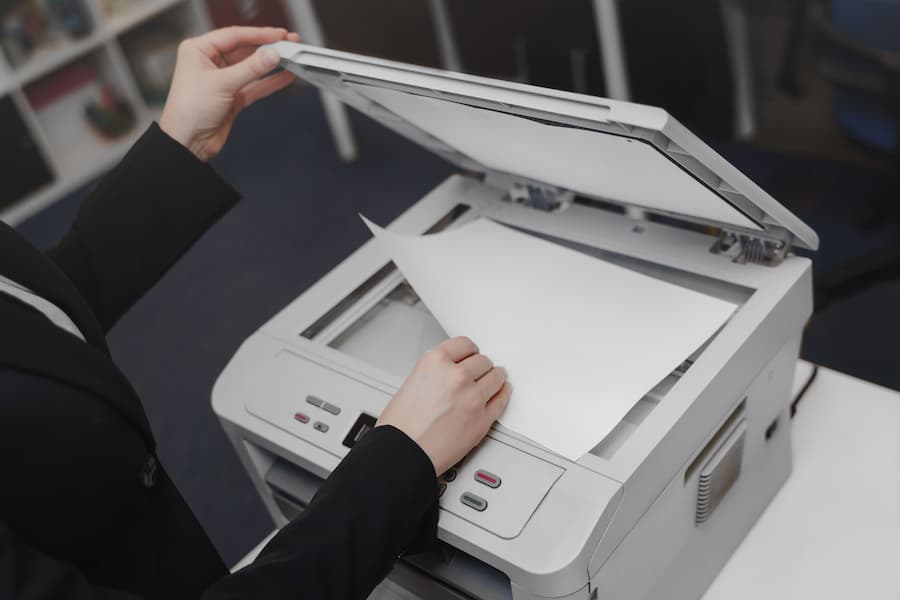
Canon Multifunction Printer Scanning Options
Easy Scanning into One PDF: Canon multifunction printers simplify the process of combining several pages into a single, user-friendly digital file. To do this:
Place the documents in the automatic feeder at the top.
On the touch screen, select the “PDF (Multiple Pages)” option.
Enter the necessary details like file name or resolution settings.
Hit the Start button to begin scanning.
This process efficiently merges all pages into a single document, perfect for sharing or storage, all facilitated by Canon’s intuitive interface.
Canon Desktop Printer Scanning Options
Scanning with a Few Extra Steps: If your Canon desktop printer doesn’t have a document feeder, follow these steps:
Place the page on the scanner glass and press COPY/SCAN to access the Scan mode screen.
Highlight Remote Scanner and press OK.
Open the Canon application on your desktop.
Under Save as Type, select PDF (Multiple Pages) and adjust settings as needed.
Click Start to begin scanning.
These steps let you effortlessly scan multiple pages into one PDF, ideal for consolidating documents for easy sharing and archiving. Whether you’re using a multifunction or desktop Canon printer, scanning multiple pages into one PDF is straightforward. Additionally, the option to use mobile scanning apps enhances convenience, allowing you to scan on-the-go.
How Do I Scan Multiple Pages Into One Pdf on My HP Printer?
Is scanning multiple pages into a single PDF a challenge for you? Don’t worry, we have a solution! Let’s explore a straightforward and hassle-free guide on how to achieve this.
Step 1: After scanning your first page, you might wonder, “How do I scan more pages into one PDF on my HP printer?” It’s easy! Simply click on the “Add Page” icon to scan additional pages. This allows you to add as many pages as needed to your PDF seamlessly.
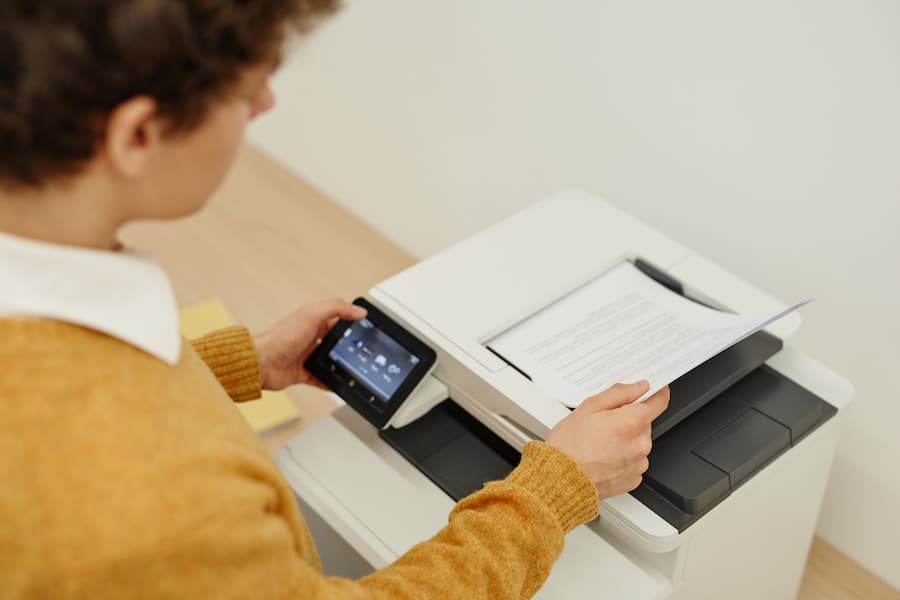
Step 2: Once all your pages are scanned, either using Adobe Scan or HP scanner software, you can easily transform those images into a single PDF. A few clicks, and all your pages will be compiled into a single, beautifully formatted PDF document.
By following these steps, scanning various pages into one PDF becomes effortless. Whether it’s important documents, cherished memories, or anything in between, you can create a single portable document file with ease.
No more struggling to merge multiple images into one PDF. This method ensures a quick and professional-looking PDF document.
Receive Expert AssistanceLet Us Help
Ready to simplify your document management? Let us assist! Our experienced print technicians are here to help not only with scanning multiple pages into a single PDF but also with fax and scan setups, PDF conversions, and online document management.
Managing PDFs and other documents can be daunting, but our team is equipped to provide support and expert advice. We’ll help set up your printer for drag and drop scanning and ensure your printer is seamless software integration. Our aim is to make your printing and scanning processes as smooth as possible.
For straightforward document management and optimized print environments, reach out to the business print and process experts at 1800 Office Solutions. We’ll alleviate the stress associated with office printers and offer efficient solutions for your document needs.
Conclusion
In conclusion, mastering the art of merging multiple pages into one PDF is invaluable for anyone handling digital documents. Whether using a Canon printer, Windows PC, or Mac, the process is straightforward. This guide provides step-by-step instructions to convert multiple pages into a single PDF effortlessly.
Creating a single PDF from multiple pages enhances organization and sharing ease. By the end of this guide, you’ll be more knowledgeable and confident in converting multiple pages into one PDF, empowering you to manage a wide range of digital document tasks effectively.
Not sure what kind of printer you should buy for your business? Read on to learn about how to choose the best printers for small business.When it comes to printing out important documents for your…
how to scan multiple pages into one pdf hp, how do i scan multiple pages to one document, windows 10 scan to pdf multiple pages, how to scan several pages into one pdf, scanning multiple pages into one file, windows fax and scan pdf multiple pages, how to scan pages into one document, scan multiple pages to single pdf, how to scan multiple pages into one file, how to scan multiple pages into one pdf on mac, how to scan multiple pages into one pdf windows 11, desktop scanner multiple pages, scan multiple pages into one pdf, scanning multiple pages into one pdf canon pixma, how to scan multiple pages into one pdf windows 10, how to scan multiple pages into one document, how to scan multiple pages into one pdf konica minolta, how to scan multiple pages to one pdf, how to scan a multiple page document into one pdf, windows scan multiple pages, windows 10 scan multiple pages, how to put multiple scans into one pdf, how to scan multiple pages into one pdf, scanning multiple pages into one document, how do you scan multiple pages into one document, how to put multiple scanned pages in one document, scan several pages into one document, how to make multiple scans into one pdf, how to scan multiple pages into one pdf canon, windows fax and scan no pdf option, windows scan to pdf multiple pages, scanning multiple pages into one pdf, windows fax and scan multiple pages into one file, scan multiple pages to pdf online, scan multiple pages to pdf, how to scan multiple pages, hp scan multiple pages, app scan multiple pages to pdf, how to scan multiple pages at once, windows scan multiple pages to pdf, windows scan app multiple pages, scan multiple pages into pdf, multiple scans into one pdf, printer scan multiple pages, scan multiple pages to pdf windows fax and scan, how do i scan multiple pages into one pdf, scan multiple pages to one file, scan multiple pages to pdf app, how to combine scanned documents into one, scan two pages into one pdf, how to combine scanned documents into one file, how to scan multiple pages into one pdf file, scan multiple documents into one pdf, windows 10 scan multiple pages to pdf, windows fax and scan multiple pages, how to scan multiple pages to one pdf hp, how to scan several pages into one document, how to scan in multiple pages into a pdf, scan multiple pages to pdf windows 10, windows scanner multiple pages, scan pages to pdf, scan 2 pages into 1 pdf, mac scan multiple pages to pdf, app to scan multiple pages into one pdf, windows fax and scan to pdf, how to scan and email multiple pages, scan multiple pages to pdf canon, scan multiple pages to pdf mac, how to scan documents into one pdf, scan multiple pages into one document, scanning multiple documents into one pdf, how to combine multiple scans in one document windows 10, scan multiple pages in one pdf, how to make one document from multiple scanned pages, how to combine multiple scanned pages into one pdf, how to scan multiple files into one pdf, how to scan multiple documents, how to scan 2 pages into one document, windows fax scan multiple pages, can you scan multiple pages at once, how to scan a document with multiple pages into pdf, scan multiple pages to pdf windows 11, windows fax and scan pdf, how to scan multiple pages on canon printer, windows 10 scan multiple pages into one pdf, how can you scan multiple pages into one pdf, scan multiple pages to pdf free, how to scan multiple pages into one pdf file hp, how to scan multiple pages into one document windows 10, printer scanner multiple pages, windows scanner multiple pages pdf, scan multi page document to pdf, how to scan all pages into one document, merge scans into one pdf, multiple pages in one page pdf, windows 11 scan multiple pages to pdf, how do i scan multiple pages into one document, scan multiple pages to pdf freeware, multiple scan in one pdf, multi page scan to pdf, how to scan multiple pages in one document, how to scan multiple documents into one pdf, scan to pdf printer, scanner app multiple pages, windows fax and scan combine pages, how to scan pages into a pdf, how to scan multiple pages into one pdf mac, multi page scanner software, printers that scan multiple pages at once, scan several pages to one pdf, windows scanner pdf multiple pages, how to scan multiple pages into one pdf document, how to scan multiple pages in one pdf, how do you scan documents into one pdf file, windows scan and fax multiple pages, how to scan multiple pages hp printer, how to scan multiple pages in hp printer, how to combine separate scans into one document, how to scan multiple pages into one pdf using windows fax and scan, hp printer scan multiple pages, how to scan multiple pages on hp printer, how to scan two pages into one pdf, how to scan several pages as one document, combine scans into one pdf, how to scan multiple pages into one pdf on iphone, hp scan multiple pages to one pdf, scan all pages of a website, how to scan multiple pages into one file hp printer, how to combine scanned documents into one pdf, how to scan a lot of documents at once, combine multiple pages into one pdf, scan pages into one pdf, combining scanned documents into one, scan multi page document hp printer, pdf multiple pages to one page, how to scan multiple pages into one document canon pixma, multiple pages in one pdf file, how to scan multiple pages into one pdf canon pixma, how to combine scans into one pdf, multiple pages to one pdf, how to scan multiple pages on mac, how to scan several documents into one pdf, multiple pages in one pdf, how to turn multiple pages into one pdf, scan multiple pages windows fax and scan, scan multiple pages to one pdf, pdf multiple pages to single pdf, how to make scanned documents into one pdf, how to combine scans into one document, how do i combine scanned documents into one, multi page scan, multiple pages into one pdf, hp scan multiple pages into one file, printer that can scan multiple pages, scanner plusieurs pages en pdf, hp smart scan multiple pages to one pdf, how to scan multiple pages into one pdf microsoft scan, windows fax and scan save as pdf, how to scan a document into a pdf, multiple pages to single pdf, windows fax and scan pdf not an option, scan multiple pages to pdf hp, how to scan multiple pages into one pdf windows fax and scan, how do you combine scanned documents into one file, how to scan multiple pages as one document, how to scan two documents in one page, combining scans into one pdf, how to add pages to scanned document, best printer for scanning multiple pages, how to scan pages into one pdf, how to scan multiple pages on windows fax and scan, multiple pages pdf to single pdf, multiple pages of pdf in one page, multi page scanner app for windows 10, how to scan two documents into one pdf, how to make two scanned documents into one, how to combine multiple scanned pages into one document, windows fax and scan as pdf, pdf merge two pages into one, how to put scanned documents into one pdf, how to make scans into one pdf, scan documents into one pdf, how to make multiple pages in one pdf file, pdf multiple pages, how to scan multiple pages into one pdf mac preview, how to scan multiple documents into one file, windows scan app multiple pages to pdf, hp how to scan multiple pages, naps2 scan multiple pages, windows scanner app multiple pages, how can i scan multiple pages into one pdf, epson scan multiple pages into one pdf, windows 11 scan to pdf, convert multiple pages to one pdf, how to combine scan into one pdf, how to merge multiple pages into one pdf, how can i scan multiple pages into one document, how to scan multiple pages into one pdf hp smart, how to make a multi page pdf from scanned images, how to scan multiple pages at once on hp printer, scan app multiple pages, guide-âne pdf, combine scans into one document, how to separate scanned documents, epson scan multiple pages to one pdf, how to save multiple scans as one pdf, scan naar pdf, how to combine scanned documents, how to put multiple scans into one document, windows fax and scan save multiple pages as one document, separate pages of a pdf document, how to scan files into one pdf, how to scan documents in one pdf file, windows 11 scan app multiple pages, where does windows fax and scan save files, windows 11 scan to pdf app, pdf combine two pages into one, scanner multiple pages, how to merge scans into one document, multi page scanner to pdf, how to scan back to back id in one page, scanning multiple pages into separate files, multiple pages to one page pdf, how to export multiple scanned documents from notes, how to scan multiple pages with windows fax and scan, how to scan multiple pages into pdf, how to put scans into one document, windows fax scan pdf, how to put multiple scanned documents into one pdf, how to scan documents into one file, how to put multiple pages into one pdf, combine multiple scans into one pdf, how to put scan documents into one file, combine scanned documents into one pdf, scan 2 documents into one pdf, combine pdf pages into one page, how to scan documents from printer, how to scan multiple pages into one pdf epson, how to put multiple pages in one pdf, how to scan multiple pages on iphone, how to scan multiple images into one pdf, how to combine two scans into one pdf, multi page scanner app, how to scan multiple pages on printer, epson scan 2 multiple pages into one pdf, windows fax and scan multiple pages flatbed, canon scan multiple pages into one pdf, multiple pages scanner, how to scan more than one page in windows fax and scan, how to make multiple pages into one pdf, how do i scan multiple documents into one pdf, how do you scan multiple pages into one pdf, pdf combine pages into one page, scanning multiple documents, scanner windows 10 plusieurs pages, how to combine multiple scans into one pdf, how to scan multiple pages into one document windows fax and scan, how to combine scanned documents into one document, how to combine scanned documents into one file on mac, how to combine multiple pages into one pdf, how to scan all documents in one pdf file, how to scan a multi page document, how to scan multiple pages to one pdf canon, how to combine two pages into one pdf, how to scan 2 documents into 1 pdf, how to make 2 scanned documents into 1, how do i combine two scanned documents into one, how to put all scanned documents in one file, combine scan, how to make one file of scanned documents, how to put scans into one pdf file, combine scanned documents into one