
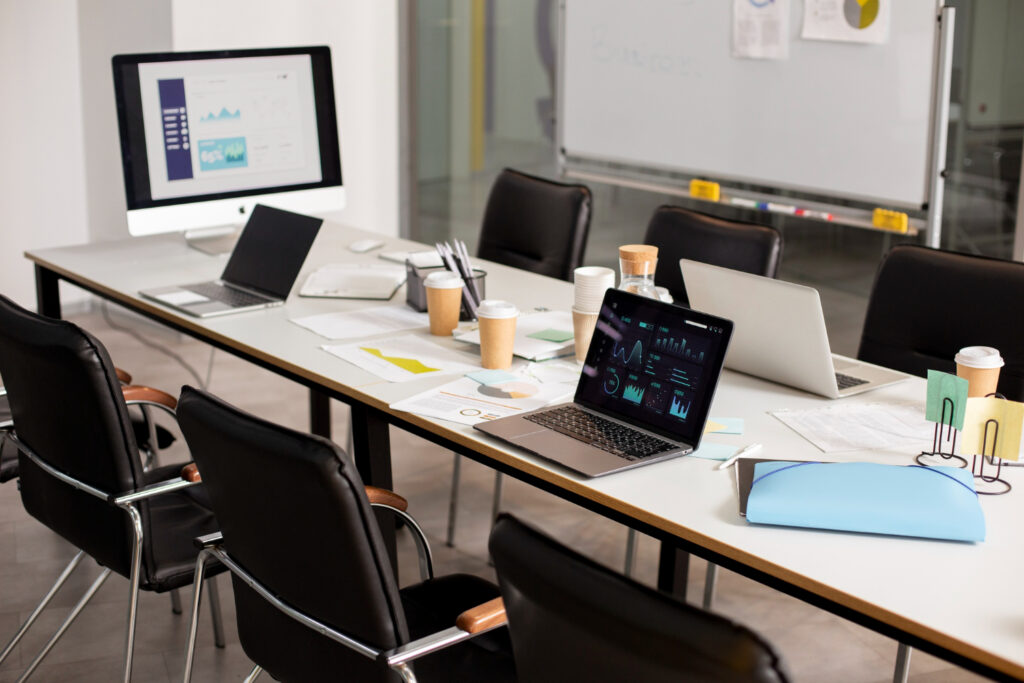
Remote Learning and Hybrid Work in 2026: Where We Stand
Hybrid is the new default. Across the United States, 88 percent of employers now offer some form of remote or hybrid work, and 52 percent of remote-capable workers split time between home and office. Schools and universities have settled into a similar pattern. Lectures stream live. Discussion forums replace coffee breaks. And the kitchen table doubles as a study hall more often than anyone expected back in 2020.
So the question is no longer whether remote learning works. It does. The real question now is how to support it with office solutions feeling as solid as a real classroom or conference room. And the answer covers hardware, software, internet, lighting, ergonomics, and the often-forgotten basics like a good printer and secure file storage.
The same playbook now works for your dining-room desk, your dorm room, or your hybrid satellite office.
2026 global online education market size, projected to reach $279.3B by 2029
Core Equipment Every Remote Learner and Hybrid Worker Needs
Software gets most of the headlines. But hardware quietly decides how your day actually goes. A flaky webcam or a wheezy laser printer can wreck a Monday morning faster than a missed deadline. So let us walk through the must-have gear.
The Six Pieces of Hardware That Carry the Day
- A reliable laptop or desktop. Aim for a recent processor, at least 16 GB of RAM, and a solid-state drive. Older machines struggle with concurrent video calls and screen sharing.
- A second monitor. Studies consistently show productivity jumps of 20 to 30 percent with dual displays. Your notes go on one screen. The lecture goes on the other.
- HD webcam and noise-cancelling headset. Built-in laptop cameras are fine for casual calls. But for online classes, interviews, and client meetings, a dedicated webcam and a USB or Bluetooth headset change how you come across.
- A compact printer or multifunction device. Yes, paper still matters. Assignments, shipping labels, signed forms, and tax docs all live somewhere on dead trees.
- A document scanner. Many modern MFPs scan to PDF directly to email or cloud storage. So you can keep things paperless once they cross your desk.
- A backup power solution. Even a small UPS keeps your modem and router alive through brief outages. South Florida summers know why this matters.
Now, you do not have to buy everything new. Refurbished business-class hardware often runs at 40 to 60 percent of retail and lasts just as long for typical home use.
The Software Stack That Powers Modern Online Education
Hardware sets the stage. Software runs the show. And the right mix of cloud tools often matters more than raw computing power.
Categories That Cover 95 Percent of Use Cases
- Learning Management Systems (LMS): Canvas, Blackboard, Moodle, and Schoology centralize coursework, grading, and announcements.
- Video conferencing: Zoom, Microsoft Teams, and Google Meet handle live lectures, office hours, and group projects.
- Productivity suites: Microsoft 365 and Google Workspace cover docs, email, calendar, and real-time collaboration in one bundle.
- Cloud storage: Google Drive, OneDrive, and Dropbox keep work accessible from any device and survive a dead laptop.
- Project and task tools: Trello, Asana, and Notion turn syllabi into manageable to-do lists.
- Note and study apps: OneNote, Notion, and Obsidian organize lecture notes and research with searchable text and tagging.
So what should you actually pick? For most students and remote teams, one productivity suite plus an LMS plus a video tool plus one cloud-storage choice covers almost everything. Stacking five overlapping tools just creates confusion and subscription fatigue.
And do not skip security software. A solid antivirus plus a password manager plus multi-factor authentication on critical accounts gives you 90 percent of real protection. Need a steer? The CISA Secure Our World guidance is a solid free starting point.
Why Print, Scan, and Copy Still Matter for Remote Learners
Print is not dead. It just changed seats. Even in fully digital schools, students print drafts to mark up by hand, sign permission forms, ship returns, and submit physical portfolios. So the right home printer often pays for itself in saved trips and missed deadlines.
And for businesses with hybrid teams? Print volume tends to drop overall. But the need for shared, secure printing across multiple locations actually grows. That is where managed print services and modern multifunction printers earn their keep.
Choosing the Right Print Setup
- Inkjet (with refillable tanks): Best for occasional, color-heavy printing. Canon MegaTank and Epson EcoTank models run lower per-page costs than cartridge inkjets.
- Compact mono laser: Best for high-volume text printing. Brother and HP both make sub-$300 wireless monos that last for years.
- Color MFP (multifunction): Best for serious home offices and small teams. Print, scan, copy, and sometimes fax in one device.
- Leased business MFP: Best for hybrid offices and schools. Includes service, toner, and parts, plus secure release printing for shared environments.
Want help choosing? Our team at 1800 Office Solutions sizes printers and copiers to your real volume, not the inflated specs on the box.
share of paid working days in the U.S. now done from home, as of January 2026
Ergonomic Furniture, Lighting, and Workspace Design
You can have the best laptop and the fastest internet. But if you spend eight hours hunched over a kitchen chair, your body will eventually tap out. So your chair, your desk, and your lighting are not luxuries. They are part of the office solution.
What the Data Actually Shows
Properly designed seating and desks can lift productivity by roughly 17 percent and reduce workplace injuries by close to 60 percent. Standing desks alone can cut lower-back pain by about 32 percent after a few weeks of regular use. And 89 percent of users of ergonomic furniture report fewer workplace injuries overall.
The Workspace Checklist
- Adjustable chair with lumbar support and an armrest height that lets your shoulders relax.
- Desk height at roughly elbow level when typing, with feet flat on the floor.
- Monitor at eye level, about an arm’s length from your face.
- Natural light from the side, not directly behind or in front of the screen.
- Adjustable LED task lamp for late nights and overcast Miami mornings.
- Cable management to keep your floor clear and your mind a little calmer.
And do not forget plants. Even one small succulent can lower self-reported stress and brighten a dull corner of the room.
Security and Privacy for Remote Students and Hybrid Workers
Working from home or a dorm room changes your threat profile. So your security plan should match. And the basics actually go a long way.
The Six Habits That Block Most Real Attacks
- Use a password manager. Unique passwords on every account stop credential-stuffing attacks cold.
- Turn on multi-factor authentication for school, email, banking, and cloud storage.
- Patch everything. Auto-update operating systems, browsers, and key apps weekly.
- Back up your work. Cloud sync plus an occasional offline copy means a lost laptop is annoying, not catastrophic.
- Use a VPN on public Wi-Fi. Coffee shops are friendly. Their networks are not always private.
- Verify before you click. Phishing remains the top attack vector for students and remote staff. Look at the actual sender address.
For higher-stakes settings, especially small businesses or schools with student data, the NIST Cybersecurity Framework is a great free reference. So is our team. If you want a guided review, our cybersecurity assessment walks through your real exposure in plain English.
DIY vs. Managed Office Solutions: What Does It Cost?
One of the most common questions we get from parents, students, and small-business owners sounds something like this. Should I just buy everything off Amazon and figure it out myself? Or is it worth paying for a managed solution? Honestly, the answer depends on your time, your skill, and how much downtime you can absorb.
Here is a side-by-side look at typical 2026 costs and trade-offs for a single home or hybrid workspace.
| Component | DIY Approach (one-time) | Managed Service (monthly) | Notes |
|---|---|---|---|
| Laptop or desktop | $700 to $1,800 | $35 to $75 per device | Managed includes warranty plus break/fix support. |
| Printer or MFP | $200 to $1,500 | $45 to $180 | Leased units include toner, parts, and service. |
| Microsoft 365 or Workspace | $12 to $22 per user/month | Same, plus admin support | Managed adds onboarding and offboarding. |
| Security and backup | $60 to $200/year (consumer) | $20 to $60 per user/month | Managed includes monitoring and incident response. |
| Help desk and support | You and YouTube | $50 to $150 per user/month | Big difference on a bad Monday. |
| Total monthly (rough) | $60 to $120 | $180 to $420 per user | Managed often pays back through saved time alone. |
For a single student? DIY usually wins. For a hybrid team of five or more, or for a school running labs? Managed services almost always pencil out. Because every hour your team spends rebooting a printer is an hour they are not learning, teaching, or selling.
average productivity gain reported from ergonomic workspace upgrades
The Miami and South Florida Remote Learning Market
South Florida has its own rhythm. Hybrid roles in Miami make up under 5 percent of new job postings right now, which sounds low. But it is climbing. And employers are leaning toward 2 to 3 days in-office for hybrid roles, which means many local workers still need a strong home setup half the week.
Schools and colleges from Miami-Dade to Broward have settled into hybrid course delivery as well. So whether you are at FIU, Miami Dade College, or a K through 12 charter school, the gear and software story looks very similar. Solid hardware. Cloud-first software. And local support able to pick up the phone.
And the local part matters. Hurricane season, summer thunderstorms, and the occasional fiber cut all argue for backup connectivity and a partner who can roll a truck the same week, not the same month. Our managed IT team has been doing exactly that across South Florida.
How 1800 Office Solutions Supports Remote Learning and Hybrid Teams
So what does working with us actually look like? Six core services cover most of the ground.
Copier & Printer Leasing
Right-sized MFPs for homes, small offices, and schools. Toner and service included.
Managed Print Services
One predictable bill across all your devices, with auto-toner shipments and remote monitoring.
Cybersecurity
Endpoint protection, email security, MFA rollouts, and risk assessments for small teams and schools.
Cloud & Productivity
Microsoft 365 and Google Workspace deployment, migrations, and ongoing admin support.
VoIP & Communications
Cloud phone systems that follow your team home and back to the office without missed calls.
Not sure which pieces you need? Most clients start with a quick discovery call. Then we map your real workflow before suggesting anything you would actually buy.
Schools in particular benefit from bundling. A standardized device fleet, a single LMS choice, one print platform, and one cybersecurity provider keep IT lean. So the same dollar buys more uptime. And teachers get fewer surprise tickets during exam week.
Small businesses see similar wins. One bill replaces five. One support number replaces three. And new hires get a working laptop and printer on day one rather than week two. So onboarding feels less chaotic for everyone involved.
Best Practices for Setting Up Your Remote Learning Workspace
Ready to set up or upgrade your workspace? Here is the short checklist we walk every new client through.
The 10-Point Remote Workspace Checklist
- Pick a dedicated spot. Even a corner counts. The brain learns to focus where it always works.
- Run a speed test and aim for at least 100 Mbps down with low jitter for smooth video calls.
- Hardwire if you can. Ethernet beats Wi-Fi for stability during exams and big meetings.
- Buy the chair before the desk toys. Spend your first dollars on comfort.
- Set up cloud backup on day one, not after you lose something.
- Standardize software across the family or team so help is easy to share.
- Calendar your breaks. A Pomodoro timer or simple alarm prevents back-to-back burnout.
- Light from the side. A soft LED task lamp matters more than people expect.
- Lock down the printer. Enable secure release if your MFP supports it.
- Document your stack. A one-page list of accounts, devices, and licenses saves hours later.
Follow this list and you skip most of the headaches new remote learners and hybrid workers run into. And if anything on the list feels intimidating, that is exactly where outside help earns its fee.
Frequently Asked Questions
What office solutions do remote learners really need?
Start with a reliable computer (at least 16 GB of RAM). Add a second monitor for screen space. Pick up a quality headset and webcam for live calls. Include a compact printer or MFP for paper jobs. And do not skip an ergonomic chair. On the software side, one productivity suite (Microsoft 365 or Google Workspace), one LMS (often supplied by the school), and one cloud-storage choice cover almost everything. So roughly five physical items plus three software subscriptions handle most needs.
Is a printer still necessary for online courses in 2026?
Often yes. Permission forms, sign-and-return docs, draft markups, and physical portfolios still show up. So a small wireless inkjet or mono laser remains a sensible investment for most students and remote workers. And if you print rarely, a tank-style refillable printer beats cartridge models on long-term cost.
How much should I budget for a home learning setup?
A solid baseline runs $1,200 to $2,000 one-time for hardware, plus roughly $20 to $40 monthly for software. You can spend less by buying refurbished business gear. Or you can spend more on premium ergonomic furniture and a higher-end laptop. Most families land in the middle.
What is the best printer for remote learning and home office work?
For low-volume color, a Canon MegaTank or Epson EcoTank inkjet wins on per-page cost. High-volume text printing? A Brother or HP mono laser is faster and cheaper to run. And in multi-user homes or small offices, a wireless color MFP with scan-to-cloud and duplex printing handles the widest set of jobs.
How can I keep student and family data safe at home?
Use unique passwords through a password manager. Turn on multi-factor authentication for school, email, and banking. Patch operating systems and browsers weekly. Back up important files to the cloud. And avoid clicking unknown links in email or text. These five habits stop most real-world attacks.
Do I need managed IT services for a hybrid team in Miami?
If your team is five or more, almost certainly yes. Managed IT spreads the cost of expertise, patching, monitoring, and incident response across users. So a Miami small business often pays $50 to $150 per user monthly and gets faster help than any single in-house tech could provide alone.
How do schools handle hybrid and online learning hardware?
Schools usually standardize on one laptop or Chromebook fleet, one LMS, and one video tool. Then they layer in print and document services through trusted local partners. Standardization keeps support manageable and licensing predictable. And bulk leasing tends to beat one-off purchases for budget planning.
What ergonomic upgrades actually make the biggest difference?
An adjustable chair with lumbar support, a desk at proper elbow height, and a monitor at eye level. Add a soft side-light and a footrest if your feet do not reach the floor. Research shows these basics alone can lift reported productivity by about 17 percent and cut musculoskeletal complaints sharply.
What internet speed do I need for remote learning?
For one student or worker, 50 to 100 Mbps download with low jitter handles video calls comfortably. For a household with multiple simultaneous users, aim for 200 to 500 Mbps. Wired Ethernet beats Wi-Fi during exams and important meetings. And a small UPS keeps your modem alive through brief outages.
How long should office equipment last for remote learning?
A quality business laptop usually lasts five to seven years with normal student or remote-worker use. A leased MFP runs five to seven years with regular service. An ergonomic chair often lasts a decade. So thinking in five-year cycles helps with budgeting and avoids panicked replacements during exam week or a busy quarter.
Can 1800 Office Solutions help schools and businesses outside Miami?
Yes. We serve clients across South Florida and beyond. Remote managed IT, cybersecurity, and cloud services can support teams anywhere with internet. And we coordinate hardware delivery and on-site service through trusted partners outside our direct service area when needed.
Ready to Upgrade Your Remote Learning or Hybrid Office Setup?
Talk to 1800 Office Solutions about copiers, printers, managed IT, and cybersecurity built for how you actually work.
(888) 574-5120
GET A FREE CONSULTATION