
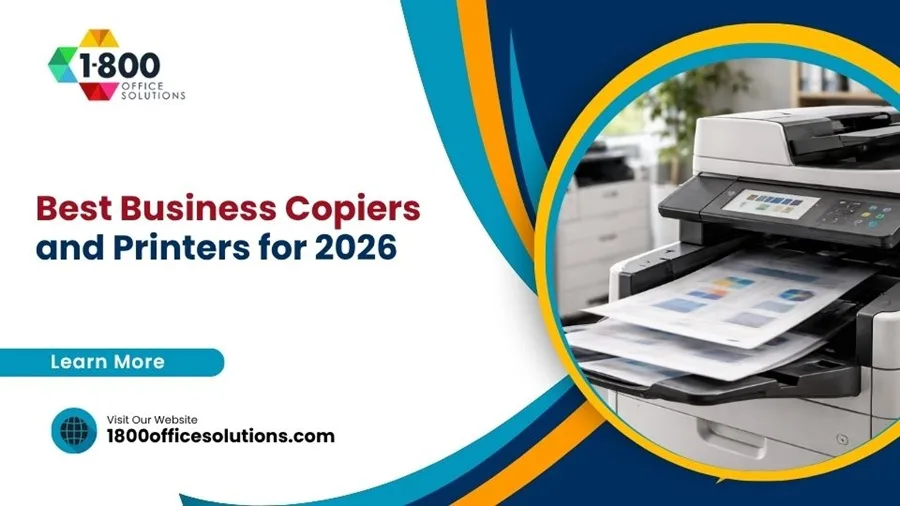

Look, I’ve been placing copiers in offices since 2009. Back then, we were still debating whether color was worth the investment. Fast-forward to 2026, and I’m fielding a completely different set of questions: “Can it handle our cloud workflow?” “Does it integrate with our security framework?” “What’s the actual cost per page when we factor in maintenance?”
The copier market isn’t what it used to be. It’s more sophisticated, more integrated, and honestly—a lot more confusing if you don’t know what to look for. I want to share what actually works in 2026, the models that earn their keep, and where most offices waste money.
Here’s the thing: there’s no single “best” copier. But there are definitely smarter choices for your specific situation. Let’s walk through them.
Key Stat: According to IDC’s 2026 Office Imaging Report, 73% of businesses still underestimate their monthly print volume—leading to undersized machine selection and balloon costs within 18 months.
Small Offices (Under 25 Employees): Lean, Mean, and Affordable

A 12-person consulting firm came to us printing about 8,000 pages monthly. They’d been limping along with a printer bought on Amazon clearance—cheap upfront, but the cost per page (CPP) was eating them alive. We moved them to a Canon imagePRESS C356, and they recovered their investment in supplies within eight months.
For small offices, don’t fall for the “all-in-one” trap. You don’t need scanning to email if nobody’s using it. What you need: reliability, reasonable maintenance costs, and honest toner pricing. The Canon line punches way above its weight here—parts are affordable, service is fast, and they don’t obsolete models every 18 months.
Budget reality: 5,000–15,000 pages/month. Look for CPP between 1.2¢–1.8¢ on monochrome. Lease cost runs $150–280/month all-in with supplies and service. Go for a multifunction if you’re scanning documents more than twice a week—otherwise, a solid printer paired with a separate scanner is cheaper and less of a headache.
Our Pick: Ricoh MP C306Z
Compact, surprisingly capable, 30 pages per minute (PPM) on color. The duty cycle handles 300,000 pages monthly without complaint. Supply costs are fair, and Ricoh’s support network is genuinely responsive. We’ve seen these machines last eight years with minimal intervention. Not flashy, but rock-solid.
Mid-Sized Offices (25–100 Employees): The Workhorse Zone
This is where most of our business lives. A 55-person architecture firm printing 38,000 pages monthly. A dental practice with scanning overload. An accounting office with massive seasonal swings. Mid-size offices need machines that don’t choke under real-world pressure and don’t cost a fortune to operate.
The Konica Minolta bizhub C258 and Xerox AltaLink C8145 dominate this space for good reason. Both handle 50 PPM in color, have aggressive toner economies (we’re talking 1.1¢–1.4¢ CPP), and their finishing options—duplexers, staplers, booklet makers—actually justify the investment when your volume justifies it.
Bottom line? Don’t buy these machines. Lease them. A three-year lease on a mid-range MFP runs $280–420/month with supplies, service, and parts. That predictable expense is worth way more than owning equipment that’ll be technically obsolete in five years anyway.
Our Pick: Konica Minolta bizhub C358
35 PPM in color, 500,000-page monthly duty cycle, and their Sharpdesk software actually makes document management less painful. Network integration is solid. Toner yields are excellent—we’ve clocked 56,000-page yields on magenta cartridges. For offices averaging 25,000–40,000 pages monthly, this is the machine that doesn’t generate emergency calls on Friday afternoons.
Large Offices & Enterprise (100+ Employees): Production Strength
A 180-person law firm we placed came with a brutal requirement: 85,000 pages monthly, strict security protocols, and integration with their existing DMS. They needed production capability without the footprint of three separate machines. Enter the Xerox VersaLink C8000 series and the Ricoh Pro C901 series.
Large operations don’t just need volume handling. They need security intelligence, audit trails, and integration with backend systems. Both machines offer encrypted printing, PIN-protected jobs, and comprehensive usage reporting. The Xerox VersaLink specifically has what’s called Secure Print Release—jobs wait at the machine until you authenticate. For sensitive documents in regulated industries, this is non-negotiable.
CPP expectations drop to 0.9¢–1.3¢ at these volumes. Monthly leases are $600–850/month with full support. These machines are investments in operational efficiency—they pay for themselves through speed and reliability alone.
Our Pick: Ricoh Pro C901S
90 PPM in color. 2 million-page monthly duty cycle (yes, really). Comes with RFID security features and advanced job accounting for chargebacks across departments. Maintenance is predictable, toner costs are transparent, and Ricoh’s enterprise support is exceptional. We’ve deployed this machine in hospital networks and financial firms where uptime is literally part of the business model.
Color-Heavy Operations: Marketing, Design & Print-On-Demand
A 22-person design studio came to us frustrated. They were outsourcing color proofing and sample printing to an external vendor—eating 6–8 hours weekly on turnaround alone. We moved them to a Canon imagePRESS C170, and suddenly they’re proofing in-house, finishing projects faster, and actually charging for print samples.
For color-heavy shops, you’re not just buying a printer—you’re buying production capability. Print quality matters. 2,400 dpi or higher. Color accuracy (CIELAB Delta E under 2.0 is your threshold). Variable data printing (VDP) capability if you’re doing personalized mailers or packaging samples.
These machines aren’t cheap. But the return materializes quickly when you’re recapturing revenue currently leaving your office.
Our Pick: Canon imagePRESS C850
85 PPM, 2,400 x 2,400 dpi, stunning color rendering. Handles specialty media—textured stocks, envelopes, thin cardstock. The five-color toner system (CMYK + clear) opens up creative finishing options. For marketing agencies and in-house print operations, this machine generates actual competitive advantage.
High-Security Environments: Legal, Healthcare & Finance
A healthcare client with HIPAA obligations came to us with compliance anxiety. Their old multifunction had no audit trail for document destruction. We implemented a Konica Minolta with full encryption, secure overwrite on the hard drive, and detailed job logging that satisfied their security officer.
If your office handles patient records, financial statements, or confidential client work, you need machines that don’t just print—they protect. Look for: encrypted hard drives with secure overwrite protocols, detailed user access controls, automatic job deletion timers, and third-party security certifications (Common Criteria, FIPS 140-2).
These features add 15–20% to the lease cost. Worth every penny if you’re managing sensitive data.
Our Pick: Xerox AltaLink C8055 (Security Edition)
Designed specifically for regulated environments. Encrypted SSD, cryptographic authentication, real-time threat monitoring, and compliance reporting that speaks the language of security frameworks. If you’re subject to external audits, this machine simplifies everything.
Quick Comparison Table
| Model | Best For | PPM (Color) | Est. Monthly Lease |
|---|---|---|---|
| Ricoh MP C306Z | Small offices (under 25) | 30 PPM | $180–250 |
| Konica Minolta bizhub C358 | Mid-size (25–100) | 35 PPM | $320–420 |
| Ricoh Pro C901S | Enterprise (100+) | 90 PPM | $650–850 |
| Canon imagePRESS C850 | Color-heavy operations | 85 PPM | $520–680 |
| Xerox AltaLink C8055 | High-security environments | 55 PPM | $480–620 |
Lease vs. Buy: The Conversation That Actually Matters
I’ll be direct: most offices should lease, not buy. Here’s why. A multifunction copier’s technology becomes outdated in 4–5 years. Leasing gives you upgrade rights, includes maintenance, spreads costs predictably, and doesn’t leave you holding a machine that’ll need $800 repair bills at year six.
The only scenario where buying makes sense? You’ve got the capital, you print under 10,000 pages monthly, and you’re comfortable managing maintenance separately. Even then—you’re betting that the machine won’t need major repairs after year four. Most people lose that bet.
A typical three-year lease includes supplies, service, parts, and toner delivery. You budget $X/month and don’t think about it again. That’s worth paying slightly more for, honestly.
The Print Volume Thing Nobody Talks About

Here’s where most of our calls start: an office thought they printed 15,000 pages monthly. Turns out it’s 42,000. Now their machine’s printing subsystem is running hot, toner costs are triple what they budgeted, and they’re stuck in a four-year lease on undersized equipment.
Before you even look at machine specs, audit your actual volume. Dig into your current printer logs. Check email archives for print jobs. Most offices surprise themselves. If you’re forecasting volume, add 20% as a buffer. Growth is real.
The cost per page, by the way, improves as volume increases. A machine rated for 10,000 pages/month at $180/month costs 1.8¢ per page. That same lease at 20,000 pages/month drops the per-page cost to 0.9¢. Right-sizing your machine actually reduces costs—not just upfront, but ongoing.
What’s Overpriced in 2026?
The ultra-high-end machines (those 110+ PPM monsters) are overkill for 95% of offices. Businesses buy them for single-digit speed advantages and pay a 40% premium. Unless you’re literally a printing facility, the mid-range machines do the job faster than your office can feed paper anyway.
Also: stand-alone finishing modules (separate booklet makers, staple finishers) add real cost for feature creep. Most offices use them once every three months. Better to send binding jobs out and save $200/month in lease payments.
One more: don’t pay for scanning-to-cloud features if you’re not actually using cloud workflows. You’re funding capability that doesn’t match your process.
Real Numbers: A typical mid-size office saves 15–22% on total print spend by right-sizing machine selection, negotiating toner pricing, and ditching unused finisher options. For a 50-person office, that’s $8,000–12,000 annually.
Questions to Ask Before You Decide
- What’s your actual monthly print volume? (Audit the last six months.)
- What percentage is color vs. monochrome?
- Do you need scanning, and do you actually use scan-to-email or mobile printing?
- Are security/compliance requirements part of your decision? (HIPAA, SOX, etc.)
- Is your budget predictable (monthly lease) or do you prefer capital expenditure?
- How critical is uptime? (Same-day service vs. next-business-day acceptable?)
- Will this machine need to integrate with existing network/security infrastructure?
Answer those honestly, and you’ll eliminate about 80% of the wrong options before you even start comparing specs.
Final Thoughts
After 15+ years, here’s what I know: the “best” copier is the one that matches your actual workflow, not someone else’s setup. A $700/month machine is dead weight if you’re printing 8,000 pages monthly. A $200/month machine is a false economy if you’re actually pushing 35,000 pages.
The machines I’ve recommended have been battle-tested across hundreds of offices. They’re not flashy—but they don’t need to be. They’re reliable, they’re cost-effective, and they do what they promise.
And if your current setup’s been limping along, eating budget and printing emergency calls on Friday afternoons? It’s time to audit. The right machine typically pays for itself through improved efficiency and reduced supply costs within 12–18 months.
Need Help Choosing the Right Copier?
Don’t leave this decision to guesswork. Our team has placed machines and understands what actually works in your industry. We’ll audit your current volume, analyze your workflow, and recommend the right machine for your budget—with no pressure, just honest advice.
© 2026 1800 Office Solutions. All rights reserved.