
If you’re looking to understand what a commercial printer lease is, you’re in the right place.
- Commercial printer lease: An arrangement where businesses pay a set monthly fee to use advanced printing equipment without the high upfront purchase cost.
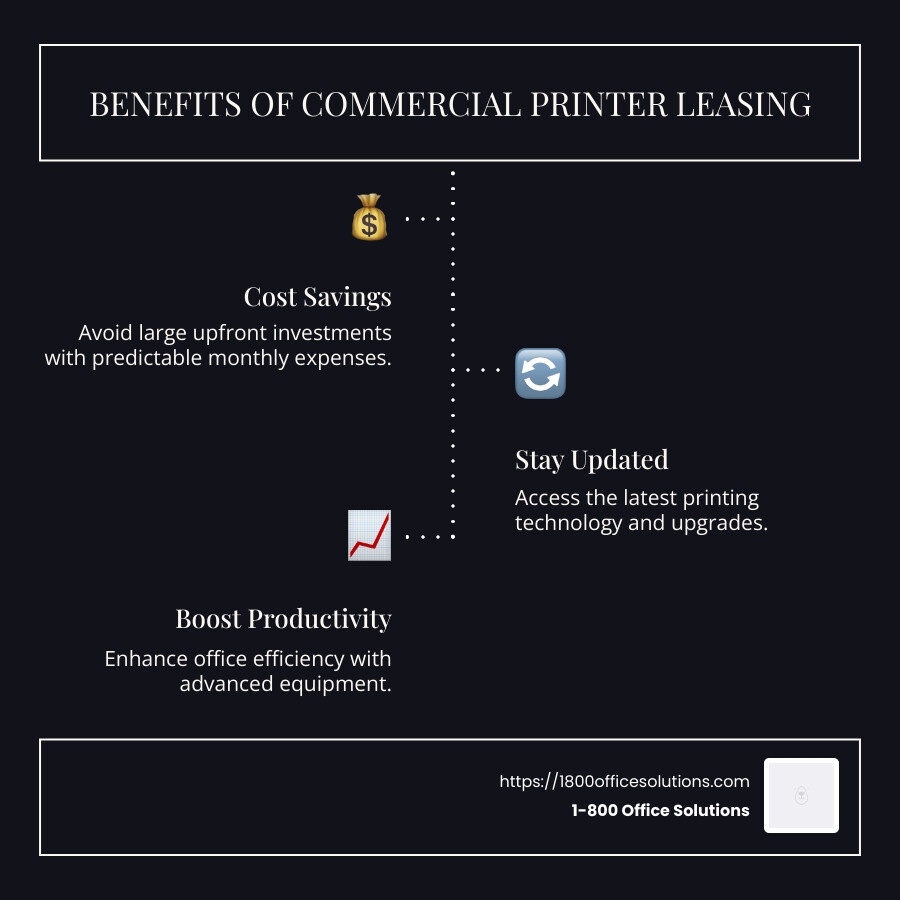
- Key benefits: Include cost savings, staying updated with the latest technology, and predictable monthly expenses.
- Ideal for businesses: Who need modern office equipment to boost productivity but want to avoid large initial investments.
Leasing office equipment, such as printers, is a cost-effective way for businesses to stay up-to-date with the latest technology without the burden of high upfront purchase costs. Through leasing, companies can access advanced printing solutions custom to their needs, simplify budgeting with predictable monthly expenses, and enjoy comprehensive maintenance services.
By choosing a leasing option, office managers can ensure their teams work efficiently with reliable technology, boosting productivity. As seen in many businesses across various industries, leasing doesn’t just save money but also provides flexibility, allowing companies to scale or upgrade their equipment as needs evolve.
Understanding Commercial Printer Lease
When it comes to commercial printer lease, you’re essentially renting cutting-edge printing equipment for your business. This means you get access to the latest technology without having to shell out a large sum of money upfront.
Cost Savings
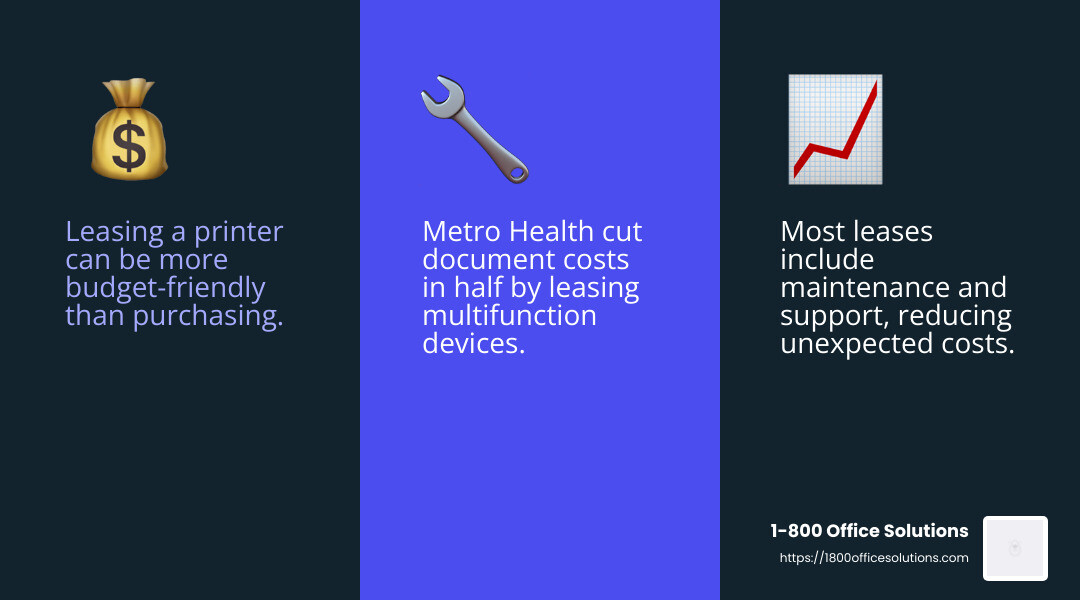
Leasing a printer is often more budget-friendly than buying one outright. You pay a fixed monthly fee, which helps in planning your finances better. This setup also typically includes maintenance and support, reducing unexpected repair costs.
For example, Metro Health managed to cut its document costs in half by leasing multifunction devices, showing how effective leasing can be for cost management.
Flexible Terms
Leasing offers flexibility that purchasing cannot. You can choose lease terms that align with your business’s needs. Whether you want a short-term lease to stay updated with rapid tech advancements or a longer commitment for stability, there’s a plan for you.
Moreover, at the end of the lease, you have options: return the equipment, purchase it, or upgrade to newer models. This flexibility is crucial for businesses in industries where technology changes quickly.
Predictable Expenses
One of the biggest advantages is having predictable monthly expenses. You know exactly what you’re paying each month, which simplifies budgeting. This predictability is a key reason many businesses opt for leasing over buying.
In summary, leasing a commercial printer is a smart move for businesses looking to stay technologically advanced while managing costs and maintaining flexibility.
Key Factors Affecting Lease Costs
When considering a commercial printer lease, understand the factors that influence the overall cost. These include the lease term, copier specifications, and additional services that come with the lease.
Lease Term
The length of your lease term can significantly impact your monthly payments. Shorter lease terms offer more flexibility, allowing you to upgrade to newer models as technology advances. However, they often come with higher monthly costs. On the other hand, longer lease terms usually mean lower monthly payments, but you’ll be committed for a more extended period.
Assess your business’s needs and growth projections to choose the right lease term. If you anticipate rapid changes in your printing requirements, a shorter lease might be more suitable.
Copier Specifications
The specifications of the copier you choose will also affect your lease costs. High-end copiers with advanced features like high-speed printing, color capabilities, and large paper capacities come with higher lease payments.
Evaluate your business’s printing needs carefully. If your operations require high-quality color printing, investing in a feature-rich copier is worthwhile. Conversely, if your printing is mostly monochrome, a simpler model might suffice and save costs.
Additional Services
Many leasing agreements include additional services such as maintenance, repairs, and supply replenishment. These services can add value to your lease but may also increase the overall cost.
Make sure to understand what services are included in your lease agreement. Regular maintenance and prompt repairs can save you time and prevent disruptions, making them a valuable inclusion. Additionally, some leases offer equipment upgrade options, allowing you to stay current with the latest technology.
By considering these factors, you can make a well-informed decision that aligns with your business’s needs and budget. Understanding these elements will help you steer the complexities of a commercial printer lease and ensure you’re getting the best value for your investment.
Advantages of Leasing Over Buying
When deciding between leasing or buying a commercial printer, understanding the advantages of leasing can make a big difference for your business. Let’s explore some of the key benefits.
Upfront Costs
Leasing a printer means you don’t have to part with a large sum of money upfront. Instead, you pay manageable monthly installments. This allows you to keep your capital free for other important business needs. By leasing, you avoid a hefty initial investment, making it easier to acquire top-notch equipment without straining your budget.
Tax Benefits
Leasing offers potential tax advantages. Lease payments are often considered a business expense, which may be tax-deductible. This can improve your cash flow and reduce the financial burden on your business. Always consult with a tax professional to understand how these benefits apply to your specific situation.
Equipment Upgrades
Technology evolves rapidly, and leasing provides the flexibility to keep up. With a commercial printer lease, you have the option to upgrade your equipment at the end of the lease term. This means you can access the latest features and improvements without the hassle of selling old equipment and buying new.
Many leasing companies also allow upgrades during the lease term, ensuring you always have access to cutting-edge technology. This adaptability can be crucial for businesses aiming to stay competitive in a market.
By choosing to lease, you gain financial flexibility, potential tax savings, and the ability to keep your equipment up-to-date with minimal hassle. These advantages make leasing an appealing option for businesses looking to optimize their office equipment strategy.
Frequently Asked Questions about Commercial Printer Lease
When considering a commercial printer lease, it’s natural to have questions. Let’s tackle some of the most common ones.
Does it make sense to lease a printer?
Leasing a printer can be a smart choice for businesses, especially those concerned about cost. Instead of a large upfront payment, leasing spreads the expense over time with predictable monthly payments. This setup helps manage cash flow and avoids tying up capital.
Leasing also reduces the risk of obsolescence. As technology advances, you can upgrade to newer models at the end of your lease. This ensures your business stays current without the hassle of selling outdated equipment.
How much does a printer cost monthly?
The monthly cost of a leased printer can vary based on several factors. The base lease payment is the primary component, which depends on the printer’s specifications and lease terms.
Additionally, many leases include a maintenance fee. This fee covers regular service and repairs, helping you avoid unexpected expenses. It’s crucial to understand these charges when evaluating leasing options.
For example, a high-end model might have a higher base payment but could offer advanced features that justify the cost. Always assess your business needs and choose a lease plan that aligns with your usage and budget.
What is printer leasing?
Printer leasing is a financial arrangement where you pay a monthly fee to use a printer over a specified lease agreement term. This agreement can range from a few months to several years.
Leasing agreements often include maintenance services, ensuring your printer remains in optimal condition. This reduces downtime and keeps your business running smoothly.
By opting for a lease, you gain flexibility and access to the latest technology without the burden of ownership. It’s a cost-effective solution for businesses looking to manage expenses while maintaining high-quality printing capabilities.
How to Choose the Right Leasing Company
Selecting the right leasing company for your commercial printer lease can have a big impact on your business. Here’s what to focus on:
Reputation
A leasing company’s reputation is crucial. Look for companies with positive reviews and testimonials. A strong reputation often indicates reliable service and customer satisfaction. For example, many businesses have praised leasing companies for their “outstanding service” and “great customer care.” These reviews can give you confidence in your choice and help you avoid potential issues down the line.
Customer Support
Great customer support is essential. You want a company that responds quickly to issues and provides helpful solutions. Look for companies with a track record of “fast response times” and “friendly, helpful staff.” Good support can save you time and stress, ensuring your leased printer stays up and running.
Transparent Terms
Transparency in lease terms is key. Make sure you understand all the details of your lease agreement, including any fees and conditions. Avoid companies that hide costs or use confusing language. A transparent company will clearly outline the monthly fee, any additional charges, and the lease agreement term. This clarity helps you budget effectively and prevents surprises.
By focusing on these factors, you can find a leasing company that meets your needs and supports your business goals. A well-chosen partner can provide peace of mind and ensure a smooth leasing experience.
Conclusion
Partnering with 1-800 Office Solutions for your commercial printer lease is a smart move towards enhancing workplace productivity. We offer not just leasing options, but also comprehensive managed IT services that streamline your business operations.
Why Choose 1-800 Office Solutions?
We understand the importance of reliable printing and IT services for businesses of all sizes. Our leasing plans are flexible, allowing you to select terms that fit your unique requirements. This flexibility ensures you get the best value for your investment while keeping your operations running smoothly.
Boost Workplace Productivity
By choosing us, you gain access to cutting-edge technology without the burden of substantial upfront costs. Our expert support team is always ready to assist, ensuring that your equipment functions optimally. This allows you to focus on what truly matters—growing your business.
Managed IT Services
In addition to our leasing services, we provide managed IT services designed to improve your document workflow and overall efficiency. Our solutions are custom to help you achieve your business goals without the hassle of managing IT infrastructure on your own.
For a seamless leasing experience and to explore our managed IT services, visit our Copier Leasing page. Let us help you open up the full potential of your business with our reliable office solutions.