

Changing Your Small Office: The Best Phone Systems to Lift Your Communication
For small office phone systems, finding a solution that fits perfectly into your workspace while enhancing your team’s connectivity is essential. In today’s world, equipped with the right phone system, even small offices can operate with the efficiency of a much larger organization. Here’s a quick guide to help you find the best phone system for your needs:
- VoIP Systems: Cost-effective, flexible, and scalable as they leverage internet connectivity for calls.
- Cloud-based Solutions: Easy to set up and manage, with features like voicemail, call routing, and HD video calling.
- Traditional Landlines: Reliable but may lack scalability and integration with modern tools.
A well-integrated phone system can radically improve communication, streamline business processes, and keep your team connected whether they’re in the office or working remotely. Investing in a phone system that’s custom to your business size and needs ensures seamless connectivity and efficient operations.
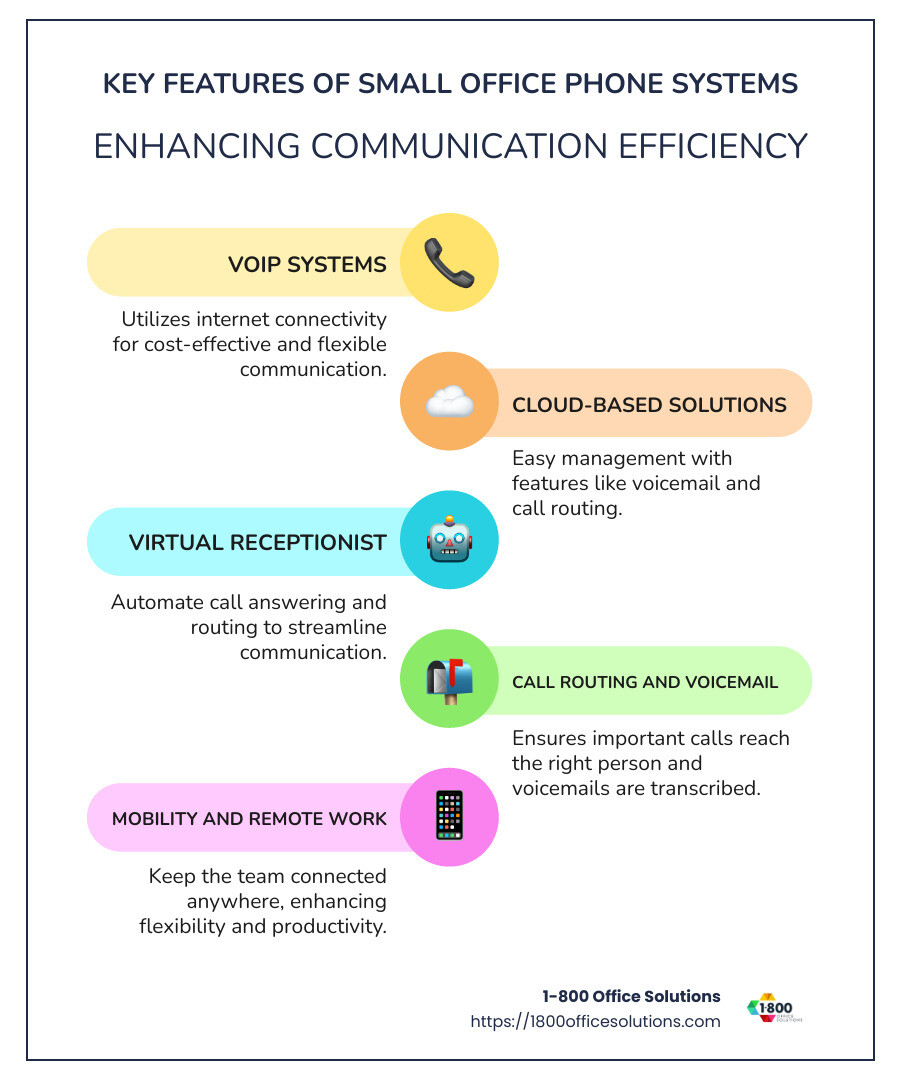
Terms related to small office phone systems:
Understanding Small Office Phone Systems
Navigating small office phone systems can seem daunting, but it’s all about understanding your options. Let’s break down the main types: VoIP, cloud-based, and traditional landlines.
VoIP Systems
Voice over Internet Protocol (VoIP) is a modern marvel. It allows you to make calls using the internet instead of traditional phone lines. Why is this a game-changer?
- Cost-Effective: With VoIP, you typically pay less than you would for traditional phone services. You only pay for what you use.
- Scalability: As your business grows, you can easily add more lines without the hassle of rewiring.
- Flexibility: Whether you’re in Orlando, Chicago, or anywhere else, VoIP keeps your team connected. Employees can use the system from any location with internet access.
Cloud-Based Solutions
Cloud-based phone systems are like VoIP on steroids. They offer everything VoIP does, plus a suite of powerful features:
- Easy Setup: No need for complex installations. Just sign up, and you’re ready to go.
- Advanced Features: Enjoy voicemail transcription, call routing, and even HD video calling. It’s like having a mini call center right in your office.
- Reliability: Cloud systems are often more reliable than traditional setups, with built-in redundancies to keep your calls clear and consistent.
Traditional Landlines
Ah, the good old traditional landlines. They have been around forever and are known for their reliability. But they come with limitations:
- Limited Scalability: Expanding your system can be cumbersome and expensive.
- Integration Issues: Modern businesses often need systems that integrate with other tools like CRM software. Landlines can fall short here.
In summary, choosing the right system depends on your business needs. If you’re looking for flexibility and modern features, VoIP or cloud-based systems might be your best bet. However, if reliability is your top priority, traditional landlines are worth considering.

With these insights, you’re better equipped to choose a phone system that will lift your small office operations.
Top Features to Look for in Small Office Phone Systems
When selecting a small office phone system, it’s crucial to focus on features that improve productivity and communication. Here are some key features to consider:
Virtual Receptionist
A virtual receptionist is like having a 24/7 front desk assistant. This feature answers calls automatically and directs them to the right department or person, improving efficiency and customer satisfaction. It ensures that no call goes unanswered, even during busy periods.
Call Routing
Call routing directs incoming calls to the appropriate extension or device based on predefined rules. This is particularly useful for businesses with multiple departments or remote workers, as it ensures calls reach the right person quickly.
Voicemail Transcription
Voicemail transcription converts voice messages into text, allowing you to read voicemails instead of listening to them. This feature saves time and makes it easier to manage messages, especially when you’re in meetings or on the go.
Scalability
Scalability is vital for growing businesses. A scalable phone system lets you add or remove lines and features as your needs change. This flexibility ensures that your phone system grows with your business without requiring a complete overhaul.
Mobility
The ability to take your office phone system with you is a game-changer. Mobile integration allows employees to make and receive calls on their mobile devices using their office phone numbers. This feature supports remote work and ensures seamless communication, no matter where your team is located.
With these top features, your small office phone system will not only meet current needs but also adapt to future demands, ensuring your business remains agile and connected.
Advantages of Cloud-Based Phone Systems
Cloud-based phone systems have revolutionized how small offices manage communication. These systems offer several key advantages that make them an attractive option for businesses of all sizes.
Affordability
One of the biggest benefits of cloud-based phone systems is their cost-effectiveness. Traditional phone systems often require significant upfront investment in hardware and ongoing maintenance costs. In contrast, cloud-based solutions eliminate the need for expensive equipment. You simply pay a subscription fee, often saving up to 33% annually if you choose to pay upfront. This makes it a budget-friendly option for small businesses looking to keep expenses low.
Easy Setup
Setting up a cloud-based system is straightforward and quick. There’s no need for complex installations or specialized IT staff. You can port over existing numbers or choose new ones and get started in minutes. This simplicity means businesses can focus on what they do best without getting bogged down by technical hassles.
Reliability
Cloud-based systems are known for their reliability. Unlike traditional systems that might falter due to hardware issues, cloud systems are maintained by service providers who ensure high uptime and performance. With a strong internet connection, you can expect clear and uninterrupted calls, ensuring your business runs smoothly.
Mobile Integration
The ability to integrate with mobile devices is a game-changer. Cloud-based phone systems allow employees to use their office numbers on their mobile devices. This means your team can work from anywhere, whether they’re in the office, at home, or on the go. This flexibility not only supports remote work but also ensures that your team stays connected, boosting productivity and responsiveness.
By leveraging these advantages, cloud-based phone systems provide small businesses with a powerful, flexible, and efficient communication solution that scales with your needs.
How to Set Up Your Small Office Phone System
Setting up a small office phone system can seem daunting, but with cloud-based solutions, it’s a breeze. Here’s a step-by-step guide to get you started.
Activate Your Account
First things first, you’ll need to activate your account with your chosen cloud-based phone service provider. This is usually as simple as signing up online and selecting a plan that fits your business needs. Many providers offer a user-friendly portal where you can manage your account settings and preferences.
Set Business Hours
Once your account is active, configure your business hours. This setting ensures that calls are routed appropriately during working hours and after-hours. You can set up custom greetings and voicemail options for times when your team isn’t available to take calls. This step is crucial for maintaining professionalism and ensuring customers know when they can expect to reach you.
Import Contacts
Next, import your existing contacts into the system. Most cloud-based phone systems allow you to upload contact lists directly from a spreadsheet or sync with your email provider. This feature saves time and ensures that all your important contacts are readily available from day one.
Integrations
Integrating your phone system with other business tools can improve functionality and efficiency. Look for integrations with popular platforms like Microsoft Office 365, Google Workspace, and CRM systems like Salesforce or HubSpot. These integrations can streamline workflows by allowing seamless communication and data sharing across different tools.
By following these steps, your small office phone system will be up and running in no time, allowing you to focus on what matters most—growing your business.
Frequently Asked Questions about Small Office Phone Systems
How much does a small business phone system cost?
The cost of a small office phone system can vary widely based on the features and services you choose. Cloud-based solutions often offer flexible pricing plans. You might find basic plans starting as low as $276.00, which is a budget-friendly option. On the higher end, more advanced systems with additional features can cost upwards of $2,988.88.
Many providers also offer discounts for annual payments, potentially saving you up to 33% compared to monthly billing. It’s important to compare these costs with traditional landline systems, which often require significant upfront investments in hardware and maintenance.
What are the best phone systems for small businesses?
When choosing the best phone system for your small business, consider ease of use and customer support. Look for systems that offer a user-friendly interface and robust customer support to help you steer any issues that arise.
Cloud-based systems are highly regarded for their intuitive platforms that unify multiple communication channels, including calls, messaging, and video conferencing, into a single app. This simplicity can improve productivity and ensure seamless communication. Additionally, systems that offer AI features, such as automated customer support and real-time call transcription, can significantly improve customer interaction.
How do I set up a small business phone system?
Setting up a small business phone system is straightforward, especially with cloud-based options. Here are the basic steps:
- Activate Your Account: Start by signing up online with your chosen provider and selecting the plan that fits your needs.
- Set Business Hours: Configure your business hours and set up custom greetings and voicemail options for after-hours.
- Import Contacts: Upload your existing contact list or sync with your email provider to ensure all contacts are available from the start.
- Integrations: Improve functionality by integrating your phone system with other business tools like Microsoft Office 365 or Google Workspace.
These steps can usually be completed without the need for an IT specialist, making it a simple DIY project for most small business owners. With the right setup, your business can enjoy improved communication and improved customer service.
Conclusion
At 1-800 Office Solutions, we understand that choosing the right phone system is crucial for small businesses. Our small office phone systems are designed to offer flexibility, scalability, and seamless integration with your existing tools. Whether you’re a startup or an established business, our solutions are custom to meet your unique needs.
Benefits of Choosing 1-800 Office Solutions
- Cost-Effective Solutions: We offer competitive pricing plans that ensure you only pay for what you use. This approach helps manage costs effectively, making our systems affordable for businesses of all sizes.
- Improved Flexibility: Our cloud-based systems provide the flexibility to scale your operations as your business grows. This means you can easily add more lines or features without hassle.
- Seamless Integration: Our systems integrate effortlessly with popular productivity tools like Microsoft Office 365 and Google Workspace. This integration allows for streamlined communication and improved workflow.
- Reliable Support: We pride ourselves on offering robust customer support. Our team is always ready to assist you with any issues, ensuring minimal downtime and maximum efficiency.
Choosing the right phone system can transform how your business communicates. With 1-800 Office Solutions, you can be confident in a system that supports your business goals and adapts to your needs.
For more information on how our phone systems can benefit your business, visit our Business Phone System page.
By investing in the right technology, your business can improve communication, improve customer service, and ultimately drive success. Let us help you make the best choice for your office needs.