
Small business owners often treat their websites like a digital portfolio, leaving them untouched for months or even years on end.
Running a comprehensive site checkup reveals exactly what is holding your website back.
This guide covers a complete website audit checklist for small businesses, showing you how to find hidden errors, speed up your pages, and climb higher in search engine rankings.
What is a website audit?
A website audit is a thorough health check for your online presence. It involves evaluating your site’s technical performance, search engine optimization (SEO), and overall user experience.
Instead of guessing why visitors leave your site without buying, an audit gives you clear data.
It highlights technical errors, identifies missing SEO elements, and shows you exactly how real people interact with your pages.
Finding and fixing these issues ensures your website works as a lead-generating machine for your business.
The fastest way to run a website audit (without technical skills)
Automated tools scan your entire site in minutes and generate prioritized lists of issues.
If you want a straightforward platform that does not require an advanced degree in SEO, you might want to consider a Semrush alternative like SEOptimer.
It provides a complete suite of features, including a powerful SEO crawler and beginner-friendly reporting.
You get the essential tools needed to improve visibility and fix technical problems without navigating an overly complex, expensive dashboard.
Now, you could always manually click through every page of your site to check for broken links and missing tags takes hours.
And, small business owners rarely have the time or the technical background to dig into code and analyze server response times.
Website audit checklist
Technical performance (CWV and speed)
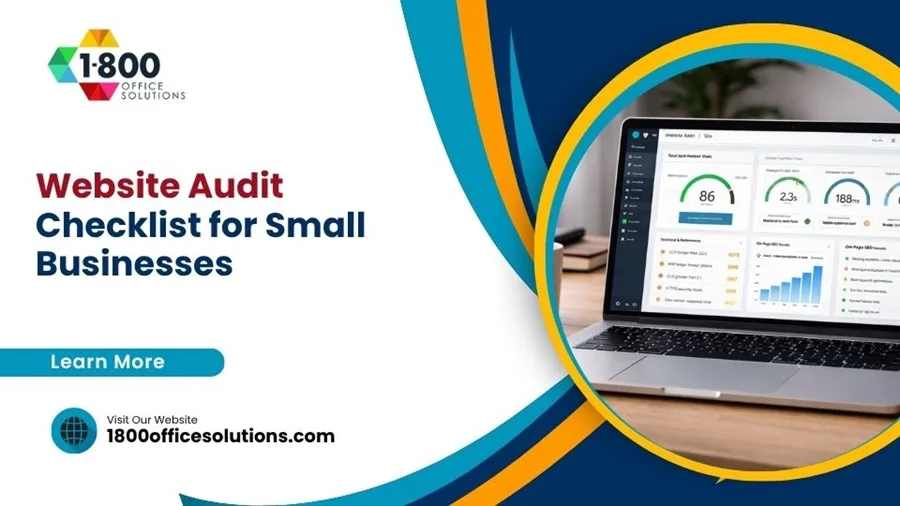
Google actively measures how real users experience the speed and stability of your website using a set of metrics called Core Web Vitals.
If your site fails these tests, your search rankings will likely suffer.
You need to verify three specific thresholds:
Largest Contentful Paint (LCP): This measures how fast your main content loads. Google recommends an LCP of under 2.5 seconds.
Interaction to Next Paint (INP): This tracks responsiveness when a user clicks a button or link. Aim for an INP of less than 200 milliseconds.
Cumulative Layout Shift (CLS): This monitors visual stability. If your text jumps around while the page loads, your score will drop. You need a CLS score below 0.1.
On-page SEO
Search engines rely on specific page elements to understand your content.
Review your title tags and make sure they accurately describe the topic of each page.
Check your header tags (H1, H2, H3) to confirm they organize your text logically.
Finally, review your actual content to ensure it answers the questions your potential customers are asking online.
With each website audit you run with SEOptimer, you’ll get a detailed overview of your site’s on-page SEO, along with checks of all the most important on-page SEO elements.
User experience
If visitors cannot figure out how to navigate around your site, they will simply leave. Test your main navigation menu to ensure it is intuitive.
Read your content on different screen sizes to verify the fonts are legible. Look closely at your calls to action.
Buttons that say “Buy Now” or “Contact Us” need to stand out clearly from the surrounding text.
Mobile optimization
Most of your customers probably visit your site from their phones.
A site that looks great on a desktop monitor might be completely unusable on a small screen. As a result, you should test your pages to confirm the layout adjusts automatically.
Tap targets, like links and buttons, must be large enough to click comfortably with a thumb.
Broken links and site errors
Clicking a link and landing on a “404 Page Not Found” error frustrates users and signals poor maintenance to search engines.
Scan your site for broken internal links and dead outbound links. You also need to ensure your site uses a secure HTTPS connection.
Browsers warn users away from sites that still rely on outdated HTTP protocols.
Common website issues small businesses miss
Even if you run a basic check, certain problems frequently slip through the cracks.
Pay special attention to these common pitfalls.
Slow images
High-resolution photos look great, but massive image files destroy your load times. This directly hurts your Largest Contentful Paint score.
Compress all image files before uploading them, and serve them in modern formats to keep your pages fast.
Missing metadata
Many small business sites lack meta descriptions.
While these short snippets of text do not directly impact search rankings, they act as an advertisement in the search results.
A compelling meta description dramatically increases the likelihood that someone will click on your link instead of a competitor’s.
Outdated plugins
If you run a site on a platform like WordPress, plugins add great functionality.
However, outdated plugins create severe security vulnerabilities and cause software conflicts.
Audit your active plugins regularly, update the ones you need, and delete any extensions you no longer use.
Poor internal linking
Your website should function like an interconnected map.
When pages lack links pointing to them, search engines struggle to find and index them.
Add strategic internal links within your blog posts and service pages to guide users toward your most important content.
How often should you run a website audit?
Website maintenance is an ongoing process.
For most small businesses, running a comprehensive audit once a quarter provides a good balance between staying optimized and managing your time.
However, if you actively publish new content every week, a monthly audit helps catch minor errors before they snowball.
You must also run a full audit immediately after a major site redesign, a domain migration, or a sudden drop in search traffic.
Wrapping Up
Identifying issues on your site is only the first step.
The real value of a website audit comes from actually fixing the errors you find. Start with the critical technical issues that hurt your Core Web Vitals, then move on to optimizing your on-page content and mobile experience.
By treating your website as an evolving asset rather than a static brochure, you build a stronger, faster, and more profitable digital presence.