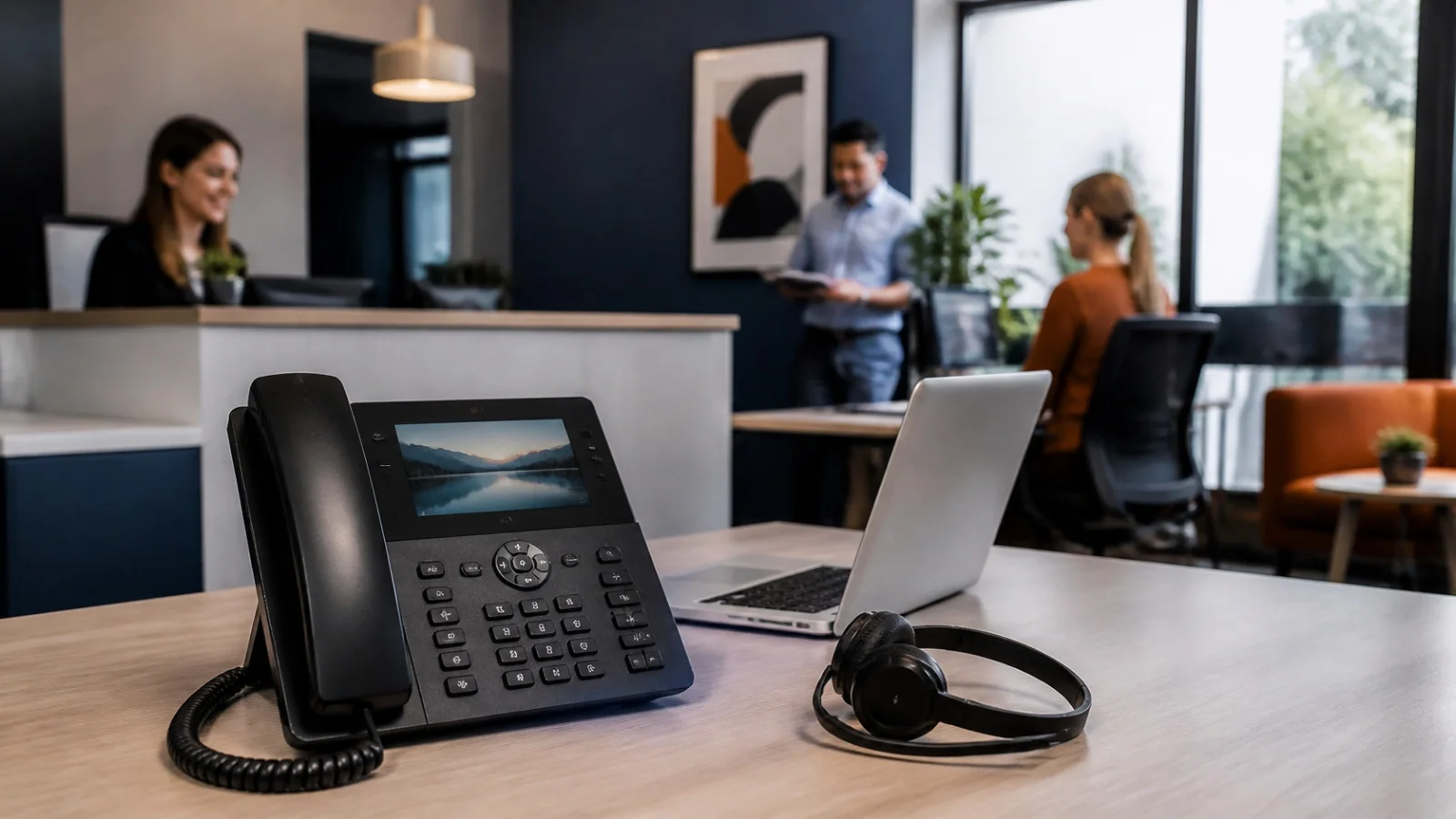
A softphone is an app that lets you make and receive phone calls over the internet from a computer, tablet or cell phone, with no physical phone needed. A hardphone, or desk phone, is a physical phone on your network. Softphones usually suit remote, hybrid and traveling staff, while hardphones suit reception and call-heavy roles. Many offices use a mix, because both can run on the same phone service. For a 10-person office, the hardware difference in our example comes to only about $1,000 over three years, so how your people work should decide this more than price.
Key takeaways
- Choose by role. Front desks and heavy callers tend to favor desk phones. People who move around tend to favor softphones.
- The price gap is smaller than it looks. Your monthly service is usually the biggest cost either way.
- Softphones aren’t quite hardware-free. Budget for headsets, and make sure people have a suitable computer or cell phone.
- Both need power and internet. Set up call forwarding to cell phones so calls keep flowing during an outage.
- Plan 911 location for remote staff. This matters most for softphones, and many comparisons skip it.
How a Softphone Works
A softphone does on your screen what a desk phone does with buttons. You install the app, sign in with your business account and get a dial pad, contacts and your voicemail. When you talk, the app turns your voice into small packets of data and sends them over the internet through your VoIP (Voice over Internet Protocol) provider, which connects the call to any regular phone number.
To use one, you need three things: a VoIP phone service, a device with a microphone and speaker or a headset, and a steady internet connection.
Types of Softphones
| Type | What it is | Best for |
|---|---|---|
| Your provider’s app | The desktop and mobile app included with most business phone services | Most businesses, since it’s built to work with your account |
| Browser-based | Calls run in a web browser tab, with nothing to install | Shared or locked-down computers |
| Standalone SIP app | A separate app, such as Bria, Zoiper or Linphone, that connects to a phone service using the SIP standard | Teams with IT help, or systems without their own app |
Softphone vs Hardphone at a Glance
| Softphone | Hardphone (desk phone) | |
|---|---|---|
| What it is | An app on a computer, tablet or cell phone | A physical IP phone connected to your network |
| Upfront cost | A headset, about $45 to $115 each | About $165 to $245 each for a popular mid-range model |
| Where it works | Anywhere with a good internet connection | Wherever it’s plugged in and connected |
| Audio | Depends on the headset, the device and Wi-Fi | Consistent, especially on a wired connection |
| Handling many calls | Good with a headset and on-screen controls | Great, with physical buttons for transfers and line status |
| During a power cut | A laptop or cell phone on battery can keep going if it has a connection | Needs power, which can come from a PoE switch on a battery backup |
| 911 location | Needs planning because the device can move | Simpler because the phone stays in one place |
| Adding a new person | Install the app and sign in | Buy, ship and set up a phone |
What 3 Years Really Costs for a 10-Person Office
Most comparisons say softphones are cheaper and stop there. Here’s the math for three setups, with the same phone service in each one.
| Cost over 3 years | All softphones | A mix (4 desk phones) | All desk phones |
|---|---|---|---|
| Phone service: 10 users at $25 a month | $9,000 | $9,000 | $9,000 |
| Taxes and fees, assumed at 15% | $1,350 | $1,350 | $1,350 |
| Desk phones at $180 each | $0 | $720 | $1,800 |
| Headsets at $80 each | $800 | $480 | $0 |
| Total | $11,150 | $11,550 | $12,150 |
| Per user, per month | $30.97 | $32.08 | $33.75 |
The gap between all softphones and all desk phones is $1,000, or about $2.78 per user each month. That’s small next to the service itself, which is why we’d choose based on how each person works. Your own figures may tip it further:
- Softphones assume a suitable device. This example assumes everyone already has a laptop or a work cell phone.
- Desk phones may need network ports and power. A PoE switch or power adapters add to the total if your office doesn’t have them yet.
- Existing IP phones can lower the cost. See the section on keeping your phones below.
Compare your own office
Change any number. Results update as you type.
Difference: per user, per month between all desk phones and all softphones.
An estimate, not a quote. Replace the starting numbers with the figures on your own quote. It doesn’t include laptops, cell phones, switches or setup charges.
Prices are examples from US reseller and provider listings checked in November 2026: the Poly Edge E220 at about $180 and the Jabra Evolve2 30 SE at about $80. The $25 service price sits within the $20 to $35 per seat many small businesses pay. The 15% for taxes and fees is our assumption, so check it against your quote. Prices change often.
Which Should You Choose? A Guide by Role
| Role | Our pick | Why |
|---|---|---|
| Receptionist or front desk | Desk phone | One-touch transfers and a live view of who’s available |
| Call-heavy sales or support | Either, with a good headset | Comfort across many hours of calls matters most |
| Office staff with occasional calls | Softphone | The computer is already on the desk |
| Hybrid and remote staff | Softphone | The same number at home and in the office |
| Field service and outside sales | Cell phone app | A business number on the road, and personal numbers stay private |
| Lobby, break room, warehouse | Basic desk or wall phone | A shared phone that’s ready for anyone, including in an emergency |

What Softphones Need to Sound Great
- A proper headset. It usually makes the biggest difference in how you sound. Business USB headsets start at around $45.
- A steady connection. Plan on about 100 kbps per call in each direction. Cisco’s figure for the common G.711 codec is about 87 kbps. Wired connections help, and for Wi-Fi, stay close to the access point.
- Voice priority on your network. Quality of service (QoS) settings give calls priority over other traffic. Cisco’s voice guidance aims for under 150 ms of one-way delay and under 1% packet loss.
- A plan for shared computers. Each person signs in with their own account, so they keep their own number and voicemail.
911 and Remote Staff
This is where the choice carries real responsibility. Federal rules for multi-line phone systems, in 47 CFR 9.16, apply whichever phones you pick:
- Direct dialing: users must be able to dial 911 directly, without a prefix such as 9.
- Notification: where the system can do it without hardware or software improvements, a 911 call must also notify a central location or another person or organization, somewhere it’s likely to be seen or heard.
- Location, fixed phones: on-premises fixed phones must send a dispatchable location automatically, meaning a street address plus details such as the floor or suite.
- Location, non-fixed and off-premises devices: these must send it automatically when technically feasible. Otherwise, they may rely on the user updating their location manually, or on alternative or enhanced location information, depending on the device.
Those last rules are the ones that apply when someone takes their softphone home. Ask your provider how it handles location when a softphone moves, what users see when they sign in somewhere new, and who keeps addresses up to date. Then tell your remote staff how it works. This is general information rather than legal advice, so confirm the details for your setup.
Outages: Plan for Both
Desk phones and softphones both depend on power and internet at some point. The good news is that a hosted phone service keeps running at the provider while your office is offline, so you can set up good options ahead of time:
- Automatic forwarding: calls ring cell phones or another office if your phones go offline.
- Cell phone apps: staff keep answering over cellular data.
- Battery backup: a UPS on your router and PoE switch keeps desk phones running through short power cuts.
- A second connection: a backup internet line or cellular failover keeps the whole office on the phones.
Keeping the Desk Phones You Already Own
If you already have IP phones, you may not need to replace them. Before you buy anything, check these:
- Is the model on your new provider’s compatible list? Providers publish or share these lists.
- Is it still getting firmware updates? A phone that’s out of support may work today, but it won’t receive security fixes.
- Is it locked to your old provider? Some phones need to be unlocked or reset before they can be set up again.
- Are they analog phones? These can often connect through an adapter, which works well for a lobby or break room.
Ready to compare phone systems?
See what a new business phone system could look like for your office.
Frequently Asked Questions
What is a softphone used for?
Businesses use softphones to make and receive calls on a business number from a computer, tablet or cell phone. They’re common for remote work, sales and support teams, and staff who move around.
What is a hardphone?
A hardphone is a physical desk phone connected to your network. “Desk phone,” “hard phone” and “hardphone” usually mean the same thing in business VoIP.
Do I need to download a softphone?
Usually, yes. Most softphones are desktop or mobile apps, and your phone service will tell you which one to install. Some also run in a web browser with no download.
Are softphones cheaper than desk phones?
Usually, but often by less than people expect. In our 10-person example, all softphones cost about $1,000 less than all desk phones over three years, once headsets are included.
Can I use softphones and desk phones together?
Yes. Many providers let you use both on one account, and one person can often have a desk phone at work and the app on a laptop or cell phone. Check how your plan handles this.
Do I need a headset for a softphone?
You can use a computer’s built-in speaker and microphone, but a headset usually sounds better and keeps calls private. It’s worth it for anyone who’s on the phone regularly.
Do softphones work during a power outage?
A laptop or cell phone on battery can keep working if it still has a connection, such as cellular data. Your office Wi-Fi needs power too, so a cell phone app is often the simplest backup.
Do softphones work with 911?
Usually, yes, but ask your provider how it gets your location when you’re away from the office. Under federal rules, off-premises devices may rely on automatic location, manual updates or other location information, so make sure users know how theirs works.
Can I keep my existing desk phones with VoIP?
Often, if they’re IP phones on your new provider’s compatible list and still receive firmware updates. Older analog phones can often connect through an adapter.
What are the best softphones for small business?
Start with the softphone app included with your phone service, since it’s built to work with your account. Then test it on the computers and cell phones your team actually uses.
For the bigger decision, read our guides to choosing a business phone system and small business phone systems.