
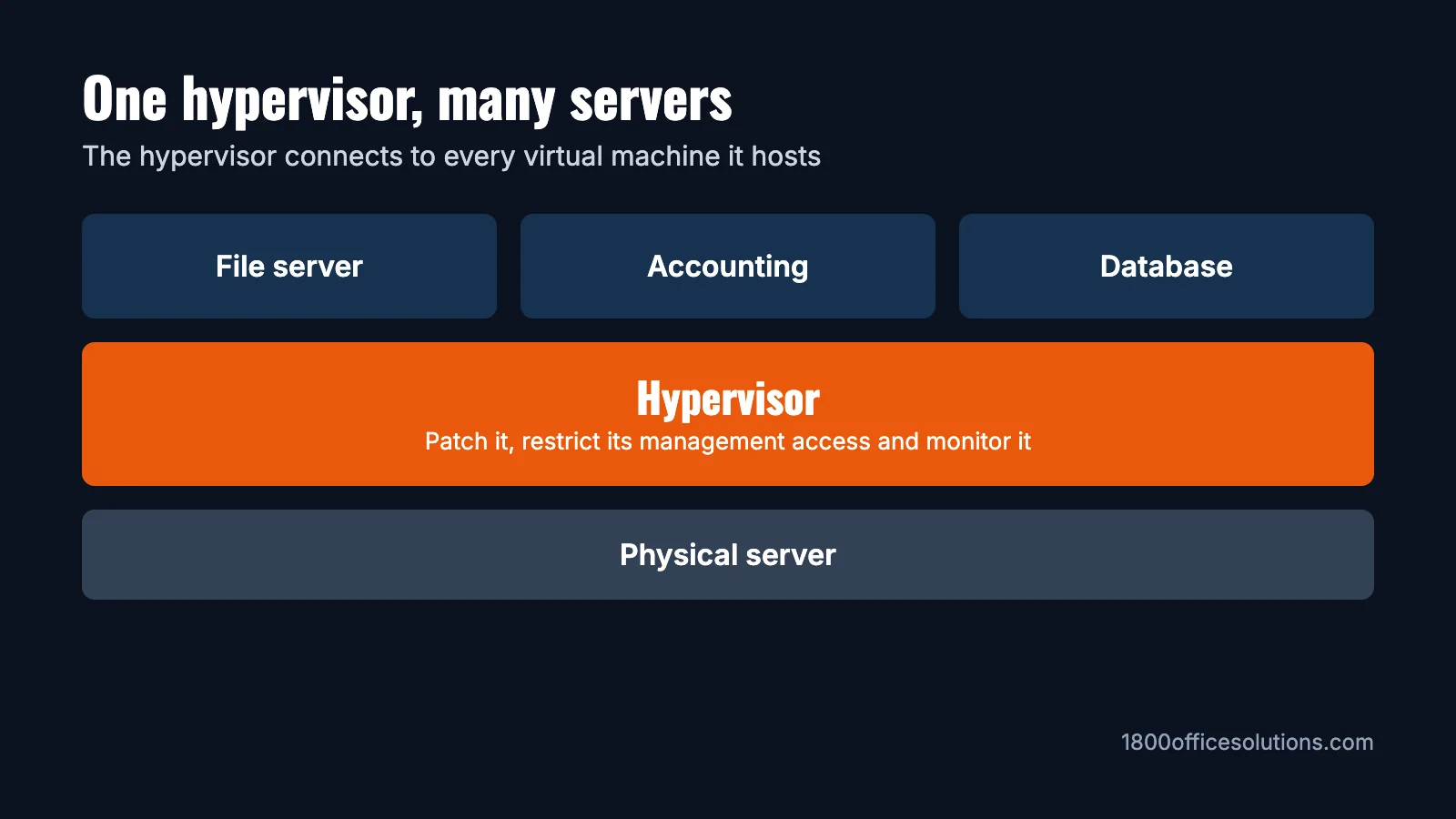
Hypervisor security means protecting the software that runs your virtual machines, along with the tools used to manage it. It matters because one hypervisor can run many business servers at once, so a problem at that layer can affect all of them. For most small businesses, the priorities are keeping it patched, keeping management access off the internet, limiting who can sign in and having backups stored somewhere separate.

Key takeaways
- Protect the layer everything sits on. A hypervisor connects to every virtual machine it hosts.
- Focus on realistic risks. Unpatched hosts and exposed or poorly controlled management access deserve the most attention.
- Know who’s responsible. On your own server it’s you or your IT partner. In the cloud, the provider covers the hypervisor and you cover what runs on it.
- Use published standards. NIST and CIS both offer guidance you can ask your IT team to follow.
- Keep backups separate. Backups stored on the same host, or reachable from it, can be affected too.
What a Hypervisor Does, in Plain English
A hypervisor is software that lets one physical server run several virtual machines (VMs), each acting like its own computer. A small business might run file sharing, accounting and a database as separate VMs on one box.
| Type 1 (bare metal) | Type 2 (hosted) | |
|---|---|---|
| Where it runs | Directly on the server hardware | As an app on top of an operating system |
| Common examples | VMware ESXi, Microsoft Hyper-V, Proxmox VE | VMware Workstation, Oracle VirtualBox |
| Typical use | Business servers | Testing and individual desktops |
| What to secure | The hypervisor and its management tools | All of that, plus the operating system underneath |
For a broader look at running these platforms, see our guide to type 1 hypervisor management.
Why It’s Important to Secure Every VM on a Hypervisor
VMs share the same physical host, the same virtual networks and often the same storage. If one VM is poorly protected, an attacker can use it as a starting point to reach other systems on the network, and may also try to reach the host. So each VM should be patched and monitored as carefully as a physical server. It’s also why a weak test VM deserves attention, even if it holds nothing important.
What Actually Gets Attacked
VM escape gets a lot of attention, but it’s only part of the picture. Public government advisories point to these practical risks:
| Risk | What happens | What helps most |
|---|---|---|
| Unpatched hosts | Attackers use known flaws on hosts that haven’t been updated | A regular patching schedule |
| Exposed management | A management interface can be reached from the internet | A separate management network and a VPN |
| Stolen admin access | An attacker reuses an administrator’s sign-in | Multi-factor authentication and few admin accounts |
| Ransomware on the host | Virtual machine files get encrypted at the host level | Separate, tested backups |
| VM escape | Code in a VM breaks out and runs on the host | Prompt patching and protecting admin rights inside VMs |
Three examples from CISA, the US cybersecurity agency, show why this matters:
- ESXiArgs: a 2023 CISA and FBI advisory described ransomware that compromised more than 3,800 servers worldwide by targeting VMware ESXi. The advice included updating ESXi and keeping hypervisors off the public internet.
- Akira: CISA’s ransomware advisory reports variants built to target virtual machines on VMware ESXi and Nutanix AHV.
- Escape-style flaws: in March 2025, CISA added VMware flaws to its list of vulnerabilities known to be exploited. One of them requires administrator rights inside a VM, which is why protecting those rights matters too.
A Hypervisor Security Checklist
This checklist draws on NIST SP 800-125 and SP 800-125A, two US government guides on securing virtualization. CIS Benchmarks offer detailed settings for many specific platforms. It’s a good list to hand to whoever looks after your servers.
How covered is your server?
Tick what’s already in place. Your answers stay on this page.
Who’s Responsible for Hypervisor Security?
This is the first question to settle, because the answer changes your to-do list.
| Where your servers run | Who secures the hypervisor | What’s still on you |
|---|---|---|
| Your own server | You or your IT partner | Everything, from the hardware up |
| A managed or hosted private server | Depends on your contract, so get it in writing | Usually the VMs and your data, at a minimum |
| Public cloud VMs | The cloud provider | The operating systems, accounts, settings and data in your VMs |
Questions to Ask Your IT Provider
You don’t need to manage this yourself to keep it on track. Ask these questions at your next review:
- Which hypervisor and version are we running, and when does its support end?
- How often is it patched, and when was the last update?
- Can the management interface be reached from the internet?
- Who has administrator access, and does it require multi-factor authentication?
- Could an attacker on the host reach our backups?
- When did we last test restoring a full server?
- Who gets alerted if something unusual happens on the host?
Our data backup guide and how data breaches happen can help you follow up on the answers.
Want a second opinion on your setup?
See how we help offices look after their servers and security.
Frequently Asked Questions
What is hypervisor security?
It’s the practice of protecting the hypervisor, its management tools and the virtual machines it runs through patching, access control, network separation and monitoring.
Why is it important to secure all virtual machines on a hypervisor?
VMs share a host and often a network. A weak VM can give an attacker a starting point to reach other VMs and systems, so each one needs the same care as a physical server.
Can a virtual machine infect its host?
It’s uncommon but possible, through what’s known as a VM escape. Malware can also spread between VMs over a shared network without any escape, so patching and network separation both matter.
Is a type 1 hypervisor more secure than type 2?
Type 1 generally has less to protect because it doesn’t sit on a general-purpose operating system. Either one still needs patching and careful setup.
How often should a hypervisor be patched?
Follow a regular schedule, such as monthly, and move sooner on critical flaws, especially those on CISA’s list of known exploited vulnerabilities.
Does a small business need to worry about hypervisor security?
If you run your own server with VMs, yes. If everything is in cloud services such as Microsoft 365, your provider handles that layer, and your focus shifts to accounts and data.
- NIST SP 800-125, Guide to Security for Full Virtualization Technologies
- NIST SP 800-125A, Security Recommendations for Hypervisor Deployment on Servers
- CISA and FBI, ESXiArgs Ransomware Virtual Machine Recovery Guidance
- CISA, #StopRansomware: Akira Ransomware
- CISA, Adds Four Known Exploited Vulnerabilities to Catalog
- CIS Benchmarks