
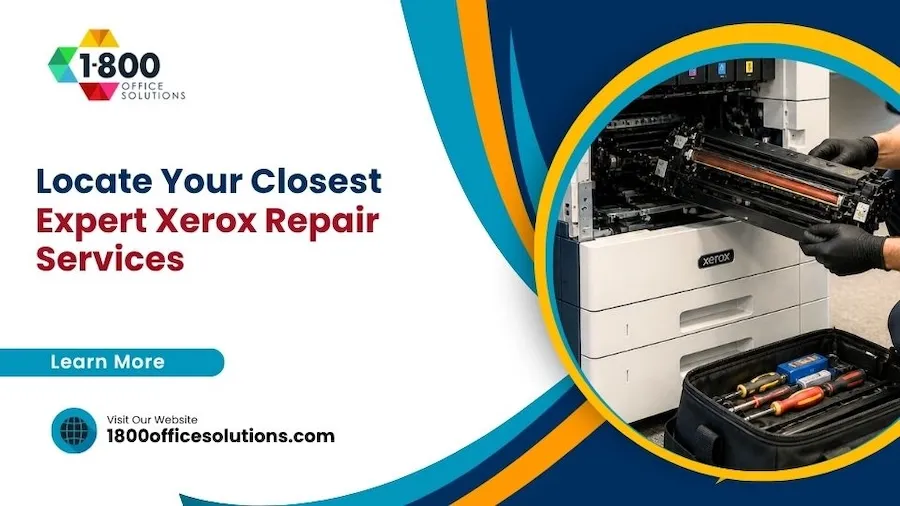
A practical guide for South Florida business owners on finding certified Xerox copier repair, getting fast service, and avoiding costly downtime.
Quick Answer
To locate certified Xerox repair services near you, start with the official Xerox Service Locator, then verify each provider’s technician certifications, average response time, parts inventory, and warranty terms. In South Florida, businesses can call 1800 Office Solutions at (888) 574-5120 for diagnostics on most Xerox AltaLink, VersaLink, and PrimeLink devices.
Why It Matters
Why Choose Expert Xerox Repair Near You (Updated 2026)
Your Xerox copier is rarely just a copier. It is the spine of your billing, contracts, scanning workflows, and front-desk operations. So when it stops, the meter on lost productivity starts running fast. According to industry research published in 2026, even small offices of 15 to 20 employees can lose between $500 and $1,500 for every hour a critical printer is offline. Stretch that across a full business day and the bill climbs to $4,000 or more. Smart Technologies reports that businesses with copiers down two or three hours a week were losing $500 to $1,000 monthly in lost output alone.
So a certified Xerox technician matters more than the brochure suggests. And local matters too. A nearby provider can roll a truck the same day, carry the right fuser or imaging unit, and clear a paper jam before your team has piled three hours of scans onto someone’s desk.
Average cost per hour of business downtime, per Gartner research updated for 2026
Benefits of Local Professional Technicians
Are local techs really better than mail-in service? Yes, in most cases. A factory-trained Xerox engineer who works in your zip code has seen your model before. So they can skip the slow diagnostic dance and go straight to the part likely to fail. And they know the building, the elevator quirks, the loading dock rules.
- Faster response. Most local providers in Miami and Fort Lauderdale offer same-day or four-hour onsite arrival windows.
- Stocked vehicles. Common parts like fusers, transfer belts, and toner waste containers ride along on the truck.
- Familiar firmware. Repeat exposure to the AltaLink and VersaLink families means fewer guesses on error codes.
- Real accountability. So when something is missed on the first visit, the same engineer comes back. No call center handoff.
- Regional knowledge. Salt air, summer humidity, and hurricane prep all affect copiers in coastal Florida.
Reducing Downtime With Prompt Repairs
Equipment failure is the leading cause of office downtime. About 40 percent of incidents involve mechanical failure on devices older than five years, according to industry data published this year. Prompt repair shrinks the exposure window. But “prompt” is not the same as “rushed.” A good provider triages every call: phone diagnostics first, parts confirmation next, then a scheduled arrival window with realistic ETA.
And here is a small tip. Ask the provider for their first-call resolution rate. Anything above 80 percent means their technicians arrive prepared and rarely need a second visit.
Supporting Certified Xerox Repair Services Near You
Certified does not just mean “we work on Xerox.” It means a technician has passed Xerox factory training, holds current credentials on the model in front of them, and gets ongoing updates as new firmware ships. So your warranty stays intact, your service contract stays valid, and your fleet stays under one accountable umbrella.
Step One
How to Locate Certified Xerox Repair Services in Your Area
Where should you start the search? Three places give you the best mix of speed and quality: the official Xerox locator, vetted online directories, and customer reviews. Each one fills a gap the others leave open.
Using the Official Xerox Service Locator Tool
The Xerox.com support portal lets you enter a zip code and see authorized service partners within a defined radius. So if you are in Miami, Doral, or Pembroke Pines, you will get a short list of certified providers along with the model lines each one supports. Cross-check that list with your own equipment list. Some providers focus on production print, while others specialize in office MFPs.
Finding Authorized Providers Through Online Directories
Trade directories like the BTA (Business Technology Association) and the Cannata Report list authorized Xerox dealers by region. But don’t stop there. Look for providers with managed print service offerings, because those companies tend to invest more in technician training and parts inventory.
Leveraging Customer Reviews and Testimonials
Reviews on Google, Yelp, and the Better Business Bureau give you a feel for response patterns and billing transparency. So look for repeated mentions of three things: prompt arrival, clear estimates, and parts on the first truck. One bad review is noise. A pattern is a signal.
- Filter for reviews that mention specific models like AltaLink C8000, VersaLink C7000, or PrimeLink B9100.
- Note the response time language. “Same-day” and “next morning” mean different things in practice.
- Check whether the provider follows up after a repair. Good companies email a service summary.
- Look for South Florida or Miami-Dade specific feedback if you are local.
- Watch for billing complaints. Surprise charges are a fast way to lose trust.
Vetting Process
Evaluating Local Xerox Repair Service Providers
So you have a short list. Now what separates a great provider from a mediocre one? Three buckets: people, performance, and pricing. Spend ten minutes on each before you sign anything.
Checking Technician Certifications and Experience
Ask each provider how many of their engineers carry current Xerox certifications. Then ask how often those credentials get refreshed. Xerox updates training as new models ship, so a technician trained in 2018 on a WorkCentre 7855 may not be ready for a current PrimeLink C9070. And ask about average tenure. Engineers who stick around five or more years bring deep institutional memory.
Comparing Service Offerings and Response Times
Response time is the easiest metric to compare and the hardest to verify. So ask for documented service-level agreements (SLAs) in writing. A provider that promises “fast service” without committing to a four-hour or eight-hour SLA is selling vibes, not service.
| Service Tier | Typical Response | Cost Range (2026) | Best For |
|---|---|---|---|
| Per-call (no contract) | 1 to 3 business days | $150 to $400 per visit + parts | Light-use printers, occasional jams |
| Time and materials plan | Next business day | $75 to $150 per labor hour | Mid-volume offices, predictable usage |
| Cost-per-page contract | 4 to 8 hour SLA | $0.009 to $0.025 per page (B/W) | High-volume teams, MFPs, fleets |
| Managed print service | 4 hour SLA, proactive monitoring | Bundled (parts, labor, toner) | 15+ device fleets, multi-site offices |
Fleet contracts often shave another 10 to 15 percent off per-device service rates compared to one-off agreements, according to current pricing data from photocopier repair cost benchmarks.
Assessing Pricing and Warranty Options
Get at least three written quotes before you commit. So you have negotiating power. Common discounts include 15 to 30 percent off list pricing when competing quotes are on the table, and 20 to 35 percent off through cost-per-copy contracts. Ask each provider whether they include parts under their service plan or bill them separately. A bundled rate looks higher up front but often saves money over twelve months.
Also ask about warranty preservation. So if your Xerox device is still under factory warranty, an unauthorized repair can void it. Certified providers protect that coverage.
Booking the Service
Steps to Schedule a Xerox Repair Service Near You
Once you have picked a provider, the booking process should feel calm and structured. So if it feels chaotic on the first call, take note. Chaos at intake usually shows up later as missed parts, delayed visits, and surprise charges.
Preparing Your Device Information
Before you dial, gather these details. The model number, the serial number, the meter readings, and the firmware version. So the technician can pre-stage the right parts and skip the diagnostic dance once on site. Most Xerox MFPs display the serial under the front cover or via the Machine Status menu.
- Model name and number (for example, AltaLink C8055).
- Serial number and asset tag if your IT team uses them.
- Current error code or fault description in plain language.
- Approximate meter count for color and black and white pages.
- A short timeline of when the issue started and any recent changes.
Contacting the Service Provider
Pick up the phone. Yes, email and web forms work. But a real conversation lets you confirm response windows, parts availability, and after-hours coverage in two minutes. So if the dispatcher cannot answer those questions, keep shopping.
Arranging a Convenient Appointment Time
Try to book the visit during a low-volume window. Early morning works best for most offices. So you avoid disrupting client meetings, billing cycles, and the post-lunch print rush. Confirm the technician’s name, ETA, and a backup contact number.
Site Prep
Preparing for Your Xerox Repair Service Visit
A little prep saves a lot of billable time. So treat the technician’s visit like a small project: clear the workspace, brief the staff, and have someone available for questions.
Ensuring Easy Access to Your Equipment
Move chairs, recycling bins, and stacks of paper away from the device. The technician needs working room around all four sides on most production printers. So unlocked doors, badge access, and parking permits should be sorted before arrival.
Backing Up Important Data and Settings
Most modern Xerox devices store address books, scan-to-folder presets, and security settings on the controller. Back those up via the device’s web interface or your fleet management software. So if the controller has to be swapped, your team is not rebuilding contacts from scratch.
Documenting the Issues for the Technician
Write down everything. So the engineer is not chasing ghost reports. Note the time of day the issue happens, which trays misfeed, and any patterns around print job size or media type.
Lower end of cost-per-page contracts in 2026, often the cheapest path to predictable Xerox service
After the Repair
Maintaining Your Xerox Equipment After Repair
The repair is the start, not the end. So the next few weeks decide whether the issue stays fixed or returns.
Implementing Regular Maintenance Practices
Xerox publishes preventive maintenance schedules for every major model. Follow them. So your imaging units, fusers, and feed rollers get swapped before they fail, not after. According to CISA cybersecurity best practices, regular firmware updates also close vulnerabilities that attackers love to exploit on networked printers.
Scheduling Routine Check-Ups With Local Experts
Quarterly check-ups beat annual emergencies. Most managed print contracts include them at no extra cost. So if yours does not, ask whether you can add a maintenance visit to the agreement.
Educating Staff on Proper Equipment Use
Operator error causes a surprising share of service calls. So a fifteen minute training session on tray loading, paper weight settings, and basic jam clearance pays off fast. Pair it with a printed cheat sheet near the device.
Common Errors
Common Xerox Error Codes and What They Mean
Xerox fault codes follow a structured format, with the first set of digits pointing to the system that misbehaved. So if you can decode the prefix, you already know whether to expect a fuser swap, a controller reset, or a calibration routine. According to the official Xerox Fault Code Information page, codes use formats like xxx-xxx with the first three digits identifying the subsystem.
| Code Prefix | Subsystem | Common Fix |
|---|---|---|
| 010-xxx | Fuser unit | Replace fuser, check temperature sensor |
| 092-xxx | Imaging or scanner calibration | Run calibration routine in service mode |
| 116-xxx | Controller PWB / CPU | Firmware update or controller swap |
| 024-xxx | Paper feed and registration | Replace feed rollers, clean sensors |
| 045-xxx | Network or scan to email | Check SMTP, certificates, and firmware |
So if your device throws a 116-324 on a VersaLink C7020, you are looking at a controller exception. Restart, then call your provider with the firmware version handy.
Hidden Costs
The Hidden Costs of Delaying a Xerox Repair
So why do offices delay service calls? Usually three reasons. Budget worry. The hope a problem will fix itself. Or simply, no one owns the issue. But each delay carries a cost the spreadsheet rarely tracks.
According to 2026 IT downtime research, 78 percent of small businesses say a single hour of downtime costs them over $10,000 in lost output, missed billing, and idle staff. So a printer down half a day in a busy practice can quietly burn five figures before lunch.
And there are softer costs too. Client trust dips when invoices ship late. Staff morale drops when they walk to a different floor to print a contract. Audit trails break when scan-to-folder workflows fail mid-month.
Of small businesses say one hour of downtime costs them more than $10,000, per Datto research updated in 2026
Reactive Repair vs Proactive Service
Reactive repair is the default mode for many offices. Wait for a failure, then dial. Proactive service flips the model. So sensors, monitoring agents, and scheduled visits catch issues before they become outages.
- Reactive: average four to six service calls a year, plus surprise downtime.
- Proactive: average one to two scheduled visits, very few unplanned calls.
- Cost gap: proactive plans usually run 10 to 20 percent cheaper across twelve months.
- Productivity gap: proactive offices report fewer “printer is down” Slack messages.
- Audit gap: proactive logs make compliance reviews simple. Reactive notes do not.
South Florida
How 1800 Office Solutions Helps Miami and South Florida Offices
1800 Office Solutions has supported Miami-area businesses. So we have seen every Xerox model worth servicing, from the workhorse WorkCentre 5800 series to current AltaLink and PrimeLink production presses. They know the buildings, the parking quirks, and the salt-air humidity quietly eating fuser rollers across South Florida.
Our coverage stretches from Brickell and Wynwood to Aventura, Doral, Pembroke Pines, Coral Gables, Hialeah, and Fort Lauderdale.
And we do not stop at print. Our IT services arm handles managed network monitoring, while our cybersecurity practice hardens every networked printer against the credential attacks growing fast in 2026. So one call, one invoice, one accountable team. No vendor finger-pointing.
Managed Print Service
One bundled rate covers parts, labor, toner, and remote monitoring across your entire copier fleet.
Cybersecurity Hardening
Every networked printer gets a firmware audit, plus optional managed cybersecurity from our sister practice.
Transparent Billing
Three-quote pricing on request, written SLAs in every contract, and no surprise charges after the visit.
Want to see how the math works for your office? Visit our copy machine leasing page or our office copier lease guide for current rates.
FAQ
Frequently Asked Questions About Xerox Repair Services
How fast can a certified technician get to my office in Miami?
Most certified providers in Miami-Dade and Broward offer four-hour to same-business-day response on contracted accounts. Per-call (no contract) jobs typically run one to three business days, depending on parts availability and the provider’s queue.
How much does a Xerox repair service call cost in 2026?
Expect $150 to $400 per visit before parts on a per-call basis, with hourly labor between $75 and $150 across most U.S. metros. Cost-per-page contracts often work out cheaper for offices printing more than 5,000 pages a month.
What is the difference between certified and non-certified Xerox repair?
Certified technicians have completed Xerox factory training, hold current credentials, and use authorized parts. Non-certified shops may be cheaper up front. But they can void your warranty, miss firmware updates, and fail SLA requirements that your service contract demands.
Can I do simple Xerox repairs myself?
Yes for routine tasks like clearing paper jams, replacing toner, swapping waste cartridges, and rebooting. No for fuser replacement, controller swaps, transfer belt service, and firmware flashes. So save the deep work for a certified engineer.
What information should I have ready before calling for service?
Have the model number, serial number, current meter readings, firmware version, and a clear description of the issue. So the dispatcher can pre-stage parts and quote a realistic ETA.
How do I prevent Xerox copier downtime?
Stick to the manufacturer’s preventive maintenance schedule, train staff on tray loading and media handling, keep firmware current, and run quarterly check-ups. Most managed print contracts bundle these into one rate.
Are managed print service contracts worth it?
For fleets of fifteen or more devices, almost always yes. They bundle parts, labor, toner, and remote monitoring at a predictable rate. So budgeting gets easier, and emergency service calls stop being a separate line item.
What Xerox models does 1800 Office Solutions service?
So if your device is still on a current Xerox firmware path, we can support it.
It can. Xerox preserves warranty coverage when authorized providers handle the work and use approved parts. Unauthorized repairs may also fail SLA audits. So always confirm certification before booking.
How do I find a Xerox repair service near me right now?
Start with the official Xerox service locator on Xerox.com, then cross-check with reviews on Google and the Better Business Bureau. South Florida businesses can call 1800 Office Solutions at (888) 574-5120 for diagnostics on most models.
Does 1800 Office Solutions service production print equipment?
Yes. Our team supports the PrimeLink and Versant production families, including color management, finisher service, and scheduled preventive maintenance. So print shops and in-plant production teams across South Florida have a local certified option.
What is included in a managed print service agreement?
A typical agreement bundles all parts, labor, toner deliveries, remote monitoring, firmware updates, and a written SLA. Some plans add cybersecurity hardening for networked printers, plus quarterly business reviews so leadership can see usage trends.
Your One Source For Everything Office
Stop guessing about copier downtime. Get a free Xerox service consultation from a certified South Florida team.