

The Short Version
Canon vs Brother Laser Printers At A Glance
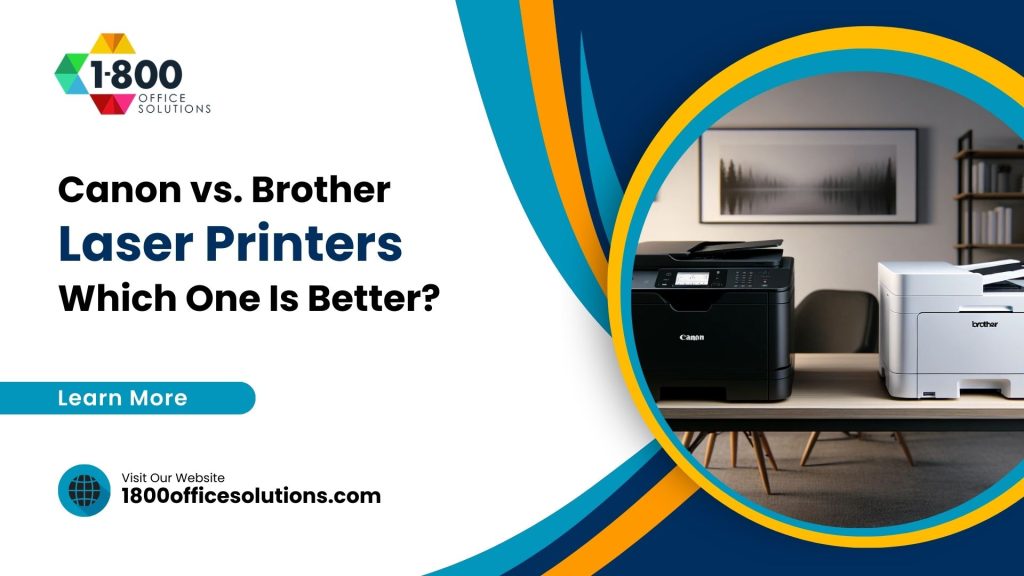
Both brands make good machines. But they aim at different buyers. Brother builds simple, affordable laser printers with cheap toner and a separate drum design. Canon builds polished color laser printers with crisp interfaces and strong photo output. So the right pick depends on what your office prints all day.
At 1800 Office Solutions, we have placed both brands in Miami offices. And the pattern is clear. Law firms, schools, and back offices love Brother for cheap black-and-white pages. Marketing teams, real estate offices, and design shops lean Canon for color. Yet plenty of offices run a mix of both, and a managed plan keeps the whole fleet stocked.
This comparison covers print quality, speed, running cost, security, and support. We also flag honest trade-offs, because no single printer wins every category.
Print Quality
How Canon And Brother Compare On Output
Canon laser printers shine with color. Reds stay rich. Skin tones look natural. So a Canon Color imageCLASS handles flyers, photos, and client proposals with ease. Brother holds its own on text. Black characters print sharp and dark, and that suits contracts, invoices, and reports.
Here is the simple split. Need vivid color graphics? Canon edges ahead. Print mostly black text all day? Brother gives you the same crisp letters for less money. And both brands deliver clean 600 by 600 dpi output on standard documents.
Where Each Brand Pulls Ahead
- Canon: richer color, smoother gradients, better photo reproduction
- Brother: crisp monochrome text, reliable density, fewer color costs to worry about
- Canon: larger color touchscreens on mid-range and up
- Brother: lighter chassis, smaller footprint on a crowded desk
Curious how laser stacks up against inkjet first? Our guide on inkjet vs laser printers breaks down the core differences before you commit to a brand.
Speed
Print Speed: Pages Per Minute That Matter
Speed sells in a busy office. Many Canon mono models hit around 40 pages per minute. Some Brother workhorses push past 45 ppm. So for raw monochrome throughput, Brother often takes the lead.
Color speed tells a different story. Color laser printing runs slower on both brands, and Canon keeps quality high even at speed. But if your team prints long black-and-white runs, a fast Brother saves real minutes every day.
Top Brother monochrome models can print over 45 pages per minute (source: industry printer reviews, 2026)
First-page-out time also counts. Laser engines warm fast, so the first page lands in seconds. And duplex printing on both brands flips pages automatically, which trims paper use across a year.
Running Cost
The Real Cost Of Owning A Laser Printer
Sticker price fools people. The toner bill is where the money goes. A monochrome laser page runs roughly 2 to 5 cents, and some Brother models land near 3.3 cents per page. Color laser pages cost more, often 12 to 15 cents, and heavy graphics can climb toward 60 cents per page.
Brother earns fans here. Its separate drum and toner design means you replace only the part you used. So your long-term cost stays low. Canon often uses combined or pricier color cartridges, and that raises the per-page math on color jobs.
Typical cost per page for monochrome laser printing (source: Toner Buzz, 2026)
Toner Yield In Plain Terms
Standard toner cartridges yield about 2,500 to 4,000 pages. High-yield cartridges reach 10,000 to 12,000 pages. The popular Brother TN760 high-yield cartridge prints around 3,000 pages, and genuine units cost more than compatible ones. So buying high-yield up front lowers your cost per page over time.
| Factor | Brother Laser | Canon Laser |
|---|---|---|
| Best for | Monochrome, high volume | Color, graphics, photos |
| Mono cost per page | Very low (near 3.3¢) | Low to moderate |
| Color cost per page | Moderate | Moderate to high on photos |
| Toner design | Separate drum & toner | Often combined or color sets |
| Top mono speed | 45+ ppm on some models | About 40 ppm |
| Interface | Simple, compact | Larger color touchscreen |
| Build feel | Light, budget-friendly | Sturdy, premium |
Want fewer surprise toner bills? A managed print services plan tracks supply levels and ships toner before you run dry.
Security
Printer Security Is Not Optional
A printer is a networked computer. So it can be a door for attackers. Brother bundles solid security on business models, with secure print release and user authentication. Canon adds encrypted storage and access controls on higher tiers. And both let admins lock down who prints what.
Why care? A single exposed device can leak documents or open your network. The CISA cyber threat guidance stresses securing every endpoint, and printers count. For offices handling client records, secure print release stops sensitive pages from sitting in a shared tray.
Worried about your whole office, not just the printer? Our team can review your setup. Ask about a free cybersecurity consultation to spot weak points across devices.
Energy & Reliability
Power Use And Long-Term Durability
Laser printers sip less power in sleep mode than they once did. Look for the ENERGY STAR rating on either brand to compare efficiency. Brother units tend to wake fast and idle low. Canon color machines draw a bit more during color jobs, which makes sense given the work they do.
Durability favors both brands when maintained. Brother printers last for years on aftermarket toner. Canon machines hold up under heavy color loads. So your duty cycle matters. Match the printer rating to your monthly page count, and the machine lasts longer.
Printing comes out faint or streaky? That is often a toner or drum issue, not a dead printer. Our fixes for a printer printing blurry can save you a service call.
South Florida Focus
What Miami Offices Should Weigh
Miami runs hot and humid. So paper handling matters here more than in dry climates. Laser toner shrugs off humidity better than inkjet, and that is one reason South Florida offices favor laser. Both Canon and Brother handle the heat well in air-conditioned rooms.
Local support also counts. A printer down on a Friday afternoon stalls billing and client work. 1800 Office Solutions services Miami, Fort Lauderdale, and the wider South Florida market. And we stock toner for both brands, which keeps your fleet moving.
For high-volume color in real estate or hospitality, Canon color laser units pull their weight. For legal, medical, and accounting offices that print stacks of text, Brother trims the toner budget. Many local clients run both, with one color Canon up front and several Brother mono units in back.
Connectivity
Wireless, Mobile, And Cloud Printing
Modern offices print from phones, tablets, and laptops. So connectivity matters as much as raw speed. Both Canon and Brother ship Wi-Fi on most business models, and both support AirPrint and Google Cloud-style printing. But the apps feel different.
Canon mobile apps tend to look polished. You can scan to your phone, print from the cloud, and check toner from across the room. Brother apps stay functional and plain, yet they cover the basics well. And both brands offer Ethernet for a wired, stable connection in a busy office.
Here is a quick tip for South Florida teams. A wired connection rarely drops during a storm or a router reset. So for mission-critical machines, plug in. Keep Wi-Fi for the casual desk printer near the break room.
- Wi-Fi and Wi-Fi Direct on most business models from both brands
- Mobile apps for printing, scanning, and toner checks
- Ethernet ports for stable, wired office connections
- Scan-to-email and scan-to-cloud on all-in-one units
Mobile printing also trims clutter. Fewer cables. Fewer driver headaches. And staff print from wherever they sit, which keeps the workflow smooth.
Total Cost
Three-Year Cost Of Ownership
One page looks cheap. Multiply it by a year, then three, and the picture changes. So smart buyers look past the sticker and price the toner, the drum, and the service. Below is a rough three-year view for a mid-volume office printing about 2,000 pages a month.
| Cost item | Brother mono | Canon color |
|---|---|---|
| Printer purchase | Lower up front | Higher up front |
| Toner over 3 years | Low (cheap high-yield) | Higher (color sets) |
| Drum replacement | Separate, replace as needed | Varies by model |
| Energy use | Low idle draw | Higher during color jobs |
| Service calls | Few with maintenance | Few with maintenance |
| Best fit | Text-heavy budget office | Color-heavy client work |
The takeaway is simple. If color is rare in your office, Brother saves real money across three years. But if color sells your work, Canon pays for itself in sharper proposals and flyers. And a managed plan smooths the whole cost into one monthly figure, so budgeting gets easier.
Paper choice plays a part too. Heavier stock and odd sizes change your costs. Our breakdown of A3 vs A4 paper sizes helps you plan trays and stock for either brand.
Model Picks
Popular Models Worth A Look
Brand is one thing. The exact model is another. So here are the kinds of machines we place most often for Miami offices, grouped by job.
For Budget Monochrome
Brother compact mono laser units fit small offices and home setups. They print fast, sip toner, and cost little up front. And cheap high-yield cartridges keep the running cost low for years.
For Office Color
Canon Color imageCLASS all-in-one machines handle color flyers, scans, and copies in one box. So a front desk or marketing team gets vivid output without a separate scanner.
For Heavy Volume
Brother high-volume mono printers and Canon color workgroup units take on big page counts. They carry larger paper trays and tougher duty cycles, which suits a busy back office. And both pair well with a managed toner plan.
Not sure which tier fits? We size the machine to your monthly pages, your color mix, and your floor space. So you avoid paying for a giant unit you never fill.
Buyer Mistakes
Common Mistakes To Avoid When Buying
Plenty of offices pick the wrong printer. Then they regret it within months. So learn from the common slips before you buy either brand.
- Chasing a low sticker price, then paying double on toner all year
- Buying a color unit when the office prints mostly black text
- Ignoring the monthly duty cycle, then wearing the machine out fast
- Skipping security settings on a networked office printer
- Stocking no spare toner, then stalling work on a deadline day
Each mistake costs money or time. And most are easy to dodge with a quick plan. So match the printer to your real workload, set up secure print release, and keep one spare cartridge on the shelf. Better yet, let a managed plan handle the supply and service for you.
Want a second opinion before you commit? Our team at 1800 Office Solutions reviews quotes and specs at no charge. So you walk in knowing the true cost, not just the shelf price.
Managed Print
Why A Managed Plan Beats Buying Blind
Buying a printer is the easy part. Feeding it toner, fixing jams, and tracking costs is the grind. So managed print services exist to take that off your plate. And the savings are real.
Reported print spend reduction in the first year of managed print services (source: 2026 MPS industry data)
Reports put first-year print savings between 20 and 50 percent for most clients. The global managed print market sat near $42.7 billion in 2022 and is projected to grow past $67 billion by 2030. So businesses keep shifting toward managed fleets, and the trend favors predictable monthly costs over surprise toner runs.
With 1800 Office Solutions, you get one bill, auto-shipped toner, and proactive service. We monitor each device, so you skip the panic order at 4 pm. And we mix brands freely, pairing Canon color with Brother mono where each fits best.
How We Help
How 1800 Office Solutions Helps Your Office
Right-Sized Printers
We match Canon or Brother models to your real page volume and color needs.
Auto Toner
Supplies ship before you run out, so printing never stalls.
One Clear Bill
Predictable monthly cost across your whole printer fleet.
Secure Printing
Secure release and access controls protect sensitive pages.
Usage Reports
See who prints what, then cut waste with smart print rules.
Ready to compare options for your team? Call us, and we will spec a setup that fits your budget and workload.
The Verdict
Which Laser Printer Should You Buy?
So which brand wins? It depends on your pages. Brother is the value champ for monochrome and high volume. Canon is the color champ for graphics and polish. Neither is a bad choice, and both will serve a Miami office for years.
Buy Brother if you print mostly text, watch the budget, and want cheap toner. Buy Canon if you print color often, want a premium feel, and value a bigger touchscreen. And if you cannot decide, run both with a managed plan, then let each machine do what it does best.
Still mapping out your office hardware? Our roundup of common printer problems you can fix yourself helps you keep any brand running smoothly.
Maintenance
Warranty, Drums, And Day-To-Day Upkeep
A printer lives or dies on upkeep. So a few habits keep either brand happy for years. Both Canon and Brother back their machines with a standard warranty, and extended coverage is often available on business units. Read the fine print on toner, because some warranties favor genuine cartridges.
Drums matter most on Brother. Its drum is separate from the toner, so you swap it on its own schedule. That design lowers waste and cost, yet it means one more part to track. Canon often bundles the drum into the cartridge or uses color sets, which keeps things simple but raises the price per swap.
Simple Upkeep Habits
- Keep one spare toner cartridge on the shelf at all times
- Run a cleaning cycle if pages show streaks or faint patches
- Use the right paper weight to cut jams and feed errors
- Update firmware to patch security holes and bugs
- Schedule a yearly service check on high-volume machines
None of this is hard. But it adds up to a longer printer life and fewer panic calls. So your staff stays focused on work, not on a blinking error light.
Jams are the most common gripe. Most clear in seconds once you know the trick. Our guide to common printer problems walks through the quick fixes for both brands, from paper jams to faded prints.
FAQ
Canon vs Brother Laser Printers: Frequently Asked Questions
Is Brother or Canon better for a home office?
Brother usually wins for a home office on a budget. Toner runs cheap, and the machines are light and simple. But pick Canon if you print color photos or marketing pieces at home.
Which brand has cheaper toner?
Brother generally has cheaper toner per page. Its separate drum and toner design lets you replace only what you use. And compatible cartridges like the TN760 cut costs further.
Are Canon laser printers good for color?
Yes. Canon color laser printers produce rich, accurate color. So they suit design shops, real estate offices, and any team printing flyers or proposals.
How much does a laser printer cost to run?
A monochrome laser page costs roughly 2 to 5 cents. Color pages run about 12 to 15 cents, and photo-heavy pages can reach 60 cents. High-yield toner lowers your cost per page.
What is the page yield of a Brother TN760 cartridge?
The Brother TN760 high-yield cartridge prints about 3,000 pages at 5 percent coverage. Genuine units cost more, while compatible versions save money.
Do laser printers work well in humid Miami offices?
Yes. Laser toner resists humidity far better than inkjet ink. So South Florida offices often favor laser printers from both Canon and Brother.
Are printers a security risk?
They can be. A networked printer is a possible entry point. So look for secure print release and user authentication, and follow endpoint guidance from bodies like CISA.
Which brand is faster?
For monochrome, some Brother models top 45 pages per minute. Canon mono units run near 40 ppm. Color speed is slower on both brands.
Should my office buy or lease a laser printer?
Leasing with a managed plan spreads cost and bundles toner plus service. Buying suits a single low-volume unit. Many offices lease their busy machines and buy small backups.
Can 1800 Office Solutions service both Canon and Brother?
Yes. We service and supply both brands across South Florida. So you can run a mixed fleet and still get one bill and one support line. So a single dead printer never stalls your whole office.
What duty cycle do I need?
Match the monthly duty cycle to your real page count, then add headroom. A printer rated well above your volume lasts longer and jams less.
Does 1800 Office Solutions offer a free consultation?
Yes. We review your print and security setup at no cost. Just call (888) 574-5120 or book a free consultation online.
Get The Right Laser Printer For Your Office
Talk to 1800 Office Solutions about Canon, Brother, and managed print plans built for South Florida.
GET A FREE CONSULTATION
(888) 574-5120
Your One Source For Everything Office