
EHR hardware is the equipment your practice uses to reach its electronic health record system: computers and tablets for clinicians and front desk staff, scanners, printers and signature pads, plus the network, backup and power that keep it all running. The right setup starts with your EHR vendor’s published system requirements, then matches each device to how a room is actually used. Because these devices touch patient data, the HIPAA Security Rule’s workstation, device and access safeguards shape how you choose, place and retire them.
Key takeaways
- Start with your EHR vendor’s requirements. They set the minimum for processors, memory, operating systems, browsers and scanners.
- Match the device to the room. Front desks suit desktops, exam rooms suit wall mounts or laptops, and roaming staff suit tablets or carts.
- Peripherals matter as much as PCs. Card scanners, document scanners, label printers and signature pads drive daily workflow.
- HIPAA shapes the setup. Workstation security, unique logins, automatic logoff and device disposal all apply to EHR hardware.
- Plan for downtime. Backups, battery power and a backup internet path keep the schedule moving when something fails.
Begin With Your EHR’s System Requirements
Every EHR publishes its own hardware and software requirements, and they change as the software updates. Before buying anything, ask your vendor for the current list and confirm:
- Cloud or on-premises: a cloud EHR runs in a browser or thin app; an on-premises system also needs a server in your office.
- Supported operating systems and browsers, including whether tablets and Macs are supported for full charting or only for viewing.
- Minimum and recommended specs for processor, memory and screen resolution. Buy to the recommended level, not the minimum.
- Approved peripherals: many EHRs support only specific scanner, signature pad and label printer models.
- Bandwidth guidance per user, especially if you scan heavily or offer telehealth.
Getting this list first prevents the most common mistake: buying a batch of computers or scanners the EHR doesn’t fully support.
Choosing Computers: Desktops, Laptops, Tablets and Carts
Most practices end up with a mix. This comparison shows where each type fits:
| Device | Best for | Strengths | Watch-outs |
|---|---|---|---|
| Desktop | Front desk, billing, offices | Lower cost, large screens, easy to lock down, wired network | Fixed in place; needs space in each room |
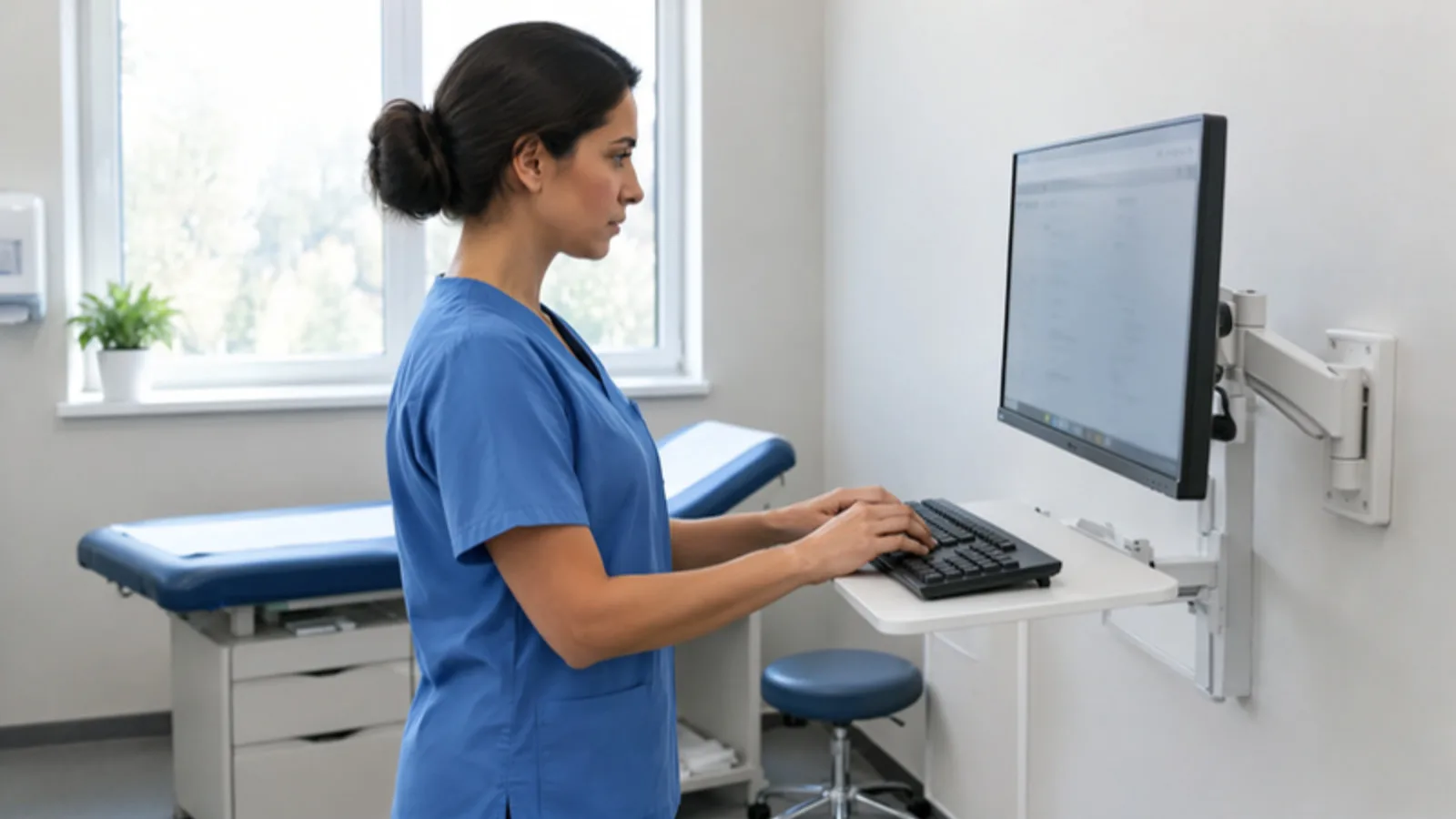
| Wall-mounted or arm-mounted PC | Exam rooms | Saves counter space, faces the patient, stays put | Installation work; check reach and screen privacy |
| Laptop | Providers who move between rooms or work remotely | One device all day, works at home with a secure connection | Easier to lose; needs encryption and strong sign-in |
| Tablet | Patient intake, quick lookups, rounding | Light, touch-friendly, good for forms and photos | Typing long notes is slow; confirm EHR support |
| Workstation on wheels (cart) | Shared use across rooms or hospital-style workflows | Full keyboard and screen that travel with the user | Battery management, cleaning and storage space |
Practical buying tips
- Buy business-grade models with longer warranties and consistent parts, so every room behaves the same.
- Consider two monitors at billing and front desk stations, where staff switch between the schedule, insurance portals and the chart.
- Plan for cleaning. Choose keyboards and screens that tolerate your disinfectants, and check the manufacturer’s cleaning guidance.
- Standardize. Fewer models means simpler support, imaging and spare parts.
Peripherals That Make the EHR Work Day to Day
Workflow problems often come from the small devices around the computer rather than the computer itself:
- Card and ID scanners at check-in capture insurance cards and photo IDs into the chart.
- Document scanners bring in outside records, referrals and signed forms. Duplex sheet-fed models save time at busy desks.
- Signature pads capture consent and acknowledgment signatures, if your EHR supports them.
- Label and barcode printers handle specimen labels and chart labels; confirm the label sizes your lab and EHR expect.
- Webcams and headsets for telehealth visits, with a quiet, private space to use them.
- Printers and multifunction copiers for visit summaries, referrals and forms. One shared, well-configured device often replaces several desktop printers.
If your printers and copiers are aging, our page on copier leasing for medical offices covers what to look for, and our article on managed print services in healthcare explains how practices keep printing costs and supplies under control.
Network, Power and Backup: The Parts Nobody Sees
A fast computer can still feel slow on a weak network. Plan the infrastructure with the same care as the devices:
| Component | Why it matters | What to plan |
|---|---|---|
| Internet connection | A cloud EHR stops when the internet does | Enough bandwidth for scanning and telehealth, plus a backup connection such as a second provider or cellular failover |
| Wired network | Steadier than Wi-Fi for fixed stations | Network jacks at every desk and exam room, and a business-grade switch |
| Wi-Fi | Laptops, tablets and carts depend on it | Coverage in every room, a separate guest network for patients |
| Battery backup (UPS) | Short outages shouldn’t crash servers or network gear | UPS units for the server, network equipment and key front desk stations |
| Backup | Ransomware, hardware failure and mistakes happen | Automatic, tested backups with a copy kept off-site or in the cloud |
The HIPAA Security Rule lists a data backup plan, a disaster recovery plan and an emergency mode operation plan as required parts of contingency planning. Even with a cloud EHR, local files, scanned documents and on-site systems need their own backup. Our backup and disaster recovery page explains the options.
HIPAA Safeguards That Apply to EHR Hardware
The Security Rule doesn’t name brands or models. It sets standards your setup has to meet. These are the ones that most directly affect hardware:
- Workstation use: policies for how workstations that access patient data are used, including their physical surroundings. Think about screen angles in exam rooms and at the front desk.
- Workstation security: physical safeguards for every workstation that accesses patient data, so only authorized users can reach them. Cable locks, locked rooms and mounted devices help.
- Device and media controls: policies for bringing hardware and media into and out of the office, including disposal and removing data before reuse.
- Unique user identification: every person gets their own login, never a shared front desk account.
- Automatic logoff: sessions end after a set period of inactivity. This is an addressable item, meaning you implement it or document a reasonable alternative.
- Encryption: also addressable, and especially important for laptops and tablets that leave the building.
- Audit controls: systems that record activity, which most EHRs provide; make sure devices and logins support them.
The HealthIT.gov Security Risk Assessment Tool, built with the HHS Office for Civil Rights, is aimed at small and medium providers and walks through these areas. NIST SP 800-66 Rev. 2 offers more detailed guidance for organizations of any size. For phones and tablets, our post on mobile device management in healthcare covers remote lock and wipe.
A Hardware Checklist for a Small Practice
- Get the EHR vendor’s current hardware, browser and peripheral requirements in writing.
- Walk the office and list each room’s tasks: check-in, rooming, charting, billing, telehealth.
- Choose a device type per room using the comparison above, and standardize models.
- List peripherals per station: card scanner, document scanner, signature pad, label printer, webcam.
- Confirm network jacks, Wi-Fi coverage and a backup internet path.
- Add battery backup for the server, network gear and key stations.
- Set up unique logins, automatic screen locks and encryption before go-live.
- Plan backups and test a restore.
- Write down how devices will be wiped and retired, including copier drives.
- Run a security risk assessment and keep the results with your HIPAA records.
Setting up or refreshing your practice’s technology?
We can connect you with IT support experienced with medical offices to plan workstations, networks, backup and secure device setup around your EHR.
Frequently Asked Questions
What hardware do you need for an EHR system?
At minimum, computers or tablets that meet your EHR’s requirements, a reliable network and internet connection, scanners and printers for documents, and a backup system. Many practices also add signature pads, label printers and webcams for telehealth.
Do you need a server for an EHR?
Not for a cloud-based EHR, which runs over the internet. An on-premises EHR needs a server in your office, along with battery backup and its own backup plan.
Are tablets good for EHR charting?
They work well for intake forms, quick lookups and photos. For long notes, most clinicians prefer a laptop, a wall-mounted PC or a tablet with a keyboard. Confirm your EHR supports full charting on tablets.
Does HIPAA require encryption on laptops?
Encryption is an addressable specification under the Security Rule, so you must implement it or document why an equivalent measure is reasonable. For laptops that leave the office, encryption is the common choice.
How much internet speed does a medical office need for an EHR?
It depends on the number of users, how much you scan and whether you offer telehealth. Ask your EHR vendor for its per-user bandwidth guidance and add room for growth.
How should a practice dispose of old computers?
The Security Rule requires policies for final disposal and for removing patient data before media is reused. Use a documented wipe or destruction process, and include copier and printer drives.
- 45 CFR 164.310, HIPAA physical safeguards (Cornell LII)
- 45 CFR 164.312, HIPAA technical safeguards (Cornell LII)
- 45 CFR 164.308, HIPAA administrative safeguards and contingency plan (Cornell LII)
- HealthIT.gov, Security Risk Assessment Tool
- NIST SP 800-66 Rev. 2, implementing the HIPAA Security Rule
- HHS 405(d) Program, health sector cybersecurity resources
- FTC, digital copier data security guide for businesses