

Virtualization management is the day-to-day work of keeping virtual machines (VMs) and the servers they run on healthy, secure, backed up and sized correctly. It covers monitoring, patching, backups, capacity, access and licensing. Small businesses can handle it in-house with the right skills, but many reach a point where having someone else manage it makes more sense. This guide shows what the work involves and how to decide.

Key takeaways
- Setup is only the start. Most of the work comes after the VMs are running.
- Six areas cover most of it. Monitoring, patching, backup, capacity, security and licensing.
- Watch for VM sprawl. Forgotten VMs use resources and often miss updates.
- Test your restores. A backup only proves itself when you bring a server back.
- Be honest about time and skills. If nobody owns this work, it’s time to get help.
What Virtualization Management Covers
Virtualization lets one physical server run several virtual servers. If you’re new to the idea, start with our guide to server virtualization. Managing it comes down to six jobs.
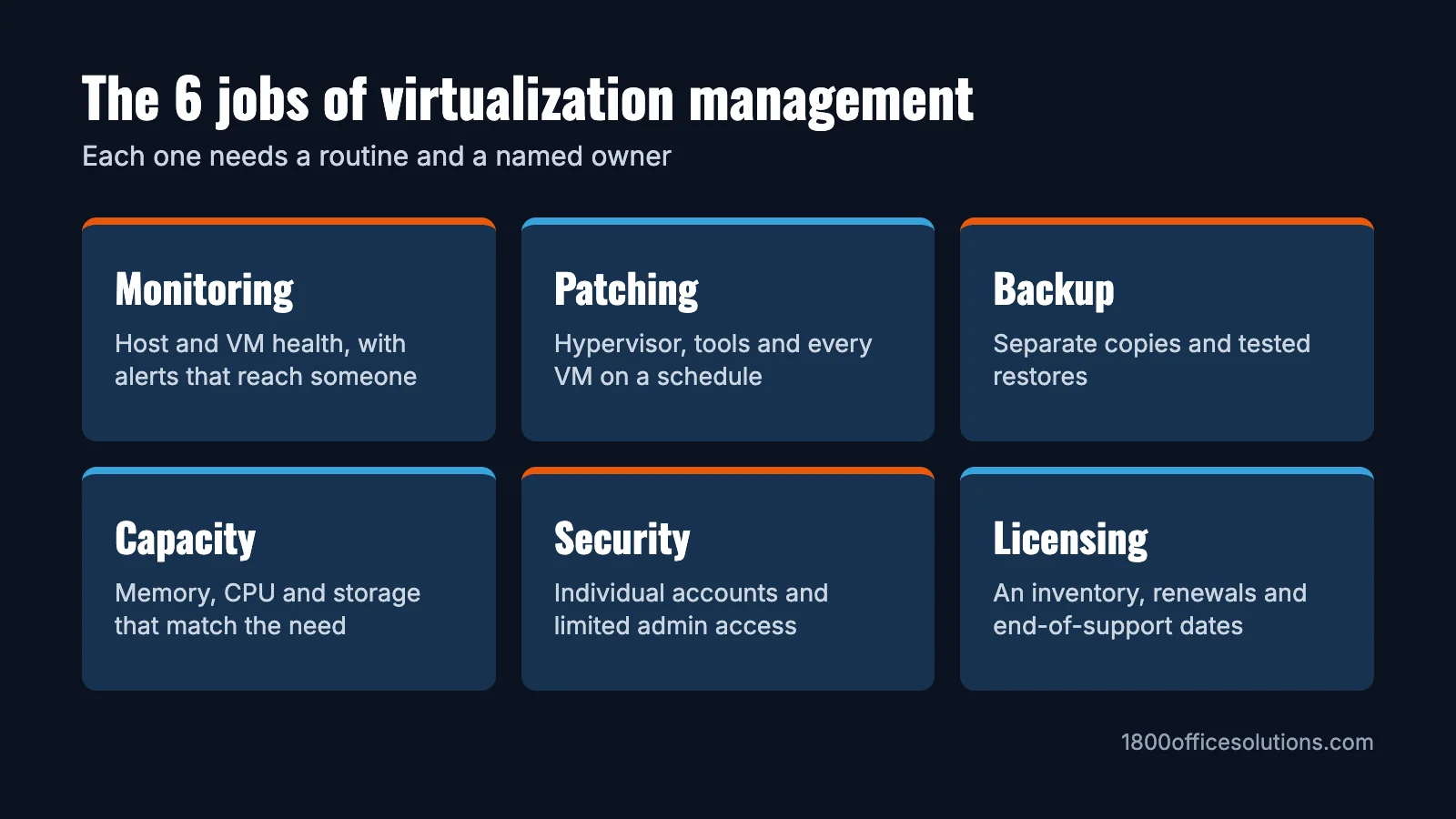
| Area | What it means | A good routine |
|---|---|---|
| Monitoring | Watching host and VM health, including CPU, memory, storage and uptime | Alerts that reach a named person |
| Patching | Updating the hypervisor, management tools and each VM | A regular schedule, with fast action on critical flaws |
| Backup and recovery | Copying VMs somewhere separate from the host | Automatic backups and regular test restores |
| Capacity | Making sure resources match what VMs need | A monthly look at usage and storage growth |
| Security and access | Controlling who can sign in and what they can change | Individual admin accounts and multi-factor authentication |
| Lifecycle and licensing | Creating, tracking and retiring VMs, and keeping licenses and hardware current | A simple inventory with an owner for each VM |
The Problems Good Management Prevents
- VM sprawl: VMs are easy to create and easy to forget. Each one uses resources and needs updates, so keep an inventory and retire what’s no longer used.
- Resource contention: VMs share one server, so one busy VM can slow the others down. Monitoring shows you where to rebalance.
- Single host failure: if several VMs run on one host, a hardware failure affects all of them. Plan how you’d recover, and how long it would take.
- Snapshots mistaken for backups: snapshots are useful before an update, but they usually depend on the original disks. Keep real backups in a separate location, and don’t leave snapshots running for long.
- Licensing surprises: licensing terms can change. For example, Broadcom’s rules count a minimum of 16 cores per CPU for VMware, which can affect small hosts. Check the current terms for your platform before you renew.
Tools You’ll Come Across
Most platforms include their own management tools, and they’re usually the best place to start.
| Platform | Management tools |
|---|---|
| Microsoft Hyper-V | Windows Admin Center, PowerShell and System Center Virtual Machine Manager |
| VMware vSphere | vCenter for central management of hosts and VMs |
| Proxmox VE | A built-in web interface for VMs, storage, networking and backups |
Beyond these, you may add separate monitoring and backup tools. A tool only helps if someone is looking at it, so decide who owns it first.
In-House or Managed?
This is the question most guides skip, because they’re written to sell software. Here’s a fair comparison.
| In-house | Managed by a provider | |
|---|---|---|
| A good fit when | You have staff with virtualization skills and time to spare | IT is one of many jobs, or there’s no dedicated person |
| Control | Complete and direct | Shared, and defined in your agreement |
| After-hours coverage | Depends on your team | Depends on your agreement, so confirm it |
| Skills | You build and keep them | The provider brings them |
| Cost | Staff time, training and tools | A recurring fee, so get a written scope |
| Main thing to watch | Relying on one person | Clear responsibilities and getting your data back if you leave |
How well managed is your setup?
Tick what’s true today. Your answers stay on this page.
Signs It’s Time to Get Help
- Updates keep getting postponed because nobody has time.
- Only one person knows how the system is set up.
- Nobody has tested a full restore lately, or the last test didn’t go well.
- You’ve been surprised by a full disk, a slow server or an expired license.
- Your business has grown, but the way you manage your servers hasn’t.
What to Expect From Virtualization Management Services
Scope varies by provider, so get these answers in writing before you sign:
- Coverage: which hosts, VMs and tools are included?
- Patching: how often, and how are maintenance windows agreed?
- Monitoring: what gets watched, and who responds outside office hours?
- Backups: where are they kept, how often are restores tested, and will you see the results?
- Reporting: what will you receive on capacity, health and upcoming renewals?
- Response: what are the committed response times, and how do you escalate?
- Access and exit: who holds the admin accounts, and how do you get everything back if you leave?
Need help managing your virtual servers?
Some of our partners offer virtualization management. Tell us about your setup, and we’ll help you find out what’s available for you.
Frequently Asked Questions
What is virtualization management?
It’s the ongoing work of running virtual machines and their host servers, including monitoring, patching, backup, capacity planning, security and licensing.
What does virtualization management include?
Most of the work falls into six areas: monitoring, patching, backup and recovery, capacity, security and access, and lifecycle and licensing.
What tools do I need?
Start with the tools included with your platform, such as Windows Admin Center for Hyper-V, vCenter for VMware or the Proxmox web interface. Add monitoring and backup tools as your needs grow.
Should I outsource virtualization management?
It’s worth considering if nobody on your team has the time or skills, or if only one person knows the system. If you have experienced staff with capacity, in-house can work well.
What is VM sprawl?
It’s when virtual machines multiply faster than anyone tracks them. Unused VMs take up resources and may miss security updates, so a current inventory is the best way to control it.
Is a snapshot the same as a backup?
No. A snapshot captures a VM’s state at a moment in time and usually depends on the original disks. A backup is a separate copy you can restore if the host or its storage fails.
For related reading, see our guides to hypervisor security and data backup.