Quick answer: Intelligent document processing (IDP) is software that reads documents such as invoices, forms and contracts, pulls out the information you need, checks it, and sends it to the systems you already use, like your accounting or CRM software. It combines OCR (text recognition) with AI that understands what each piece of text means. People review only the items the software isn’t sure about.
Industry glossaries such as TechTarget’s definition of IDP describe the same mix: OCR, machine learning and language processing working together. If your team still types numbers from paper or PDFs into another system, IDP is the technology built to take that job off their desks.
How Intelligent Document Processing Works
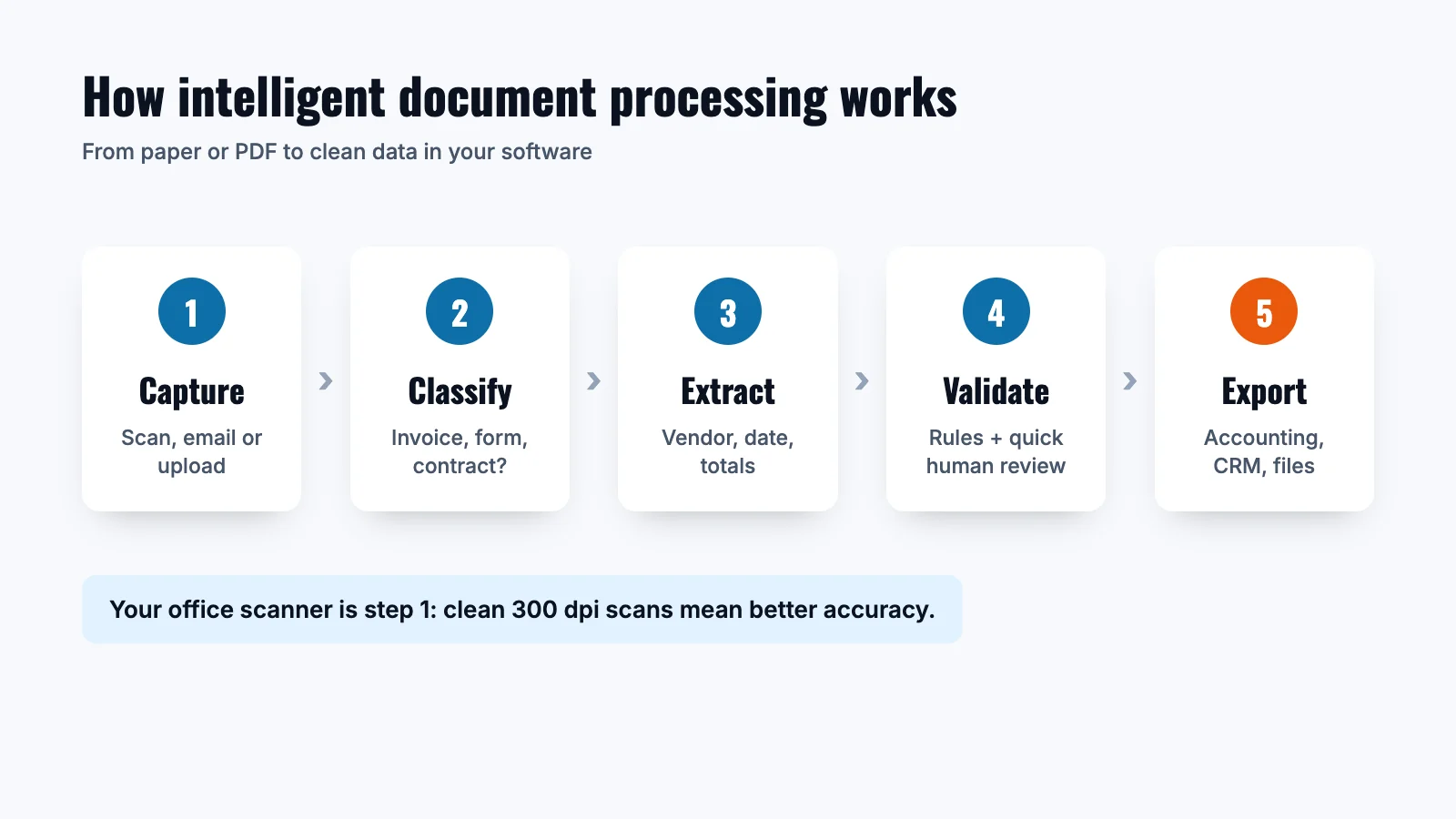
- Capture. Documents come in from a scanner, email inbox, upload folder or mobile photo.
- Clean up. The software straightens, sharpens and removes noise from the image so it’s easier to read.
- Classify. It sorts each document by type: invoice, receipt, purchase order, intake form, contract.
- Extract. It finds the fields you care about, such as vendor name, invoice number, date, totals and line items, even when every vendor’s layout is different.
- Validate. It checks the data against rules (does the total add up? does this PO exist?) and flags anything uncertain for a person to review.
- Export. Clean data goes to your accounting software, ERP, CRM or document management system, and the original file is stored with it.
IDP vs OCR: What’s the Difference?
| OCR | IDP | |
|---|---|---|
| What it does | Turns an image of text into text you can search and copy | Understands what the text means and pulls out specific data |
| Layouts | Works best on one fixed layout or template | Handles many layouts, like invoices from hundreds of vendors |
| Output | Searchable text or PDF | Structured data ready for your software |
| Checking | None built in | Rules and human review for low-confidence fields |
OCR is one ingredient inside IDP. If you only need searchable PDFs, OCR alone (which most office scanners include) may be all you need.
Where Small Businesses Use Intelligent Document Processing
- Accounts payable: vendor invoices, credit memos and statements.
- Expenses: receipts from cards and employees.
- Customer and patient intake: applications, registration and consent forms.
- HR: onboarding packets, W-4s and certifications.
- Operations: purchase orders, bills of lading and delivery receipts.
- Legal and real estate: contracts, leases and closing documents.
Your Office Scanner Is the Front Door
IDP can only read what it receives, so scan quality matters. A business multifunction printer with a fast two-sided document feeder makes capture quick and consistent. A few habits help accuracy:
- Scan text documents at 300 dpi.
- Use two-sided scanning so no page is missed.
- Scan straight to a shared folder, email or cloud destination the IDP software watches.
- Keep one document type per batch when you can.
Our guides on how to scan to email and how to scan multiple pages into one PDF walk through the basics. To organize and store scanned files, see document management.
How to Get Started With Intelligent Document Processing
- Pick one document type. Vendor invoices are the most common starting point.
- Count the volume. Note how many documents a month and how long each takes to key in today.
- Test with your own samples. Ask vendors to run a trial on a few dozen of your real documents and measure accuracy.
- Keep a person in the loop. Plan for a quick review step on flagged items, especially early on.
- Check security and retention. Confirm where files are stored, who can see them and how long they’re kept.
Benefits of Intelligent Document Processing
- Less typing. Staff review data instead of keying it in, so they spend time on the work only people can do.
- Fewer entry errors. Validation rules catch totals that don’t add up and fields that are missing.
- Faster turnaround. Invoices and forms move to the next step as soon as they’re scanned.
- Searchable records. Every document is stored with its data, so finding last year’s invoice takes seconds.
- Easier audits. You can see who approved what and when.
What to Look For in IDP Software
- Accuracy on your documents, tested with your own samples.
- A simple review screen for flagged fields.
- Connections to the accounting, CRM or document management tools you already use.
- Clear pricing, per page or per document.
- Security controls, user permissions and retention settings.
Intelligent Document Processing Terms, Explained
- OCR: optical character recognition, which turns printed text in an image into digital text.
- ICR: intelligent character recognition, the same idea for handwriting.
- NLP: natural language processing, which helps software understand what words mean in context.
- Confidence score: how sure the software is about each field it extracts.
- Human in the loop: a person reviews low-confidence fields before data moves on.
Frequently Asked Questions
Is IDP the same as OCR?
No. OCR turns images into text. IDP uses OCR plus AI to understand that text, find specific fields and send structured data to your software.
Do I need a special scanner for IDP?
Usually not. A business multifunction printer or a desktop document scanner that scans at 300 dpi and handles two-sided pages works well for most IDP software.
Is intelligent document processing only for large companies?
No. Many IDP tools are priced per page or per document, so a small business can start with one workflow, like invoices, and grow from there.
What does IDP stand for?
In business software, IDP stands for intelligent document processing.